





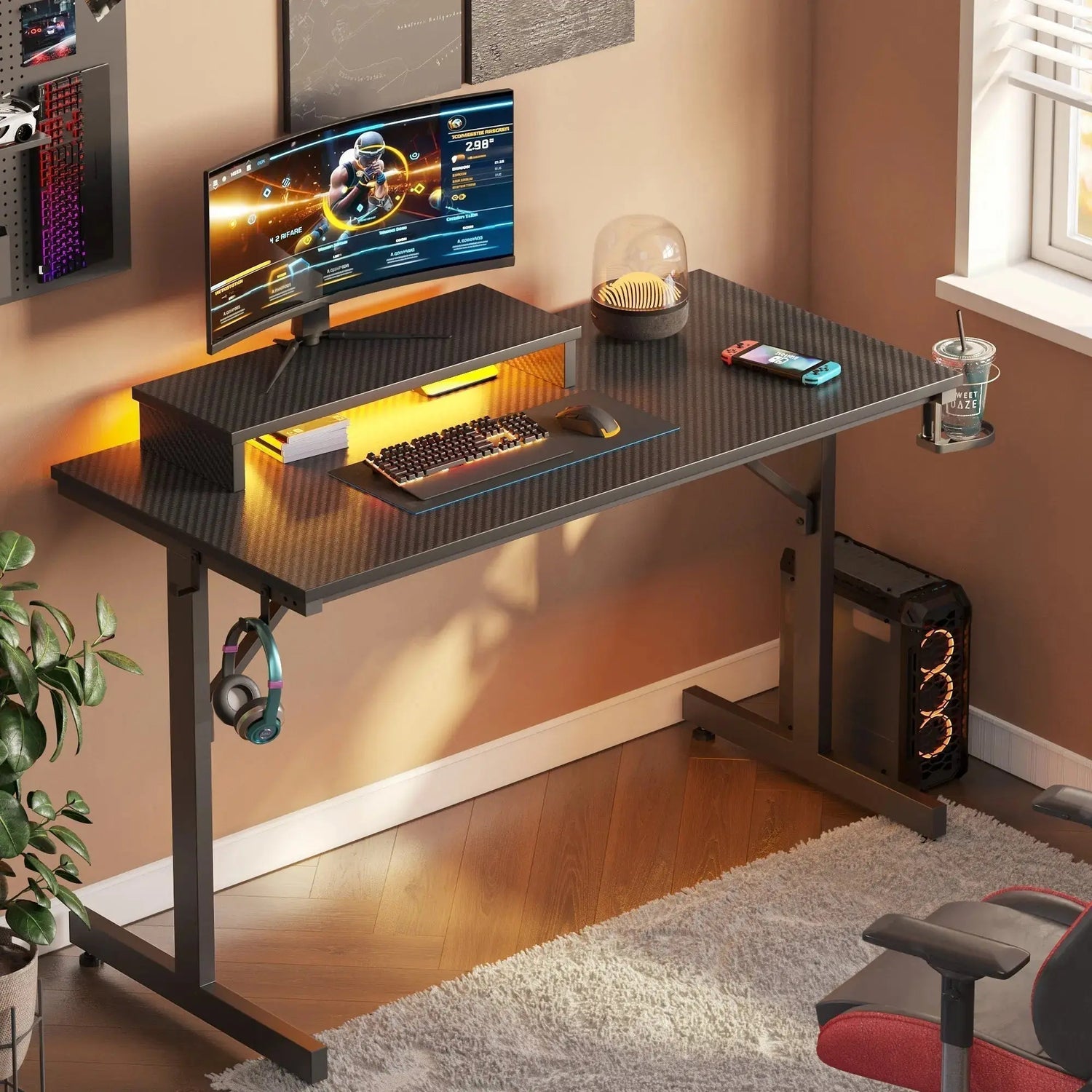
When it comes to the decision between an L-shaped gaming desk and an L-shaped desk, the implications are significant as they affect your gaming experience and working efficiency. Your desk is the base for all activities ranging from gaming to content creation projects. The choices you make will either improve comfort and efficiency as well as optimize your space or result in working in close and disorganized environments.
The Right Gaming Desk Improves Performance and Comfort
Your gaming desk does more than hold your equipment. It determines how efficiently you can access controls, how many monitors you can comfortably fit, and whether your cable management stays organized or becomes a tangled mess. The desk you select affects your posture during marathon gaming sessions, which directly impacts performance and long-term health.
Professional gamers and casual players alike recognize that desk configuration influences reaction times and overall comfort. When your equipment sits at the wrong height or distance, you compensate with awkward positioning that causes fatigue. A well-chosen desk keeps everything within natural reach while providing enough surface area for your keyboard, mouse, and additional peripherals.

What Makes L-Shaped Gaming Desks Special
The L-shaped gaming desk gives gamers a wrap-around working surface, turning corners into productive gaming areas. In this setup, there are various benefits, especially for avid gamers requiring easy access to their setup components.
Corner Space Optimization
Corners are commonly dead zones in home designs, but an L-shaped desk gaming station will convert these spots into the most desirable locations. The benefit obtained is considerable and substantial, without taking much floor space along the walls. This is very essential within smaller rooms, where all the floor space is cherished and utilized.
The vertical panels provide efficient ways to section off activities. Some gamers will reserve one side for their main gaming PC, while the other side is used for live stream components, console gaming, and other tasks.
Multi-Monitor Setup Benefits
The process of handling various screens becomes much simpler by using an L-shaped gaming desk. This is mainly because there is enough horizontal space to accommodate three or more screens without straining your neck or leaning back. The screens can then be positioned to create the best viewing angles on both sides of the L-shaped desk.
This layout is especially useful for content creators. You can observe various tasks, including Chat windows, Streaming software, and In-game footage, all at the same time without opening different tabs. The extra desk space is also useful for placing references, scripts, or equipment, which single desks can't handle.
Storage and Cable Management
Quality gaming desk L-shaped models include dedicated cable management systems. Built-in grommets allow cables to drop through the desk surface cleanly while channels underneath keep power strips and excess cable length hidden from view. Some designs incorporate wire baskets or clips that attach beneath the desktop.
Storage solutions vary widely between models. Shelving units, drawers, and keyboard trays add functionality without consuming valuable surface space. Consider whether you need storage for gaming peripherals, physical game collections, or production equipment when evaluating different configurations. The best L-shaped gaming desk options balance storage capacity with accessibility.
The Case for Straight Gaming Desks
Despite the advantages of L-shaped configurations, straight desks offer compelling benefits that make them the preferred choice for many gamers.
Simplicity and Focus
A straight desk creates a focused gaming environment with minimal distractions. Everything sits directly in front of you, promoting concentration during competitive play. This streamlined setup reduces the temptation to spread equipment across excessive surface area, keeping your essential tools within immediate reach.
The straightforward design also simplifies setup and organization. You face fewer decisions about equipment placement and can quickly establish optimal ergonomic positioning. For gamers who prefer minimalist setups or those just starting their gaming journey, this simplicity proves invaluable.

Room Layout Flexibility
Straight desks adapt to virtually any room configuration. You can position them against any wall, in room centers, or even float them as dividers in shared spaces. Moving apartments or rearranging rooms becomes much simpler when you don't need to find a suitable corner for your desk.
This flexibility extends to future upgrades. As your needs evolve, you can easily reposition a straight desk without worrying about corner constraints. If you later decide you need more space, adding a separate side table or extension becomes straightforward without requiring a complete workspace overhaul.
Gaming Desk L-Shaped vs Straight: Head-to-Head Comparison
Direct comparison helps clarify which configuration suits your specific needs and constraints.
Space Requirements Comparison
L-shaped desks demand more total floor space but use corners efficiently. A typical L-shaped unit requires roughly 50 to 70 inches along each wall, creating a substantial footprint. However, the usable surface area often exceeds what you'd get from a straight desk of equivalent floor space consumption.
Straight desks offer more flexibility in tight spaces. A 60-inch straight desk fits along most walls while providing ample room for single or dual monitor setups. For bedroom gaming setups or apartments with limited square footage, straight configurations often make better practical sense despite offering less total desktop area.
Price Point Analysis
Budget considerations significantly influence desk selection. Straight desks generally cost less than L-shaped equivalents with comparable build quality. The simpler construction requires fewer materials and less complex engineering, translating to lower retail prices.
However, price differences narrow when comparing total workspace cost. Creating equivalent surface area with a straight desk and separate extension table often costs similar amounts to purchasing an integrated L-shaped unit. Factor in long-term value as well since quality L-shaped desks eliminate the need for future expansion purchases.
Build Quality and Stability
Trembling desks will ruin the accuracy of gaming and damage the equipment as well. The desk legs should have robust designs and thick desktop support to withstand monitor heaviness. Metal stands will always be more stable than those composed entirely of wood, especially in L-shapes.
The weight capacity ratings will tell you how much equipment your desk can handle. Factor in the presence of two monitors, desktop computers, speakers, and any other components you intend to install.
L-Shaped Desk Gaming Setup Ideas
The extra space that L-shaped desks provide opens creative possibilities for advanced gaming configurations.
Dual PC Streaming Station
Professional streamers often run separate gaming and streaming computers to maximize performance. An L-shaped desk gaming arrangement accommodates both systems comfortably. Position your gaming PC and primary monitors on one side while dedicating the perpendicular section to streaming equipment, capture cards, and production monitors.
This separation improves workflow during live broadcasts. You can monitor chat interactions and production quality without glancing away from your primary gaming display. The physical distance between systems also improves cooling and reduces the risk of accidentally bumping streaming equipment during intense gaming moments.
Console and PC Hybrid Setup
Most players will always have the PC and the console set up in their homes for exclusive games and various gaming experiences. The L-shaped gaming desk featuring LED lights will provide enough light on both sides of the desk, giving the gaming station a uniform look and allowing easy transitions between the two gaming stations. Allocate one side of the desk to your PC gaming setup and the other side to your console gaming setup.
This setup is extremely useful for families with more than one gamer or content creators posting videos on various platforms. In this manner, you never have to interchange devices, and both computers are always set and ready to go.
Making Your Final Decision
Your ideal desk configuration depends on several personal factors. Evaluate your available space honestly before committing to an L-shaped unit. Measure your room carefully and visualize how the desk footprint affects traffic flow and access to other furniture.
Consider your equipment needs over the next few years rather than just current requirements. Gamers frequently expand their setups with additional monitors, audio equipment, or streaming gear. Choosing a desk with growth capacity prevents premature replacement costs.
Think about your gaming habits and workflow patterns. If you regularly multitask between gaming and other activities, the separation that L-shaped desks provide enhances productivity. Players who prefer focused, immersive sessions might find straight desks more conducive to maintaining concentration. When searching for the best L-shaped gaming desk, prioritize features that align with your specific gaming style and space requirements.
Conclusion
Both L-shaped gaming desks and straight configurations offer legitimate advantages depending on your specific circumstances. L-shaped designs maximize corner space and accommodate extensive equipment arrays, making them ideal for content creators and multi-platform gamers. Straight desks provide simplicity, flexibility, and focused gaming environments at generally lower price points. Assess your space constraints, budget, and gaming habits to determine which configuration best supports your command center vision.
FAQs
Q1: How Much Space Does an L-Shaped Gaming Desk Actually Need?
Most L-shaped gaming desks require 50 to 70 inches along each wall. Measure your corner space carefully and account for chair clearance behind the desk, which typically needs an additional 36 to 48 inches. Consider room traffic patterns to ensure the desk doesn't obstruct doorways or create awkward navigation paths.
Q2: Can Straight Desks Support Multi-Monitor Gaming Setups?
Straight desks easily accommodate dual monitor configurations and can support triple monitor setups with proper planning. Look for desks at least 60 inches wide for three monitors. Monitor arms help maximize space efficiency on straight desks by eliminating bulky stands and allowing flexible positioning.
Q3: Are L-Shaped Gaming Desks Worth the Extra Cost?
The value depends on your needs. If you're a gamer needing considerable desk real estate to accommodate your streaming components, multiple computers, and extensive peripheral components, L-desks are well worth the splurge. If you're a single PC gamer with limited components, you'll probably be satisfied with a straight desk.
Q4: What Weight Capacity Should I Look for in a Gaming Desk?
Calculate your total equipment weight including monitors, PC, speakers, and peripherals. Most quality gaming desks support 200 to 300 pounds safely. Add 30% buffer capacity to account for future upgrades and ensure long-term stability without sagging or structural concerns.
Q5: How Do I Choose Between Different L-Shaped Gaming Desk Configurations?
Consider which desk side you'll use as your primary gaming station based on your dominant hand and room layout. Right-handed gamers often prefer the longer section on the right for mouse movement space. Evaluate whether you need the return section at 90 degrees or if slightly angled configurations better fit your corner space.
