





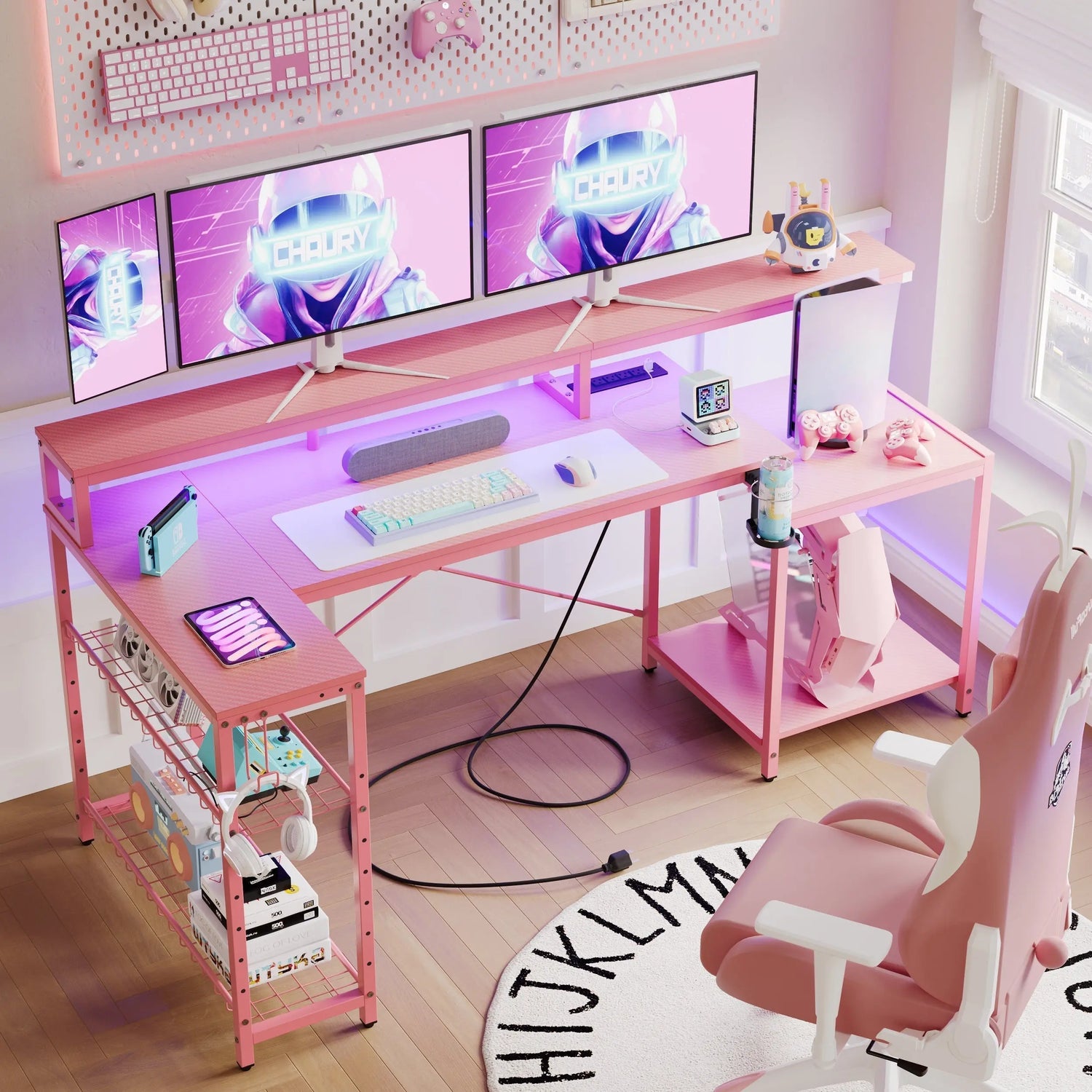
Gaming together is one of the best ways to share a hobby with your partner. But a great couples gaming room doesn't happen by accident. The right layout, furniture, and lighting all work together to create a space that feels comfortable, functional, and genuinely fun to be in. This guide walks you through everything you need to build a setup you'll both love.
Best Dual Gaming Desk Layouts: Side-by-Side vs. L-Shape vs. Back-to-Back
The layout you choose will shape the entire feel of your room. Before buying any furniture, think about how much space you have and how you want to interact while gaming.
Side-by-Side
A long desk for 2 players placed side by side is the most social option. You can glance over, react to each other's screens, and share snacks without getting up. This works well in rectangular rooms where you have a solid wall to anchor both setups.
The downside is screen glare. If your monitors are angled the same way, light from one screen can bleed into the other. Positioning matters here.
L-Shape
An L shaped gaming desk is one of the most popular choices for couples because it creates a natural dividing point between two setups while keeping both players close. One person works on each arm of the L. It's efficient, looks clean, and usually fits well into a corner.
If you're short on square footage, this is often the smartest pick. The corner position uses space that would otherwise sit empty.
Back-to-Back
Two separate desks placed back-to-back give each person their own defined territory. There's less visual interaction, which actually suits couples who game in different genres or at different hours.
The main challenge is cable management. With two setups facing opposite directions, wires tend to spread in ways that are hard to contain. Plan for this early.
| Layout | Best For | Main Challenge |
|---|---|---|
| Side-by-Side | Social play, co-op gaming | Screen glare |
| L-Shape | Space efficiency, varied game types | Corner placement needed |
| Back-to-Back | Independent setups, different schedules | Cable management |

Essential Features to Look for in a Couples Gaming Desk
Choosing the right desk makes a real difference in daily comfort. A double gaming desk should handle two full setups without feeling cramped.
Surface Area and Weight Capacity
Surface area is the obvious starting point. Each player typically needs at least 47 inches of width for a monitor, keyboard, mouse, and a few accessories. A combined surface of 94 inches or more is a reasonable target for a two person desk.
Weight capacity matters more than people expect. Two monitors, two PCs or consoles, speakers, and accessories add up fast. Look for desks rated for at least 200 pounds total.
Height Adjustability
Fixed-height desks are fine if both partners are similar in height. But if there's a noticeable height difference, a desk with adjustable legs becomes much more valuable. Even a few inches of adjustment can prevent neck and back strain over long sessions.
Built-In Organization
Headphone hooks, cup holders, and monitor risers built into the desk keep surfaces cleaner. These small features reduce clutter and make the desk feel intentional rather than improvised.
How to Elevate the Vibe with Integrated LED Lighting
Lighting does more for a gaming room atmosphere than almost anything else. An RGB gaming desk or a gaming desk with LED lights brings color and energy into the space without requiring much effort.
Choosing the Right Color Modes
Most LED setups let you pick static colors, gradients, or reactive modes that shift with audio or activity. For couples, synchronized lighting across both setups creates a cohesive look. Some systems allow two zones so each person can customize their side slightly while still matching overall.
Warm white and soft blue tones are easier on the eyes during long sessions. Bright red or high-contrast strobing looks great in photos but can be fatiguing over time.
Placement Tips
Backlighting behind monitors reduces the contrast between a bright screen and a dark wall. This actually lowers eye strain. Under-desk LED strips add ambient glow to the floor area and make the whole room feel more immersive. Avoid placing light strips at eye level directly in your field of view. Indirect lighting is almost always more comfortable.
Smart Cable Management Solutions for Two Setups
Two gaming setups mean roughly double the cables. This is where many couples gaming rooms start to look messy, even when the furniture is nice.
Cable raceways are simple plastic channels that mount along the wall or desk edge. They're inexpensive and keep runs of cable bundled and out of sight. For under-desk areas, a mesh cable tray attached to the frame collects power strips and excess cord length in one contained spot.
Velcro ties are more forgiving than zip ties if you rearrange gear often. Label cables at both ends. It sounds tedious, but it saves a lot of frustration when something needs to be unplugged. Wireless peripherals also reduce cable count significantly. A wireless keyboard and mouse per player can eliminate up to six cables per setup.

Couples Gaming Room Decor: Themes, Colors, and Wall Art
Once the functional side is sorted, the room's personality comes from decor. A shared space should reflect both players, not just one.
Choosing a Theme
Popular themes include retro arcade, sci-fi minimal, and fantasy dungeon. Picking one theme keeps the room from looking scattered. If your tastes differ, look for a visual middle ground. A dark color palette with metal accents, for example, works across several themes without being specific to any one.
Wall Art and Displays
Framed pixel art, controller shadow boxes, or prints of favorite game worlds add personality without requiring major renovation. Floating shelves hold figures, limited editions, or plants without taking up desk space.
Color Palette
Darker base tones, deep navy, charcoal, or matte black, let colored lighting pop. If you prefer a brighter room, warm grays and cream walls still pair well with accent lighting without feeling stark.
Building Your Dream Couples Gaming Room Together
The process of setting up the room can be part of the fun. Treat it as a project you're doing together, not a task to get through.
Start with layout. Agree on which desk configuration works for your space and your habits before buying anything. Measure the room carefully, including door clearances and window positions. Then prioritize the desk and chairs, since those affect comfort most. After that, lighting and decor are finishing touches that can evolve over time.
A couples gaming room tends to improve gradually. Adding a new shelf here, swapping a light strip there. Give it room to grow into a space you'll both want to come back to every day.
FAQs
Q1: What Is the Best Desk Layout for a Couples Gaming Room?
The best layout depends on your space and habits. An L shaped gaming desk is the most versatile option for most couples, offering shared space while giving each person a defined area. Side-by-side works well for co-op players who like to interact.
Q2: How Wide Should a Two Person Gaming Desk Be?
A two person desk should offer at least 90 to 100 inches of combined surface width. Each player needs roughly 47 inches minimum for a comfortable setup with a monitor, keyboard, and mouse.
Q3: Are Gaming Desks With LED Lights Worth It?
Yes, an RGB gaming desk adds genuine atmosphere to a shared space. Beyond aesthetics, backlighting behind monitors can reduce eye strain during long sessions. Look for desks with customizable zones so both partners can personalize their side.
Q4: How Do You Manage Cables for Two Gaming Setups?
Cable raceways, under-desk mesh trays, and velcro ties are the most practical tools. Wireless peripherals reduce cable count significantly. Labeling cables at both ends saves time during any future rearrangement.
Q5: Can a Couples Gaming Room Work in a Small Space?
Yes, a small space can absolutely support two setups. An L shaped gaming desk in a corner is particularly efficient. Prioritize vertical storage, like wall shelves, to keep floor space open.
