





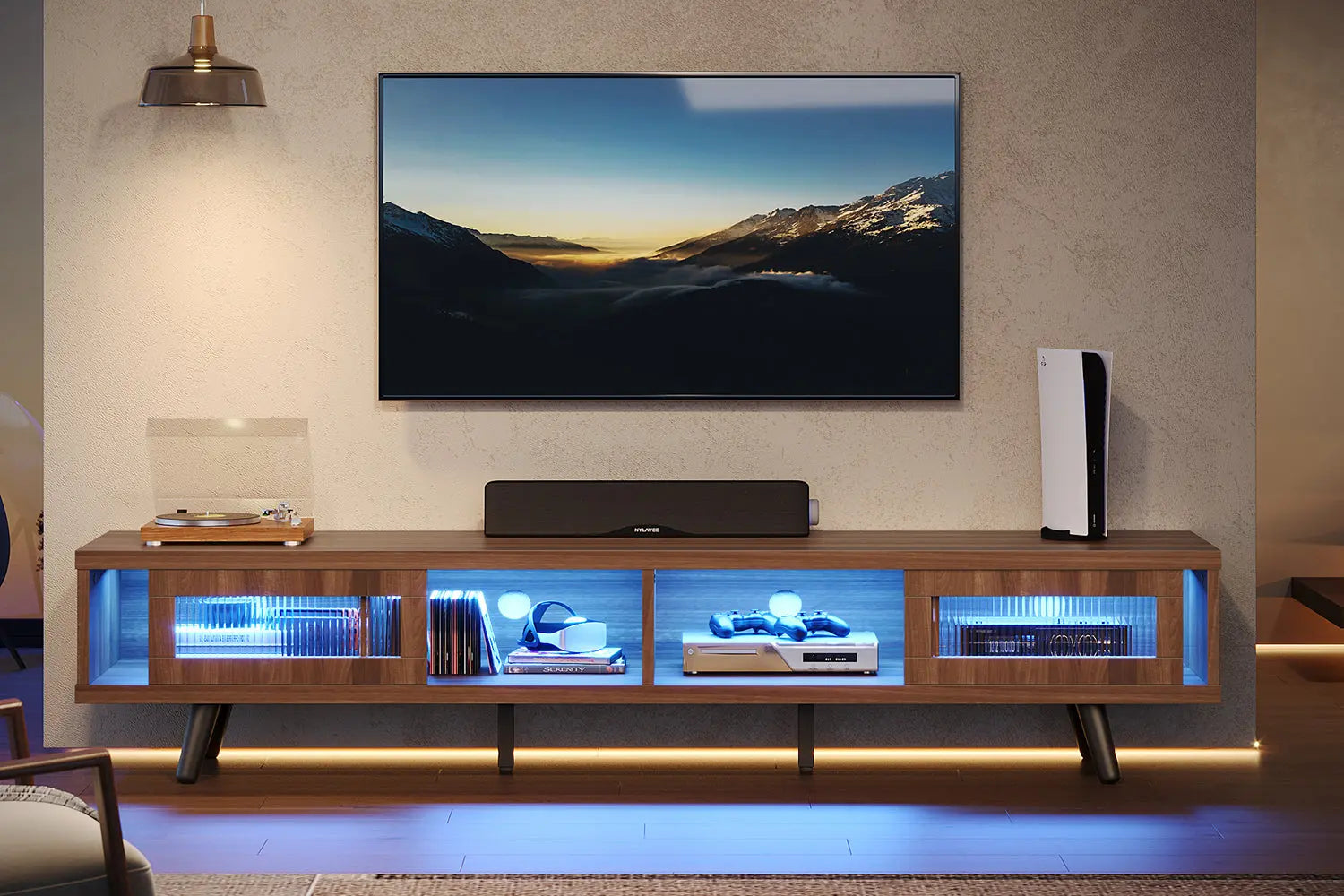
Your home deserves a living room that needs more than just sitting furniture. To consider a home truly furnished, you need a corner where the best films spring to life before the eyes. In this case, designing the ultimate home entertainment center helps you transform the home media experience.
Plan Your Perfect Entertainment Setup
A little planning now saves you from expensive mistakes and frustrating do-overs later.
Measure Your Space Like a Pro
Get a tape measure and measure things. Trust me: do not guess this part. Start with the measurements of the wall: width, height, depth. Consider the locations of the outlets. You do not want to finalize the perfect configuration only to realize you've blocked the only power outlet in the room.
Sit in the same spot where you do when you watch TV. The viewing distance from this location to the placement of your TV will give you the maximum TV size without developing a neck strain. No one needs to feel as though they are sitting in the front row of a motion picture theater in their home. Make sure you leave at least three inches of space around each side. Your electronics require airflow, and you require enough space to actually open the doors of the cabinets without scratching paint off the wall.
Choose the Right Style for Your Home
Your entertainment center exists in your environment. This means that it has to be something that fits in. Exploring different entertainment center ideas for the home can help you find the perfect match for your space. Starting off the new year right? A clean and minimalistic decor? That’s perfect. A more traditional setting? Wood finish and the addition of a few touches will do wonders.
Consider also the possibility of open storage versus closed storage. Open storage allows you to display the cool stuff you have, the collectibles and gaming items. Closed storage conceals the chaos and helps keep the dust off the expensive equipment you do own. Most of us will end up combining the two since – face it – each of us has both items that deserve display and items that deserve hiding.
Colour has more significance than you might believe. Dark colors create dramatic explorations. Lighter shades can cause smaller rooms to appear larger. Coordinate the color of existing furnishings or create contrast that actually works.

Get the Size Right for Your TV
Most people mess up here by falling in love with furniture that looks amazing but doesn't actually fit their screen.
Entertainment Center for 65 Inch TV Essentials
A 65-inch screen is the sweet spot for most living rooms. Not too big, not too small, just right for that cinematic feel without overwhelming your space.
Your TV stand needs to be at least 58 inches wide, but honestly? Go for 65-70 inches. It looks better proportioned and your TV won't seem like it's doing a balancing act. Plus, you get extra room for a soundbar or some decorative stuff.
Weight capacity is where you can't cut corners. A 65-inch TV weighs around 50-60 pounds. Add a soundbar and you're pushing 100 pounds easy. Check those manufacturer specs before you buy. Your entertainment center for 65 inch tv needs to handle that weight without breaking a sweat.
Entertainment Center for 75 Inch TV Solutions
Going big with a 75-inch display is impressive, but it demands serious support and space.
Your entertainment center for 75 inch tv should be at least 68 inches wide, though 75-80 inches looks way better. These beasts weigh 75-100 pounds, so you need reinforced construction. Look for solid wood or heavy-duty engineered wood. Metal frames work great too.
Just remember: bigger screen means bigger furniture means more floor space. Make sure you're not turning your living room into an obstacle course. Measure twice, buy once.
Why Proportion Actually Matters
Balance between your TV size and furniture size makes or breaks the visual appeal of your entire setup.
A tiny stand under a massive TV looks ridiculous. A huge entertainment center dwarfing a small screen looks equally weird. Balance is everything.
Height matters for your neck and eyes. The center of your screen should hit at eye level when you're sitting down. For most people, that's about 42-48 inches from the floor. Trust me, your chiropractor will thank you.
Make sure your TV's base fits completely on the surface with room to spare. Some screens have those wide-set feet that need extra depth. Don't find this out after you've assembled everything.
Entertainment Center with LED Lights Magic
LED lighting transforms your entertainment space from functional to absolutely stunning.
Set Up Your Lighting
An entertainment center with led lights changes the whole vibe of your room. RGB strips give you millions of color options. Mount them behind your TV for bias lighting that reduces eye strain when you're watching in the dark. Edge lighting on shelves makes your collectibles pop and adds depth.
Smart lighting systems sync with your content. Some change colors based on what's happening on screen. Others respond to music or voice commands. It sounds gimmicky until you try it, then you wonder how you ever lived without it.
Create the Perfect Atmosphere for Games
Gaming with proper lighting hits different and takes your sessions to the next level.
Set cool blues for racing games. Warm reds for action-packed shooters. Soft purples when you're chilling with puzzle games.
Motion-reactive lighting takes immersion to another level. Lights that pulse with explosions or fade during quiet moments add a sensory layer that makes every session more engaging. Your gaming entertainment center becomes an experience, not just a place to play.
Adjustable brightness saves you during intense competitive matches. Dim the lights when you need full focus. Brighten them when you need to see your surroundings. Preset scenes let you switch instantly without breaking your flow.

What Makes a Gaming Entertainment Center Special
Gaming setups demand more than traditional TV stands because you're juggling multiple devices and managing serious equipment.
Design Features That Matter
Your gaming entertainment center needs to handle heat. Modern systems run hot during marathon sessions. Good furniture allows airflow around your consoles to prevent overheating and keep your hardware running longer.
Quick access is key. You need controllers, headsets, and charging stations within arm's reach. Nobody wants to dig through drawers mid-game to find a charging cable.
Cable Management Is Critical
Cable chaos can ruin even the best-looking setup if you don't plan for it.
HDMI cables, power cords, ethernet connections, charging cables—it adds up fast. Built-in channels and hidden compartments keep everything organized without that rat's nest behind your screen. Route everything properly from the start because fixing it later is ten times harder.
Storage and Organization Hacks
A smart storage solution will keep your entertainment center organized and functional years to come.
Organized storage will either make or break your home entertainment system. Set up regions for various items. The console can be placed at mid-level points where you can access them readily. Media can be organized at the bottom of the shelves. Accessory items will be organized in drawers so they do not get lost.
Organize small things using drawer dividers. Controllers and cables will remain organized and will no longer be lost. No longer will you be searching frantically around movie night because you can't find the correct controller.
Don’t waste vertical space. Add risers inside deep cabinets to maximize stacking. Attach hooks to the inside of cabinets to hang controllers or headphones. Every inch of storage counts.
If you live with family members or roommates, you should label everything. This way “Where’s the HDMI cable” disagreements can be eliminated. Nobody wants to be involved in this type of dispute.
Create Your Dream Entertainment Space Today
Building your ideal entertainment center really comes down to thoughtful planning and smart choices. Consider your screen size, figure out your storage needs, and pick a style that actually fits your home. Quality furniture paired with clever organization creates a space where entertainment truly shines. Take those measurements seriously and don't rush decisions on pieces you'll use every single day for years. Your perfect setup is waiting for you to build it.
FAQs
Q1: What Width Entertainment Center Do I Need for My TV?
The width of the entertainment center needs to be approximately 4-8 inches wider than the TV width. A TV of width 65 inches will require at least 69 inches, and a TV of width 75 inches will require at least 79 inches of width.
Q2: Can I Put a 75 Inch TV on a 65 Inch Entertainment Center?
This can cause safety and aesthetic problems. The TV will hang over the edges of the walls. This can cause people to fall. Additionally, this will cause the TV to appear odd-looking. Make sure you match the width of the TV with suitable furniture.
Q3: How Do I Hide Cables in My Entertainment Center?
Utilize built-in cable management channels, cable adhesive clips, or cable sleeves. This involves directing wires through the back of the case and holding them together using velcro ties. It is also important to separate the power cables from HDMI cables to avoid interference.
Q4: Are LED Lights Worth Adding to Entertainment Centers?
Yes. LED strips eliminate eye strain when dark-viewing, provide ambiance lighting, and accent home decor. They are power efficient and long-lasting. The LED strip will pay for itself through improved viewing comfort and aesthetic appeal.
Q5: What Material Is Best for Entertainment Center Construction?
For maximum durability and weight support for large TVs, the best option has to be solid wood. The best value will be found in quality engineered woods which come with reinforced shelves. Particle board shelves will not be the best option when the TV has considerable weight. Metal frames are the best when the TV has to bear considerable weight.
