





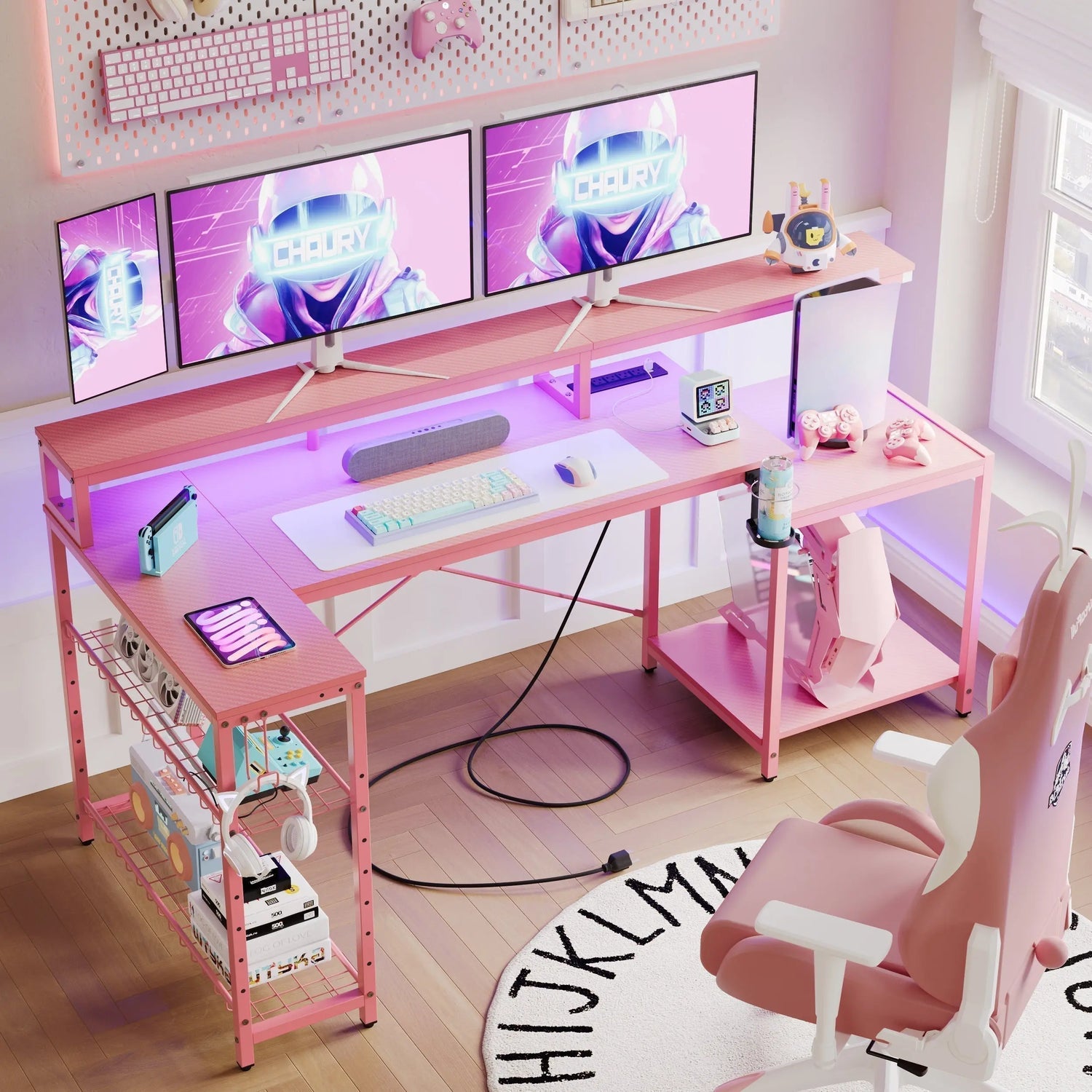
A cable mess could make what would be an elite gaming computer into something aesthetically repulsive. Effective cable management, in addition to improving your computer’s aesthetic, improves its airflow. Regardless of whether you have dual computer monitors or opt for an ‘L’ layout, these steps are necessary for creating your ‘battlestation’.
Why Does Cable Management Matter in Your Gaming Setup?
Gaming setups produce considerable amounts of heat, especially due to multiple components operating together. Poor cable management prevents proper airflow around your computer hardware, which in some instances could affect performance and hardware function. Letting power cables, HDMI cables, USB cables, and audio cables clutter your desktop creates disorganization, thereby taking away from your gaming enjoyment.
Performance and Hardware Protection
Aside from aesthetic considerations, cord organization safeguards your investment. Untangled cables have fewer chances of being pinched by chair wheels or pulled accidentally during an enthralling gaming session. If one cable gets damaged, there might be downtime while you look for a replacement. Organized cables make it easier to troubleshoot issues because each cable is clearly paired with its respective device.
Mental Clarity and Streaming Quality
There's also a psychological benefit to consider. It’s hard to believe, but having a clean environment clears your mind too. If you stream your gameplay, a clean environment creates a more professional and appealing atmosphere for your viewers.

How Do You Choose a Gaming Desk with Cable Management Tray?
Your desk forms the foundation of any cable management strategy. Selecting the right furniture determines how easily you can maintain organization as your setup evolves. A gaming desk with cable management tray provides dedicated channels for routing cables beneath your workspace, keeping them hidden yet accessible.
Essential Desktop Features
Surface area represents your first consideration. Cramped spaces force cables into awkward positions that complicate organization. Look for desks with built-in grommets or cutouts positioned where your PC tower typically sits. These openings create natural pathways for cables to drop beneath the desk surface.
Depth matters equally. Shallow desks push monitors and peripherals closer together, creating cable congestion. Adequate depth allows you to position equipment strategically, separating power cables from signal cables to reduce electromagnetic interference.
Configurations for Multiple Monitors
A gaming desk for 2 monitors needs sufficient width and strategic cable routing paths to handle the additional display connections cleanly. The added HDMI or DisplayPort cables, along with potential USB hub connections, multiply your organizational challenges. Position monitors before finalizing your desk choice to ensure adequate space for both screens and their accompanying cables.
The best l shaped gaming desk configurations excel at cable management because their design naturally divides your workspace into zones. You might dedicate one section to your main gaming monitors while using the perpendicular section for streaming equipment or secondary tasks. This separation simplifies cable routing since each zone's wires can be managed independently.
LED Integration Considerations
Some advanced setups feature the best gaming desk with led lights, which adds another layer of cables to manage. These ambient lighting systems typically include power adapters and control modules that need integration into your overall cable plan. Position LED controllers where you can easily adjust settings without disturbing your primary cable routes. Plan these connections during initial setup rather than retrofitting them later.
What Are the Best Methods for Organizing Cables Beneath Your Desk?
Once you've selected appropriate furniture, implementing effective under-desk cable management becomes your next priority. This hidden infrastructure determines whether your setup remains organized long-term or devolves into chaos.
Tray Installation and Usage Strategies
Cable management trays mount underneath your desk surface, creating a hidden highway for your wires. Start by mapping your cable paths before securing anything permanently. Identify which devices need power, which require data connections, and where each component sits on your desk.
Run power cables along one side of your tray and data cables along the other. This separation prevents interference and makes future troubleshooting easier. Use the tray's multiple channels or compartments to group similar cables together. The physical distance between power and data cables reduces electromagnetic interference that could affect signal quality.
Avoid overfilling trays. Stuffing too many cables into one channel creates the same tangled mess you're trying to avoid, just in a different location. If your tray feels crowded, consider adding a second tray or reassessing which cables actually need to run through that pathway.
Power Strip Positioning
Strategic power strip placement anchors your entire cable management system. Mount your power strip to the underside of your desk or within your cable tray. This elevation prevents cables from pooling on the floor where they collect dust and risk damage. Position the strip centrally beneath your desk so cables from various peripherals reach it without excessive length.
How Should You Route Cables for Multiple Displays?
Display cables require special attention since they carry high-bandwidth signals and often span considerable distances. Poor routing creates visual clutter and risks signal degradation.
Video Cable Bundling Techniques
Connect both video cables to your graphics card first, then route them together using velcro straps or cable sleeves. Keeping display cables bundled creates a cleaner appearance and prevents individual wires from drooping. Secure the bundle to your desk's cable tray at intervals to maintain tension and prevent sagging.
Leave slight slack at connection points to prevent stress on ports when you adjust monitor angles. Tight cables restrict movement and can damage connectors over time. The slack should be minimal yet sufficient for normal adjustments.
Power and Signal Separation
Power cables for monitors should follow a separate path initially, then converge at your power strip location. This routing strategy prevents thick power cables from crushing thinner video signal cables. The physical separation also minimizes electromagnetic interference that power cables can introduce to sensitive video signals.
Monitor Arm Advantages
Consider monitor arms for maximum flexibility. These mounting solutions eliminate bulky monitor stands while creating additional space for cable routing behind your screens. Many monitor arms include integrated cable clips that guide wires down the arm's structure, further concealing your setup's cable presence. The vertical routing these arms enable often proves cleaner than horizontal desk-level cable runs.

What DIY Solutions Can Improve Your Cable Management?
High-quality cable management doesn't demand costly cable management tools. Rather, everyday home items will provide a similar effect.
Household Items as Cable Organizers
Attaching binder clips to the edge of your desk creates cord organizers to keep your cables from drooping behind your desk when unplugged. Thread cables through the clip's metal loops to keep them accessible and organized. This solution works particularly well for charging cables you frequently connect and disconnect.
Toilet paper tubes or paper towel rolls cut to length make excellent cable sleeves for bundling multiple wires together. These will not cost you money, can be made to any desired length, and painted to fit in with your color scheme. Just slice them along their length, put in your cables, and attach with velcro.
Adhesive Solutions and Anchor Points
Adhesive cable raceways cover exposed areas of walls to create clean cable routes. These adhesive lanes for cables stick to walls or desk tops to route cables along desired routes. Their functionality is ideal for directing power strips to fixed wall sockets or linking distant peripherals to your computer.
Strategically placing command hooks under your desk gives you anchor points for cable loops. Rather than letting excess cable length pile up, create organized loops secured by these hooks. This approach keeps spare cable accessible for future adjustments while maintaining a clean appearance.
Color Coordination Techniques
Cable colors are more important considerations than many gamers appreciate. White cables will not be visible on lightly colored computer surfaces and walls, while black cables are better suited to dark environments. Some enthusiasts take it to extremes and paint their cables to match their gaming environment, although care must be taken not to damage insulation on the conductors.
How Do You Maintain Organization Over Time?
Cable management begins with organization, which is just the start. It is crucial to keep your cord organization in place during growth.
Regular Maintenance Schedule
Set an appointment to have your cables audited on a quarterly basis to eliminate unused cables and reorganize cables that have slackened over time. Gaming computer setups grow with each new gaming peripheral or hardware addition, so your cable organization needs to keep pace with these changes.
Labeling Systems for Easy Identification
Make sure to label your cables on both sides with small labels or colored tape. Trust me, it saves an incredible amount of time if you have to do any upgrades or troubleshooting in the future. If you have to remove something, you will instantly know what to remove with your cables, rather than having to track it down to its point of origin.
Cleaning and Dust Prevention
Dust accumulates on cables just like any other surface. During your regular cleaning routine, wipe down visible cables and vacuum underneath your desk where cable trays live. Dust buildup can actually impact performance by insulating cables and trapping heat. Clean cables also look more professional in photos or on camera during streams.
Future-Proofing Strategies
Plan for future expansion when initially routing cables. Leave extra capacity in your cable trays and avoid completely filling velcro straps or sleeves. This foresight means adding a new device doesn't require completely redoing your cable management system.
Consider wireless peripherals where practical. Modern wireless mice and keyboards have eliminated latency concerns for most gamers. Removing these cables from your setup reduces management complexity, though you'll trade cable management for battery management instead. Reserve cable management efforts for connections that must remain wired.
Cable Length Management
Purchase cables in appropriate lengths rather than accepting whatever length comes with devices. Measure the actual distance your cables need to travel, then add twenty to thirty percent extra for routing flexibility. Excessively long cables create unnecessary clutter, while too-short cables create tension at connection points. Custom-length cables represent a small investment that pays dividends in cleaner appearance.
Conclusion and Final Thoughts
Professional cable management transforms your gaming space from cluttered to commanding. The techniques outlined here work for any budget and skill level, requiring only patience and planning. Start with your desk's built-in features, add affordable accessories as needed, and maintain your system regularly. Your organized setup will enhance both gaming performance and visual appeal for years to come.
FAQs
Q1: How Often Should I Reorganize My Gaming Setup Cables?
Check your cable organization on a regular basis, such as every three to six months, or after acquiring new hardware. It is faster to make adjustments in minutes compared to entire projects in reorganizing cables.
Q2: Can Poor Cable Management Actually Affect Gaming Performance?
Yes, insufficient airflow due to Cable Management could lead to higher temperatures for some components, resulting in Thermal Throttling. Also, Electromagnetic Interference caused by power/data cables grouped together could lead to Signal Degradation, in extreme scenarios. Organized layout prevents these problems.
Q3: What Length Cables Should I Buy for Gaming Setups?
It’s necessary to calculate the actual length of cables to be routed, then increase it to 20-30% to have enough slack in the routes. Having cables too long results in clutter, while cables too short result in strain on connectors.
Q4: Are Cable Sleeves Better Than Velcro Straps for Management?
Both have their uses in different ways. Cable sleeves are ideal for grouping several wires together into one, while velcro straps provide ease of access for regular changes. It’s not uncommon for optimal designs to combine these in different regions.
Q5: Should I Separate Power Cables From Data Cables?
Separation is generally preferred whenever possible. Power cables produce electromagnetic fields, which could interfere with data transfer through other signal cables close by. Keeping them on different sides of your cable management plan reduces any chances of conflicts due to interference.
