





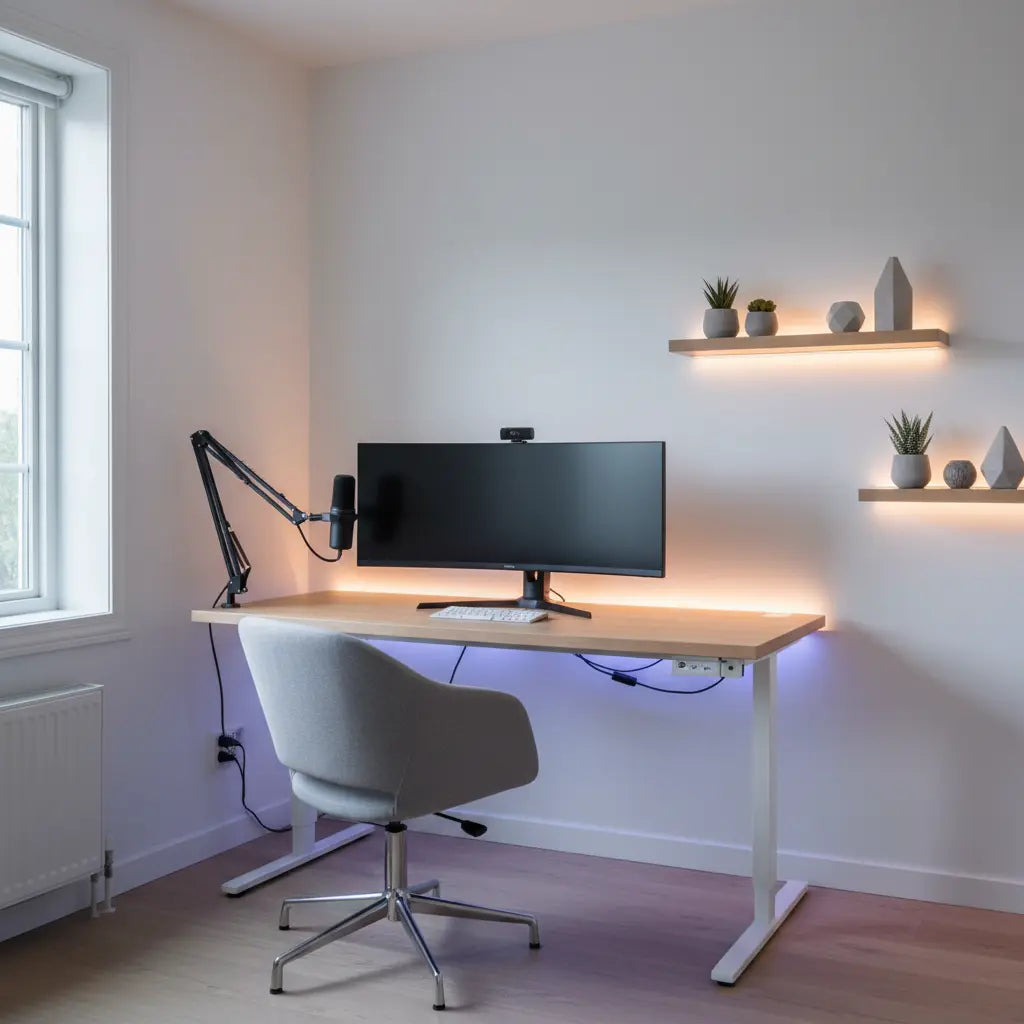
You don't need hundreds of dollars or a dedicated studio to create a streaming room that looks polished on camera. The highest-impact upgrades for most new creators are smart prioritization of lighting, background cleanup, and organization rather than loading up on RGB accessories first. Start with those fundamentals and you can achieve a professional look on a tight budget while also improving your own comfort and workflow.

New streamers often face the same challenge: they want their space to appear clean and engaging during live streams or short-form videos, but limited funds make flashy gear feel out of reach. The good news is that many of the most visible improvements come from low-cost, high-leverage choices. By focusing on layered lighting, reducing visual clutter, and adding targeted functional decor, you can transform a bedroom corner or small apartment desk into a credible streaming background without overspending.
Why Lighting and Background Cleanup Come First
The single biggest mistake budget-conscious creators make is buying decorative items before fixing how the room looks on camera. Official guidance on indoor environmental quality emphasizes that lighting and visual clutter control affect perceived quality more than extra decorative gear. Start here and your entire setup will feel more professional with fewer dollars spent.
A practical order looks like this:
- Lighting that flatters your face and reduces shadows – A basic ring light or soft LED panel (often under $60) makes the biggest visible difference.
- Background cleanup and organization – Remove distracting items from the camera frame and add affordable storage so surfaces stay clear.
- Glare control – Position lights and screens to avoid reflections on monitors, glasses, or glossy surfaces.
- Only then add accent decor – RGB elements and themed pieces work best once the basics are solid.
This sequence prevents wasting money on items that end up looking cluttered or creating new problems on camera.
The Truth About RGB Lighting for Streaming
RGB decor can add personality and depth, but it should be treated as an accent rather than the main light source. Evidence from visual comfort studies shows that harsh contrast or unbalanced lighting can make a setup feel less comfortable and look less clean on camera. When RGB becomes the dominant light, it often creates color spill, uneven skin tones, or distracting highlights that hurt rather than help your stream.
Use RGB strips or LED furniture to highlight edges, create subtle mood lighting behind your desk, or add interest to shelves. Keep the main face lighting neutral and consistent. This approach delivers the “pop” viewers notice while maintaining a professional appearance. Many budget gaming desks now include built-in RGB that can be controlled via remote or synced to your PC, making it easy to add without extra purchases.
Here is a helpful heuristic comparison of upgrade categories based on relative impact and typical budget cost ranges. These scores are illustrative and meant to guide spending order rather than represent measured data.
Heuristic Priority vs. Budget Cost for Streaming Room Upgrades
Heuristic comparison to guide upgrade order: higher impact means better first-step payoff; cost is an approximate budget setup range, not a measured price index.
View chart data
| Category | Relative impact (1-10) | Approx. budget cost (USD) |
|---|---|---|
| Basic Lighting / Glare Control | 9.0 | 60.0 |
| Background Cleanup / Storage | 8.0 | 80.0 |
| Acoustic Treatment | 5.0 | 120.0 |
| RGB Accent Decor | 3.0 | 40.0 |
Heuristic synthesis from the provided viewpoint-insighter modules and evidence notes: lighting and background cleanup are prioritized first; glare control is a basic prerequisite; acoustic panels help mainly with reflections; RGB is accent-only after basics. Cost values are illustrative budget-level approximations, not sourced market data.
Layered Lighting on a Budget
Simple layered lighting remains one of the most practical ways to make a small streaming room look more polished. Combine a main key light for your face, soft ambient light to balance the room, and subtle accent lighting for depth. Municipal lighting guides recommend planning around how you actually use the space rather than just buying the brightest or cheapest bulbs.
Avoid setups that create strong glare or leave the room much darker than your monitor. Studies on digital eye strain note that a room that is too dark compared with the screen can feel harsher, while balanced ambient light usually helps both comfort and camera quality. Affordable options include clip-on LED panels, bias lighting behind the monitor, and smart bulbs that let you adjust color temperature without replacing fixtures.

Acoustic Panels and Sound Treatment
Many streamers overlook sound until echo becomes obvious on recordings. Acoustic panels primarily reduce reflections inside the room rather than providing full soundproofing. They can noticeably improve clarity and reduce that “hollow” sound common in untreated bedrooms or apartments, but they will not block traffic noise or loud neighbors.
Place panels strategically on walls that face your microphone or create parallel reflective surfaces. Budget versions made from foam or fabric-wrapped materials often deliver good results when combined with soft furnishings like curtains or rugs. Treat them as a targeted fix for echo rather than a complete audio solution.
Choosing Budget Furniture That Works for Streaming
Your desk and storage pieces form the foundation of both workflow and camera framing. Budget gaming desks that include cable management, adjustable shelves, and built-in lighting tend to deliver the best value. Look for options that increase usable surface area while keeping the frame tidy so your setup looks intentional rather than chaotic.
LED furniture such as TV stands or shelving with integrated lighting can double as background elements that add depth without extra cost. When choosing pieces, prioritize stability, organization features, and neutral or easily customizable finishes that work with your lighting scheme.
Several practical options fit well within a streaming budget. A 44-inch RGB Gaming Desk with LED Lights, Storage Shelves & Adjustable Height combines lighting, storage, and compact sizing that works in small rooms. For media-focused setups, consider the 57-inch Gaming TV Stand with RGB Lights or a Bestier LED TV Stand for TVs up to 70" that keeps your console and accessories neatly organized behind the camera.
Our Bestier LED Gaming Desk collection offers multiple compact models with RGB options that integrate lighting directly into the furniture, reducing the need for separate purchases. The broader Bestier Game Room Furniture range includes pieces designed for hybrid gaming and content creation spaces.
Common Mistakes and What to Skip
Avoid buying decor that adds visual clutter visible on camera, creates new glare, or promises more than it can deliver. Do not purchase acoustic panels expecting them to eliminate outside noise. Skip overly bright or mismatched RGB if you have not yet established good face lighting. A desk that looks stylish but lacks cable management often creates more problems than it solves.
Other pitfalls include over-relying on theme decor before the room is clean and well-lit, or choosing glossy surfaces that reflect lights and monitors. Focus first on items that solve specific camera or comfort issues rather than buying for aesthetics alone.
Building a Dopamine Desk That Supports Productivity
Many creators want their streaming space to also feel motivating for editing, planning, and daily work. A well-organized desk with subtle lighting and reduced visual noise can support focus while still looking good on camera. Simple additions like cable sleeves, monitor arms, and dedicated accessory storage help maintain that clean look between streams.
Practical Buying Checklist for a Budget Streaming Room
Use this checklist to guide your next purchases:
- Does the item solve a visible camera problem (lighting, clutter, glare) or a functional one (storage, cable management)?
- Will it create new issues such as reflections or added mess?
- Does it work with the lighting you already have, or will it require additional adjustments?
- Is the cost justified by impact, or could a simpler alternative achieve similar results?
- For RGB or LED pieces, is the lighting controllable and dimmable so it does not overpower your key light?
Apply this filter before buying and you will naturally stay within budget while improving the quality of your streams.
Putting It All Together
A professional-looking streaming room on a budget is less about the total amount spent and more about the order and thoughtfulness of your choices. Begin with lighting and background basics, add organization that keeps the frame clean, incorporate acoustic treatment only where reflections are an issue, and finish with tasteful RGB accents that enhance rather than compete with your main setup.
This measured approach helps you avoid common regrets while creating a space that looks good on camera and feels good to work in. Many creators find that once the fundamentals are in place, even modest decor additions have a much stronger positive effect.
If you are upgrading an existing setup, revisit your current lighting and clutter levels first before adding new pieces. Small, targeted changes often deliver bigger improvements than a complete overhaul.
Comfort and Setup Note: This article discusses practical decor and lighting choices for improved visual comfort and on-camera appearance. It does not constitute medical advice. If you experience persistent eye strain, headaches, or other discomfort while using screens, consult a qualified eye care professional. Results depend heavily on your specific room conditions, existing equipment, and personal sensitivity.
The right budget streaming room decor balances aesthetics with real functionality. By following the prioritization framework above and choosing versatile, well-designed pieces, you can create a space that supports both your content and your productivity without breaking the bank.
