





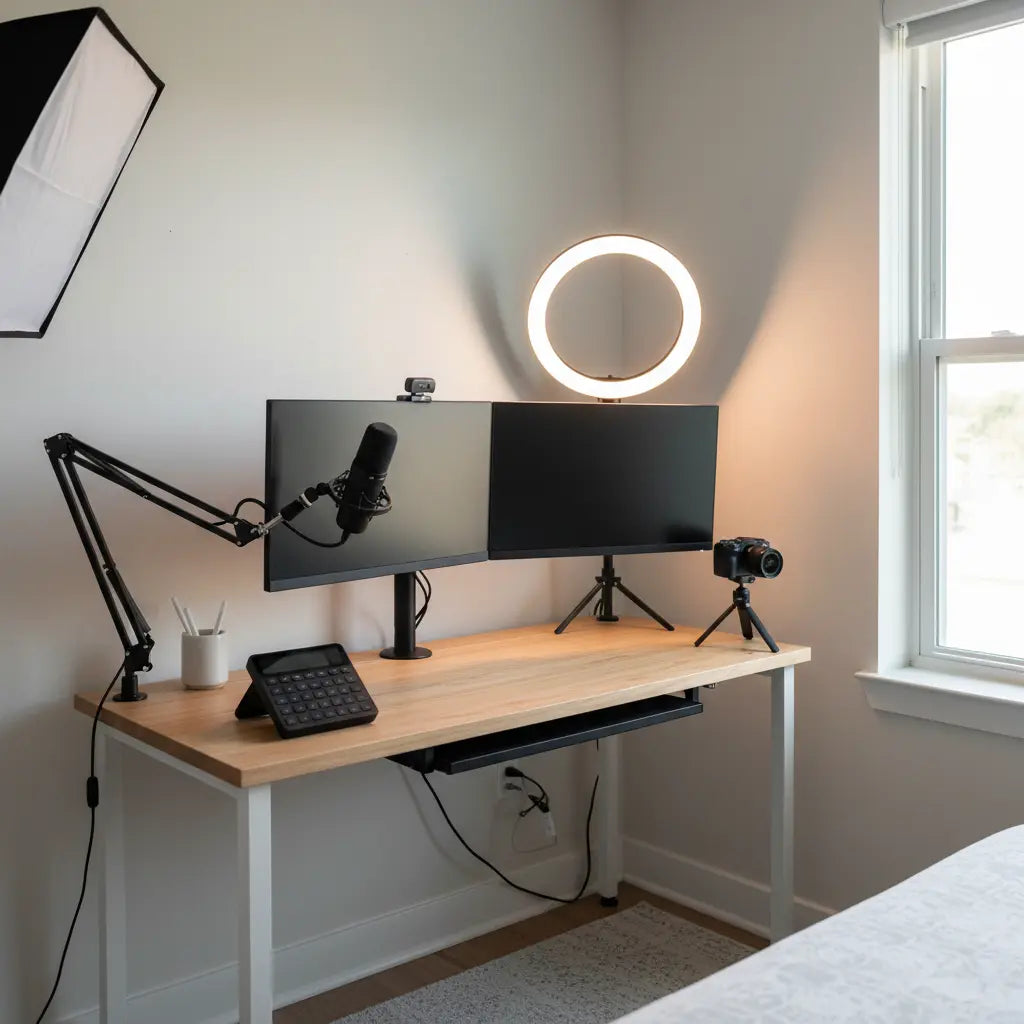
Building a professional streaming or content creation setup in a small apartment or bedroom is entirely possible when you prioritize usable surface area, ergonomic placement, and smart vertical organization instead of simply adding more gear. The key is designing around your most frequent tasks first: keeping monitors at a comfortable viewing distance, positioning the keyboard and mouse within easy reach to reduce strain, and routing cables out of sight so the desk looks clean on camera. Following workstation guidance like that from OSHA helps creators avoid awkward postures even in tight quarters.

Why Compact Creator Desk Setups Matter in Small Spaces
Most aspiring YouTubers, Twitch streamers, and podcasters start in apartments or dorms where every square foot counts. The typical pain points include insufficient desktop real estate for dual monitors, a microphone arm, ring light, and stream deck all at once, plus the risk that the setup quickly looks cluttered on camera. Cable clutter compounds the issue, making daily use frustrating and maintenance difficult. Rather than chasing a full studio build, the smarter path is affordable, space-saving strategies that integrate storage vertically and keep the camera-facing side tidy.
Ergonomic principles remain crucial here. Neutral posture and minimized awkward reaches become even more important in cramped layouts, as noted in CDC guidance on ergonomics and musculoskeletal disorders. A compact creator desk works best when the most-used items stay within arm's reach while less frequent accessories move off the main surface.
Planning Your Small-Space Creator Workstation
Start by auditing the room before buying any new furniture or gear. Measure not just floor space but also usable desktop area, wall height for mounting, and power outlet locations. A good compact desk should provide enough surface for your primary workflow while leaving clearance for movement. According to small-home office planning ideas, focus on layouts that preserve a clear working zone rather than maximizing the overall footprint.
Consider whether your setup is mostly fixed or needs frequent rearrangement. In stable apartment corners, wall-mounted solutions or vertical shelving can free up the desk dramatically. In frequently reconfigured bedrooms or dorms, freestanding pieces with built-in cable channels offer more flexibility. Adjustable desks can also help vary posture during long editing or streaming sessions, supporting comfort in compact environments.
Scenario Fit Comparison for Compact Creator Setups
Compact Creator Desk Setup: Scenario Fit by Room Constraint
Illustrative scenario-fit comparison for compact creator desk setups
View chart data
| Series | Vertical Storage | Ergonomic Fit | Clutter Reduction | Accessory Minimalism | Cable Management |
|---|---|---|---|---|---|
| Small Apartment | 4.0 | 4.0 | 4.0 | 3.0 | 4.0 |
| Bedroom Setup | 3.0 | 3.0 | 3.0 | 4.0 | 3.0 |
| Dorm | 5.0 | 2.0 | 4.0 | 5.0 | 3.0 |
| Heuristic Best Fit | 4.0 | 4.0 | 4.0 | 4.0 | 4.0 |
Bounded heuristic model based on OSHA/CDC ergonomics guidance, IKEA-style cable-management principles, small-space planning, and viewpoint-insighter modules (constraint-first filter, scenario matrix, threshold table, reverse recommendation). Scores are relative fit levels (1-5), not measured outcomes.
This illustrative radar chart shows relative fit across common small-space scenarios. Scores represent heuristic guidance synthesized from ergonomic best practices and layout principles—treat them as decision aids, not precise measurements. Small apartments often score well on vertical storage and cable management, while dorm rooms may prioritize clutter reduction but trade off some ergonomic flexibility.

Choosing the Right Desk for Content Creation
For most creators in limited square footage, a straight compact desk measuring around 40-55 inches wide provides enough room for dual monitors when paired with a monitor arm. L-shaped desks can work in dedicated corners but often waste space in narrow bedrooms if the return wing becomes a catch-all. Prioritize desks with built-in cable management channels or grommets to keep cords organized from day one, as proper cable management keeps the creator desk visually cleaner.
When depth is limited, a monitor arm becomes essential because it frees desktop real estate and allows precise positioning at the recommended viewing distance. Wall-mounted or clamp-on arms also reduce the footprint compared to traditional monitor stands. For budget-conscious buyers, look for desks with modest height adjustability or pair a fixed desk with a supportive chair that lets you maintain neutral wrist and shoulder positions.
Maximizing Vertical and Under-Desk Space
Vertical space is your greatest ally in small creator setups. Install floating shelves or a pegboard above the desk for ring lights, extra microphones, headphones, and stream decks. This keeps the main surface clear for actual work and creates a clean background for camera shots. Under-desk solutions such as monitor mounts, keyboard trays, or hanging organizers can further reclaim space without expanding the footprint.
Cable management plays a central role here. Use adhesive clips, sleeves, or under-desk raceways to route power cords, USB hubs, and audio cables out of view. The result is a professional appearance that supports perceived quality during streams or recordings. IKEA-style cable management guidance emphasizes keeping cords bundled and hidden, which translates directly to better-looking content creator desks.
Ergonomics and Camera-Friendly Aesthetics
Even the most space-efficient setup fails if it causes discomfort during long sessions. Keep the top of your monitor near eye level and position the keyboard so your elbows stay at roughly 90 degrees. In compact layouts, this often means raising the screen with a stand or arm and using a low-profile keyboard. These adjustments follow established ergonomic workstation recommendations that help prevent strain.
For the camera view, aim for a minimalist aesthetic. Position the microphone arm to the side rather than dead center, and place the ring light off to one side or mounted on a separate stand so it doesn't dominate the frame. A tidy desk with hidden cables signals professionalism to viewers and makes the space more enjoyable to use daily.
Practical Checklist: Building Your Compact Creator Desk
Use this self-audit before purchasing additional accessories:
- Can you sit with relaxed shoulders and keep the monitor at a comfortable distance without hunching?
- Is there at least one dedicated vertical storage zone within easy reach for frequent items?
- Are cables routed so they stay hidden and do not interfere with mouse movement?
- Does the layout preserve clear walking space around the desk?
- Will adding one more item improve workflow or simply add clutter?
If the answer to several of these is no, focus first on layout adjustments or a better base desk rather than more peripherals. Adjustable elements and thoughtful placement often deliver bigger gains than buying extra gear.
When to Avoid Over-Expanding Your Setup
Not every compact creator desk needs every accessory. If your current arrangement already forces awkward reaching or constant cable untangling, adding a stream deck or extra light may worsen the problem. In those cases, simplifying by removing non-essential items and improving ergonomics and cable management usually yields better results. The reverse recommendation from layout analysis is clear: redesign around core needs before layering on more solutions.
Final Tips for Long-Term Success
Treat your creator desk as a flexible workstation that evolves with your content. Start minimal, test the setup during actual recording sessions, and adjust based on real usage rather than theoretical ideals. Good cable management, strategic vertical storage, and adherence to basic ergonomic principles will keep the space functional and camera-ready for years.
This approach proves you don't need a massive studio to produce high-quality content. By focusing on smart space use in small apartments or bedrooms, you can build an efficient, professional-looking creator desk setup that supports both your workflow and your audience's perception.
Health and Comfort Disclaimer
This article discusses ergonomic setup advice, desk organization, and comfort considerations for content creation. It does not constitute medical advice, diagnosis, or treatment. Workstation comfort depends heavily on individual factors, room conditions, and device quality. If you experience persistent discomfort, eye strain, or have existing health conditions, consult a qualified healthcare professional.
Small-space creator desks can feel more comfortable and easier to maintain when properly planned, but results vary by setup and personal use.
