





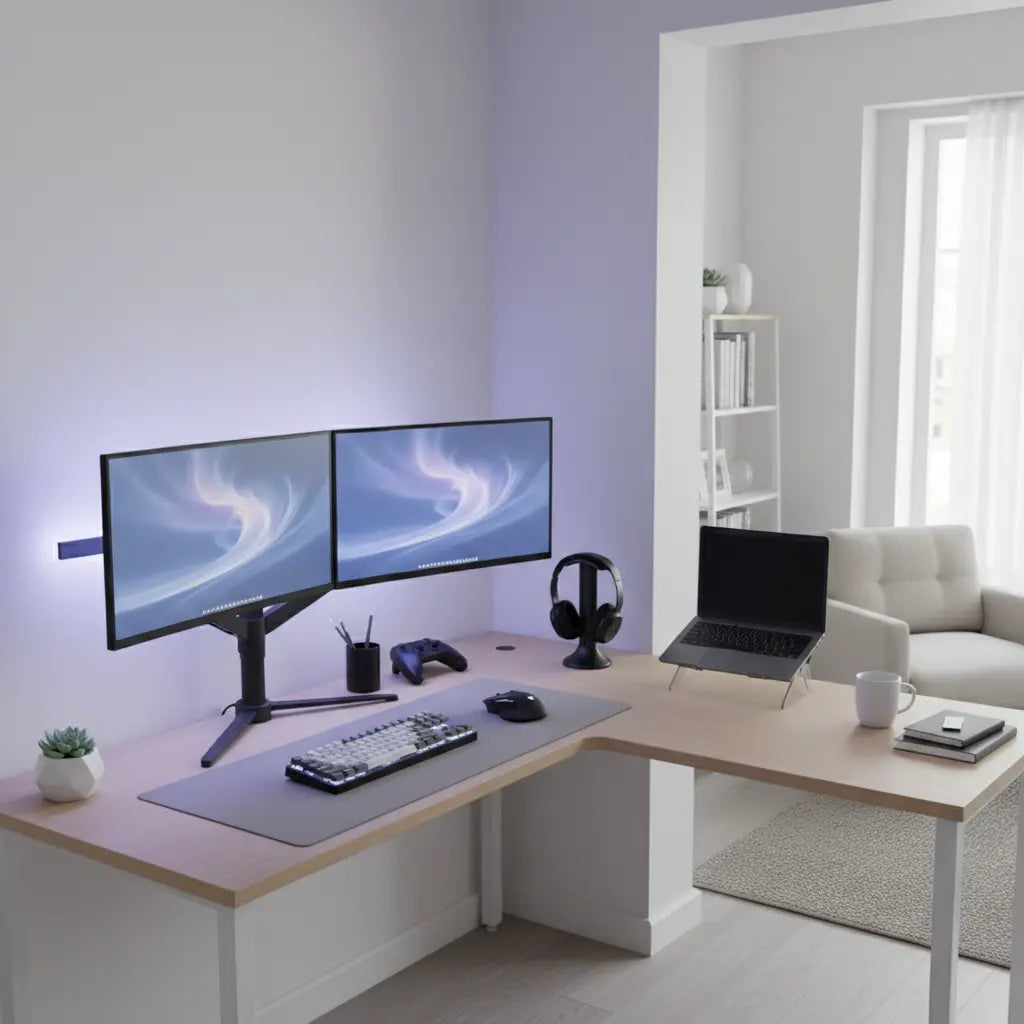
Dual-Purpose Corner Desks: Transitioning from WFH to Gaming
If your apartment doubles as both your office and gaming zone, a dual-purpose corner desk can be the single piece of furniture that makes the daily switch feel effortless rather than exhausting. The key is choosing an L-shaped or corner layout that gives you enough depth for proper monitor distance, stable primary zones for quick transitions, and enough surface area to keep work and play gear from fighting for the same real estate.
Quick Summary: 3 Essentials Before You Buy
To ensure your corner desk works for both WFH and gaming, prioritize these three steps:
- Verify Depth First: Aim for at least 24 inches of depth on the main wing to maintain a safe 20–40 inch monitor distance.
- Map Your "Stable Zone": Ensure your primary monitor and keyboard don't need to move when switching modes; only swap secondary accessories.
- Check Leg Clearance: Measure your chair's armrest height and your leg span to ensure the desk's support legs or storage don't block your movement.
Why Corner Desks Excel at Hybrid WFH and Gaming Use
Corner desks naturally fit the awkward angles found in most small apartments and studios. Unlike straight desks that push everything into a single line, an L-shaped layout lets you dedicate one wing to your main monitor and keyboard while the other wing holds secondary screens, speakers, or storage. This separation reduces the need to constantly rearrange items when switching from professional work to immersive gaming.
General ergonomic guidelines (such as those often cited by OSHA or workstation safety standards) suggest keeping the monitor roughly 20 to 40 inches away to maintain a comfortable viewing distance and reduce eye strain. This range is based on standard focal lengths for common 24- to 32-inch displays. A corner desk with sufficient depth makes this possible without forcing you to sit too close to the screen. These same principles emphasize that the top of the monitor should sit at or slightly below eye level so that your neck remains in a neutral position.
These principles apply equally to both work and gaming sessions. The same neutral posture that prevents neck strain during eight hours of spreadsheets also makes long evening gaming more sustainable. Note: Always verify these distances with your specific monitor size and vision needs.
Choosing the Right Size and Depth for Your Apartment
The single most important step before buying any dual-purpose corner desk is measuring your actual corner footprint. Wall angles, baseboard thickness, and chair clearance all affect whether a desk will actually fit and function well.
Here is a practical filter order based on common apartment layout patterns:
- Measure the Corner: Include at least 30–36 inches of depth for the main wing and enough clearance for the chair to pull back comfortably (usually 30+ inches from the desk edge).
- Confirm Depth (The 24-Inch Rule): While some "compact" desks are 18–20 inches deep, a 24-inch depth is generally the minimum required to accommodate a large gaming monitor and a keyboard without your wrists hanging off the edge.
- Evaluate Legroom: Ensure the desk's "L" join or support legs don't intersect where your knees need to go when you swivel between wings.
- Secondary Features: Only then consider storage shelves, cable channels, or LED lighting.

When depth is insufficient, even an attractive corner desk quickly becomes frustrating. Users often end up leaning forward or craning their necks, which defeats the purpose of a hybrid setup designed for long sessions.
Ergonomic Thresholds That Matter Most for Hybrid Desks
A good hybrid corner desk must support the same core ergonomic zones whether you are working or gaming. The following chart shows relative fit scores across different practical depth categories.
Heuristic Comfort Ratings by Desk Depth:
| Main Wing Depth | WFH Comfort | Gaming Comfort | Legroom/Flexibility |
|---|---|---|---|
| 18" - 20" (Compact) | 1/5 | 2/5 | Very Limited |
| 21" - 23" (Standard) | 3/5 | 3/5 | Moderate |
| 24" - 30" (Optimal) | 5/5 | 5/5 | High |
Note: These scores are heuristic estimates based on standard equipment sizes (e.g., a 27-inch monitor and full-sized keyboard). Your personal height and peripheral sizes will affect actual comfort.
Illustrative Fit Scores for Dual-Purpose Corner Desk Depths
Heuristic fit scores on a 1-3 scale for practical desk-depth thresholds.
View chart data
| Category | Monitor distance fit | Legroom fit | Work layout fit | Gaming layout fit |
|---|---|---|---|---|
| Tight depth | 1.0 | 1.0 | 1.0 | 1.0 |
| Usable depth | 2.0 | 2.0 | 2.0 | 2.0 |
| Comfortable depth | 3.0 | 3.0 | 3.0 | 3.0 |
| Dual-monitor friendly | 3.0 | 3.0 | 3.0 | 3.0 |
Illustrative heuristic only. Scores are a bounded 1-3 fit scale for practical desk-depth thresholds, intended to show relative usability rather than measured performance or exact ergonomic standards.
This highlights why many compact corner desks feel adequate for short gaming bursts yet become tiring during full workdays. Tighter depths limit monitor distance and legroom simultaneously.
Navigating the Trade-offs of Shared Apartment Spaces
In a studio or shared apartment, a corner desk isn't just a workstation; it’s a piece of the living environment. This introduces specific challenges:
- Visual Privacy & Distraction: If your desk faces the room, consider a small desk-mounted privacy screen or a monitor arm that allows you to pivot the screen away from roommates.
- Light and Glare: Corner desks are often tucked near windows. Ensure your monitor has enough brightness (nits) or use an anti-glare film to combat daytime reflections during WFH hours.
- Noise Management: If you share a room, the "clicky" mechanical keyboard you love for gaming might disrupt a partner. Look for desks with enough surface area to accommodate a "silent" keyboard for work and your gaming deck on the side.
- Traffic Flow: Ensure the "L" extension doesn't protrude into main walking paths. A desk with rounded outer corners is often safer in high-traffic apartment zones.
How to Transition Quickly from Work Mode to Gaming Mode
The smoothest hybrid desks keep the primary monitor, keyboard, and mouse in roughly the same position all day. Keeping the main viewing and typing zones stable is a common recommendation in workstation setup guides because it reduces daily friction and physical re-adjustment.
Practical transition tips include:
- Monitor Arms: Use a gas-spring arm that lets you fine-tune height and distance once, then leave it alone.
- Zone Storage: Store work-specific items (notebooks, external hard drives) on the secondary wing or in drawers during gaming hours.
- Cable Management: Employ under-desk trays so cords stay tidy and do not tangle when you move peripherals like headsets or controllers.
- Chair Versatility: Choose a chair that adjusts easily between an upright work posture and a slightly reclined gaming posture.

Dual Monitors in a Hybrid Corner Setup
Dual-monitor configurations can work beautifully on an L-shaped desk, but only when the surface provides enough width. A common mistake is assuming any large-looking corner desk will automatically support two large monitors plus a keyboard.
For most apartment setups, a 60–65 inch L-shaped desk (total length of the longest side) with at least 24 inches of depth offers a realistic sweet spot. This provides enough "arc" to place the primary monitor directly in front of you and angle the secondary display slightly to the side without the monitors overhanging the desk edges.
If your space only allows a smaller 47-inch model, consider a single high-quality ultrawide monitor with picture-by-picture (PBP) capability to simulate two screens without the physical bulk.
Checklist: Final Conclusion Before You Buy
Use this checklist to verify your choice. If you cannot answer "Yes" to the first three, the desk may cause long-term discomfort.
- [ ] Depth: Does the desk allow at least 24 inches of space between the monitor and your seat?
- [ ] Stability: Can the main monitor and keyboard stay in one place during the mode switch?
- [ ] Legroom: Is the under-desk area free of support bars or drawers where your legs need to move?
- [ ] Footprint: Does the desk fit your corner without blocking doors or walking paths?
- [ ] Cable Routing: Does it have grommets or trays to prevent a "cable nest" that tangles with your feet?
Final Thoughts on Hybrid Corner Desk Setups
A dual-purpose corner desk can successfully bridge your professional workday and evening gaming sessions, but only when chosen with your specific room dimensions and usage patterns in mind. Focus first on ergonomic fundamentals—specifically depth and legroom—rather than flashy features like RGB or cup holders.
Disclaimer: This article discusses comfort and setup considerations based on general ergonomic heuristics. It does not constitute medical advice, diagnosis, or treatment. If you experience persistent discomfort, eye strain, or other symptoms, consult a qualified healthcare professional. Individual results depend heavily on your room layout, chair, monitor size, and personal posture habits. Always measure your space and equipment before purchasing.
When you get the size, depth, and layout right, that single corner desk becomes the command center that makes small-space living feel spacious, organized, and genuinely enjoyable for both work and play.
