





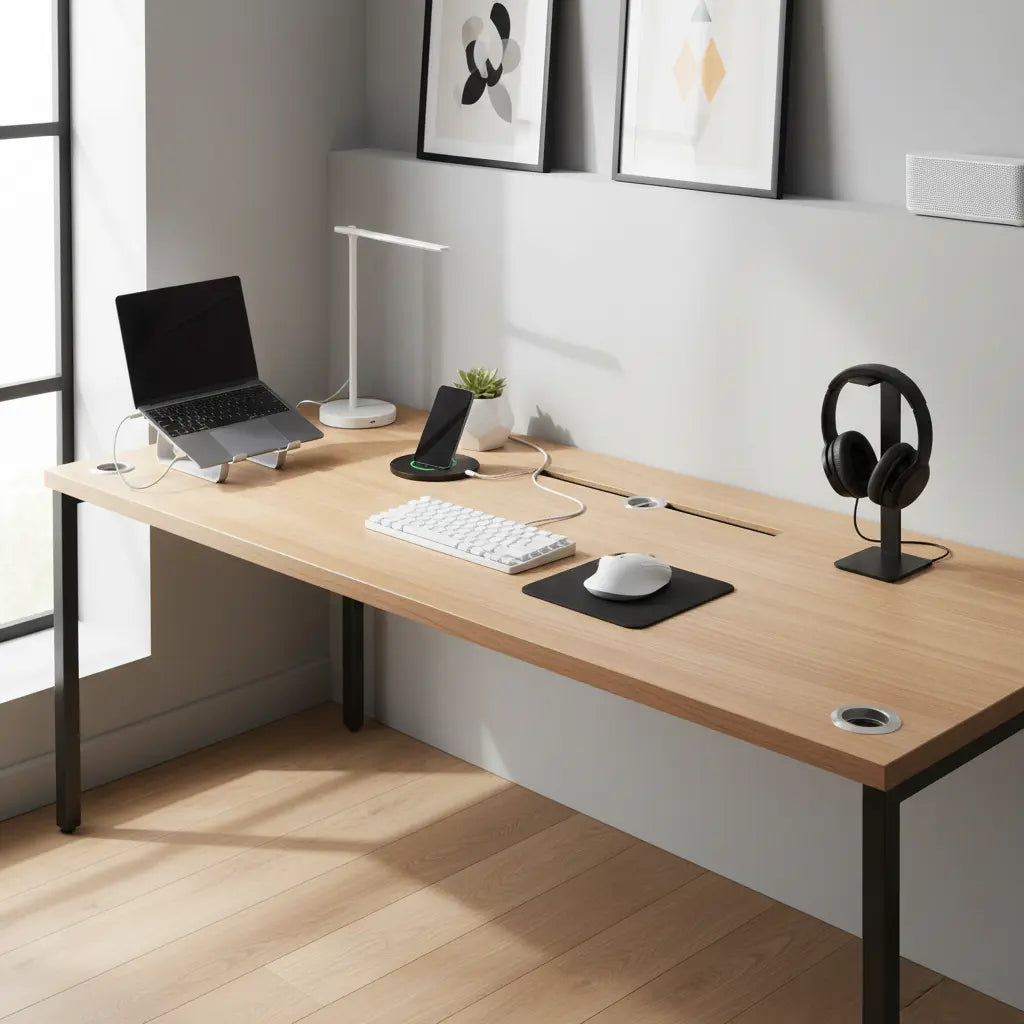
If you're tired of tangled cables and hunting for outlets while gaming, streaming, or working from home, a USB-C integrated desk can deliver fast charging and cleaner cable management directly from your workspace. However, not every USB-C port supports true fast charging. Success depends on the desk's built-in Power Delivery wattage, port configuration, and your specific devices. The right model can simplify your setup, but only when its specs match your actual power needs.

USB Power Delivery (USB PD) is the standard that enables higher-power charging over USB-C cables and ports. As explained by the official USB PD documentation, this protocol negotiates voltage and current safely between the charger and device, allowing a single cable to deliver anything from low-power phone top-ups to full laptop charging.
What USB-C Integrated Desks Actually Offer
USB-C integrated desks combine furniture with a built-in power module containing AC outlets, USB-A ports, and at least one USB-C port. The best desk with USB-C ports functions as a mini power station, reducing the need for external chargers and power strips on or under your desk.
The key advantage is convenience. In a home gaming setup, you can charge your phone, headset, controller, and laptop without extra bricks cluttering the floor. Streamers benefit from stable power for cameras, microphones, and lights without hunting for wall outlets. Remote workers gain a tidy hybrid office where the laptop charges while docked at the desk.
Yet USB-C alone does not guarantee fast charging. As the USB Charger (USB Power Delivery) guidelines make clear, charging speed depends on the built-in module's wattage and whether it properly advertises USB PD support. A basic 15W or 20W USB-C port will trickle-charge most phones but may only slow battery drain on a laptop.
Wattage Thresholds That Matter in 2026
When evaluating charging furniture, treat the desk as a power system rather than just furniture. Check the listed USB-C output wattage, total power rating, and port mix before purchase.

Here is a practical threshold guide based on common 2026 device needs:
USB-C Integrated Desk Wattage Thresholds by Device Type
Recommended minimum USB-C PD wattage and desk power needs for common buyer scenarios (heuristic, 2026).
View chart data
| Category | Min USB-C PD Wattage (W) | Total Desk Power Consideration (W) |
|---|---|---|
| Phone | 20.0 | 60.0 |
| Tablet | 30.0 | 90.0 |
| Ultrabook | 65.0 | 130.0 |
| Gaming Laptop | 140.0 | 300.0 |
| Multi-device Setup | 240.0 | 450.0 |
Heuristic thresholds based on USB Power Delivery 3.1/3.2 public ranges (15W-240W) and buyer-scenario assumptions; values are conservative planning targets, not official device requirements.
For most gaming laptops and multi-device streaming rigs, look for desks that support at least 140W–240W on the USB-C PD port with sufficient total system capacity. Lower-wattage models work well for phones, tablets, and ultrabooks but function mainly as convenience features for high-power laptops.
Integrated USB-C Desks vs Regular Desks Plus External Chargers
An integrated power strip desk reduces visible clutter and creates a single point for all charging. Cable management becomes simpler because power sources sit inside the desk frame, often with built-in trays or grommets to route wires cleanly.
However, a regular desk paired with a high-quality external USB-C charger or docking station often provides more flexibility. External solutions are easier to upgrade or replace when standards change or a component fails. If the built-in module stops working, you may need to service or replace the entire desk.
Look for clearly labeled port and cable power ratings, because USB-C charging capability depends on the full power chain, not just the connector shape, according to USB cable and connector specifications. Some USB-C setups support very high wattage, including 240W-class cables, but only when the desk module and connected devices support that level.
When an integrated desk wins: Permanent gaming or streaming setups where you value one-cable convenience and minimal visible wires. Small apartments also benefit when floor space and outlet access are limited.
When a regular desk plus external solution wins: Frequent device upgrades, temporary workspaces, or when you already own a capable USB-C dock. External chargers are typically cheaper to replace and easier to service.
Scenario-Based Buying Guidance
The best choice depends heavily on your use case:
- Gaming long sessions: Integrated USB-C desks shine when charging controllers, headsets, and laptops during extended play. They keep the battle station tidy and reduce tripping hazards around the chair.
- Streaming setups: Multiple devices (camera, mic, lights, capture card, laptop) benefit from centralized power. Look for desks with multiple AC outlets plus USB-C to avoid power strips hidden under the desk.
- Remote work or hybrid office: A tidy workstation with direct laptop charging improves daily workflow. Models with memory presets for height adjustment add ergonomic value.
- Small apartments: Limited outlets make built-in charging furniture especially practical. Combined with good cable routing, these desks minimize visual clutter.
Do not buy an integrated USB-C desk if you upgrade laptops often, move frequently, or already have a reliable external dock. In those cases, the added cost and potential repair complexity outweigh the convenience.
Key Features to Check Before Buying
Treat an integrated charging desk as a power system. Verify these details in the spec sheet:
- USB-C PD wattage: Confirm the exact output (e.g., 65W, 100W, or 140W+). Marketing that simply says “USB-C” is not enough.
- Total power rating: Look for surge protection, overload safeguards, and a realistic continuous wattage limit (often 1500W for AC outlets).
- Port mix: Multiple AC outlets, USB-A, and at least one high-wattage USB-C port. Some premium models include fast-charging USB-C alongside standard ports.
- Safety certifications: UL or ETL listing for the power module provides reassurance for continuous use.
- Cable management design: Built-in trays, grommets, or channels that actually help route wires neatly.
- Build quality: Sturdy frame that supports your monitors, peripherals, and daily use without flexing.
Marketing language alone is not enough. Look for explicit wattage, USB-PD support, and device compatibility in the spec sheet.
Safety and Reliability Considerations
Integrated power hardware should be treated like a permanent electrical component. Check for proper certification, overload behavior, and serviceability before assuming it is as simple as a standalone charger.
This article discusses comfort and setup advice for USB-C integrated desks. It does not constitute electrical, medical, or safety advice. Always follow manufacturer instructions, avoid overloading circuits, and consult a qualified electrician for any concerns about home wiring or persistent issues with power delivery. If you experience overheating, unusual smells, or charging problems, discontinue use immediately.
How to Choose the Right USB-C Desk in 2026
Start by listing the devices you charge daily and their approximate power needs. Match those against desk specifications rather than relying on vague claims of “fast charging.”
For gamers and streamers, prioritize desks with LED lighting, ample surface area, and robust cable management alongside the charging features. Remote workers may value adjustable height models that combine ergonomics with power delivery.
If your setup already works well with a separate charger or dock, adding integrated ports may not justify the premium. Focus on desks where the charging system solves a genuine daily frustration rather than simply adding ports for marketing appeal.
Cable and connector details affect whether a desk's integrated USB-C ports can actually deliver the expected charging experience. Use high-quality, properly rated cables to achieve the advertised speeds.
Final Thoughts
USB-C integrated desks can create cleaner, more convenient workspaces when their power delivery matches your devices. They reduce cable clutter and provide fast charging at the point of use, but performance varies widely based on the built-in module.
Evaluate any candidate as a complete power system. Check wattage, port types, safety features, and compatibility rather than assuming every USB-C desk will fast-charge your laptop. The right model aligns with your gaming, streaming, or work habits and delivers meaningful daily convenience without hidden compromises.
Whether you choose an integrated solution or a traditional desk with external chargers, prioritize setups that remain safe, reliable, and easy to maintain over years of use. The cleanest workspace comes from choosing features that solve your specific problems rather than chasing every new technology trend.
