




Are you looking to build a fantastic gaming room, or perhaps searching for the perfect gift for the gamer in your life? With major sales events like Black Friday on the horizon, there's no better time to find that ultimate upgrade.
Let's begin with the desk. This is more than just a piece of furniture; it's your personal mission control. A great gaming desk is the single most important component, setting the tone for the entire room. It needs to be a versatile centerpiece that serves multiple scenarios—powering you through intense gaming sessions just as comfortably as it supports a productive work-from-home day or a study marathon.
Today's best desks must also establish the perfect vibe. We're talking integrated RGB lighting to sync with your gear, smart storage to maintain a clean environment, and solid ergonomics to make you feel good, even after hours of play.
Finding a desk that ticks all these boxes can feel overwhelming. To help you build your ultimate command center, we've broken down the entire process into a few essential steps. Let's dive in.
Step 1: Getting the Size and Shape Right
Your space is the most significant practical constraint, so you should address it before you allow yourself to become enamored with a certain style. You need a desk that is able to accommodate both your space and your belongings.
Measuring Your Space
First, find out how wide, deep, and tall the place you've chosen for your battlestation is. Don't forget to think about "living space." You need a lot of space to move around and pull your chair back. Think about where to put windows and doors. Your set-up shouldn't block a closet or put you in full sunlight and glare every afternoon. This first step affects every other choice you make.
Straight vs. L-Shaped Configurations
The orientation of your workstation might have an impact on the flow of work. For an arrangement that is centered on a single thing, a classic straight desk is an excellent choice. For ultra-wide monitors or triple-monitor setups that extend out and provide you with a wide perspective of the action, a long gaming desk that is set up in a straight position is ideal.
The ability to perform multiple tasks at once is facilitated by L-shaped desks. As a result of their ability to tuck neatly into corners, they maximize the use of space in your room. You are able to create distinct "zones" with this configuration. As an illustration, you could utilize one of the wings for your primary gaming setup, and the other wing could be used for your work-from-home setup, controls for content creation, or a console station. When choosing L-shaped desks for home office setups, you'll find they offer unmatched versatility for balancing work productivity with personal interests.

Step 2: Engineering for Comfort (Ergonomics)
You might spend a lot of time at this desk. The lack of an ergonomic design will have a direct and lasting impact on your well-being.
The Dangers of Poor Posture
If the height of your desk is too high or too low, you will need to adjust it accordingly. For example, you might squint your eyes, round your shoulders, or lay your hands at an awkward angle. This can, over time, result in injuries caused by recurrent stress, such as carpal tunnel syndrome, as well as conditions such as back discomfort and neck strain. It is not a luxury to have a set up that is beneficial to your health; rather, it is an investment that will yield positive results in the long run.
Achieving the "Neutral Position"
A neutral posture is what ergonomic beauty means. Your knees should be at a 90-degree angle with your feet, and your arms should rest on the desk at a 90-degree angle with your arms. The top of the screen should be at or just below eye level and your monitor(s) should be at arm's length.
This is why the height and width of your desk are so important. With a deep desk, you can move your monitor back so it's safe to look at while still having room for your computer and mouse. Many desks have a set height, but if you want the most ergonomic control, you might want to look into a model that can be adjusted in height. A revolutionary feature for long game sessions is the ability to set the exact height for your body or even switch between sitting and standing.

Step 3: Setting the Atmosphere (Aesthetics and Lighting)
With function and form established, you can focus on the fun: the vibe. Your battlestation should be a place that inspires you and pulls you into the game.
Finding the Best Gaming Desk with LED Lights
Integrated lighting is the hallmark of the modern gaming setup. When searching for the best gaming desk with led lights, look for systems that offer more than a single-color strip. Full RGB customization allows you to match your desk's glow to your peripherals, your PC's internal lighting, or the mood of the game you're playing.
Beyond the Basics: Syncing Your Ecosystem
The most high-tech lighting devices can be controlled by a remote or an app on your phone. You can set them to dynamic states that make the colors pulse and change. Some of them can even work with your other parts or respond directly to sound and movement in the game, making the experience even more realistic. This background light also makes it easier on the eyes when playing games in a dark room by reducing the difference between the bright screen and the dark room.
Step 4: Conquering Clutter (Storage & Cable Management)
A beautiful, ergonomic desk with stunning lights can be instantly ruined by a "rat's nest" of cables and a surface covered in clutter. An ultimate battlestation is a clean one.
Taming the Wire Spaghetti
A tangle of wires is ugly, attracts dust, and makes it a nightmare to add or remove components. Effective cable management is non-negotiable. Look for desks with built-in solutions designed to tackle this specific problem.
- Cable Grommets: These are simple, clean holes in the desktop that allow you to route cables from your peripherals down to the floor or a tray.
- Cable Trays: A tray or netting mounted to the underside of the desk is the single best management tool. You can place your power strips and all excess cabling inside, lifting everything completely off the floor.
- Leg Channels: Some designs feature hollow legs or channels along the back to hide power and display cables from view, offering the cleanest possible look.
The All-in-One: Gaming Desk with LED Lights and Storage
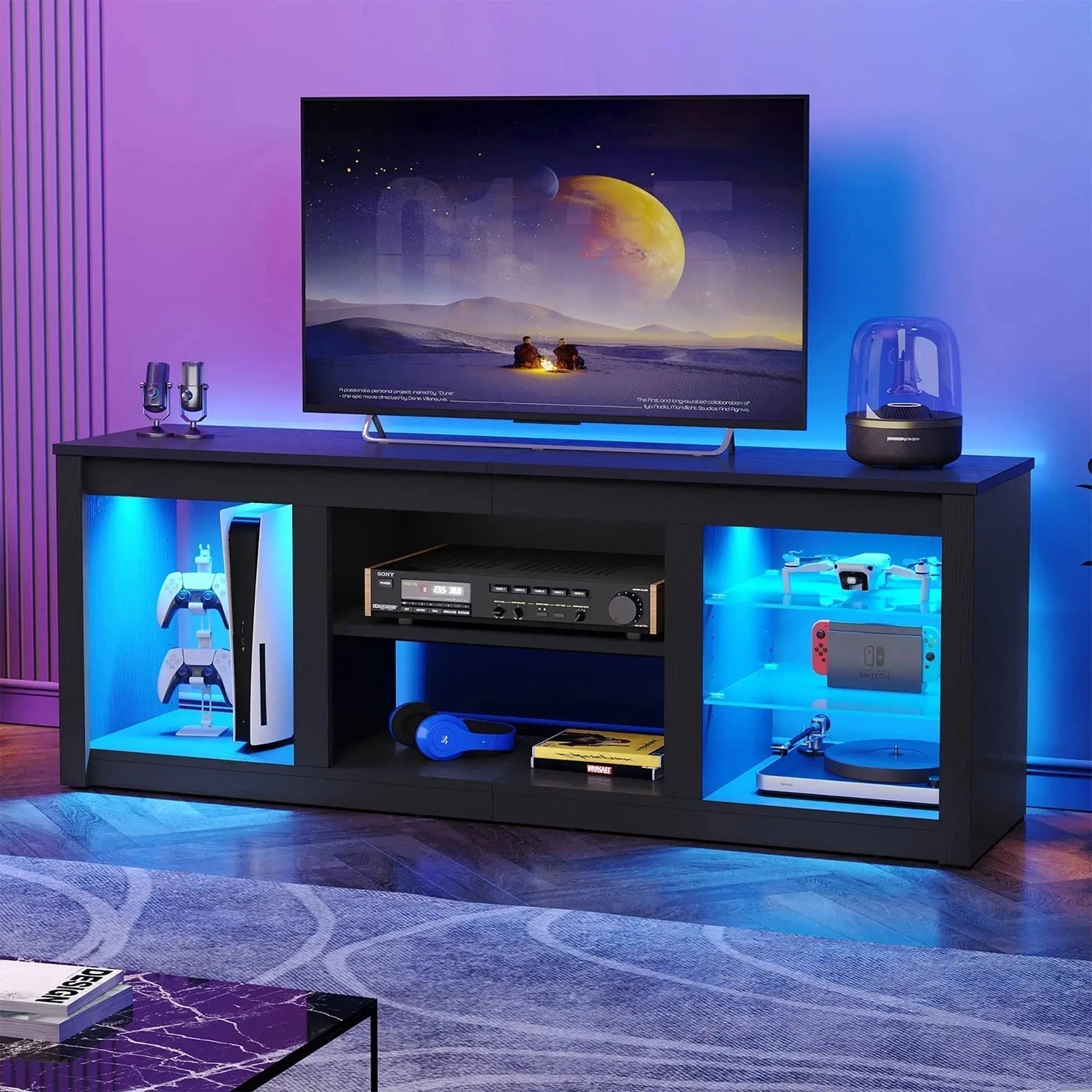
Best workstations for you include all the characteristics you need for the proper arrangement. A gaming workstation with storage and LED lights is everything. It immediately creates a pleasant space and easy management. On these workstations, you may hang your headset on the hook and store controls and batteries in a little drawer or monitor shelf. The shelf hides everything below and lifts your screen for better health and comfort.
Essential Accessories to Complete Your Ecosystem
Your desk is the foundation, but accessories complete it.
Great ergonomic chairs come first. It's the most critical back health purchase, so don't scrimp.
Next, think about the monitor arms. Screens can be held in place by these, which can be attached to your desk and save up a lot of space. You may also alter the height and tilt of the television, which is beneficial for the health of your neck.
A full-desk mat is another common add-on. This large mousepad goes under your computer and mouse. It makes the surface smooth and even, prevents desk scratches, and complements your color scheme.
Last but not least, make sure the sound is right. You can make sure that your team's voice is heard clearly by putting good mics on arms that can be moved.

4 Common Mistakes to Avoid When Building Your Station
It's fun to build a battlestation, but it's also easy to make mistakes that cost a lot of money.
-
The "All Show, No Go" Setup: Don't be fooled by a setting that looks cool. It's not set up right if it hurts your neck or back after 30 minutes. When it comes to style, your happiness and health (ergonomics) should always come first.
-
Saving Cable Management for Last: Avoid putting off cable management until the very last minute. Choose to arrange your cable wires while you construct. Instead of trying to unravel a tangled web of wires after the fact, it is easier to route them while you install components.
-
Ignoring Room Lighting: Your desk's colorful lights are just one part of the picture. The biggest problem is placing your monitor in front of a bright window. You'll have to fight glare all day, which is terrible for your eyes.
-
Not thinking about the future: Don't buy a desk that's too small for the things you have now. You'll need a new peripheral, a bigger mousepad, or a second computer at some point. Get a desk that can grow with you.
Your Command Center Awaits
Your battlestation is where you can show off the things you love. It all starts with the game desk. Choose one that fits your room, makes you feel good for hours, lights up your world, and keeps your stuff organized. This will help you make a place that is truly yours. Your perfect, cozy command center is now ready for any journey.
FAQs
Q1: Is an L-Shaped Desk Better Than a Straight One?
You need to take a look at your space and the way that you typically carry out tasks. A corner is the ideal location for a desk that is in the shape of an L. Having a part of your area dedicated to work and another side dedicated to enjoying games is yet another fantastic approach to divide your space. If you want to utilize a monitor that is really broad or three displays in a row, the best gaming desk to use is typically one that is large and straight.
Q2: Are Desks With Built-in LED Lights Worth It?
If you want that cool, glowing look without all the work, they're worth it. It looks clean when you get the best game desk with led lights because everything is built in. These lights can often match your PC and laptop, making it look like you have one whole setup. They're great for setting the mood.
Q3: How Much Built-in Storage Do I Really Need?
Take a look at your desk. What's making it messy? A hook for headphones, a place to put your cup, and one drawer for small things are enough for most players. If you make content or have a lot of controllers and other accessories, look for a game desk with LED lights and storage space like shelves or monitor risers.
Q4: What's More Important, a Good Desk or a Good Chair?
They are a packaged deal, but if forced to choose, invest in the chair first. A high-quality ergonomic chair can help mitigate the flaws of a bad desk, but the most expensive desk in the world cannot save your back from a terrible chair. Ideally, you should budget for both as part of a single "ergonomic system."
