





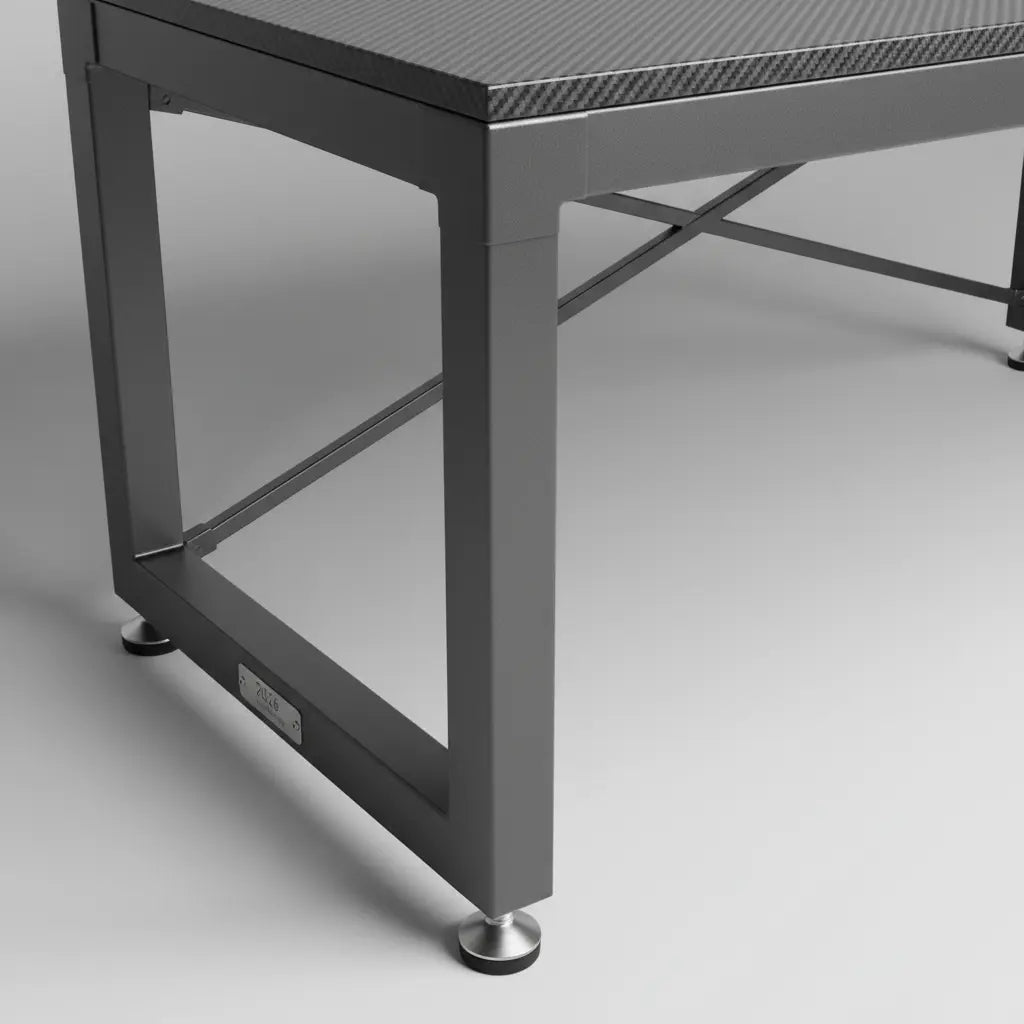
A wobbly desk can ruin your gaming session or long work day by introducing annoying shake during mouse movements, typing, or when adjusting monitors. Bestier's reinforced steel frames are engineered with attention to stiffness, joint quality, and load distribution to minimize that movement in real-world L-shaped and gaming setups.

Many buyers worry about desks that shake under normal use, especially with heavy monitors or fast-paced gaming. Understanding the engineering behind stability helps separate marketing claims from practical performance. This article shares the thinking behind our stability-focused design and what actually affects whether a desk feels solid after assembly.
Why Desks Wobble in the First Place
Desk wobble is often related to frame stiffness, load distribution, and how forces move through the desk structure. As outlined in fundamental mechanical design principles, stiffness and proper load paths determine how much a structure deforms under applied forces. Weak points typically appear at joints, legs, or cross members that flex when you type, move your mouse quickly, or bump the surface.
Fundamental Principles of Mechanical Design explains that structural stiffness and controlled deformation are central to stable performance. In furniture terms, this means thin legs without adequate bracing, loose joints, or insufficient welds allow side-to-side motion that feels unstable.
Common triggers include:
- Asymmetric loads from monitors placed on one side of an L-shaped desk
- Rapid repetitive forces from gaming or heavy keyboard use
- Poor leveling on uneven floors that shifts weight to weaker points
Even a desk built with heavier materials can transmit vibration if the frame geometry does not effectively control these forces.
Common Myths About Desk Stability
Several misconceptions circulate in online reviews and forums about wobbly desks.

Myth: Wobble is just a minor annoyance you can ignore or fix with a heavier top. Reality: Wobble often signals a stiffness or load-path weakness. Adding mass does not reliably stop deformation if the weak link is in the legs, joints, welds, or cross-bracing.
Myth: Any reinforced steel desk will automatically stay rock-solid. Reality: "Reinforced steel" is common industry language, but actual performance depends on how the steel is used—frame geometry, joint rigidity, bracing placement, and weld quality matter more than the material name alone.
Myth: If a desk wobbles after assembly, the product is defective. Reality: Assembly quality, leveling feet, and floor conditions can create or amplify movement even on a reasonably strong frame. Proper setup is part of achieving stability.
These insights come from mechanical design resources and practical patterns seen across furniture evaluations.
Our Stability Test Approach
We evaluate desk stability by checking how the frame responds to horizontal or center-point loading, similar to concepts explored in academic design projects. While there is no single universal consumer standard for "zero wobble" in home desks, we focus on real-world conditions that matter to gamers and remote workers.
Our reinforced steel frames use fully welded or tightly joined construction where possible, combined with strategic cross-bracing and adjustable leveling feet. This design aims to increase overall rigidity and manage how forces travel through the structure.
In testing scenarios, we apply representative loads—such as a full gaming setup with monitors, PC, and peripherals—and observe movement during typing, mouse swipes, and light pushing. The goal is minimal perceptible shake during normal daily use rather than absolute laboratory rigidity.
As noted in engineering procurement descriptions, a fully welded, self-supporting frame is one recognized way to describe higher rigidity in furniture. Our frames follow similar principles to keep L-shaped and straight gaming desks stable under typical loads.
Visualizing Wobble Risk Thresholds
Desk Wobble Risk Thresholds by Use Case and Frame Quality
Illustrative boundary chart for judging when wobble shifts from acceptable to risky. Not a measurement standard.
View chart data
| Category | Acceptable | Borderline | Risky |
|---|---|---|---|
| Light edge pressure | 3.0 | 0.0 | 0.0 |
| Forearm/keyboard shake | 1.0 | 3.0 | 1.0 |
| Normal typing or monitor bounce | 0.0 | 1.0 | 3.0 |
Illustrative synthesis from provided threshold_table, reverse_recommendation, dont_buy_if, and myth_vs_reality modules. Labels reflect relative risk boundaries, not official test standards or measured statistics. Structural factors (thin legs, weak bracing, poor leveling, weak joints/welds, heavy asymmetric loads) increase wobble risk.
This chart illustrates relative boundaries: slight motion only under unusual edge pressure is generally acceptable for most users. Noticeable shake when resting forearms or during heavy keyboard use is borderline. Visible movement during ordinary typing or monitor bounce is risky and likely to affect daily experience.
These are illustrative guidelines synthesized from engineering principles. Actual perception depends on your sensitivity, floor type, and exact setup.
What Makes Bestier Frames More Stable
Bestier desks emphasize several design elements that address common wobble sources:
- Reinforced steel construction positioned to improve rigidity and reduce movement during typing, gaming, or monitor use
- Strategic cross-bracing and joint reinforcement to control deformation
- Adjustable leveling feet that help distribute load evenly on imperfect floors
- Thoughtful frame geometry suited to L-shaped and gaming layouts that often carry asymmetric weight
These features align with mechanical design heuristics that prioritize stiffness and proper load paths. While we cannot claim absolute superiority without brand-specific lab comparisons against every competitor, our approach follows established principles for stable furniture frames.
For example, our 65 Inch L-Shaped Gaming Desk with Cup Holder and larger two-person models incorporate these stability considerations for multi-monitor or heavy peripheral setups.
Buying Checklist: How to Evaluate Stability Before Purchase
Use this practical checklist when comparing desks, including Bestier models:
- Examine leg and frame design — Look for meaningful cross-bracing or reinforced sections rather than thin, widely spaced legs.
- Check joint and weld quality — Descriptions mentioning sturdy welds or rigid connections are positive signs.
- Confirm leveling capability — Adjustable feet are essential for uneven floors and proper load distribution.
- Consider your specific load — Heavy or off-center monitors on L-shaped desks increase demands on the frame.
- Review assembly guidance — Follow instructions carefully; poor assembly can reduce stability even on well-designed frames.
- Match to your use case — Gaming desks with frequent mouse movement benefit from stiffer frames more than occasional-use surfaces.
Do not buy primarily on stability claims if the product page provides little detail on frame construction, or if your planned setup includes heavy asymmetric loads without visible bracing solutions.
Our assembly tips guide offers step-by-step advice for achieving the most rigid build possible.
Setup Tips to Maximize Stability
Even the best frame performs better with proper installation. Place the desk on a reasonably flat surface and use a level to adjust all feet evenly. Tighten all fasteners to manufacturer specifications without over-torquing.
For L-shaped configurations, ensure the corner joint is fully secured and that weight is balanced as much as possible. If you notice minor movement after setup, recheck leveling and connections before assuming a design issue.
Additional guidance is available in our article on how to fix a wobbly desk with reinforcement and leveling techniques.
When to Choose Bestier Desks for Stability
Bestier L-shaped and gaming desks are designed for users who need a solid surface for focused work or immersive play without the distraction of shake. They suit gamers with multi-monitor rigs, remote workers who type extensively, and anyone replacing a previous unstable desk.
Our frames aim to deliver reliable everyday stability at competitive pricing. However, no desk is completely immune to movement if assembly is rushed or the floor is extremely uneven. Results depend on your specific room and usage.
Explore our full range in the Bestier L Shaped Desk collection or LED Gaming Desk collection to find the size and features that match your space.
Final Thoughts on Desk Stability
Stability comes from thoughtful engineering around stiffness, joints, and load management rather than any single feature. Bestier's reinforced steel frames incorporate these principles to help reduce wobble in practical gaming and home office scenarios.
We encourage you to evaluate based on frame details, your intended load, and careful assembly rather than chasing absolute guarantees. A well-designed and properly set up desk can provide the solid foundation your setup deserves.
If you experience persistent discomfort or have specific ergonomic concerns with your workspace, consult qualified professionals for personalized advice. This article discusses comfort and setup considerations only and does not constitute medical advice.
For more on choosing the right workspace foundation, see our comparison of gaming desk vs office desk for WFH.
