





Gaming Desk vs. Office Desk: Which is Better for WFH? (2026 Guide)
By: Bestier Editorial Team
Expert Review: Product Design & Ergonomics Dept.
Published: October 24, 2023 | Last Updated: May 15, 2024
Based on internal product testing and ergonomic standards (BIFMA/HFES).
Summary
Choosing between a gaming desk and a traditional office desk for a work-from-home (WFH) setup depends on your specific balance of ergonomic needs, aesthetic preferences, and functional requirements. While gaming desks often prioritize immersive features like RGB lighting and specialized surfaces, modern office desks focus on professional aesthetics and integrated storage; however, by 2026, the lines have blurred, making height adjustability and material safety the true benchmarks for a high-performance workspace regardless of the "gamer" or "executive" label.
Key Takeaways
- Ergonomics First: Prioritize desks with height adjustability. Aim for a setup where your elbows rest at 90 degrees and the screen is at eye level.
- Aesthetic Impact: Consider your "Zoom background." A "stealth" gaming desk or a classic office desk typically projects more professional authority in high-stakes meetings.
- Feature Integration: Gaming desks excel in "active" features (power hubs, hooks), while office desks excel in "passive" features (drawers, hidden cable channels).
- Material Safety: Always verify CARB Phase 2 and EPA TSCA Title VI compliance to ensure low formaldehyde emissions.
Comparing Aesthetics: Professionalism vs. Personality
The visual impact of your workspace is more than just personal preference; in a hybrid work world, your desk is the backdrop of your professional identity. Traditional office desks utilize wood grains and neutral laminates that blend into a residential environment.
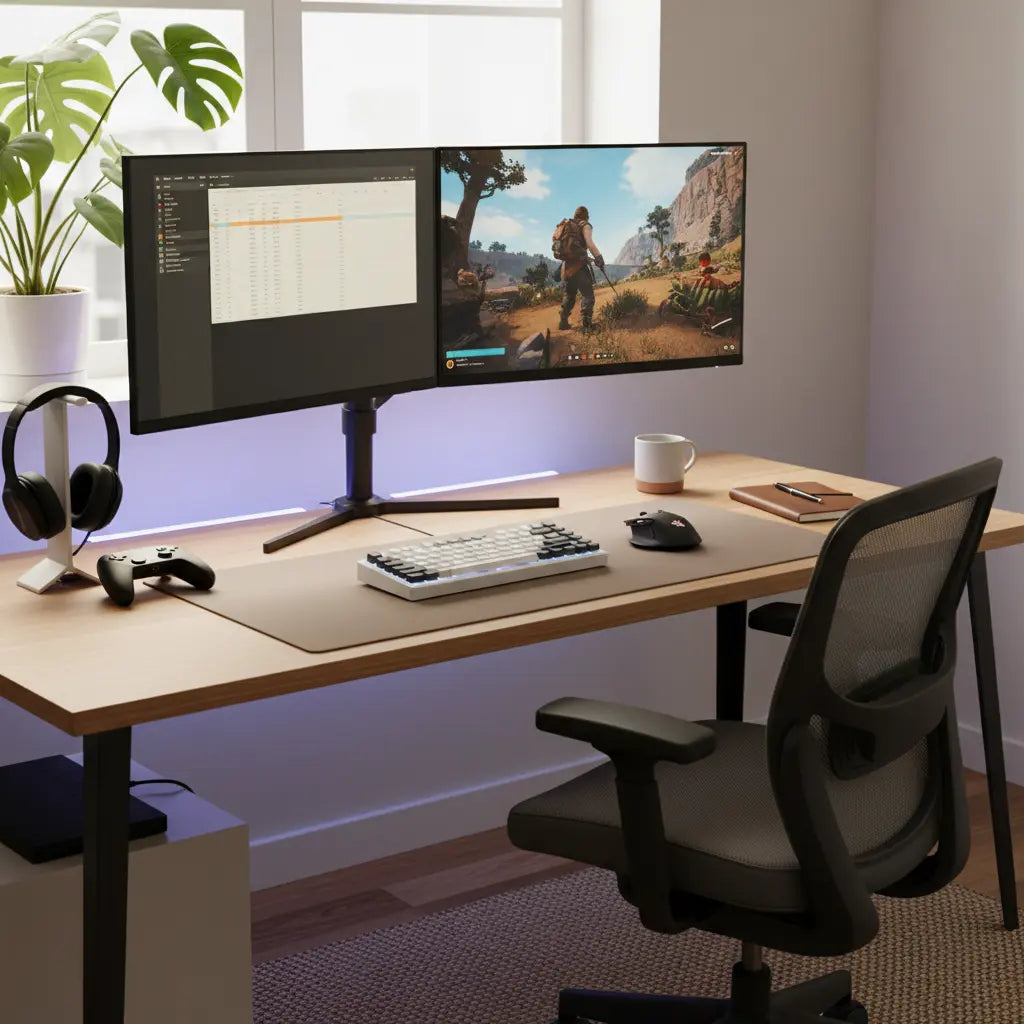
Gaming desks have evolved significantly. Many now feature carbon fiber textures and customizable LED strips. For example, a feature-rich gaming desk with RGB lighting (Product Example) can transition from a professional white light during work hours to vibrant colors for after-hours.
Pro Tip: If using RGB lighting, ensure it doesn't create distracting glares on your webcam, which can affect skin tones and professional perception during video calls.
Ergonomics and Health: The Science of Fit
Ergonomics is a science of fit, not a style. Whether you are browsing a complete range of LED gaming desks (Product Collection) or executive suites, the primary factor is adjustability.
The "Gold Standard" Sit-Stand Routine
Research from the Human Factors and Ergonomics Society (HFES) suggests the 20-8-2 rule: Sit for 20 minutes, stand for 8 minutes, and move/stretch for 2 minutes. To achieve this, a height-adjustable desk is essential.
Ergonomic Fit Guide (Rule of Thumb)
| User Height | Recommended Sitting Desk Height | Recommended Standing Desk Height |
|---|---|---|
| 5'0" (152 cm) | 22" - 24" | 36" - 38" |
| 5'5" (165 cm) | 24" - 26" | 39" - 41" |
| 6'0" (183 cm) | 27" - 29" | 43" - 45" |
| 6'4" (193 cm) | 30" - 32" | 47" - 49" |
Note: These are estimates. Always adjust so your elbows are at a 90-degree angle and your gaze hits the top third of your monitor.

Feature Face-off: Cable Management and Power
Gaming desks are historically better at "active" features—things you use while sitting. This includes built-in USB hubs and power outlets. These are ideal for multi-device users (e.g., streamers or software developers).
Office desks are the masters of "passive" features. They often include integrated drawers and modesty panels that hide a productivity-focused L-shaped office desk's (Product Example) internal structure. This is superior for those handling physical paperwork or sensitive documents.

Material Quality and Indoor Air Quality
Disclaimer: This section provides general safety information. If you have respiratory sensitivities or serious health concerns, consult a medical professional or a certified air quality specialist.
Most mid-range desks use engineered wood (MDF/Particle Board). To ensure your WFH space remains healthy, follow this Safety Checklist:
- Check for Certification: Look for "CARB Phase 2" or "EPA TSCA Title VI" labels on the product page or packaging.
- The "Sniff Test": While some "new furniture smell" is normal, a sharp, pungent chemical odor that persists after 48 hours of ventilation may indicate high VOC emissions.
- Ventilation: Always assemble and use new furniture in a well-ventilated room for the first 72 hours.
Adhering to safety standards for desk materials (Informational Guide) ensures that adhesives do not off-gas harmful levels of formaldehyde.
Decision Framework: Which Desk Fits Your Work Style?
Step 1: Identify Your Primary Task
- Creative/Tech (Video Editing, Coding): A gaming desk’s multi-monitor support and power hubs are usually superior.
- Administrative/Financial (Accounting, Legal): The storage and smooth writing surface of an office desk are indispensable.
Step 2: Choose Your Size
- 47-55 Inches: The standard "sweet spot" for a single laptop + one external monitor.
- 60+ Inches: Necessary for triple-monitor setups or "hybrid" zones (one side for work, one for hobbies).
| Feature | Gaming Desk | Office Desk | Best For... |
|---|---|---|---|
| Primary Surface | Often textured (Carbon Fiber) | Smooth (Wood/Laminate) | Gaming: Mouse tracking; Office: Writing |
| Cable Management | Exposed trays/grommets | Hidden channels/compartments | Gaming: Quick access; Office: Clean look |
| Storage | Shelves/Hooks | Drawers/Cabinets | Office: Paperwork/Supplies |
| Power | Built-in USB/Outlets | Standard (Requires strip) | Gaming: Multi-device charging |
FAQ
Is a gaming desk worth it for work? Yes, especially if you use multiple USB-connected peripherals. Features like monitor risers (often standard on gaming desks) help achieve an optimal home office desk configuration (Informational Guide) without extra cost.
What is the main difference between a gaming desk and an office desk? Gaming desks focus on "access" (hooks, hubs, lighting), while office desks focus on "organization" (drawers, hidden cables, neutral aesthetics).
Are gaming desks more ergonomic than office desks? Not by default. Ergonomics depends on adjustability. A height-adjustable office desk is more ergonomic than a fixed-height gaming desk. Look for a desk that allows your feet to be flat on the floor and your shoulders to remain relaxed.
Do gaming desks look unprofessional in WFH meetings? Only if the design is overly aggressive (e.g., bright neon colors). Modern "stealth" gaming desks in matte black or wood-grain finishes are indistinguishable from office furniture on camera.
References
Government & Regulators
- EPA: TSCA Title VI - Formaldehyde Emission Standards
- OSHA: Computer Workstations eTool - Desks
- CARB: Composite Wood Products ATCM
Industry & Research
- BIFMA: ANSI/BIFMA X5.5 Desk Standards
- Mayo Clinic: Office Ergonomics Guide
- HFES: Human Factors and Ergonomics Society
