





Summary
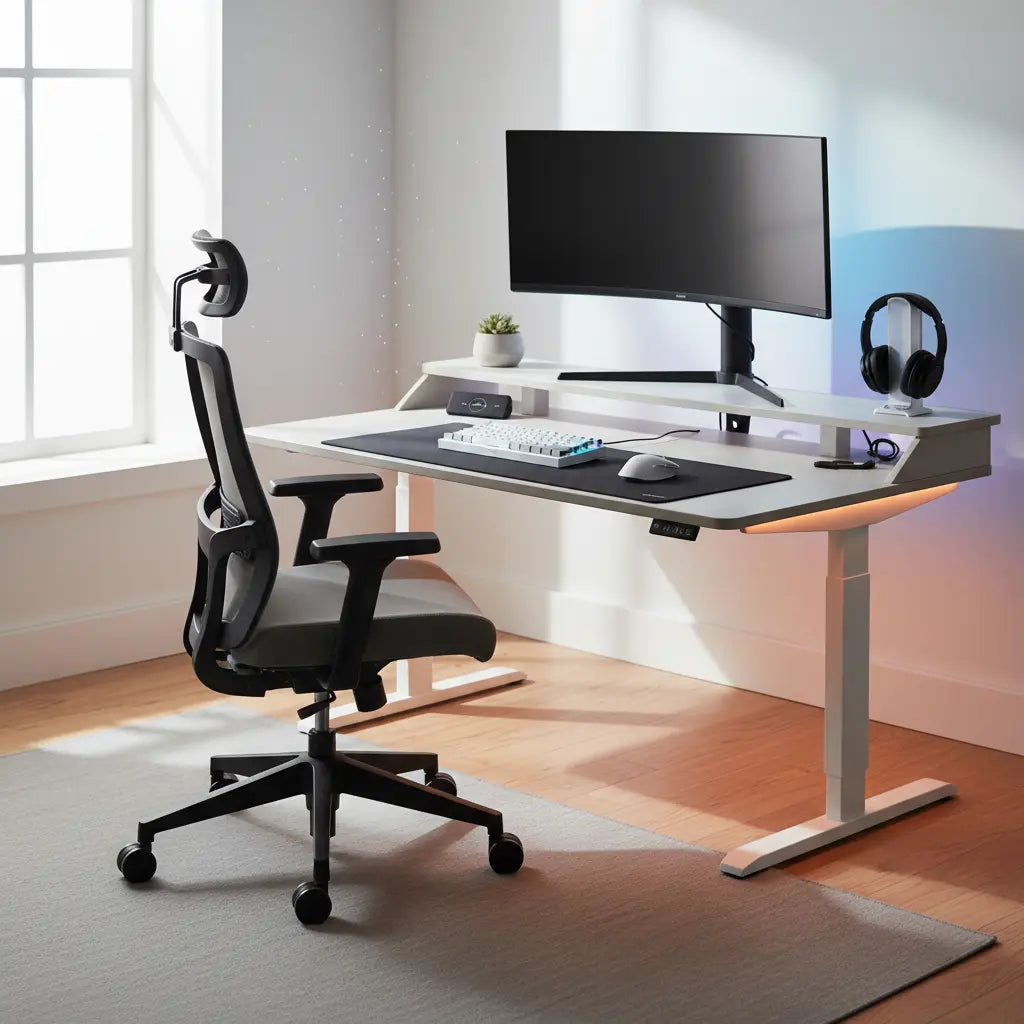
Optimizing your gaming setup with an ergonomic desk featuring an integrated monitor riser is a critical step in supporting better posture and enhancing long-term productivity. By elevating your display toward eye level, these desks facilitate a neutral spine position, help reduce ocular fatigue, and reclaim valuable desktop real estate for a cleaner, more focused aesthetic.
Medical Disclaimer: The ergonomic suggestions provided in this guide are for informational purposes and do not constitute medical advice. If you experience chronic neck pain, repetitive strain injuries, or persistent discomfort, please consult a qualified healthcare professional or physical therapist.
Key Takeaways
- Neutral Posture: Integrated risers help maintain the "top-of-screen at eye level" standard, which can help reduce cervical spine strain.
- Space Optimization: Elevating the monitor clears the primary desk surface, allowing for better organization of peripherals.
- Stability & Safety: High-quality gaming desks prioritize structural integrity and comply with safety standards like CARB Phase 2.
- Aesthetic Integration: Modern designs blend ergonomic functionality with features like RGB lighting and cable management.
Why Monitor Height is the Foundation of Gaming Ergonomics
The relationship between your monitor's height and your physical health is a fundamental principle of human factors engineering. When a monitor sits too low, users naturally tilt their heads forward—a posture often referred to as "tech neck."
Physiological observations suggest that a forward head tilt can significantly increase the effective load on the cervical spine. While a human head typically weighs 10–12 pounds in a neutral position, a 60-degree tilt can increase that perceived load substantially. Over time, this may lead to muscle fatigue and tension headaches.
An ergonomic gaming desk with a built-in monitor riser addresses this by bringing the center of the screen closer to your natural line of sight. According to the Canadian Centre for Occupational Health and Safety (CCOHS), the ideal position is for the top of the monitor to be at or slightly below eye level. This allows the eyes to look slightly downward when viewing the center of the screen, which is generally the most comfortable position for the ocular muscles.
Note on Accessibility: This recommendation assumes a standard seated position. It may not apply to users with progressive lenses, who may require a lower monitor placement to utilize the lower portion of their lenses without tilting their heads back.
Calculating Your Ideal Monitor Riser Height
Because body proportions vary, a "one-size-fits-all" riser height is rarely perfect. To find your optimal configuration, you should measure your specific setup.
The Measurement Process
- Sit in your primary gaming chair: Ensure your feet are flat on the floor and your chair is at its usual height.
- Measure Seated Eye Height: Use a tape measure to find the distance from the floor to your pupils.
- Measure Desk Height: Measure from the floor to the top of your desk surface.
The Riser Heuristic
For a starting point, you can use this heuristic (rule of thumb) to estimate the required riser height: Riser Height = (Seated Eye Height - Desk Surface Height) - (Monitor Height × 0.4)
This formula is an illustrative guide designed to position the monitor's centerline approximately 15-20 degrees below your horizontal eye level—a zone where visual acuity is high and muscle strain is typically lower. Individual preferences for "lean-back" or "lean-forward" gaming styles may require +/- 1 inch of adjustment.
Viewing Distance Tip: Generally, for every inch of diagonal screen size, you should maintain approximately one inch of viewing distance. For example, a 27-inch monitor should ideally be placed about 27 inches from your eyes to reduce squinting.
The Physics of Stability: Supporting Heavy Dual-Monitor Setups
As gaming monitors grow larger—with ultrawide and 32-inch displays becoming the standard—the structural integrity of the monitor riser becomes paramount. A common issue in lower-quality setups is the failure to account for torque. When a heavy monitor is placed on an elevated shelf, it creates a leverage effect that can cause the shelf to sag or the desk to wobble.
How to Verify Stability
When selecting an ergonomic l shaped desk with monitor shelf, look for these technical indicators:
- Load Capacity: Ensure the riser is rated for at least 1.5x the weight of your monitor(s). This "safety buffer" accounts for the dynamic force of typing or accidental bumps.
- The Deflection Test: Once your setup is assembled, apply light downward pressure to the center of the riser. A high-quality riser should show minimal "dip" (ideally less than 2mm of deflection).
- Reinforcement: Prioritize designs with a continuous steel frame or reinforced support pillars directly under the monitor's center of gravity.
| Feature | Fixed Monitor Riser | Adjustable Monitor Arm |
|---|---|---|
| Stability | High (Solid platform, minimal wobble) | Variable (Depends on tension and build) |
| Space Efficiency | Reclaims space under the shelf | Reclaims space on the desk surface |
| Adjustability | Limited (Fixed height/depth) | High (Full 3D movement) |
| Ease of Setup | Simple (Integrated into desk) | Complex (Requires clamping/bolting) |
| Weight Capacity | Generally higher for heavy ultrawides | Limited by spring/gas piston tension |
Material Quality and Indoor Air Safety Standards
In the pursuit of the perfect "Aesthetic Productivity" setup, it is easy to overlook material safety. Most modern gaming furniture is constructed from engineered wood, such as MDF or particle board. These materials are often manufactured using adhesives that can release formaldehyde—a volatile organic compound (VOC).
At bestiershop, we prioritize your health by ensuring our products meet the strictest safety standards for engineered wood furniture. This includes compliance with California Air Resources Board (CARB) Phase 2 and the EPA's TSCA Title VI standards. These regulations set rigorous limits on formaldehyde emissions, ensuring your gaming sanctuary remains a healthy environment.
As detailed in our comprehensive guide on engineered wood safety, understanding these certifications is essential. We recommend checking for these labels on any furniture intended for long-term indoor use.

Advanced Cable Management for Elevated Shelves
One of the primary benefits of a gaming desk with elevated monitor stand is the ability to hide "cable spaghetti." However, risers introduce a unique challenge: cables must travel vertically from the PC to the monitor.
To maintain a clean aesthetic:
- Route Vertically: Utilize the space directly behind the riser's support pillars.
- Slack Management: Ensure there is enough slack to prevent tension on the monitor ports, but use Velcro ties to bundle cables tightly against the frame.
- Visual Aid: For those using a 63-inch LED gaming desk with monitor riser, the integrated LED strips can provide subtle backlighting that makes it easier to see ports and connectors in a dark room.
Aesthetic Productivity: Balancing Focus and Style
The concept of "Aesthetic Productivity" suggests that a well-designed workspace can improve cognitive focus. For gamers, this means a balance between immersive lighting and a clutter-free environment. An integrated monitor riser acts as a dedicated stage for your display while keeping the main desk surface open for high-performance mouse movements.
Integrating RGB lighting into the riser itself creates a "halo" effect, known as bias lighting. This reduces the contrast between the bright screen and the dark wall behind it, which is a common cause of ocular fatigue. When choosing an LED gaming desk with integrated monitor stand, consider how the lighting can be synced with your PC's ecosystem to create a cohesive atmosphere.

Choosing the Right Desk for Your Space
Whether you are building a streaming studio or a home office, the size of your desk dictates your ergonomic success.
- Small Spaces: A compact 48-inch LED L-shaped gaming desk offers corner setup benefits without overwhelming the room.
- Dual-Monitor Setups: The complete LED gaming desk collection provides options with wider risers and reinforced frames.
Before purchasing, consult detailed L-shaped gaming desk reviews to see how different models perform. Pay close attention to the depth of the desk; a shallow desk might place the monitor too close to your eyes, even with a riser.
Ergonomic Setup Checklist
- [ ] Monitor Height: Top of the screen is at or slightly below eye level.
- [ ] Viewing Distance: Screen is approximately arm's length away (20-30 inches).
- [ ] Neck Position: Head is neutral, not tilted up or down.
- [ ] Stability: Riser shows no significant deflection under the weight of the monitor.
- [ ] Shoulder State: Relaxed, not hunched or shrugged.
- [ ] Lighting: Ambient light is sufficient to prevent screen glare.
- [ ] Safety: Desk materials are certified CARB Phase 2 / TSCA Title VI compliant.
FAQ
Does a monitor riser really help with neck pain? While not a medical cure, a monitor riser is an effective tool for improving posture. By elevating the screen to eye level, it helps prevent the "forward head tilt" that strains the cervical spine.
Can I use two monitors on a single integrated riser? Yes, provided the total weight does not exceed the desk's rated capacity. Ensure the monitors are centered over the support pillars to maintain stability and prevent the shelf from bowing.
What is the difference between a monitor riser and a monitor arm? A riser is a stable, fixed shelf that provides storage space underneath. An arm is a mechanical bracket offering 3D adjustability. Risers are generally more stable for heavy ultrawide monitors, while arms are better for frequent height adjustments.
Are LED lights on gaming desks just for show? No. When used as bias lighting (illuminating the wall behind the screen), RGB LEDs can reduce the contrast that causes eye strain in dark rooms.
How do I know if my gaming desk is safe and non-toxic? Look for CARB Phase 2 or EPA TSCA Title VI certifications in the product description. These ensure the engineered wood meets strict formaldehyde emission limits.
What is the best viewing distance for a 32-inch gaming monitor? For a 32-inch monitor, the ideal viewing distance is typically between 28 and 36 inches. This allows you to see the entire screen without excessive head movement.
References
Government / Standards / Regulators
- CCOHS: Office Ergonomics - Positioning the Monitor
- EPA: Formaldehyde Emission Standards for Composite Wood Products
- OSHA: Computer Workstations eTool - Monitors
Industry Associations / Research Institutes
- Human Factors and Ergonomics Society (HFES): ANSI/HFES 100-2007 Standard
- Eureka Ergonomic: Desk Safety and Material Standards
Academic / Whitepapers / Labs
- Cornell University Ergonomics Web: Monitor Positioning Guide
- International Journal of Industrial Ergonomics: Impact of Monitor Height on Neck Muscle Activity
