





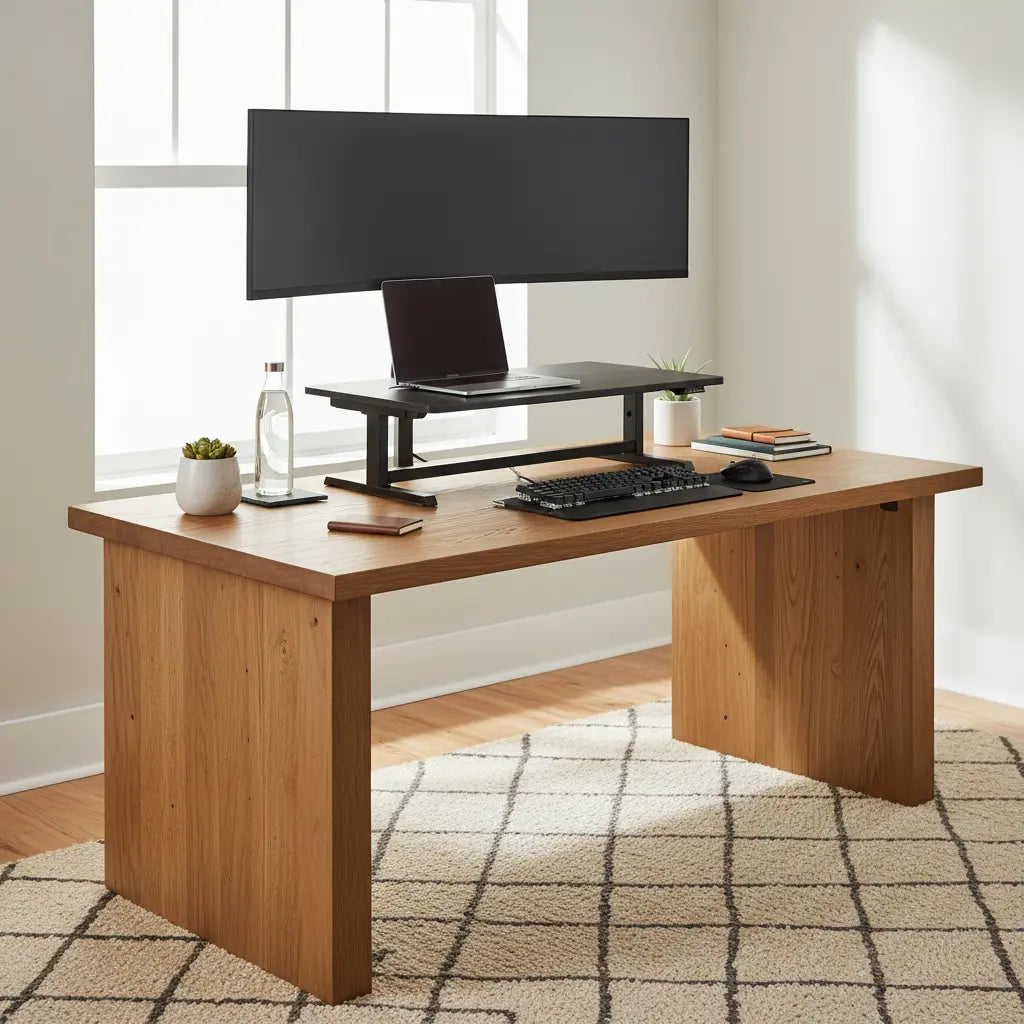
Why Desk Stability Matters for Standing Desk Converters
Standing desk converters, such as Varidesk-style models, allow you to transition between sitting and standing without replacing your entire workstation. However, they introduce a unique structural challenge: they place significant concentrated weight and a higher center of gravity on a relatively small footprint.
As UCLA Health ergonomics guidance explains, standing workstations must be set up on stable, solid surfaces to ensure they can be adjusted to the user's standing elbow height without shifting. Similarly, the Job Accommodation Network emphasizes that monitors and keyboards should sit on a stable workstation surface to reduce wobble, which can lead to eye strain or awkward posture.
When a base desk lacks rigidity, the "lever effect" occurs. Because the converter raises your equipment 15–20 inches above the desktop, any minor vibration at the base is amplified at the monitor level. This can lead to distracting screen shake during typing and, in extreme cases, mechanical strain on the converter’s lifting components.
Key Factors That Determine Load-Bearing Support
Based on common furniture manufacturing standards and ergonomic setup patterns, four structural elements determine if your desk is "converter-ready":

- Tabletop Thickness and Material: As a general rule of thumb, engineered wood (MDF/Particle board) or solid wood surfaces should be at least ¾ inch to 1 inch thick. Thinner surfaces, particularly those with hollow honeycomb cores (common in ultra-budget flat-pack furniture), are prone to "deflection" or sagging under the 30–50 lbs of a loaded converter.
- Frame and Leg Rigidity: A desk is only as stable as its narrowest point. Look for metal leg frames with a "C-frame" or "T-frame" design that includes a support bar running directly under the tabletop. Desks with simple screw-in legs and no perimeter frame often experience "racking" (side-to-side swaying).
- Weight Capacity vs. Dynamic Load: Most desks list a static weight capacity (e.g., 100 lbs). However, a converter adds a dynamic load—the force applied when you push down to lower the unit or lean on it while standing. We recommend ensuring your desk's rated capacity is at least double the total weight of the converter and your equipment.
- Surface Levelness: A desk that is even slightly unlevel will cause a converter to "walk" or shift during height adjustments.
These criteria align with general ergonomic workstation principles, such as those found in the Mayo Clinic office ergonomics guide, which prioritizes a stable, solid workstation surface.
Comparison of Desk Types for Converter Compatibility
Not all desk geometries handle the concentrated load of a converter equally. Below is a breakdown of common styles:
- Straight Rectangular Desks: Generally the most reliable. The weight is distributed evenly across the frame, and the center of gravity usually stays within the "stability triangle" of the legs.
- L-Shaped Desks: These offer excellent space but require strategic placement. The corner joint is often a point of flex. For maximum stability, place the converter on the "primary" wing (the side with the most leg support) rather than directly over the seam where two pieces of wood meet. Our L-Shaped Desk vs. Straight Desk guide further explores these layout trade-offs.
- Executive/Pedestal Desks: These are often the most stable "base" desks because the drawers or pedestals provide a massive, rigid foundation that naturally dampens vibrations.
- Gaming Desks: High-end gaming desks with K-shaped or Z-shaped steel frames are often over-engineered for weight, making them excellent candidates. However, avoid "lightweight" gaming desks that prioritize aesthetics over frame gauge.
The following table provides illustrative stability ratings based on typical structural designs. These are heuristics intended for comparison, not absolute laboratory ratings.
Desk Type Stability Factors for a Heavy Standing Desk Converter
Illustrative comparison of common desk types based on structure, not measured test data.
View chart data
| Series | Tabletop Thickness | Frame Rigidity | Corner Support for L-shaped Use | Overall Risk Level |
|---|---|---|---|---|
| Relative Stability Fit | 3.0 | 4.0 | 3.0 | 2.0 |
Illustrative heuristic synthesis from the provided evidence pack: prefer rigid frame, low flex, flat top, sturdy legs, and a stable solid surface; L-shaped desks are conditional on a supported corner. Scored on a 1-5 relative scale (higher = better fit / lower risk depending on indicator label), not on measured desk tests.
How to Evaluate Your Current Desk: The "Stability Test"
Before you buy or install a heavy converter, perform this 30-second evaluation:
- The Deflection Check: Place your palms in the center of the desk and lean your weight into it. If you see the tabletop bow or hear the frame creak, the material may be too thin for a heavy converter.
- The "Racking" Test: Push the desk firmly from the side. If it sways more than half an inch, you will likely experience significant monitor shake once a converter raises your center of gravity.
- The Under-Desk Inspection: Look underneath. Is the top supported by a metal rail, or is it just a piece of wood held up by four legs? A center support rail is a strong indicator of converter compatibility.
- Level Verification: Use a spirit level or a leveling app on your phone. If the desk isn't level, the converter's internal gas springs or tracks may wear unevenly.
If your desk feels flimsy, you don't necessarily need a new one. Our guide on how to fix a wobbly desk provides DIY reinforcement tips, such as adding a back-brace or tightening cam-lock fasteners.
Reducing Wobble and Vibration After Installation
If you notice minor vibration after setting up your converter, try these expert-level adjustments:
- The Wall Gap: Ensure the desk is either pushed firmly against a wall (to use the wall as a lateral stabilizer) or has at least 2 inches of clearance. A desk that "taps" against a wall during typing creates annoying acoustic feedback.
- Weight Centering: Position the converter base so it is centered over the desk's frame rails. Avoid "cantilevering" the converter too far forward.
- Monitor Arm Integration: If your converter supports it, use a grommet-mounted monitor arm. This moves the weight of the monitors to a single structural point, often reducing the "pendulum effect" of monitors sitting on their original plastic stands.
- Fastener Maintenance: The repetitive motion of raising and lowering a converter can vibrate desk screws loose over time. Check and tighten your desk’s leg bolts every 3–6 months.
When to Skip the Converter and Upgrade the Desk
In some scenarios, a converter is a "band-aid" on an unsuitable foundation. We recommend a full standing desk upgrade instead of a converter if:
- Your current desk is made of glass (most converters are not safe for glass tops due to pressure points).
- The desk surface is less than 24 inches deep (the converter will overhang, creating a tipping hazard).
- You use a triple-monitor setup (the combined weight of the monitors and converter will likely exceed the safety rating of standard home office desks).
- The desk already has visible sagging or "bowing" in the center.
For those with specific space needs, exploring a dedicated collection of L-shaped desks with built-in stability features may provide a better long-term ergonomic ROI than retrofitting an unstable surface.
Disclaimer: This article provides general furniture and ergonomic setup suggestions. It does not constitute medical advice. Always follow the specific weight limits and safety instructions provided by your equipment manufacturer.

