





Summary
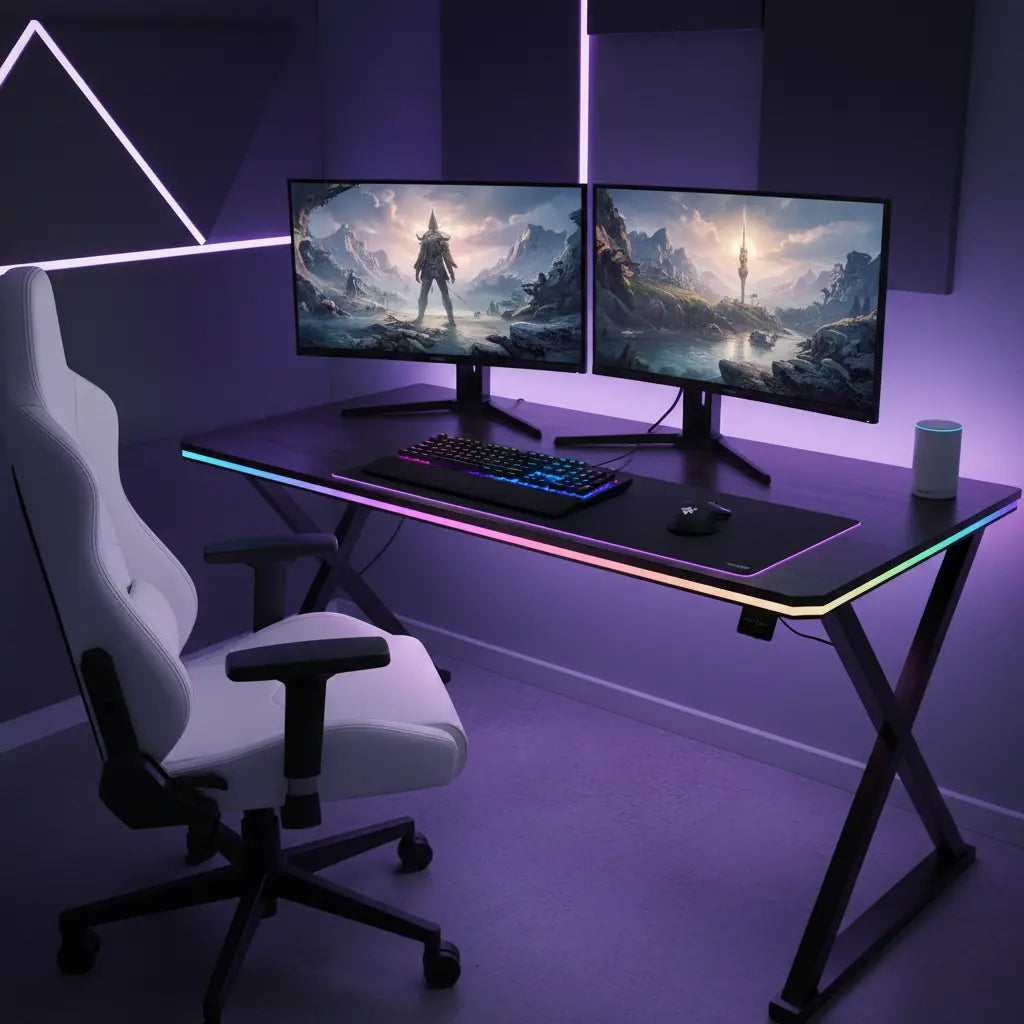
Syncing Bestier LED furniture with Razer Chroma and Amazon Alexa transforms a standard room into a fully immersive, voice-controlled ecosystem that reacts to gaming events and daily routines. In 2026, this integration relies on bridging proprietary RGB protocols with smart home standards like Matter 1.5, allowing users to orchestrate complex lighting scenes through a unified software interface or simple voice commands.

Key takeaways
- Unified Control: Use Razer Synapse 4 and the Chroma Connect module to bridge Bestier's LED strips with your PC peripherals for game-reactive lighting.
- Voice Automation: Link the Razer Alexa skill to enable hands-free control over furniture ambiance, brightness, and color profiles.
- Hardware Compatibility: Ensure your Bestier furniture uses 5V ARGB (Addressable RGB) headers to maintain full compatibility with Razer Chroma controllers.
- Future-Proofing: Leverage Matter 1.5 standards for broader smart home interoperability, reducing reliance on vendor-specific bridges.
- Safety First: Always verify that your furniture meets CARB Phase 2 and EPA TSCA Title VI standards for indoor air quality, especially in enclosed gaming setups.
How to Sync Bestier Desk Lights with Razer Chroma
Integrating your Bestier furniture into the Razer Chroma ecosystem is the gold standard for gamers seeking total immersion. The process begins with hardware verification. Most Bestier LED furniture, such as the 63 Inch LED Gaming Desk with Monitor Stand, features built-in LED strips. To sync these with Razer, you typically need a Razer Chroma Addressable RGB Controller. This hardware bridge connects to your PC via internal USB and provides the necessary 5V 3-pin headers that match the standard ARGB connectors found on many modern LED strips.
Once the hardware is connected, the software orchestration takes over. You must install Razer Synapse 4 and enable the "Chroma Connect" module. This module acts as a translator, allowing third-party devices to receive lighting data from Razer's engine. For Bestier users, this means your desk's underglow can pulse in sync with your mouse, keyboard, and even in-game events like health alerts or ultimate ability cooldowns.
Logic Summary: This recommendation assumes your Bestier furniture uses standard 3-pin 5V ARGB strips. If your model uses a proprietary 4-pin 12V RGB strip, you will need a 12V-to-5V converter or a dedicated 12V controller that supports Razer's software bridge. Always check the voltage rating on your LED strip before connecting to avoid hardware damage.
Setting Up Alexa Controlled LED Furniture for Voice Ambiance
Voice control adds a layer of convenience that elevates a smart home setup from a novelty to a utility. To achieve alexa controlled led furniture, you have two primary paths: the Razer Skill path or the Smart Plug/Controller path. The Razer Skill path is preferred for those already using Razer Synapse. By enabling the Razer Alexa skill in the Amazon Alexa app, you can issue commands like "Alexa, set my desk to Fire effect" or "Alexa, turn off gaming lights."
For those who prefer a standalone setup without a PC running, replacing the stock Bestier LED controller with a Matter-enabled Wi-Fi controller is the most robust solution in 2026. These controllers connect directly to your home network and are discovered as native smart lights by Alexa. This allows you to include your furniture in broader smart home routines, such as a "Movie Night" scene that dims the overhead lights and sets your Bestier 58 Inch LED L-Shaped Gaming Desk to a subtle deep blue.

Voltage and Power Management for Furniture LED Strips
A common challenge when syncing furniture-scale lighting is power management. Unlike small PC components, furniture LED strips can run 2-3 meters or longer, requiring significant current. If you are connecting multiple Bestier pieces to a single Razer controller, you must calculate the total amperage draw.
| Component | Typical Voltage | Max Current (per meter) | Sync Method |
|---|---|---|---|
| Bestier Desk LED Strip | 5V ARGB | ~1.2A | Razer Chroma Controller |
| Bestier TV Stand LED | 12V RGB | ~0.8A | Matter/Wi-Fi Controller |
| PC Peripherals | 5V ARGB | < 0.5A | Motherboard/Synapse |
| Smart Home Bridge | 5V/12V | N/A | Software (Chroma Connect) |
When extending your setup, use a powered ARGB hub to ensure consistent brightness and prevent "voltage drop," which causes colors to fade or shift toward the end of a long strip. For a clean look, refer to 5 cable management hacks for LED gaming desks to hide the extra controllers and power bricks required for these high-performance setups.
Safety and Material Standards in Smart Furniture
As you build out a high-tech gaming environment, it is easy to overlook the physical materials of your furniture. High-performance setups often generate heat from PCs and monitors, which can accelerate the off-gassing of volatile organic compounds (VOCs) in poorly manufactured furniture. Bestier prioritizes safety by adhering to strict environmental standards.
According to the Engineered Wood Safety: A Comprehensive Guide to CARB & TSCA Standards, all quality engineered wood products must meet CARB Phase 2 and EPA TSCA Title VI emission limits. This guide provides an in-depth look at how these regulations protect indoor air quality by limiting formaldehyde levels in materials like MDF and particle board. When choosing furniture for a small, poorly ventilated gaming room, verifying these certifications is as important as checking the RGB compatibility.
FAQ
How do I know if my Bestier desk is compatible with Razer Chroma? Compatibility depends on the LED controller and connector type. If your Bestier desk uses a standard 3-pin 5V ARGB connector, it can plug directly into a Razer Chroma Addressable RGB Controller. If it uses a proprietary remote or a 4-pin 12V connector, you will need a software bridge like SignalRGB or a hardware adapter to translate the signals.
Can I control my Bestier furniture with Alexa without a PC? Yes, you can achieve this by replacing the stock LED controller with a Matter-compatible or Wi-Fi-enabled LED controller. These controllers connect directly to your Wi-Fi network and the Alexa app, allowing for voice control and routines even when your gaming PC is powered down.
What is the difference between RGB and ARGB in furniture? RGB (12V, 4-pin) allows the entire strip to change to one color at a time. ARGB (5V, 3-pin) allows each individual LED on the strip to be a different color, enabling complex effects like rainbows, waves, and reactive gaming patterns. Most modern Bestier LED Gaming Desks utilize ARGB for superior customization.
Will syncing my furniture lighting cause lag in my games? Software-based syncing (like Chroma Connect) uses a small amount of CPU resources but is generally negligible on modern gaming PCs. However, if you have extremely long LED runs (over 5 meters) without signal amplification, you might notice a slight delay between the on-screen action and the furniture lighting response.
Is it safe to leave LED furniture on overnight? Modern LED strips are highly efficient and produce very little heat, making them safe for extended use. However, for longevity and energy savings, it is recommended to use Alexa routines to automatically turn off your furniture lighting at a specific time or when you leave the room.
Can I sync my Bestier TV stand with my gaming desk? Yes, as long as both devices are brought into the same ecosystem. If both are connected to Razer Synapse (via controllers) or both are added to the Alexa app as smart lights, you can group them together to ensure your entire room reacts in unison to your commands or gaming sessions.
References
Government / Standards / Regulators
- EPA TSCA Title VI - Formaldehyde Emission Standards for Composite Wood Products
- California Air Resources Board (CARB) - Airborne Toxic Control Measure (ATCM)
Platform official docs & policies
Industry associations / research institutes / market reports
- Connectivity Standards Alliance (CSA) - Matter 1.5 Specifications
- SignalRGB - RGB Controller Compatibility Database
Academic / whitepapers / labs
- Indoor Air Quality Research on VOC Off-gassing in Residential Environments (Internal Reference)
Community
- r/Razer - Community Guides for Chroma Integration (Intent only; not authoritative)
- OpenRGB Project - Open Source RGB Control (Intent only; not authoritative)
