





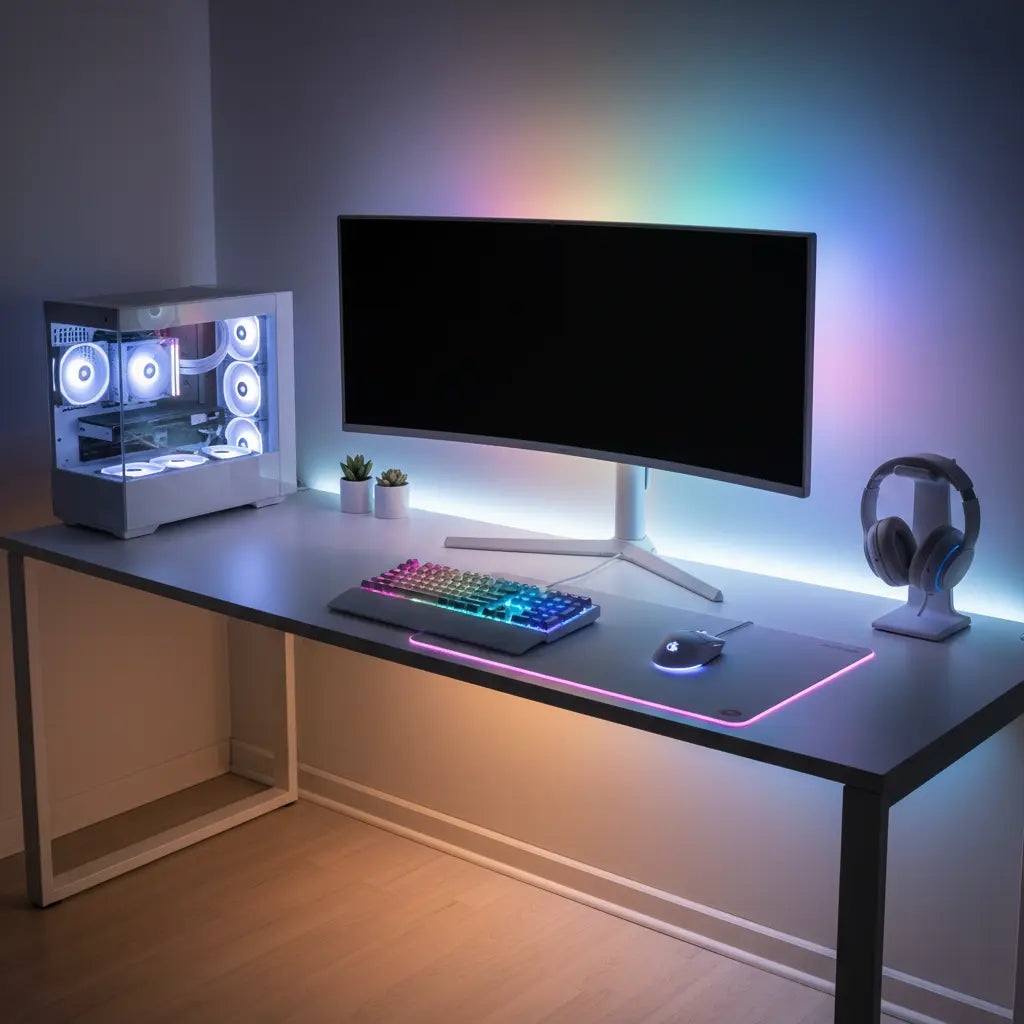
Summary
Achieving a pristine "Dopamine Desk" aesthetic in 2026 requires more than just hiding wires; it demands a strategic approach to cable management that balances high-performance RGB lighting with electrical safety and signal integrity. By implementing specialized hacks for LED power bricks, material-specific mounting, and corner routing, gamers can eliminate visual clutter while ensuring their setup remains safe and scalable for future hardware upgrades.

Key Takeaways
- Prioritize Safety: Use UL 1363-rated power strips. Safety Note: If your total equipment load approaches 80% of your circuit breaker's capacity (typically 12A on a 15A circuit), consult a licensed electrician.
- Manage Interference: Maintain a 2-inch (approx. 5cm) "line-to-line" separation between high-voltage power cables and low-voltage data/LED lines to mitigate near-field Electromagnetic Interference (EMI).
- Surface Synergy: Match adhesives to your desk material. Adhesion strength varies significantly between P2-certified engineered wood and powder-coated metal.
- Vertical Optimization: Utilize vertical cable spines to reclaim real estate. For thin desks (<0.75"), use reinforcement plates for monitor arms to prevent structural warping.
- Scalable Infrastructure: Leave a 20% "slack" (length buffer) in your cable runs. This heuristic ensures that moving a monitor or swapping a keyboard doesn't put mechanical tension on device ports.
The "Dopamine Desk" Aesthetic and the Hidden Cost of Clutter
In the current landscape of 2026 gaming culture, the "Dopamine Desk" has evolved from a trend into a standard for aesthetic productivity. A clean, RGB-integrated workspace isn't just about looking good on a stream; it is about reducing cognitive load and enhancing immersion. However, the very features that make these desks attractive—integrated LED strips, dual-monitor arrays, and high-wattage charging ports—often create a "spaghetti" of wires that ruins the effect.
Effective cable organization is the foundation of any high-end setup. When cables are managed correctly, the RGB glow of a Bestier LED gaming desk becomes the focal point rather than a highlight for dust-covered tangles. Beyond aesthetics, proper organization is critical for airflow. Tangled cables trap heat and can interfere with the cooling fans of modern GPUs. To master this, you need to move beyond simple zip ties and adopt advanced cable management techniques for gaming setups that address the specific challenges of 2026 technology.
Hack 1: The Under-Desk Power Command Center
The most common mistake in gaming setups is leaving the power strip on the floor. This creates a "dust magnet" and increases the risk of accidental kicks. The first hack is to mount a high-capacity power command center directly to the underside of the desk frame.
Electrical Safety Disclaimer: While these hacks improve organization, always calculate your total wattage. A standard US 15A circuit supports roughly 1,800W. If you are running a 1000W+ PC alongside high-draw peripherals, ensure you are not daisy-chaining power strips. For complex setups or if you experience frequent breaker trips, seek professional electrical advice.
When selecting a power strip, look for a UL 1363-certified unit with built-in surge protection (IEEE C62.41 standards). Ensure your power strip is rated for at least 15 amps and has widely spaced outlets to accommodate bulky transformers.
Hack 2: Managing the "Black Box" (LED Power Bricks & Controllers)
LED-integrated furniture introduces a unique challenge: bulky power bricks. These "black boxes" generate significant heat and can become fire hazards if enclosed in non-ventilated spaces.
Instead of stuffing them into a closed box, use a ventilated under-desk tray. A critical 2026 insight is the management of EMI. High-frequency LED controllers can cause "noise" in unshielded audio cables. To mitigate this, maintain a 2-inch separation (a common industry rule-of-thumb for near-field interference) between LED power lines and your primary data cables. If you are using a 44-inch LED gaming desk with cable management features, utilize the built-in hooks to create dedicated "zones" for power and data.

Hack 3: Material-Specific Mounting and Surface Preparation
Adhesive failure is the #1 cause of "cable sag." Not all desk surfaces react the same way to tape. Bestier desks utilize high-quality engineered wood that meets strict safety standards, which requires specific preparation for a permanent bond.
According to the engineered wood safety standards and certifications, CARB Phase 2 materials have specific surface finishes. To ensure a permanent bond, always clean the surface with 70% isopropyl alcohol and allow a 24-hour cure time before adding weight.
Cable Management Material Compatibility Table
| Surface Material | Recommended Mount | Preparation Step | Weight Capacity (Range)* |
|---|---|---|---|
| P2 Engineered Wood | 3M VHB / Screw-in Clips | Alcohol wipe + 24hr cure | 5–10 lbs (High) |
| Powder-Coated Metal | Magnetic Hooks / Clips | Dry microfiber wipe | 2–5 lbs (Medium) |
| Tempered Glass | Suction Cups / Silicone | Ammonia-free cleaner | 0.5–1.5 lbs (Low) |
| Laminated MDF | Command Strips | Alcohol wipe | 3–5 lbs (Medium) |
*Note: Weight capacities are heuristics based on standard 1-inch adhesive contact patches at room temperature (approx. 22°C/72°F). Mechanical fasteners (screws) are always recommended for loads exceeding 10 lbs.
Hack 4: Corner Routing for L-Shaped Desks
L-shaped desks present a "dead zone" in the corner. The hack here is to treat the L-shape as two distinct zones with a central "bridge" at the corner joint.
For those using L-shaped gaming desks with integrated cable management features, the corner is the ideal spot for a vertical cable spine. Use the "90-degree rule": never bend cables at sharp angles. For high-speed HDMI 2.1 or DisplayPort 1.4 cables, a bend radius of at least 4x the cable diameter is recommended to prevent internal signal degradation.
Hack 5: Vertical Integration for Small Spaces
In compact setups, horizontal space is a premium. Move your cable management into the vertical plane by using monitor arms with integrated channels.
Pro Tip on Voltage Drop: When extending LED strips or USB hubs in large setups, be mindful of voltage drop. For example, a 5V LED strip can lose significant brightness over a 3-meter extension if the wire gauge is too thin (e.g., 24AWG). Keep extension runs as short as possible to maintain consistent RGB color accuracy.
By lifting cables off the surface, you also enhance the "glow" effect. You can see more about how LED lighting enhances gaming desk aesthetics when the light reflects off a clear wall rather than a curtain of wires.
Safety & Compliance: Why Quality Materials Matter
When running multiple high-powered devices, the quality of your desk's construction is a safety factor. Bestier prioritizes safety by adhering to CARB and TSCA standards, ensuring that our desks do not off-gas harmful levels of formaldehyde even when exposed to the typical heat (30°C–45°C) generated by power bricks in a gaming setup.
FAQ
How do I prevent my LED strips from flickering? Flickering is often caused by EMI or voltage drop. Ensure LED cables are not bundled with high-voltage PC cords. If using long extensions, a 12V system is generally more resistant to voltage drop than a 5V system.
Is it safe to use zip ties? Zip ties are cheap but can be over-tightened, pinching internal shielding. Velcro straps are the 2026 industry standard because they provide a "soft" grip and are reusable for setup audits.
How often should I redo my cable management? Audit your setup every 6–12 months. Check for dust buildup in trays and inspect power cords for signs of "cable memory" or heat-induced brittleness.
Can I hide my PC's power brick inside a closed box? No. This is a fire hazard. Power bricks are designed for open-air dissipation. If a brick's surface temperature exceeds 50°C (122°F)—which feels uncomfortably hot to the touch—it requires immediate additional ventilation.
What is the best way to manage cables on a glass desk? Use the metal frame as a "shadow line." Route cables along the structural steel using magnetic clips or clear adhesive guides to keep them out of the line of sight.
References
Government / Standards / Regulators
- UL 1363: Standard for Relocatable Power Taps
- NFPA 70: National Electrical Code (NEC)
- EPA TSCA Title VI: Formaldehyde Standards
