





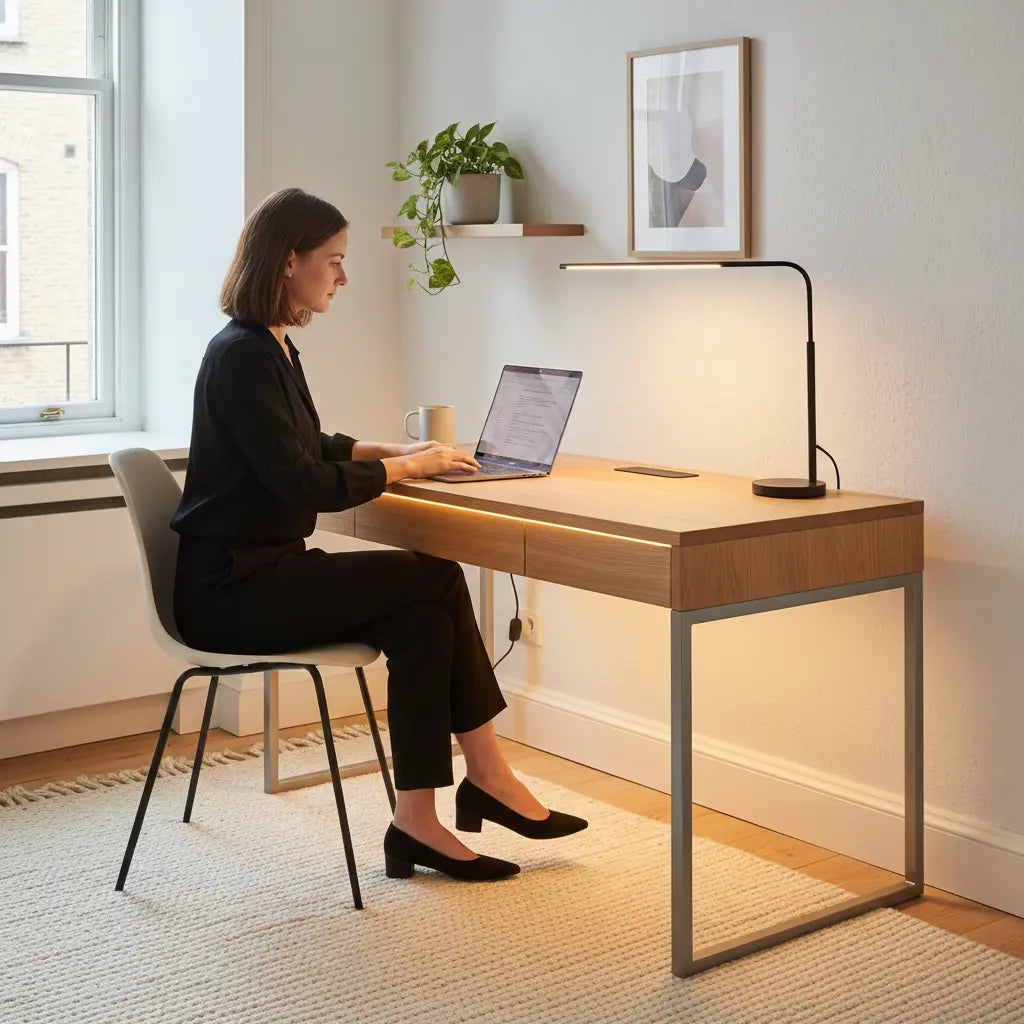
Quick Selection Guide: How to Choose Your Minimalist LED Desk
To find a desk that balances aesthetic "vibe" with long-term utility, follow this four-step selection process:
- Prioritize Stability & Size: Match the desk’s load capacity to your specific hardware (e.g., dual monitors vs. a single laptop) and ensure a depth of at least 24 inches for eye comfort.
- Select Diffused Lighting: Choose integrated LEDs that offer adjustable brightness and color temperature to avoid "hot spots" and eye fatigue.
- Verify Material Safety: Look for CARB Phase 2 or TSCA Title VI certifications in the product specs to ensure low formaldehyde emissions.
- Audit Cable Management: Confirm the presence of grommets or trays; a minimalist desk loses its appeal the moment wires are exposed.
Minimalist LED Desk vs. Traditional Gaming Models
A minimalist LED desk serves a different purpose than a standard "battlestation." While traditional gaming desks often feature aggressive silhouettes and high-intensity RGB lighting, minimalist versions treat LED elements as architectural accents.
| Feature | Minimalist LED Desk | Modern Gaming Desk |
|---|---|---|
| Aesthetic | Clean lines, neutral finishes (Oak/Walnut/White) | Aggressive angles, carbon fiber textures |
| Lighting Goal | Bias lighting & mood (Warm/Cool White) | High-intensity immersion (RGB Rainbow) |
| Cable Management | Hidden/Integrated (Invisible) | Functional/External (Accessible) |
| Stability Focus | General productivity & static loads | High-intensity movement & heavy peripherals |
| Best For | Professionals, students, hybrid spaces | Competitive gamers, streamers |
Essential Factors for Balancing Vibe and Utility
When selecting a desk, the visual "vibe" should not overshadow structural integrity. A common pattern we observe in budget-friendly minimalist furniture is the sacrifice of frame stability for aesthetic features. To ensure a desk is functional for your specific setup, consider these calibrated thresholds:
- Structural Stability & Load Capacity: Look for reinforced steel frames. While a heuristic of 100–150 lbs (45–68 kg) static load capacity is standard for a laptop and monitor, you should aim for the higher end of that range if you use a clamp-on monitor arm, as these exert significant torque on the desk edge.
- Material Compliance: For indoor air quality, verify that engineered wood components meet CARB Phase 2 or TSCA Title VI standards. These certifications are usually listed in the "Specifications" or "Certifications" section of the product page.
- Surface Depth & Eye Health: A depth of 24 inches (60cm) is a recommended minimum. This allows for a 20–30 inch viewing distance, which is ideal for 24-inch to 27-inch monitors. If your desk is shallower, you may experience increased eye strain or "crowding" of your peripheral vision.
- Desktop Thickness: Avoid boards thinner than 0.6 inches (15mm). In our experience, thinner boards are prone to sagging over time, especially if you place a heavy PC tower or multiple displays in the center of the span.

Lighting Strategy: Accentuation Over Distraction
The goal of minimalist LED integration is to provide "bias lighting"—light that glows behind the desk to reduce eye strain by softening the contrast between the screen and the dark wall behind it.
- Diffused vs. Direct: High-quality minimalist desks hide LED strips within a recessed channel or behind a lip. This prevents "hot spots" (visible bright dots) and creates a soft, even glow that feels like part of the architecture.
- Control Flexibility: Prioritize desks with dimmable LEDs. The ability to lower brightness during the day or switch to a "Natural White" (approx. 4000K) is crucial for maintaining a professional environment during video calls.
- Color Accuracy: If you are a content creator, look for LEDs with a high Color Rendering Index (CRI) to avoid distorting the colors of your physical workspace.
For those interested in how lighting affects mood and productivity, exploring a dopamine desk setup guide can provide insights into using color strategically.
Scenario-Based Selection: Matching the Desk to Your Space
The "best" desk depends heavily on your specific environment. Based on common room constraints, here is how different configurations typically perform:
- The Studio Apartment: A compact straight desk (40–47 inches) is usually the most efficient. It preserves floor space and prevents the room from feeling "crowded."
- The Dedicated Home Office: A larger straight desk or a minimalist L-shaped desk allows for a clear "zone" for computer work and a separate area for analog tasks like writing.
- The Multi-Purpose Guest Room: Look for desks with a "reversible" design, allowing you to configure the layout to fit into specific corners without blocking walkways.
Scenario Fit for Minimalist LED Desk Configurations
Higher scores indicate a better scenario fit; these are bounded illustrative rankings, not measured performance.
View chart data
| Category | Straight desk | L-shaped desk | Subtle LED | Prominent LED | Minimal storage | Moderate storage |
|---|---|---|---|---|---|---|
| Small bedroom | 5 | 2 | 5 | 2 | 5 | 2 |
| Gaming-study hybrid | 2 | 5 | 2 | 5 | 2 | 4 |
| Minimalist office | 5 | 2 | 5 | 2 | 5 | 3 |
Ergonomics and Layout: Beyond the Aesthetic
A desk that looks great but causes physical discomfort is a poor investment. To ensure long-term usability, follow these ergonomic rules:
- The 90-Degree Rule: Adjust your chair height so that when your hands are on the keyboard, your elbows are bent at approximately 90 degrees.
- Eye Level Alignment: The top third of your monitor should be at eye level. If the desk is low, consider a model with a built-in monitor stand to prevent neck strain.
- Cable Management: Minimalist design fails the moment wires become visible. Look for desks with integrated cable trays or grommet holes. If a desk lacks these, you will likely need to purchase aftermarket "J-channels" to maintain the clean look.

Quality Red Flags: What to Avoid
When shopping online, marketing images can be deceptive. Be cautious of:
- Over-reliance on "Rendered" Images: If every photo is a 3D render, it is difficult to gauge the actual texture and stability. Look for user-submitted photos in reviews.
- Fixed Lighting Only: Avoid desks where the LED color cannot be changed or dimmed. Static, bright blue lighting can become fatiguing during long work sessions.
- Unreinforced Spans: For desks longer than 55 inches, ensure there is a support beam running underneath the desktop to prevent bowing.
Practical Buying Checklist
Before finalizing a purchase, verify these points:
- Dimensions: Have you measured your wall space AND the clearance needed for your chair to pull out fully?
- Power Access: Does the desk include built-in outlets, or will you need to route a power strip to the surface?
- Stability: Does the frame include cross-bracing or thick steel legs?
- Lighting Control: Is there a physical remote or an accessible button to toggle the LEDs?
- Assembly: Check user reviews for "assembly difficulty" to ensure the instructions are clear.
For those needing a balance of storage and style, the Bestier 42" Reversible L-Shaped Gaming Desk with Power Outlets LED Lights and Monitor Stand provides a practical example of integrating power and lighting into a compact, corner-friendly footprint.
Long-Term Maintenance and Setup
Once your desk is assembled, maintaining the minimalist aesthetic requires a "less is more" approach. Use a large desk mat to protect the surface and provide a cohesive visual base for your peripherals.
For further inspiration, you may find small gaming desk ideas for studio apartments or a guide on cozy gaming setup ideas helpful. If you are still undecided on lighting types, see the comparison of RGB vs LED lights for gaming setups.
Disclaimer: This article provides general workspace design and setup advice. It does not constitute medical advice, diagnosis, or treatment. If you experience persistent physical discomfort or eye strain, consult a qualified healthcare professional or an ergonomics specialist.
