





Summary
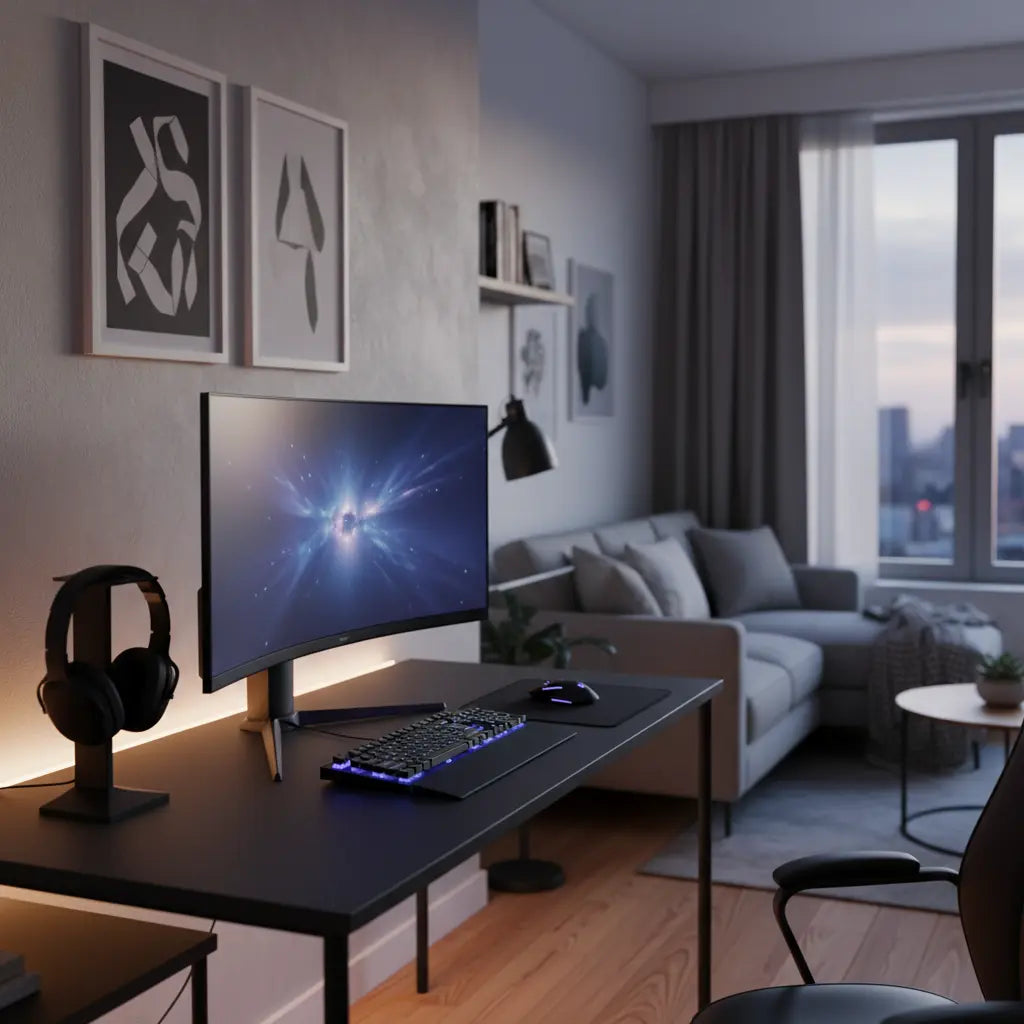
In 2026, fitting a high-performance gaming setup into a studio apartment or dorm room requires a strategic shift from horizontal sprawl to vertical integration and multi-functional planning. By utilizing compact desks between 40 and 48 inches, leveraging monitor arms to reclaim surface area, and prioritizing low-VOC materials for indoor air quality, gamers can maintain a professional-grade "battlestation" without sacrificing living space or personal health.
Transparency Note: This guide is curated by our product team. Links to Bestier products are included as recommended solutions based on our internal design testing and customer feedback.
Key takeaways
- Maximize Vertical Space: Use monitor arms and overhead shelving to free up the primary desk surface, allowing for full setups in footprints as small as 40 inches.
- Prioritize Air Quality: In confined spaces, choose furniture that meets CARB Phase 2 and TSCA Title VI standards to minimize formaldehyde off-gassing.
- Temporal Multi-functionality: Design your desk area to transition between gaming, professional work, and dining through the use of modular accessories.
- Manage Thermal Output: Small rooms heat up quickly; ensure your setup includes adequate airflow and temperature monitoring to protect hardware and comfort.
- Verify Weight Limits: Always check that your desk—especially if part of a lofted system—meets BIFMA standards to safely support heavy modern GPUs and multiple monitors.

Navigating the Challenges of Small-Space Gaming in 2026
Living in a studio apartment or a university dorm often feels like a constant negotiation with square footage. For the modern student gamer or remote professional, the challenge is not just finding a desk that fits, but creating an environment that supports high-level performance without overwhelming the living area. In 2026, we are seeing a move away from massive, room-consuming desks toward highly efficient, tech-integrated solutions that respect the boundaries of a multi-purpose room.
The primary hurdle is the "footprint-to-performance" ratio. A standard gaming setup with dual 27-inch monitors and a mid-tower PC typically requires at least 60 inches of horizontal space. However, most studio layouts only afford 36 to 44 inches for a dedicated workspace. Overcoming this requires a combination of smart furniture selection, vertical storage, and a deep understanding of ergonomic standards.
Logic Summary: This guide assumes a standard studio or dorm room layout where the desk must often serve multiple roles. Recommendations are based on BIFMA furniture standards and current 2026 hardware trends, focusing on maximizing utility per square inch.
Choosing the Right Footprint: The 40-Inch Threshold
While many "compact" desks are marketed at 36 inches, the 40-to-44-inch range is often the "sweet spot" for modern gaming. This width allows for a single large monitor (up to 34 inches ultrawide) or two 24-inch monitors on a dual-arm mount, while still leaving enough room for a mousepad and keyboard.
When selecting a desk, consider the depth as much as the width. A depth of 24 to 28 inches is recommended by ergonomic experts to maintain a healthy viewing distance from your screen. If you are extremely limited on space, a compact 44-inch gaming desk with LED lighting provides a balanced footprint that accommodates most mid-tower cases and peripherals without dominating the room.
For those dealing with awkward room shapes, corner desk solutions for tight spaces can reclaim "dead" square footage. Corner desks are particularly effective in studio apartments where the desk can act as a natural divider between the sleeping and living zones.
Vertical Integration: Reclaiming Your Desk Surface
In a small room, the only direction you can truly expand is up. Vertical integration is the practice of moving everything off the desk surface that doesn't absolutely need to be there. This starts with the monitor. By using a C-clamp monitor arm, you can reclaim approximately 1.5 to 2 square feet of desk space that would otherwise be occupied by a bulky monitor stand.
Vertical Storage Solutions
- Pegboards and Slatwalls: Mounting a pegboard above your desk allows you to hang headsets, controllers, and cables. This keeps your surface clear for actual gaming.
- Over-Desk Shelving: Integrated shelving units can hold your PC tower, speakers, and decorative items. Ensure these shelves are rated for the weight of your hardware.
- Under-Desk Trays: Use these for power strips and external hard drives to keep the "visual noise" to a minimum.

Multi-functional Design and Temporal Planning
In a studio apartment, your gaming desk is rarely just a gaming desk. It is your office by day, your dining table by evening, and your entertainment hub by night. This is known as "temporal multi-functionality"—the idea that a space changes its purpose based on the time of day.
To achieve this, look for desks with clean lines and integrated storage that can hide gaming peripherals when not in use. A zone-based layout planning for small rooms helps define these boundaries. For example, using a desk with a built-in keyboard tray can allow you to tuck away your mechanical keyboard and mouse, instantly transforming the surface into a clean area for a laptop or a meal.
Logic Summary: Temporal planning is recommended for users in units under 500 square feet. It prevents "setup fatigue" where the presence of gaming gear makes it difficult to relax or work professionally in the same space.
Health, Safety, and Air Quality in Confined Spaces
One of the most overlooked aspects of small-room gaming is indoor air quality. In a typical 10'x10' dorm room or a compact studio, the concentration of Volatile Organic Compounds (VOCs) can rise quickly if the furniture is not properly rated. Many budget-friendly desks are made from engineered wood that may off-gas formaldehyde.
To protect your health, it is critical to verify engineered wood safety standards for furniture materials. Look for products that are CARB Phase 2 compliant and meet EPA TSCA Title VI standards. These regulations ensure that formaldehyde emissions are kept below safe thresholds (typically 0.05 ppm for hardwood plywood and 0.11 ppm for MDF).
How to verify: Look for the "CARB Phase 2" or "TSCA Title VI" stamp on the product packaging or the underside of the desk panels. Manufacturers should also provide these certifications upon request.
Weight Limits and Structural Integrity
If you are using a lofted bed system in a dorm, structural safety is paramount. ASTM F2057 safety standards provide guidelines for furniture stability. Most lofted desks are rated for approximately 100 to 150 pounds. However, a modern gaming setup—including a high-end PC (30-50 lbs), dual monitors (20-30 lbs), and peripherals—can quickly approach these limits.
Always verify that your desk meets BIFMA (Business and Institutional Furniture Manufacturers Association) standards, which typically require a static load capacity of 250 pounds for work surfaces. You can usually find this in the "Technical Specifications" or "Product Manual" section of the listing.
Thermal Management: Keeping Your Cool
A high-performance gaming PC is essentially a space heater. In a small, poorly ventilated room, a PC pulling 600 watts can raise the ambient temperature by an estimated 3–5°F (approx. 2°C) within an hour of heavy load (based on standard thermal dissipation models for a 100 sq. ft. room). This not only makes the room uncomfortable but can also lead to hardware throttling.
Strategies for Small-Room Cooling
- Exhaust Direction: Ensure your PC's exhaust fans are not blowing directly against a wall or into a corner. Leave at least 6 inches of clearance for airflow.
- Active Ventilation: Use a small desk fan or a window exhaust unit to circulate air out of the room during intense gaming sessions.
- Temperature Monitoring: Use software to monitor your GPU and CPU temps. If they consistently spike, you may need to reconsider your PC's placement within the room.
- Undervolting: For small-form-factor (SFF) enthusiasts, undervolting your GPU can reduce heat output by an estimated 10–15% (based on typical 2026 hardware benchmarks) with minimal impact on performance.
Organization and Aesthetics: The "Exposed" Setup
In a studio apartment, your desk is always on display. Cluttered cables and messy surfaces can make the entire room feel disorganized. Implementing cable management for compact gaming setups is essential for maintaining a professional aesthetic.
Use J-channels or cable sleeves to bundle wires together and route them down a single desk leg. For an even cleaner look, consider wireless peripherals where possible, though many competitive gamers still prefer the reliability of wired connections in 2026.
Ergonomics in a Tight Spot
Don't sacrifice your posture just because you have a small desk. An ergonomic setup for comfortable gaming in small spaces should include a chair with a small footprint that still offers lumbar support. Ensure your monitor is at eye level—if your desk doesn't have a built-in riser, a monitor arm is the superior choice for both ergonomics and space-saving.
Small Space Gaming Setup Checklist
Use this checklist to ensure your compact setup meets all functional and safety requirements.
| Category | Requirement | Verification Method |
|---|---|---|
| Dimensions | 40-48" Width, 24-28" Depth | Physical measurement of available floor space |
| Safety | CARB Phase 2 / TSCA Title VI | Check manufacturer's certification labels on panels |
| Weight | 250 lbs Static Load (BIFMA) | Review product spec sheet for weight capacity |
| Ergonomics | Monitor at eye level | Adjustable monitor arm or riser height |
| Airflow | 6" clearance from walls | Visual check of PC exhaust path |
| Cable Mgmt | No visible "rat's nest" | Use of trays, sleeves, or J-channels |
FAQ
Can I fit a dual-monitor setup on a 40-inch desk? Yes, but it requires the use of a dual-monitor arm. A standard 40-inch desk cannot accommodate two 27-inch monitors using their original stands, as the stands would occupy nearly the entire surface and the screens would overhang the edges significantly. By using a clamp-on arm, you can suspend the monitors above the desk, allowing them to extend slightly beyond the physical width of the desk while keeping the surface clear.
How do I prevent my gaming PC from overheating in a small dorm room? Thermal management in small rooms relies on airflow and ambient temperature control. Ensure your PC is not placed in a carpeted corner, which can block intake filters. If the room lacks central air conditioning, consider a high-CFM (cubic feet per minute) window fan to pull hot air out. Additionally, undervolting your GPU can reduce heat output by an estimated 10-15% with minimal impact on performance.
Are L-shaped desks better for small apartments? L-shaped desks are excellent for maximizing corner space that would otherwise go to waste. They provide two distinct "zones"—one for gaming and one for work or study—within a relatively small footprint. However, they can be difficult to move. If you choose an L-shaped model, ensure it is reversible so you can adapt it to different room configurations.
What is the best way to hide cables when my desk is in the middle of the room? When a desk is "floated" in the middle of a room, use a "cable spine" or a weighted cable sleeve that runs down one of the desk legs to the floor. Under-desk cable trays are essential for housing power strips and bulky power bricks. For the cleanest look, route all cables to a single point and use a matching floor cord cover to run the power line to the nearest outlet.
Is it safe to put a heavy gaming PC on a glass desk? Generally, it is not recommended to place a heavy mid-tower PC on a tempered glass desk in a small space. While tempered glass is strong, it is susceptible to breakage if it sustains a chip or is subjected to uneven thermal stress (such as heat from a PC exhaust). For a gaming setup, a desk made of high-density engineered wood or solid wood with a steel frame is a much safer and more durable choice.
How can I make my gaming setup look less "cluttered" in a studio? The key to a clean studio setup is "visual cohesion." Choose a color palette (e.g., all black, white and oak, or industrial metal) and stick to it. Use a large desk mat to define the workspace and hide small surface imperfections. Finally, utilize "hidden" storage like drawers or under-desk bins for items you don't use every day, such as extra controllers or VR headsets.
References
Government / Standards / Regulators
- EPA TSCA Title VI: Formaldehyde Standards for Composite Wood Products
- California Air Resources Board (CARB) - Airborne Toxic Control Measure
- ADA Standards for Accessible Design - Reach Ranges and Clearances
Industry Associations / Research Institutes
- BIFMA (Business and Institutional Furniture Manufacturers Association) - Safety and Performance Standards
- ASTM International - F2057 Standard Safety Specification for Clothing Storage Units (Stability)
- National Kitchen & Bath Association (NKBA) - Small Space Planning Guidelines
Academic / Whitepapers / Labs
- ASHRAE - Thermal Guidelines for Data Processing Environments (Small Scale Application)
- FSC (Forest Stewardship Council) - Sustainable Forestry and Low-VOC Materials
