





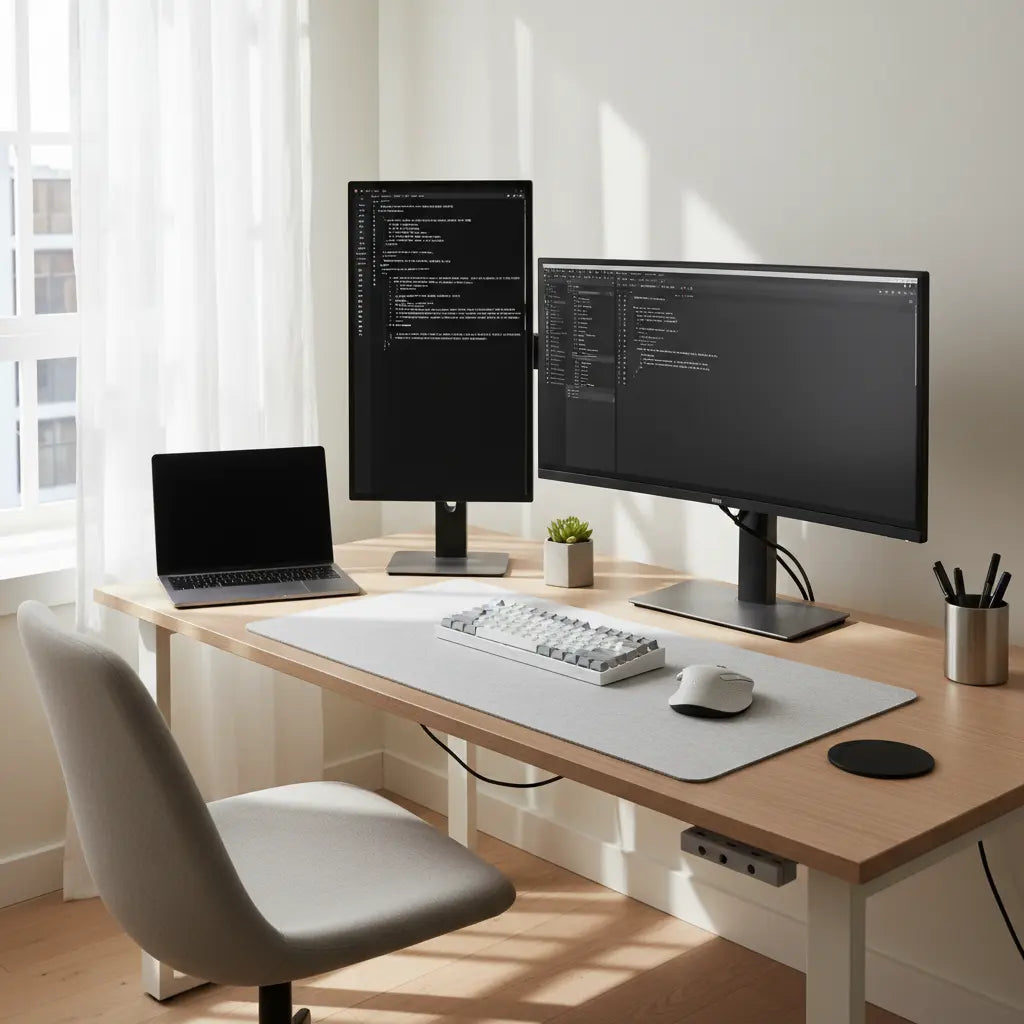
Finding the right desk for coding and programming can make long focused work sessions more comfortable and productive. The best setups prioritize enough surface area for your monitors, keyboard, and mouse while supporting neutral posture and keeping clutter under control. For programmers working in small rooms or apartments, a compact yet functional desk combined with smart ergonomic adjustments often delivers the biggest gains.

Many developers spend eight or more hours daily at their workstation. While no desk alone guarantees freedom from discomfort, following established ergonomic principles from sources like OSHA can help reduce strain risk. This guide draws on official workstation guidance to show how to choose and configure a desk for software engineering, DevOps, QA, or freelance coding workflows.
Why Ergonomics Matter for Programmers
Long coding sessions make neutral posture especially important. Keep your monitor centered so you look straight ahead most of the time, and position the keyboard and mouse close enough that your elbows stay relaxed near 90 degrees, according to the OSHA Computer Workstations eTool. This simple layout helps keep shoulders relaxed and prevents forward reaching that can contribute to fatigue.
The top of your monitor should sit at or slightly below eye level. Many workstation guides recommend viewing the screen a little below horizontal eye level to avoid forcing the neck upward, as noted in OSHA monitor guidance. For vertical monitors used for documentation or logs, place the primary screen straight ahead and the secondary one off to the side to minimize neck twisting.
Choosing the Right Desk Size for Coding Setups
A workable coding station needs enough surface area and leg clearance for your keyboard, mouse, laptop, and any reference materials. Official desk guidance emphasizes practical clearance so you can maintain comfortable positioning throughout the day (OSHA desk components).
For small rooms or apartments, many developers start with a 48- to 60-inch wide desk. Narrower options can work for laptop-plus-one-monitor setups, but you still need room to keep peripherals within easy reach. If your space is very tight, prioritize depth that allows proper leg room under the desk.
Here is a heuristic comparison of minimum desk sizes for common coding workflows:
Heuristic Minimum Desk Size by Coding Workflow
Illustrative minimum desk size recommendations for different coding setups.
View chart data
| Category | Minimum width (in) | Minimum depth (in) |
|---|---|---|
| Single monitor laptop | 48.0 | 24.0 |
| Dual monitor | 60.0 | 30.0 |
| Vertical + main | 54.0 | 24.0 |
| Small room (<10 sq ft workspace) | 36.0 | 20.0 |
Heuristic sizing chart for article use. Based on the provided evidence themes: desks need enough surface and leg clearance (OSHA), space for laptop + keyboard + monitor, and wider layouts to avoid neck twisting with multi-monitor work. Values are illustrative, not measured from a single study: single-monitor laptop ~48 x 24 in, dual-monitor ~60 x 30 in, vertical + main ~54 x 24 in, small-room constrained setup ~36 x 20 in.
These numbers are illustrative heuristics based on common workspace guidance. Actual needs depend on your specific equipment and room layout. Always measure your space and verify desk dimensions before purchasing.

Best Desk Types for Programmers
L-shaped desks often suit developers who use multiple monitors or need separate zones for a laptop and reference materials. The extra surface helps keep your main screen centered while still having room for notes or a second display. Our best L-shaped desk setups guide explores ergonomic placement options for dual-monitor productivity.
Straight rectangular desks work well in narrow rooms or for minimalist setups. A 55- to 60-inch width frequently provides enough room for a single large monitor or laptop-plus-external-monitor combination without overwhelming small apartments. Look for models with built-in power outlets or cable channels to reduce desktop clutter.
Adjustable height or standing desks give you the option to alternate between sitting and standing, which many long-hour coders find helpful for changing position regularly. Set the desk so your forearms stay roughly horizontal and wrists neutral when standing, per office ergonomic guidance. Our standing desk collection includes models with USB charging and memory presets that support smooth height changes.
For compact spaces, a smaller L-shaped or computer desk with open storage can keep peripherals organized without sacrificing stability. Check our L-shaped desk collection for options sized for tighter rooms.
Setting Up Your Coding Desk for Comfort
Start by adjusting your chair so your feet rest flat on the floor or on a footrest. If the keyboard cannot be lowered, raise the chair and use foot support to maintain a comfortable typing position (Princeton ergonomics guidance).
For laptop-based coding, add an external keyboard and mouse. This lets you position the screen at a comfortable viewing height independently of the typing surface, according to remote-work ergonomic best practices (Alaska WFH checklist). Many programmers use a laptop stand or monitor arm to achieve proper screen height.
Keep the keyboard and mouse within easy reach so your shoulders stay relaxed (Mayo Clinic office ergonomics). A sturdy desktop that does not wobble under typing or mouse movement supports better focus during long sessions (Stanford hybrid ergonomics).
Cable Management and Minimizing Clutter
Cluttered desks can break focus and make a small workspace feel chaotic. Route cables under the desk or use trays and clips to keep them organized. Several Bestier desks include built-in power outlets and cable channels that simplify this step.
Our home office desk setup guide offers practical tips on space planning and storage solutions that help maintain a clean, minimalist programming environment.
How to Choose a Desk for Your Specific Needs
Consider these checkpoints before buying:
- Measure your available floor space and add at least 3 feet behind the chair for comfortable movement.
- Count your monitors and peripherals—add roughly 12–18 inches of width for each additional display.
- Verify leg clearance and desktop stability, especially if you plan to add a monitor arm.
- Check for built-in power and storage features that match your workflow.
- Confirm the desk material meets current indoor air quality standards for engineered wood.
If you already own a desk, use a workstation self-assessment checklist to fine-tune chair height, monitor position, and keyboard placement (NIH ergonomics self-assessment).
For standing desk users, remember that elbow and forearm alignment still matters. Adjust height so forearms remain roughly horizontal with wrists neutral (OCWR office ergonomic guidance).
Desk Recommendations from Bestier
The Bestier 60 Inch Home Office Desk with Power Outlets offers a spacious surface, integrated power, and reversible storage that works well for dual-monitor coding setups.
Developers who prefer an L-shaped layout may like the Bestier 58 Inch LED L-Shaped Gaming Desk or smaller 42 Inch L-Shaped Desk for tighter spaces.
Those wanting height adjustability can explore the Bestier 55 Inch Adjustable Height Standing Desk, which includes USB charging and quiet operation suitable for focused programming sessions.
Our broader computer desk collection and home office furniture collection contain additional options with steel frames and storage features designed for professional use.
Important Comfort and Safety Notes
An ergonomic desk setup can reduce strain risk and improve comfort, but it is not a guarantee against pain or injury. This article discusses general workstation comfort and setup advice only. It does not constitute medical advice, diagnosis, or treatment. If you experience persistent discomfort or have existing conditions, consult a qualified healthcare professional. Individual results depend heavily on proper chair adjustment, regular movement, and overall workspace conditions.
Final Thoughts
The ideal desk for coding depends on your room size, monitor count, and daily workflow. Focus on practical surface area, leg clearance, and the ability to maintain neutral posture rather than chasing a single “perfect” model. Start with measurements of your space and equipment, then choose a stable desk that supports your specific setup. With the right configuration, even a compact apartment corner can become an efficient, comfortable programming station.
Measure twice, adjust carefully, and remember that small changes in monitor height or keyboard position often matter more than the desk itself. For more ideas on organizing your workspace, see our guide to ergonomics for long sessions or choosing the perfect desk size.
