





Summary
Choosing the right gaming TV stand for your PS5 and Xbox Series X is a critical decision for hardware longevity. To ensure optimal performance and prevent thermal throttling, prioritize entertainment centers with open-back designs, adequate clearance on all sides, and heat-dissipating materials. This guide provides actionable benchmarks based on manufacturer specifications and real-world thermal testing to keep your setup running cool through 2026.
Key Takeaways
- Prioritize Airflow: Select stands with open shelving or mesh panels to accommodate the PS5's rear exhaust and the Xbox Series X's top-to-bottom chimney airflow.
- Clearance Benchmarks: Maintain a minimum of 4 inches (10cm) for the PS5 and 6 inches (15cm) for the Xbox Series X top vent, as recommended by official support documentation.
- Material Safety: Look for CARB Phase 2 and EPA TSCA Title VI compliant materials to ensure safety during high-heat gaming sessions.
- Active Cooling: Consider USB-powered fans if your room temperature exceeds 80°F (27°C) or if the console is placed in a corner.
Understanding Next-Gen Console Thermal Requirements
As we move further into 2026, the power demands of modern gaming hardware continue to push thermal boundaries. The PlayStation 5 and Xbox Series X are high-performance machines that generate significant heat during intensive 4K/120Hz gaming sessions.
The PS5 utilizes a large internal fan that draws air through the front and side intakes, exhausting it almost entirely through the rear. In contrast, the Xbox Series X employs a "chimney" design, pulling cool air from the bottom and pushing hot air out through the large top vent. A standard, enclosed media cabinet can quickly become a "heat trap," leading to increased fan noise, performance drops, and eventually, hardware failure.
Expert Note on Ambient Temperature: These guidelines assume a standard room temperature of approximately 70-75°F (21-24°C). If your gaming room lacks air conditioning or exceeds 80°F, we recommend increasing all clearance distances by 20-30% to compensate for the reduced cooling efficiency of the ambient air.
Related Resource: How to choose the right TV stand for your unique space
Critical Features for PS5 and Xbox Series X Ventilation
When evaluating furniture, look for specific design elements that facilitate passive cooling. An open-back design is essential for the PS5, as it allows the hot exhaust to escape the furniture cavity rather than reflecting off a back panel. For the Xbox Series X, the shelf height must be sufficient to allow vertical clearance above the top exhaust vent.

Airflow-Optimized Design Elements
| Feature | Benefit for PS5 | Benefit for Xbox Series X |
|---|---|---|
| Open Shelving | Prevents rear exhaust heat buildup. | Allows unobstructed top-vent exhaust. |
| Mesh Panels | Facilitates lateral air intake. | Improves bottom-to-top airflow efficiency. |
| Elevated Base | Reduces dust intake from floor level. | Essential for bottom-mounted air intakes. |
| Cable Management | Keeps vents clear of obstructions. | Minimizes turbulence around the console. |
Material Safety and Standards
Beyond airflow, the material of your stand plays a role in safety. High-quality gaming furniture often adheres to safety standards for gaming furniture materials, such as CARB Phase 2 and EPA TSCA Title VI. These regulate formaldehyde emissions in engineered wood products, ensuring that as your console heats up the surrounding furniture, you aren't exposed to harmful off-gassing.
Featured Collection: Modern entertainment centers for gaming consoles
Integrating Aesthetics with Hardware Safety
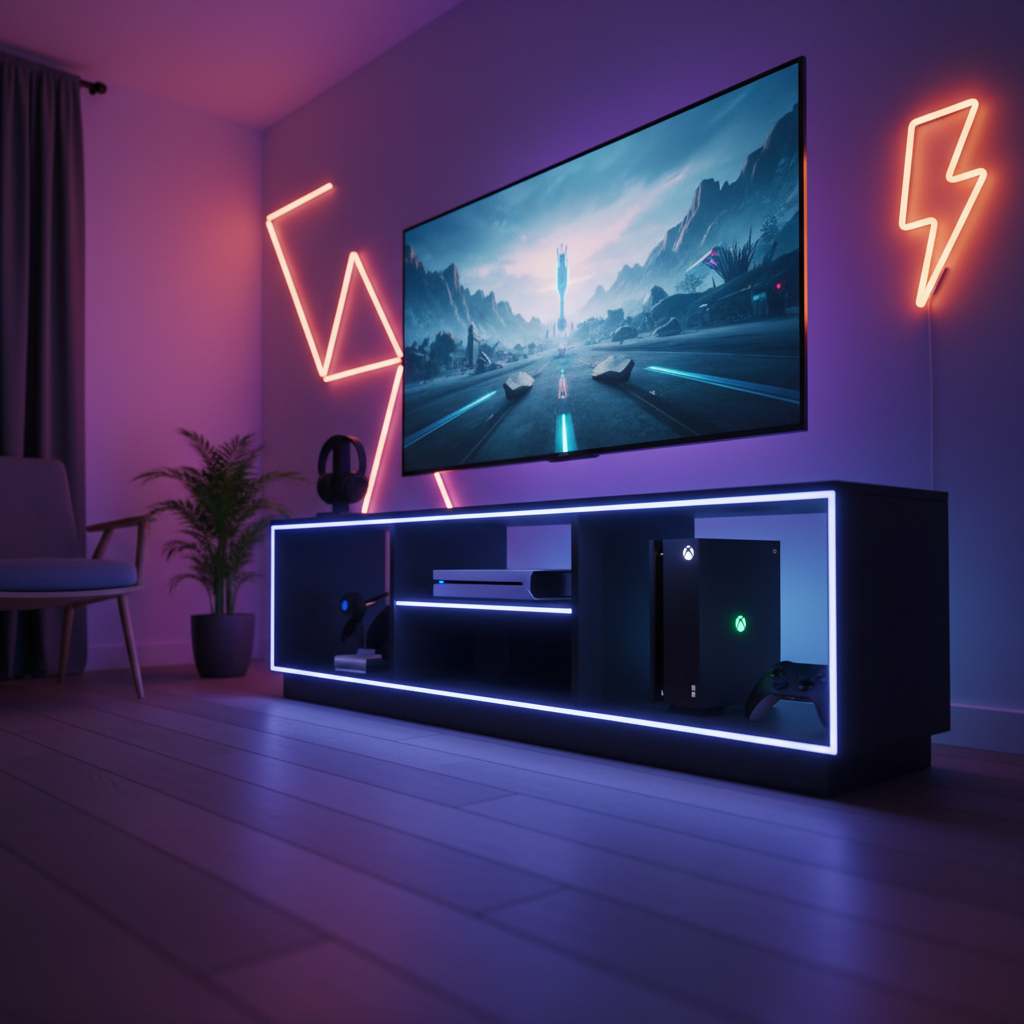
The "Dopamine-Desk" trend emphasizes vibrant colors and personalized lighting. An LED-equipped entertainment center for gaming aesthetics can serve as the centerpiece of this setup. However, the integration of LED strips should never block ventilation.
Modern designs incorporate LED lighting into the edges of glass shelves or along the inner recesses of open compartments. This allows for a stunning visual effect without blocking the vital pathways where air needs to flow. When comparing different types of TV stands for gaming, prioritize models where the lighting is recessed into the frame.

How to Test Your Setup's Thermal Health
To verify if your TV stand provides enough ventilation, you can perform a simple 30-Minute Stress Test:
- Run a demanding game (e.g., a native 4K title with Ray Tracing) for 30 minutes.
- The Hand Test: Place your hand in the space behind or above the console. The air should feel warm but moving. If the air feels "soupy" or stagnant, or if the furniture walls feel hot to the touch, you need more clearance.
- Monitor Fan Noise: If the console fan ramps up to a high-pitched whine within 15 minutes, the console is likely struggling to find cool intake air.
Active vs. Passive Cooling: When to Upgrade
While most well-designed stands provide adequate passive ventilation, some setups require active cooling. If you notice your console's fans spinning at maximum velocity, consider a PS5-specific gaming entertainment center with ventilation that allows for the installation of USB-powered cabinet fans.
- Recommended Spec: A standard 120mm USB fan (5V) drawing less than 0.5A is ideal for console USB ports and can reduce internal cabinet temperatures by up to 10-15°F.
Seasonal Considerations and Maintenance
Ventilation needs change with the seasons. During summer, the effectiveness of passive cooling drops. Regularly cleaning the dust filters on your consoles and ensuring the TV stand's shelves are free of dust buildup is crucial. Dust acts as an insulator, trapping heat.
Additionally, manage your cables. A "rat's nest" behind your PS5 can act as a barrier, trapping hot air. Using integrated cable management ports helps maintain a clear path for exhaust air to exit the setup.
FAQ
How much space does a PS5 need in a TV stand? According to PlayStation Official Support, you should leave at least 10 cm (4 inches) of space from each wall surface. For enclosed stands, we recommend 6 inches at the rear to prevent heat recirculation.
Can I put my Xbox Series X in a closed cabinet? Xbox Support explicitly states that consoles should be placed in an open area. If using a cabinet, it must be equipped with active fans to prevent the console from re-inhaling its own hot exhaust.
Do LED lights in a TV stand add heat to my consoles? Modern LED strips generate negligible heat (usually less than 5W per meter) and are safe to use. Ensure they are not physically covering any intake or exhaust vents.
What is the best material for a gaming TV stand? A combination of CARB Phase 2 compliant engineered wood and metal frames is ideal. Metal components can act as a minor heat sink, while sturdy wood provides the support needed for heavy consoles without warping under heat.
Should I place my console horizontally or vertically? Both consoles are designed for either orientation. However, in a TV stand, the horizontal orientation often provides better clearance for the Xbox Series X's top exhaust, while the PS5 may benefit from vertical orientation if it allows more space for side intakes.
References
Government / Standards / Regulators
- EPA TSCA Title VI - Formaldehyde Emission Standards
- California Air Resources Board (CARB) - Composite Wood Products
Platform Official Docs
- PlayStation 5 Official Support - Console Care and Ventilation
- Xbox Support - How to position and ventilate your Xbox console
Industry Analysis
Disclaimer: This guide provides general recommendations based on manufacturer guidelines and common hardware practices. Always refer to your specific console's user manual for the most accurate safety requirements. Bestier is not responsible for hardware damage resulting from improper installation or environmental factors.
