





Summary
Optimizing an L-shaped desk for a dual monitor setup requires balancing ergonomic viewing distances with the structural integrity of the workspace. By prioritizing a focal distance of 20 to 40 inches and selecting desks that meet modern safety standards, professionals can achieve a 20-30% boost in productivity while maintaining a compact home office footprint.
Key takeaways
- Optimal Depth: Ensure your desk has a minimum depth of 24-30 inches to maintain a healthy viewing distance for 27-inch monitors.
- Strategic Placement: While corner placement saves space, side-wing positioning often provides superior ergonomics for primary-secondary monitor workflows.
- Weight Capacity: Use reinforcement plates when mounting dual monitor arms on engineered wood to prevent sagging and ensure long-term durability.
- Workflow Alignment: Tailor your monitor orientation (horizontal vs. vertical) to your specific professional tasks, such as coding or data analysis.
- Safety First: Verify that your desk material complies with CARB Phase 2 and TSCA Title VI standards to ensure a healthy indoor environment.
The Productivity Power of Dual Monitor L-Shaped Setups
In the evolving landscape of 2026, the "Small Space Crisis" has forced many digital nomads and remote professionals to rethink their workstation geometry. The transition from a single screen to a dual monitor configuration is more than just a luxury; it is a documented performance enhancer. Research from industry analysts like Jon Peddie Research indicates that multi-monitor users experience significant productivity gains, often ranging from 20% to 30%, particularly in tasks involving cross-referencing or complex data visualization.
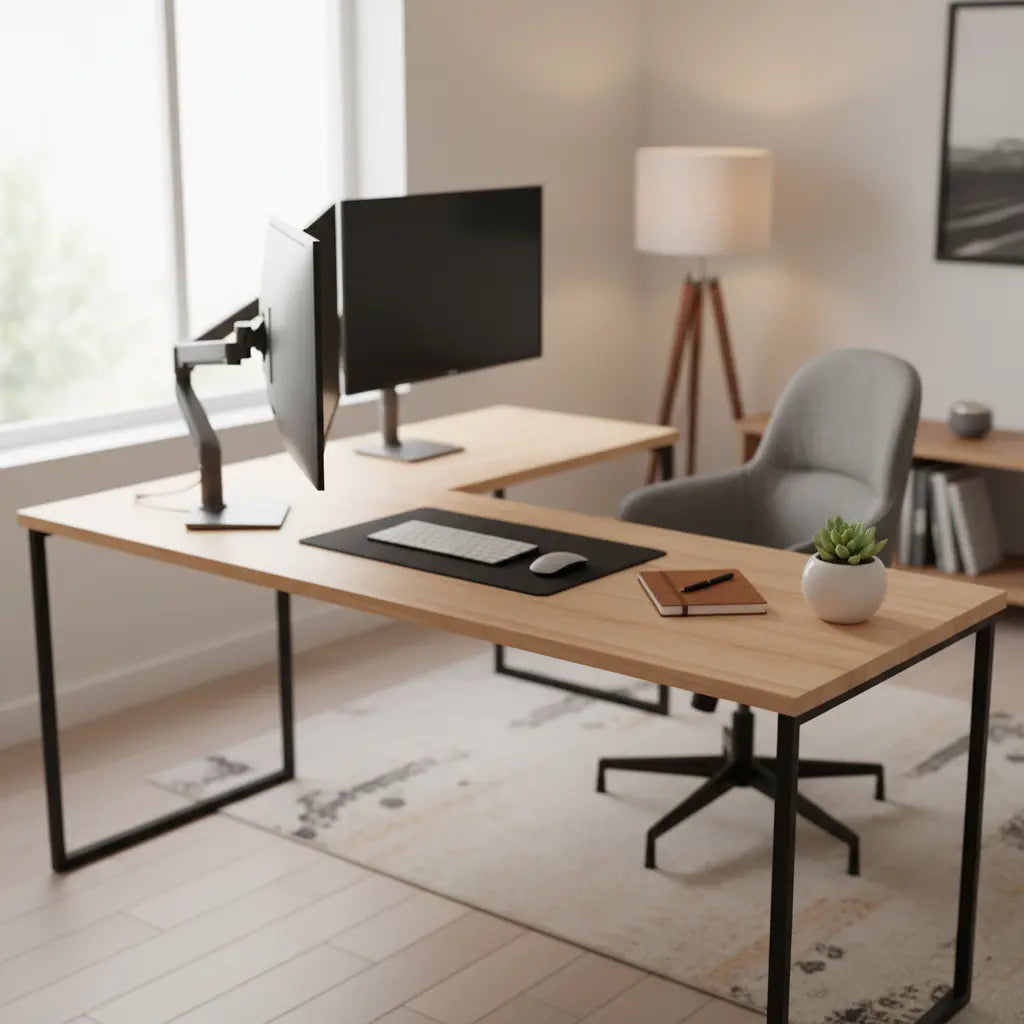
An L-shaped desk provides the ideal architectural foundation for this setup. Unlike traditional straight desks, the "L" geometry allows for a natural wrap-around effect, bringing more screen real estate within the user's peripheral vision without requiring excessive neck rotation. For those looking to dive deeper into specific configurations, our L-shaped gaming desk setup guide offers additional insights into blending high-performance hardware with ergonomic furniture.
Logic Summary: This recommendation assumes that the user's primary goal is maximizing screen area within a limited square footage. Productivity gains are most pronounced in "information-dense" roles such as software development, financial analysis, and content creation.
Optimizing Viewing Distance: Why Desk Depth Matters
One of the most common oversights in home office design is neglecting the relationship between monitor size and desk depth. As monitors have grown from 24 inches to 27 and even 32 inches as standard sizes in 2026, the depth of the desk must scale accordingly to prevent eye strain.
According to OSHA's computer workstation guidelines, the optimal viewing distance is between 20 and 40 inches from the eye to the screen. If a desk is too shallow, large dual monitors will sit too close, forcing the eyes to work harder to focus. For a setup involving dual 27-inch monitors, a desk depth of at least 24 inches is recommended, though 30 inches is ideal for maintaining a 1.5x to 2x focal distance relative to the screen size.
When browsing our L-shaped desk collection, pay close attention to the depth of both the main surface and the return wing. A deeper main surface allows the monitors to be pushed back, while a shallower wing might be better suited for peripherals like tablets or notebooks.
| Monitor Size | Recommended Desk Depth | Optimal Viewing Distance |
|---|---|---|
| Dual 24" | 20" - 24" | 20" - 30" |
| Dual 27" | 24" - 30" | 25" - 35" |
| Dual 32" | 30"+ | 30" - 40" |
Ergonomic Configuration: Corner vs. Side Placement
The "L" in L-shaped desks offers two primary ways to arrange your dual monitors: the corner "Apex" placement and the "Side-Wing" placement.
The Apex Placement: This involves placing the monitors at the junction where the two desk sections meet. This is the ultimate space-saver, as it utilizes the deepest part of the desk. However, it can sometimes lead to "corner trap" where airflow is restricted, and the user may feel boxed in.
The Side-Wing Placement: In this configuration, the primary monitor sits directly in front of the user on the longer side of the desk, while the secondary monitor is angled on the return wing. This is often ergonomically superior because it allows the user to maintain a neutral spine while focusing on the main task, only glancing at the secondary screen for reference. This layout is a staple among recommended L-shaped desks designed for professional productivity.

Material Strength: Managing Weight Capacity on Engineered Wood
Dual monitors, especially when mounted on a single heavy-duty arm, exert significant "point load" pressure on a desk surface. Most modern L-shaped desks are constructed from engineered wood, such as MDF or particle board. While these materials are excellent for stability and cost-effectiveness, they have specific weight tolerances that must be respected.
To ensure long-term durability, it is crucial to understand the safety standards for engineered wood. This comprehensive guide explains how standards like CARB Phase 2 and EPA TSCA Title VI regulate formaldehyde emissions and material quality. Beyond air quality, these standards are often indicators of the manufacturing rigor applied to the board's density.
Logic Summary: We recommend using a steel reinforcement plate (often sold as "monitor mount reinforcement") if you are using a C-clamp style dual monitor arm on an engineered wood desk. This distributes the weight over a larger surface area, preventing the clamp from crushing the wood fibers or causing the desk to sag over time.
Workflow-Specific Layouts for Professionals
Not all dual monitor setups are created equal. Your profession should dictate your screen orientation.
- Software Developers: A "Horizontal + Vertical" setup is often best. Place the main monitor horizontally for the IDE and the secondary monitor vertically for reading long blocks of code or documentation.
- Graphic Designers: Two horizontal monitors are usually preferred to maintain color consistency and provide enough room for toolbars on one side and the canvas on the other.
- Financial Traders: A stacked vertical arrangement can be highly effective on an L-shaped desk, allowing for multiple data feeds to be visible within a narrow horizontal field of view.
For those with very limited space, a 48-inch LED L-shaped desk can accommodate dual 24-inch monitors effectively if the monitors are mounted to reclaim surface area.
Power and Thermal Management for Dual Screens
Dual monitors mean double the cables and double the heat. In 2026, with high-refresh-rate 4K panels becoming common, thermal management is a legitimate concern. Heat buildup in the corner of an L-shaped desk can degrade monitor electronics over time.
Ensure there is at least a 2-inch gap between the back of the monitors and the wall to allow for convection cooling. For cable clutter, utilizing cable management tricks like under-desk trays and J-channels is essential. This not only looks professional but also prevents accidental cable tugging when adjusting monitor arms.

FAQ
What is the best L-shaped desk for 2 monitors in a small room? The best option for small spaces is usually a compact L-shaped desk with a built-in monitor riser or one that is compatible with a C-clamp monitor arm. Look for a desk with a total width of 48 to 52 inches, which provides enough room for two 24-inch monitors while fitting into most corners. Utilizing the vertical space with shelves can also help clear the desk surface for better productivity.
How do I choose a dual monitor arm for an L-shaped desk? When selecting an arm for an L-shaped desk, look for one with a wide range of motion and "gas spring" tension adjustment. This allows you to easily move monitors between the main desk and the return wing. Ensure the arm's weight capacity exceeds the combined weight of your monitors and check that the clamp is wide enough to fit your desk's thickness.
Is corner placement or side placement better for dual monitors? Side placement is generally better for ergonomics as it allows you to sit directly in front of your primary screen, reducing neck strain. Corner placement is a better choice for space-saving in extremely tight rooms, but it may require a deeper desk to maintain a proper viewing distance. The choice depends on whether you prioritize physical comfort or floor space.
Can an L-shaped desk hold the weight of two 32-inch monitors? Most high-quality L-shaped desks can hold the weight, but you must check the specific weight capacity of the desk surface. Two 32-inch monitors plus a heavy-duty mount can weigh upwards of 40-50 lbs. If your desk is made of engineered wood, always use a reinforcement plate to distribute the load and prevent the material from warping or cracking at the mounting point.
How do I prevent eye strain with a dual monitor setup? To prevent eye strain, follow the "20-20-20 rule": every 20 minutes, look at something 20 feet away for 20 seconds. Additionally, ensure your monitors are at the same height, with the top of the screens at or slightly below eye level. Use blue light filters or "Night Mode" settings during evening hours to reduce the impact on your circadian rhythm.
Do I need a special desk for a vertical monitor setup? You don't need a special desk, but you do need a monitor arm or a stand that supports 90-degree rotation (pivot). An L-shaped desk is actually ideal for vertical setups because the return wing provides a natural place for the vertical screen to sit without blocking your main field of vision. This is a popular configuration for programmers and writers.
References
Government / Standards / Regulators
- OSHA Computer Workstations eTool - Official ergonomic standards for viewing distance and posture.
- CARB Composite Wood Products Regulations - Standards for safety and emissions in engineered wood.
- EPA TSCA Title VI Formaldehyde Standards - Federal regulations for wood product safety.
Industry Associations / Research Institutes
- Jon Peddie Research: Multi-Monitor Productivity Study - Data on performance gains from multiple screens.
- Humanscale: Ergonomics of Multiple Monitor Workstations - Professional whitepaper on focal distance and arrangement.
Academic / Whitepapers
- Cornell University Ergonomics Web - Research on sit-stand and multi-monitor workstation design.
- NCBI: Effects of Monitor Configuration on Task Performance - Peer-reviewed study on user satisfaction and efficiency.
Platform Official Docs
- ENERGY STAR Monitor Specifications - Guidelines for power consumption and thermal management.
