





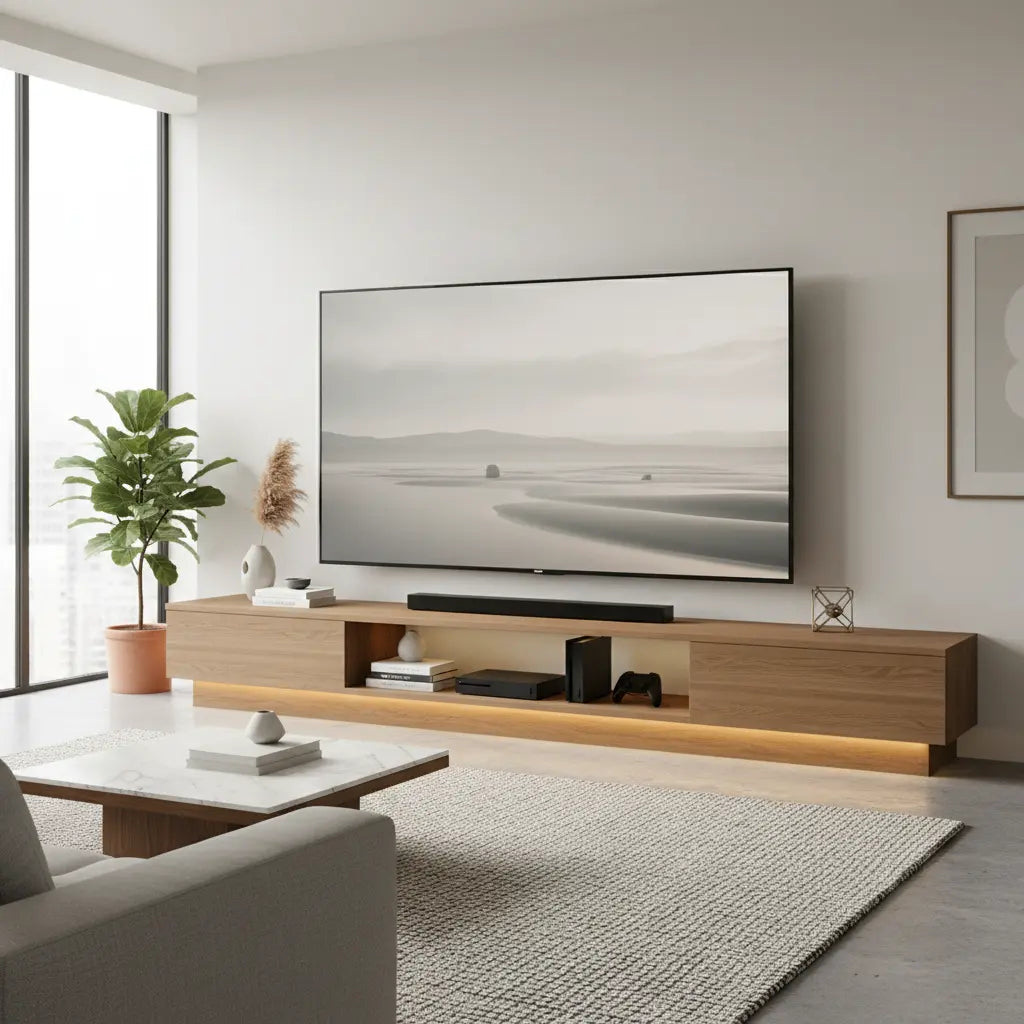
Finding the right TV stand for an 85-inch TV requires more than matching a catalog size. Because screen size is measured diagonally, an 85-inch television can span nearly 75 inches wide or more depending on the model and bezel design. This makes it essential to check the TV's actual base footprint and weight rather than relying on the inch class alone, as this Samsung TV size guide explains. A properly chosen stand provides stability, accommodates accessories like soundbars and consoles, and maintains visual balance in the room without making the setup feel cramped or unsafe.

Large-screen owners often face uncertainty about how wide the stand should be, what weight capacity is truly sufficient, and which storage style best fits their living space. This guide breaks down practical thresholds, debunks common myths, compares stand types, and offers a checklist to help you select a heavy-duty TV stand that supports today's biggest displays effectively.
Why Sizing Matters More Than You Think for 85-Inch TVs
An 85-inch TV is measured diagonally across the screen, which means the physical width, depth, and weight vary by brand and model. Many buyers assume that any stand labeled for large TVs will work, but an undersized base can create overhang, reduce stability, and make the entire setup look disproportionate. According to official guidance, you should always verify the TV’s actual dimensions before purchasing furniture, as highlighted in this Samsung TV dimensions reference.
Viewing distance also plays a role in overall room planning. Larger screens perform best when seating is positioned appropriately, typically 8 to 12 feet or more for an 85-inch display, per size-to-distance relationships outlined by RTINGS. This spacing requirement often influences whether a wide media console or more compact option fits the space without crowding pathways.
Key Thresholds for Safe and Balanced Support
Successful setups depend on matching the stand to the TV’s real-world measurements rather than marketing labels. The following table presents practical heuristic thresholds drawn from manufacturer guidance and buyer experience. These are illustrative boundaries to help you evaluate options quickly.
| Check | Minimum | Recommended | Ideal |
|---|---|---|---|
| Stand width (in) | 65 | 75 | 85+ |
| Stand depth (in) | 14 | 16 | 18+ |
| Weight capacity (lb) | 100 | 125 | 150+ |
| Stability factor | Basic footprint | Wide base + low center | Reinforced + anchoring ready |
These numbers serve as a starting point. Always confirm your specific TV model’s base width and weight, then select a stand with extra margin for accessories. This approach reduces the risk of wobble or visual imbalance.
Illustrative TV Stand Thresholds for an 85-inch TV
Illustrative boundaries only; compare minimum, recommended, and ideal levels for stand width, depth, weight capacity, and stability factors.
View chart data
| Category | Minimum | Recommended | Ideal |
|---|---|---|---|
| Stand width (in) | 65.0 | 75.0 | 85.0 |
| Stand depth (in) | 14.0 | 16.0 | 18.0 |
| Weight capacity (lb) | 100.0 | 125.0 | 150.0 |
| Stability factor (illustrative) | 1.0 | 2.0 | 3.0 |
Illustrative thresholds based on manufacturer guidance and buyer heuristics from Samsung, RTINGS, and CPSC references. Values are normalized heuristic boundaries, not real measurements or official standards.
Common Myths About Large TV Stands
Several misconceptions can lead to disappointing purchases. Here are the most frequent ones corrected with practical reality:
- Myth: Any stand that looks wide enough will work for an 85-inch TV. Reality: The stand must accommodate the TV’s actual base width and provide margin on the sides. Barely matching the TV’s footprint often feels unstable or visually cramped.
- Myth: The “85-inch” label tells you everything about fit. Reality: Diagonal measurement does not reveal the cabinet width or leg placement. Always check the manufacturer’s exact dimensions, as noted in LG’s measurement guidance.
- Myth: Style is more important than stability for big screens. Reality: A visually sleek but narrow or lightweight base increases tipping risk. The CPSC Anchor It guidance emphasizes securing both the TV and furniture, especially in homes with children or pets.
- Myth: If the TV physically sits on the stand, it is safe. Reality: Overhang, shallow depth, or insufficient weight rating can still create hazards. Extra capacity and proper support provide peace of mind.
Choosing the Right Style: Open Shelving, Enclosed Storage, or Floating Designs
The best TV stand type depends on your room layout, storage needs, and design preferences. A scenario-based approach helps clarify when each option shines.
In an open living room where the TV serves as the focal point, a wide heavy-duty console often looks most proportionate and offers generous storage for gaming equipment and media devices. Narrower stands or slimmer consoles work better in compact spaces with tight walkways, where reducing visual bulk improves flow. When you need to hide multiple consoles, receivers, or cables, wide consoles with mixed open shelving and enclosed cabinets deliver practical organization. For a cleaner, lighter aesthetic, floating-style or low-profile designs can minimize floor presence, though they may limit storage compared with traditional floor-standing units.
Modern interiors usually pair well with minimalist or mid-century consoles that feature clean lines and subtle lighting. Warmer or farmhouse-style rooms benefit from substantial wood pieces that add visual weight to balance the large screen. This guide to different types of TV stands explores these variations in more detail.
Our large screen TV stand guide for 65 to 75-inch setups provides related insights that scale up well to 85-inch considerations, particularly around ventilation and cable management.

Storage and Feature Priorities for Media Centers
Beyond size and stability, consider how the stand will handle your equipment. Look for built-in cable pass-throughs, rear access panels, and adjustable shelves that accommodate soundbars, streaming devices, and gaming consoles. Enclosed cabinets help hide clutter, while open shelving keeps everything easily accessible during movie nights or gaming sessions.
Cable management becomes increasingly important with larger setups because more devices mean more wires. Stands with dedicated channels or grommets keep the area tidy and reduce dust buildup. LED lighting options, available on many modern consoles, can enhance the viewing experience by reducing eye strain in dark rooms.
For families, safety features such as anti-tip hardware and sturdy construction are non-negotiable. The CPSC reminds families to secure furniture, particularly when large TVs are involved.
How to Choose the Right TV Stand for Your 85-Inch TV: Checklist
Use this practical checklist to evaluate options before purchase:
- Measure your TV’s actual width, depth of the base, and weight including any wall mount or accessories.
- Select a stand at least 6-10 inches wider than the TV base for balanced appearance and stability.
- Confirm the stand’s weight rating exceeds the TV’s weight by at least 25-50% for safety margin.
- Check depth to ensure the TV base sits fully supported without overhang.
- Evaluate storage needs: open shelves for quick access or enclosed doors for a cleaner look.
- Verify room fit by considering viewing distance, traffic flow, and wall space.
- Look for cable management features and whether the stand includes anti-tip hardware or wall-anchoring points.
If your space is limited or you prefer a mounted look, compare freestanding versus floating designs using this floating TV stand vs floor TV stand guide.
Popular Options and Where to Start Shopping
When shopping for heavy-duty TV stands, prioritize models built with durable materials like engineered wood or solid wood legs that meet modern safety standards. Versatile designs that can function as both media consoles and occasional tables offer flexibility in changing rooms.
Bestier offers several solutions tailored for large screens, including mid-century modern options with sliding doors and robust support. Their Mid Century Modern TV Stand for 85 inch TV provides 2-in-1 functionality as a long cabinet or low console, making it suitable for contemporary living rooms.
For those seeking LED-enhanced gaming setups, the Tall LED TV Stand accommodates up to 80-inch TVs with dynamic lighting and adjustable shelving. Browse the full Bestier TV Stand collection to compare widths, styles, and storage configurations.
Safety Reminder for Large TV Setups
This article discusses furniture selection, comfort, and practical setup considerations for large-screen TVs. It does not constitute safety certification, load-testing results, or medical advice. Large TVs and furniture can present tip-over risks, particularly in households with children or pets. Always follow manufacturer instructions, use provided anti-tip hardware, and consider anchoring both the TV and stand to the wall. If you experience instability or have specific health or safety concerns, consult qualified professionals or refer directly to CPSC resources.
Choosing a TV stand for an 85-inch TV ultimately comes down to verifying real dimensions, prioritizing stability, and matching the piece to your room’s scale and storage needs. By focusing on actual fit rather than label sizes, you can create a safe, functional, and visually appealing media center that enhances your viewing experience for years to come. Explore Bestier’s living room furniture collection for additional options that complement large-screen setups.
