





Summary

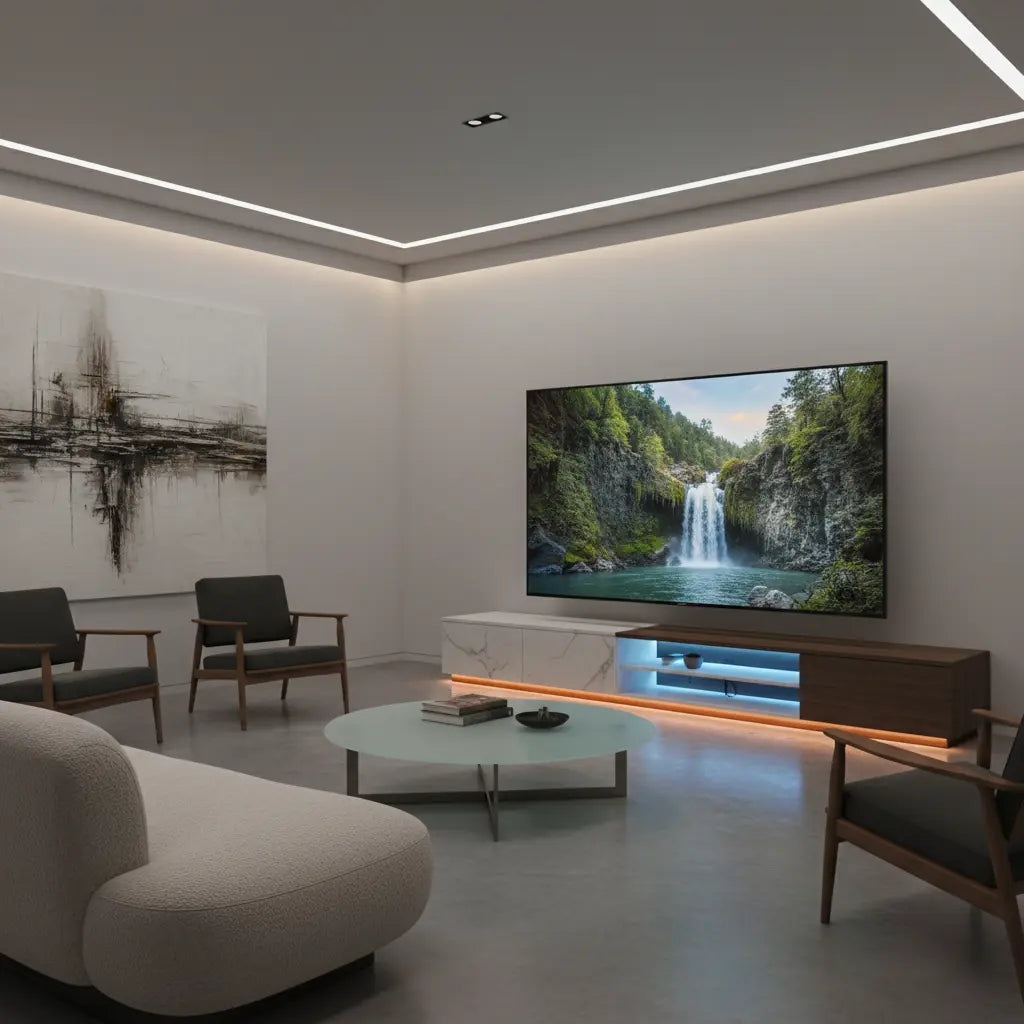
Selecting a media console for 65-inch to 75-inch televisions requires balancing structural integrity with advanced thermal management and ergonomic precision. In 2026, the shift toward "Quiet Luxury" and high-performance gaming hardware means your TV stand must do more than just hold a screen; it must facilitate airflow for next-generation consoles like the PS5 Pro, ensure weight is distributed across engineered wood frames to prevent sagging, and integrate seamlessly with smart home lighting ecosystems.
Key takeaways
- Width Requirements: A 75-inch TV typically measures about 65-66 inches wide; ensure your stand provides at least 2-3 inches of "overhang protection" on each side to prevent accidental bumps.
- Thermal Management: High-end consoles and AVRs require a minimum of 3-4 inches of rear clearance and active or passive side ventilation to prevent thermal throttling.
- Weight Distribution: Focus on "point load" capacity rather than just total weight, especially for LED models which can be 20-30% heavier than OLED counterparts.
- Smart Integration: Modern setups in 2026 prioritize Matter-compatible LED syncing to create immersive environments that react to on-screen content.
- Safety Standards: Always verify that furniture meets current formaldehyde emission standards and includes anti-tip hardware for large-scale displays.
How to Choose the Right Dimensions for 65 to 75-Inch Screens
When transitioning to a large-format display, the most common mistake is matching the TV stand width exactly to the TV's diagonal measurement. A 75-inch TV is not 75 inches wide; it is approximately 65.4 inches wide. To maintain aesthetic balance and physical safety, your media console should ideally be at least 70 to 80 inches wide. This provides a visual "anchor" for the room and ensures that the TV's legs—which are often positioned near the edges of the frame—have a stable surface to rest upon.
Beyond width, depth is a critical factor often overlooked in minimalist 2026 designs. While modern LED and OLED panels are incredibly thin, their stands often require a depth of 12-15 inches. Choosing a large screen media console with a depth of at least 16 inches allows for proper cable routing behind the stand without forcing the screen to the very edge of the unit.
Logic Summary: These recommendations assume standard 16:9 aspect ratio televisions. The "overhang protection" rule is a heuristic designed to prevent physical damage in high-traffic households and to create a balanced visual "golden ratio" between the furniture and the technology.
Engineering for Airflow: Ventilation Needs for Modern Hardware
As we move into 2026, the power density of gaming consoles and audio-visual receivers (AVRs) has increased significantly. A common SERP gap in many guides is the failure to specify exact clearance for heat dissipation. For a heavy duty led tv stand for gaming, passive ventilation is no longer a luxury; it is a requirement.
High-performance hardware like the PS5 Pro or high-end Atmos receivers can generate significant heat. If these units are placed in a closed cabinet without a mesh or slatted front, internal temperatures can rise by 15-20°C within an hour of use. We recommend a minimum of 4 inches of clearance above the unit and 3 inches on either side. If your console is housed behind doors, ensure the back panel of the TV stand has large cutouts or is left partially open to allow for a "chimney effect" where cool air is drawn in from the bottom and warm air escapes through the top or rear.
| Component Type | Recommended Top Clearance | Recommended Side Clearance | Ventilation Style |
|---|---|---|---|
| Gaming Console (PS5 Pro/Xbox) | 4 Inches | 3 Inches | Open or Slatted |
| AV Receiver (7.1.4+) | 5 Inches | 2 Inches | Open Back Mandatory |
| Streaming Box / Apple TV | 1 Inch | 1 Inch | Any |
| Soundbar (on shelf) | 2 Inches | N/A | Front-facing |
Weight Distribution and Material Integrity
Supporting a 75-inch TV requires more than just a high "total weight" rating. You must consider how that weight is distributed across the top surface. Most large-scale TVs use two separate feet rather than a central pedestal, creating "point loads" at the far ends of the stand. If the furniture is not engineered with a central support leg or a reinforced top panel, it may begin to "bow" or sag over time, which can eventually lead to structural failure.
When evaluating materials, it is essential to look for high-quality engineered wood that meets rigorous safety benchmarks. We prioritize safety standards for engineered wood furniture such as CARB Phase 2 and EPA TSCA Title VI. These standards ensure that the materials used in your home—like MDF or particle board—limit formaldehyde off-gassing, which is crucial for maintaining indoor air quality in modern, well-insulated homes. As detailed in our comprehensive guide on the subject, verifying these certifications is a key step for health-conscious homeowners.
Ergonomics: Finding the Best TV Stand Height for Large Screens
The larger the screen, the lower the TV stand should be. This is a counter-intuitive rule that many homeowners miss. For a 75-inch TV, the center of the screen should ideally be at eye level when you are seated. If you use a tall stand, you will find yourself tilting your head back, leading to neck strain over long viewing sessions.
For most standard sofas, the optimal viewing height for large screen TVs usually places the top of the TV stand between 18 and 24 inches from the floor. If you are setting up a dedicated gaming room, you might opt for a slightly higher profile to accommodate a standing desk nearby, but for living room comfort, a low-profile console is the gold standard. You can find more specific proper sizing guidelines for 70-inch TVs in our dedicated sizing resource.

Smart Home Integration and LED Syncing in 2026
The "Quiet Luxury" trend of 2026 emphasizes technology that enhances the environment without being visually intrusive. Integrating LED lighting into your TV stand is no longer just about "gamer aesthetics"; it is about bias lighting and smart home synchronization.
Modern tv stand for 70 inch tv with led units now feature Matter-compatible controllers. This allows your furniture's lighting to sync with your smart bulbs and even the colors on your screen. Bias lighting (lighting behind the TV) reduces eye strain by decreasing the contrast between the bright screen and the dark wall behind it. For the best results, choose a stand that offers "Addressable RGB" (ARGB), which allows for smooth gradients rather than a single static color.
Logic Summary: Smart home integration claims assume a stable 2.4GHz or 5GHz Wi-Fi network and compatible hub hardware. The eye-strain benefits of bias lighting are based on established optometric principles regarding pupillary response to high-contrast light sources.
Styling Your Large-Scale Media Console
A 75-inch TV is a massive black rectangle that can dominate a room's decor. To soften this impact, interior designers in 2026 are using "asymmetrical styling" and natural textures. A farmhouse-style TV stand designed for 70-inch screens can provide a warm, organic contrast to the cold glass and metal of a high-end television.
Consider these styling tips for a balanced look:
- Layering: Place a few coffee table books or a low-profile tray on one side of the stand to break up the horizontal line.
- Greenery: Use trailing plants like Pothos to add a natural element that "softens" the edges of the electronics.
- Concealment: Use a stand with integrated drawers or cabinets to hide controllers, remotes, and physical media, maintaining the "Quiet Luxury" aesthetic.
If you are looking for a versatile option that fits various decor styles, explore our complete collection of TV stands for large screens.
FAQ
What is the best width for a TV stand for a 75-inch TV? A 75-inch TV is roughly 65 inches wide. To ensure the setup looks balanced and provides enough room for the TV's legs, you should choose a stand that is at least 70 inches wide, though 75-80 inches is preferred for a more premium look. This extra width also provides a "safety buffer" to prevent the TV from being easily knocked if someone walks too close to the edge.
Can I put a 75-inch TV on a stand rated for 65-inch TVs? Generally, this is not recommended unless the weight capacity and physical width of the stand specifically allow for it. While some 75-inch TVs are lighter than older 65-inch models, the "footprint" of the legs is often wider than a 65-inch stand can accommodate. Always check the manufacturer's weight limit and the distance between the TV's legs before attempting this.
How much weight can a typical engineered wood TV stand hold? Most high-quality engineered wood stands for large TVs are rated to hold between 100 and 150 pounds on the top surface. However, it is vital to check for a central support leg, which significantly increases the structural integrity and prevents sagging over time. Always verify that the furniture meets CARB and TSCA safety standards for material quality.
Does my TV stand need holes for cable management? Yes, especially for large setups with multiple components. Look for stands with pre-drilled "cable grommets" or open-back designs. In 2026, many premium stands also include integrated power strips or USB-C charging ports built directly into the frame to reduce the number of cables running to the wall outlet.
Should I choose a floating or a floor-standing TV stand for a 75-inch TV? For a 75-inch TV, a floor-standing model is usually the safer and more practical choice due to the significant weight and the need for deep storage. While floating stands offer a modern, airy look, they require professional installation into wall studs and have much lower weight capacities. If you choose a floor-standing model, ensure it has a low profile to keep the screen at a comfortable viewing height.
How do I prevent my large TV from tipping over? Even if your TV is on a stable stand, you should always use anti-tip straps to secure the TV to the wall or the furniture itself. This is especially important in households with children or pets. Modern large-screen TVs are top-heavy, and even a small bump can cause them to overbalance.
References
Government / Standards / Regulators
- EPA TSCA Title VI - Formaldehyde Emission Standards for Composite Wood Products
- CPSC - Furniture Tip-Over Safety (ASTM F2057)
Industry Associations / Research Institutes
- American National Standards Institute (ANSI) - Furniture Standards
- Kitchen Cabinet Manufacturers Association (KCMA) - Material Performance Testing
Platform Official Docs & Policies
- Matter Smart Home Standard - Connectivity Standards Alliance
- Energy Star - Efficiency Requirements for Large Displays
