





Summary
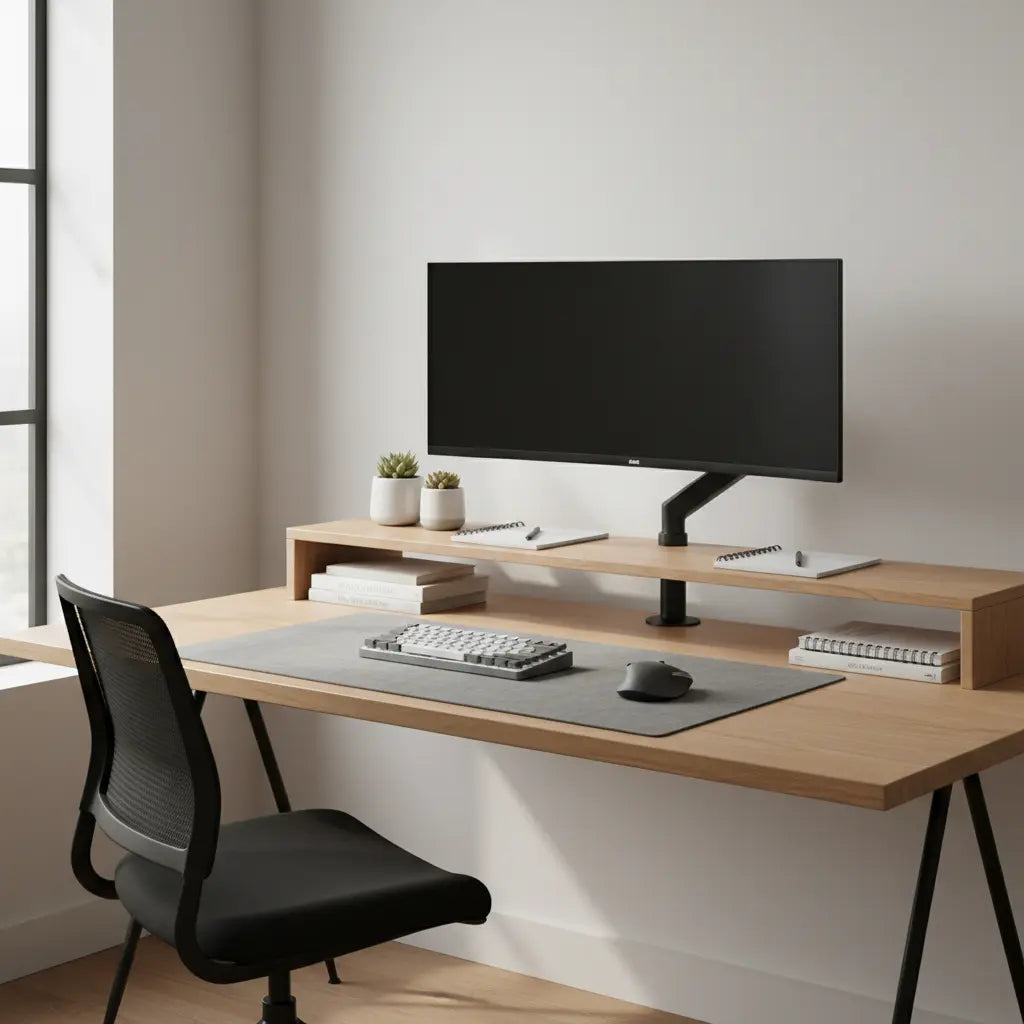
Deciding between a desk shelf and a monitor arm depends on whether you prioritize modular storage and structural stability or maximum ergonomic adjustability and reclaimed surface area. While monitor arms offer superior 3D precision for dynamic workflows, desk shelves provide a cohesive aesthetic and essential organizational space for peripherals, making them a preferred choice for fixed-height setups and heavier ultrawide displays.

Key takeaways
- Ergonomic Precision: Monitor arms allow for micro-adjustments in height, tilt, and depth, which are essential for adhering to ISO 9241-5 ergonomic standards and preventing long-term neck strain.
- Storage vs. Surface: Desk shelves provide "under-shelf" storage for keyboards and notebooks, whereas monitor arms completely clear the desk surface, creating a minimalist "floating" look.
- Structural Integrity: Monitor arms exert concentrated pressure on a single point of the desk, while shelves distribute weight evenly, making them safer for thinner or less dense desk materials.
- Setup Complexity: Shelves are plug-and-play and offer immediate stability; monitor arms require careful tension calibration and secure clamping, which may not be compatible with all desk designs.
- Hybrid Potential: Many 2026 professional setups utilize both—a desk shelf for peripheral organization and a monitor arm for the primary display to achieve the "best of both worlds."
Understanding the Ergonomic Impact of Your Monitor Placement
The primary goal of any monitor elevation—whether via a shelf or an arm—is to align the top of your screen at or slightly below eye level. According to the Occupational Safety and Health Administration (OSHA), improper monitor height is a leading contributor to musculoskeletal disorders (MSDs) in office environments. A monitor arm provides the most flexibility here, allowing you to pull the screen closer for detailed work or push it back to reduce eye strain. This 3D adjustability is particularly beneficial for users who transition between sitting and standing throughout the day.
However, desk shelves offer a different kind of ergonomic benefit: consistency. For users who have found their "sweet spot" and rarely move their screens, a desk shelf provides a rock-solid foundation. This stability prevents the subtle "monitor wobble" often associated with lower-end gas-spring arms during heavy typing. When exploring ergonomic gaming desks with monitor risers, it becomes clear that a built-in shelf can simplify the ergonomic equation by providing a pre-determined, stable height that works for the majority of users.
Logic Summary: This recommendation assumes a standard seated or standing posture. Monitor arms are recommended for users with varying tasks (e.g., switching between typing and pen-tablet work), while shelves are ideal for users who prioritize a vibration-free, fixed viewing angle.
Space Optimization: Surface Area vs. Vertical Storage
The "desk shelf vs monitor arm" debate often centers on how you use your desk real estate. A monitor arm is the ultimate tool for reclaiming surface area. By lifting the display and its base off the desk, you open up the space directly beneath the monitor for a large mousepad, a laptop, or a clean, minimalist aesthetic. This is a game-changer for small setups where every square inch counts.
Conversely, a desk shelf doesn't "reclaim" space so much as it "organizes" it. It creates a secondary tier of storage. You can tuck your keyboard, mouse, and audio interface underneath the shelf when they aren't in use, effectively doubling the usable volume of that section of the desk. In best L-shaped desk setups for dual monitor productivity, a desk shelf can act as a bridge between two desk sections, providing a unified look while housing essential gear.

Material Science and Long-Term Desk Health
One often-overlooked factor in this comparison is the physical toll these accessories take on your furniture. Monitor arms use a C-clamp or grommet mount that concentrates the entire weight of the monitor (and the arm itself) onto a few square inches of the desk surface. On some materials, this can lead to bowing, cracking, or surface indentation over time. If you are using a desk made of engineered wood, it is crucial to understand the density and quality of the material.
For instance, understanding engineered wood safety and CARB/TSCA standards is vital for more than just air quality; it also speaks to the structural consistency of the boards used in your furniture. High-quality MDF or particle board that meets these standards often has the internal bond strength necessary to support a monitor arm, provided the weight is within the manufacturer's limits. A desk shelf, by contrast, distributes its weight across four or more legs, significantly reducing the PSI (pounds per square inch) exerted on any single point. This makes shelves a safer choice for thinner desk tops or those with a hollow core.
Logic Summary: We assume the desk is properly assembled and used within its weight capacity. Monitor arms are best suited for solid wood or high-density engineered wood tops. Shelves are the "universal" safe option for all desk types.
Cable Management and Peripheral Integration
In 2026, setup aesthetics are dominated by "cable-free" looks. Monitor arms often feature integrated cable routing channels that hide wires within the arm itself, leading them directly to the back of the desk. This is incredibly effective for single-monitor setups. However, for ultrawide monitors or multi-monitor arrays, the sheer volume of cables (DisplayPort, power, USB hubs) can quickly overwhelm these built-in channels.
Desk shelves offer a different approach to cable management. Instead of hiding cables inside a structure, they hide them behind or underneath it. The shelf acts as a natural shroud for a cable management tray or a power strip. This is particularly useful if you have multiple peripherals like webcams, microphones, and ring lights that require frequent access to ports. If you are looking for a comprehensive solution, the Bestier 48 Inch LED L-Shaped Gaming Desk with Monitor Stand integrates these concepts by providing a stable riser with built-in LED lighting, simplifying both the aesthetic and functional aspects of cable routing.
Thermal Management and Display Longevity
A niche but critical consideration is how your choice affects the temperature of your hardware. High-end OLED and mini-LED monitors, which have become standard in 2026, generate significant heat. A monitor arm allows for maximum airflow around the entire chassis of the display, as there are no large surfaces nearby to trap warm air. This can potentially extend the lifespan of the internal components and reduce the risk of "burn-in" on sensitive panels.
Desk shelves, especially those with closed backs or those positioned very close to a wall, can create "heat pockets." If the monitor sits too low on the shelf, the heat rising from the back of the panel may linger, causing the internal fans (if present) to run louder or more frequently. When selecting from the Bestier LED gaming desk collection, look for setups that allow for at least 3-5 inches of clearance between the monitor and any vertical surfaces to ensure proper convection.
Decision Framework: Which One Fits Your Workflow?
| Feature | Monitor Arm | Desk Shelf / Riser |
|---|---|---|
| Adjustability | High (Height, Tilt, Swivel, Depth) | Low (Fixed Height) |
| Desk Surface | Reclaims 100% of the footprint | Occupies footprint but adds storage |
| Installation | Moderate (Clamping/Grommet) | Easy (Place on top) |
| Stability | Potential for "wobble" on light desks | Extremely stable |
| Weight Limit | Limited by spring tension | High (Static load) |
| Best For | Dynamic users, small desks | Heavy monitors, storage needs |
Logic Summary: This table compares standard consumer-grade products. Professional-grade monitor arms may offer higher weight limits but at a significantly higher price point.
Choosing the Right Foundation for Your Setup
Ultimately, the choice between a desk shelf and a monitor arm is about the foundation of your workspace. If your work requires you to frequently show your screen to others, or if you find yourself constantly adjusting your posture, the freedom of a monitor arm is unmatched. You can explore the Bestier L-shaped desk collection to find spacious surfaces that provide the perfect mounting points for high-torque arms.
On the other hand, if you value a "command center" feel where everything has a dedicated cubby, a desk shelf is the superior choice. It anchors the setup, provides a home for your audio gear and notebooks, and ensures your monitor stays exactly where you want it. In many cases, the most productive users in 2026 are those who stop choosing and start combining—using a shelf for the structural benefits and an arm for the ergonomic ones.
FAQ
Are monitor arms better for your neck than desk shelves? Monitor arms are generally considered better for neck health because they offer more precise adjustability. While a desk shelf can bring a monitor to the correct height, a monitor arm allows you to adjust the tilt and distance as well. This is crucial for maintaining the "neutral" neck position recommended by ISO 9241-5, especially if you change your seating position or chair height during the day.
Can a monitor arm damage a glass or thin wooden desk? Yes, monitor arms can potentially damage fragile surfaces. Because they concentrate the weight of the monitor and the leverage of the arm onto a small clamping area, they can cause glass to shatter or thin wood to warp. If you have a delicate desk, a desk shelf is a much safer option as it distributes the weight across a larger surface area, or you should use a reinforcement plate with your monitor arm.
Do desk shelves help with cable management? Desk shelves are excellent for hiding cables but in a different way than monitor arms. While arms hide cables inside their structure, shelves act as a "shield" that hides the clutter of cables, power bricks, and hubs sitting on the desk behind them. This makes it easier to access your cables for quick changes while still maintaining a clean look from the front.
Which is better for dual monitor setups? For dual monitors, monitor arms are often preferred because they allow you to align the two screens perfectly, regardless of their size or bezel thickness. A desk shelf can hold two monitors, but you are limited by the shelf's width and height. If you use two different monitor models, a dual-arm setup is almost always the better choice for ergonomic symmetry.
Can I use a monitor arm with a desk that has a backboard? Many desks with backboards or "privacy panels" are incompatible with standard C-clamps used by monitor arms. In these cases, you would either need to drill a hole for a grommet mount or opt for a desk shelf. A desk shelf requires no clamping and sits freely on the surface, making it the most compatible option for desks with complex designs or integrated backboards.
Is it worth getting a desk with a built-in monitor riser? A built-in monitor riser is an excellent value for users who want a cohesive look and guaranteed stability. These risers are designed to match the desk's material and weight capacity perfectly. They provide the storage benefits of a shelf without the need for separate assembly or the risk of the shelf sliding around on the desk surface.
References
Government / Standards / Regulators
- OSHA Computer Workstations eTool - Monitor Positioning
- ISO 9241-5:1998 - Ergonomic requirements for office work with visual display terminals
Industry Associations / Research Institutes
- Human Factors and Ergonomics Society (HFES) - Office Ergonomics Standards
- Cornell University Ergonomics Web (CUErg) - Monitor Height Guidelines
