





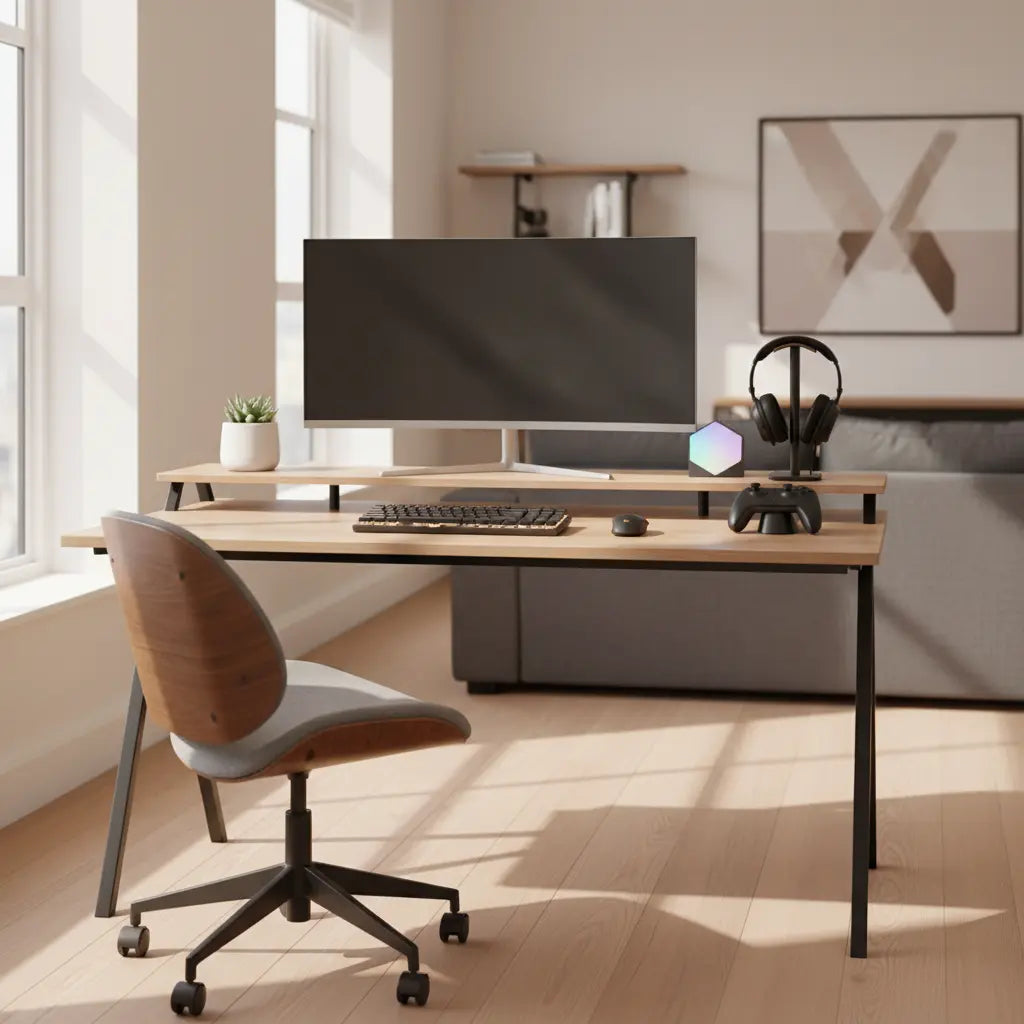
Many remote workers discover that one well-designed desk can handle both focused daytime productivity and immersive evening gaming without forcing a complete room makeover. The key is choosing layouts, storage, lighting, and accessories that support neutral posture during work hours while allowing quick switches to a more engaging setup at night.

By focusing on ergonomics, cable discipline, and flexible lighting, you can create a hybrid workspace that looks polished on video calls yet transforms into a comfortable battlestation. This approach works especially well in apartments and small homes where space is limited and the desk sits in a visible area.
Why a Hybrid Workspace Makes Sense in 2026
The lines between home office and gaming room have blurred for millions of adults. Rather than maintaining two separate setups that compete for limited square footage, a single multi-purpose desk streamlines your space while supporting both professional tasks and leisure. The challenge lies in avoiding setups that look overly themed during the day or feel ergonomically compromised at night.
According to guidance from occupational health authorities, a good workstation should fit the person rather than forcing awkward positions. This principle applies equally to long work sessions and extended gaming. Ergonomics and Your Workstation from the CDC/NIOSH frames ergonomics as matching the workstation to the person to help reduce strain and injury risk.
Choosing the Right Desk Layout for Dual Use
L-shaped desks often provide the best balance for hybrid setups because they create natural zones. One side can host your primary monitor for work while the return offers space for peripherals or a secondary screen during gaming. Reversible storage and monitor stands further enhance flexibility without adding permanent bulk.
For smaller apartments, a 42" reversible L-shaped gaming desk delivers power outlets, LED lighting, and storage in a compact footprint. Larger rooms may benefit from a 60-inch home office desk that prioritizes standing/sitting adjustability and file storage.
OSHA recommends arranging workstations to support neutral posture and minimize awkward reaches, which remains important whether you're typing reports or controlling a gamepad. Keep your keyboard and mouse close enough that your elbows stay near your sides and your wrists stay straight.
Ergonomics That Work for Both Work and Play
Monitor placement deserves special attention in a hybrid setup. Position the screen so your eyes look slightly downward when viewing the center, keeping your neck in a neutral position. This reduces strain during both spreadsheet work and intense gaming sessions.
NIOSH advises placing the monitor so viewing is comfortable and the neck stays in a neutral position. Aim for an arm's length distance and avoid tilting your head up or down excessively. A monitor stand or adjustable arm helps achieve this without sacrificing desk real estate.
Your chair height should allow your feet to rest flat on the floor or on a footrest, with knees at roughly 90 degrees. These adjustments matter more than decorative elements when you spend hours at the desk in either mode.
Lighting Strategies for Camera-Ready Professionalism and Immersive Gaming
Lighting often determines whether a hybrid desk looks professional or distracting on video calls. Balanced room lighting reduces glare on your screen while preventing harsh shadows on your face. Position your primary light source in front of you rather than behind to avoid backlighting during meetings.
Poor lighting and glare can contribute to eyestrain, so balanced room lighting and screen placement matter. Consider controllable LED strips that stay neutral or off during work hours and switch to dynamic modes in the evening. Many Bestier desks include built-in lighting with multiple modes precisely for this purpose.
For gaming, indirect RGB lighting behind the monitor creates depth without causing screen reflections. Keep daylight controlled with adjustable blinds so you can maintain consistent conditions regardless of time of day.

Cable Management and Storage Solutions That Hide the Gamer Aesthetic
Visible cables quickly undermine a professional appearance. Use cable sleeves, clips, and under-desk trays to route cords cleanly. Group power and data cables separately and secure them to the desk legs or wall to eliminate trip hazards and visual clutter.
Our comprehensive guide to cable management offers practical routing strategies and maintenance tips that keep both work and gaming configurations tidy.
Storage plays an equally important role. Reversible shelves and hooks let you keep headsets, controllers, and accessories within reach yet out of sight during calls. Look for desks with integrated power outlets so you avoid power strips that add clutter. The 52 Inch L-Shaped Gaming Desk with USB Ports exemplifies this approach with built-in charging and reversible storage.
Creating a Camera-Ready Professional Look
For video calls, keep the background simple and uncluttered. Position your camera at eye level using a laptop stand or monitor mount. A neutral wall or carefully curated shelf behind you maintains professionalism while still allowing personality to show through subtle details.
Microsoft's best practices for video meetings suggest keeping the camera near eye level and the background visually simple. Remove or hide gaming peripherals before calls, or choose furniture with closed storage that lets you quickly clear the surface.
Many users in small spaces appreciate the 47-inch small L shaped desk because its compact design and built-in storage make daily resets manageable.
Scenario-Based Decision Framework
The ideal hybrid setup depends heavily on your specific environment. Consider these common situations:
- Small room with frequent video calls: Prioritize compact desks with high storage capacity and easy cable management. A clean background and quick reset time matter more than maximum surface area.
- Small room with occasional calls: You can lean toward L-shaped designs that maximize corner space for better immersion while still maintaining basic ergonomics.
- Medium room with regular meetings: A medium-sized L-shaped desk with monitor stand and reversible storage offers balanced performance for both uses.
- Larger space with heavy gaming: Wider layouts support multiple monitors and more peripherals, provided you maintain good cable discipline and lighting control.
The radar chart below illustrates how priorities shift across these scenarios. Values represent relative emphasis in a heuristic model based on common apartment constraints.
Hybrid WFH + Gaming Desk Setup by Room Visibility and Space
Modeled for comparison based on common apartment setups
View chart data
| Series | Storage Priority | Lighting Control | Layout Flexibility | Gaming Immersion | Work Ergonomics |
|---|---|---|---|---|---|
| Small + Visible | 5.0 | 4.0 | 3.0 | 2.0 | 5.0 |
| Small + Hidden | 4.0 | 3.0 | 4.0 | 5.0 | 4.0 |
| Medium + Visible | 3.0 | 4.0 | 4.0 | 3.0 | 5.0 |
| Medium + Hidden | 3.0 | 5.0 | 5.0 | 5.0 | 4.0 |
Illustrative heuristic built from scenario_matrix and constraint_first_filter modules. The four setups reflect common apartment-use decisions: small+visible favors compact desk, high storage, and clean layout; small+hidden favors L-shaped desk and gaming immersion; medium+visible favors a medium L-shaped desk with balanced priorities; medium+hidden favors a larger desk with multi-monitor support. Framing is comparison-oriented, not experimental.
This visualization helps clarify how room conditions shift priorities. Storage and ergonomics tend to dominate in visible professional settings, while lighting and immersion gain importance when the desk stays mostly private.
Practical Checklist for Building Your Hybrid Desk
Before finalizing your purchase, run through these checkpoints:
- Can your monitor sit at a comfortable height and distance without neck strain?
- Does the layout allow quick cable and peripheral cleanup before calls?
- Can lighting be adjusted between neutral work mode and immersive gaming mode?
- Is there sufficient storage to keep the surface clear during work hours?
- Does the desk support your chair movement and maintain neutral posture in both configurations?
Answering yes to most of these suggests the setup will serve you well over time. Our small space home office solutions provide additional layout ideas tailored to compact environments.
For those exploring aesthetics further, the article on dopamine decor versus minimalist tech helps balance personality with professionalism.
Common Trade-offs to Consider
Larger desks offer more room for gear but can dominate small spaces and appear bulky on camera. Built-in LED lighting enhances evening gaming yet requires careful control during daylight calls. Extra storage helps organize peripherals but can look cluttered unless you maintain a consistent system.
The hidden cost of hybrid setups is often daily maintenance. The more gaming-focused features you add, the more effort it takes to reset for professional use. Choose only the features you will actually use and can keep organized.
If your space allows, explore standing desk options that add movement throughout the day. Many hybrid users also appreciate the versatility of LED gaming desks that can be toned down for work.
Final Thoughts on Creating Your Dual-Purpose Space
A successful hybrid workspace comes down to thoughtful zoning, disciplined cable management, and flexible lighting rather than simply buying the most feature-packed desk. Start with ergonomics and storage needs, then layer in gaming elements that can be easily concealed or adjusted.
Whether you opt for a compact corner solution or a more expansive L-shaped design, the goal remains the same: a desk that supports your career during the day and your passion at night without forcing constant compromises. Test your setup with a few video calls and gaming sessions before committing to permanent cable runs or wall modifications.
Remember that this article discusses comfort and setup practices only. It does not constitute medical advice. If you experience persistent discomfort, eye strain, or other issues, consult a qualified healthcare professional.
With the right desk and a few smart accessories, your home office can seamlessly transition between professional and personal use, making the most of your available space while supporting both productivity and play.
