





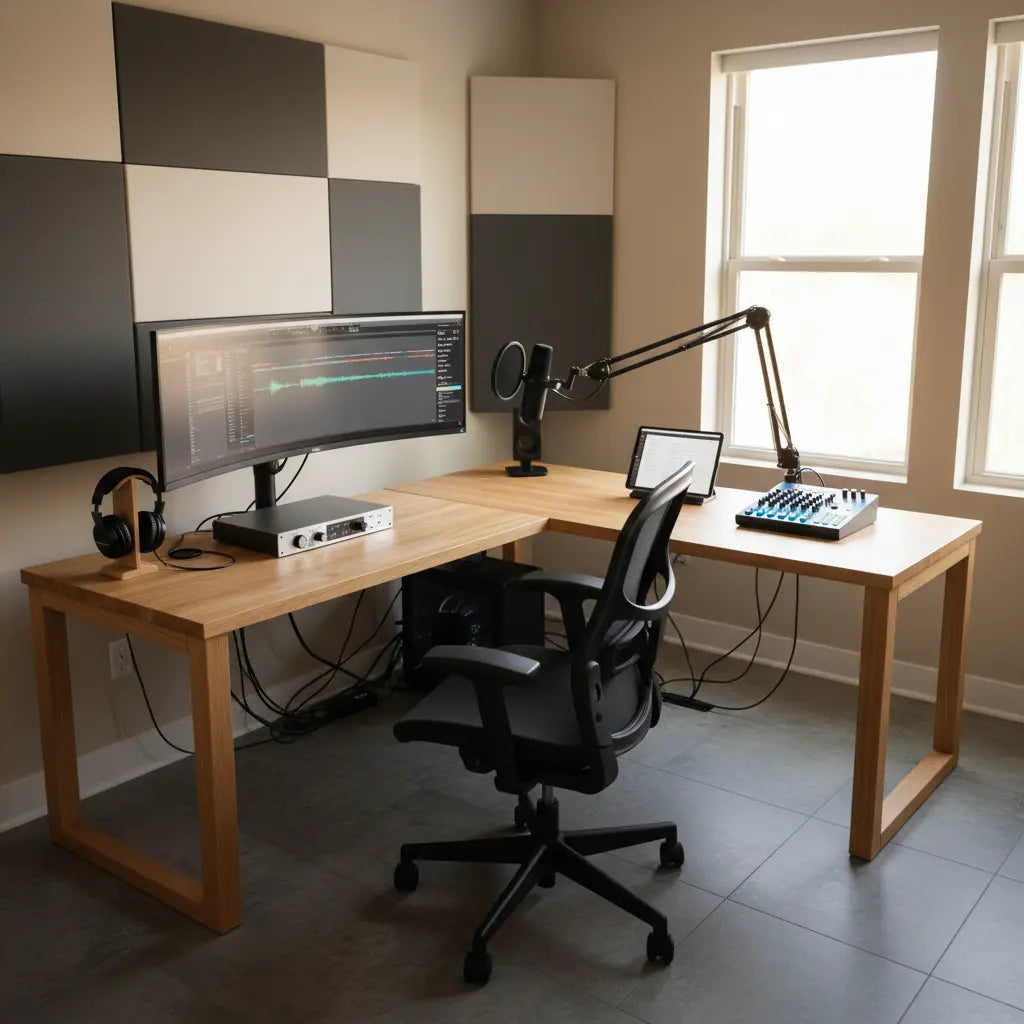
An L-shaped desk can be a practical upgrade for aspiring podcasters and voiceover artists who need to fit a microphone boom arm, audio interface, monitor, and other recording gear into a compact home studio without constant readjustments or clutter. The corner-friendly layout provides distinct zones for recording, editing, and equipment storage while keeping everything within arm's reach during long sessions.

Many creators start with a basic straight desk only to discover that microphone arms tip or wobble, cables tangle underfoot, and monitors crowd the main workspace. An L-shaped design addresses these pain points by expanding usable surface area in a small footprint and allowing better separation of tasks.
Why L-Shaped Desks Suit Podcasting and Voiceover Workflows
Podcasting and voiceover setups typically require a microphone (often on a boom arm), headphones, an audio interface or mixer with physical controls, a computer, and at least one monitor. As this home studio starter guide notes, these core items quickly consume desk space and demand stable placement.
An L-shaped desk helps by offering two connected surfaces. One side can host the microphone and recording controls while the other holds the monitor and editing tools. This separation reduces the chance of bumping sensitive equipment during movement and makes it easier to maintain an ergonomic posture.
Official ergonomic guidance from the California Department of Industrial Relations recommends placing monitors about an arm’s length away with the top of the screen near eye level. The extra surface of an L-shaped layout makes it simpler to achieve this positioning without sacrificing space for your microphone arm or interface.

Key Equipment a Podcasting Desk Must Accommodate
A functional podcasting workstation needs to support:
- A boom microphone arm (often 2–5 lbs plus the mic)
- Audio interface or small mixer
- Computer monitor (one or two)
- Headphones, pop filter, and small peripherals
- Space for a laptop or keyboard during editing
University studio equipment resources highlight that flexible microphone placement and stable mounting points matter in compact recording spaces. L-shaped desks with reinforced corners or built-in mounting options provide more reliable support than many standard office tables.
Cable management becomes critical too. Creators frequently report that unmanaged wires lead to noise in recordings or accidental disconnections. Desks that include grommets, channels, or shelves for routing cables help maintain clean audio and a professional workflow.
Ergonomics and Comfort During Long Sessions
Recording and editing sessions can last hours. Poor workstation layout contributes to neck, shoulder, and eye strain. According to Oregon OSHA guidance, evaluating monitor position, chair height, and overall desk layout helps minimize discomfort.
The L-shaped configuration allows you to position the monitor on the longer side while keeping the microphone arm on the shorter wing. This setup keeps your primary recording position clear and encourages better posture. Many L-shaped models also include monitor stands or adjustable shelves that further improve viewing height.
For voiceover artists who spend significant time seated, adequate legroom under both sections of the desk prevents cramped positioning. Look for designs with open corner access rather than bulky support legs that restrict movement.
Practical Features to Look For in a Creator Desk
When evaluating desks for podcasting, prioritize these characteristics:
- Weight capacity and stability: Ensure the desk can support at least 100–150 lbs across the surface, especially near mounting points for heavy boom arms.
- Mounting compatibility: Some models offer pre-drilled holes or reinforced edges suitable for microphone arms or monitor mounts.
- Cable management: Built-in grommets, rear channels, or included clips keep wires organized and out of the way.
- Storage and organization: Shelves, drawers, or monitor risers free up main workspace for active recording.
- Power integration: Convenient outlets or USB ports reduce the need for extension cords across the floor.
These features turn a basic desk into a true studio-in-a-box solution for home creators working in bedrooms, spare rooms, or small offices.
Scenario Comparison: When an L-Shaped Desk Makes Sense
The best desk choice depends on your specific setup and room constraints. Here is an illustrative comparison based on common podcasting scenarios. Scores reflect relative fit drawn from ergonomic principles and equipment layout needs.
Podcasting L-Shaped Desk: Illustrative Trade-offs by Scenario
Illustrative scenario fit; higher is better. This is not a measured benchmark.
View chart data
| Category | Compact straight desk | L-shaped desk | Illustrative fit threshold |
|---|---|---|---|
| Small room | 4.0 | 3.0 | 2.0 |
| Single-podcaster | 5.0 | 4.0 | 3.0 |
| Multi-monitor setup | 3.0 | 5.0 | 4.0 |
| Dual-zone workflow | 4.0 | 5.0 | 4.0 |
Illustrative, heuristic scoring based on article evidence: arm's-length monitor placement, separation of equipment zones, room footprint constraints, and bounded cable-management/spacious-layout benefits. Scores are relative, not measured.
The chart shows that compact straight desks can work well for minimal single-mic setups in tight spaces. However, as soon as you add multiple monitors, a dedicated control surface, or need clear separation between recording and editing zones, the L-shaped layout typically provides better usability.
Setup Checklist: How to Choose and Arrange Your Desk
Before purchasing, perform this quick audit of your space and needs:
- Measure your available corner or wall space — L-shaped desks usually require at least 5x5 feet of floor area.
- List all equipment and estimate total weight — verify the desk’s load rating exceeds this amount with a safety margin.
- Decide on monitor count and placement — ensure the chosen desk allows the primary screen to sit at a proper viewing distance.
- Plan microphone arm mounting — check for reinforced edges or existing holes that can accept clamps without wobbling.
- Evaluate cable paths — confirm the desk includes routing options to keep wires away from microphone areas.
- Test ergonomics in person when possible — sit at the desk and simulate your recording posture.
Following these steps helps avoid buying a desk that looks good but fails under real podcasting demands.
Common Mistakes to Avoid
Many first-time creators choose desks that are too small or lack stability for boom arms. A wobbly surface can transmit vibrations into your microphone, ruining takes. Others overlook cable management and end up with tangled wires that create noise or safety hazards.
Avoid desks with thin particle board tops if you plan to mount heavy arms. Look instead for models with thicker engineered wood or reinforced construction. Also watch for designs that position support legs in the middle of the L-corner, which can restrict legroom and chair movement.
How an L-Shaped Desk Improves Overall Creator Workflow
Beyond physical space, the right desk reduces setup time and mental friction. When equipment has a consistent, logical home, you spend less time adjusting and more time creating. The corner layout naturally creates a “recording side” and an “editing side,” helping maintain focus during different phases of content production.
For streamers or hybrid creators who also record video, the extra surface supports lighting, cameras, or second monitors without crowding the main microphone position.
This guide to professional home studio design offers additional insights into modular layouts and ergonomic standards that pair well with L-shaped workstations.
Final Recommendation
An L-shaped desk is often a smart investment for podcasters and voiceover talent building a reliable home studio. It helps solve common problems of space, stability, and organization that standard rectangular desks struggle with in multi-device setups.
The actual benefit depends heavily on your room size, equipment list, and specific workflow. A minimalist single-mic voiceover artist may thrive with a well-chosen straight desk, while creators managing monitors, interfaces, and boom arms usually gain more from the L-shaped format.
Choose a model with adequate weight capacity, thoughtful cable management, and enough surface area to keep your monitor at a comfortable distance. Test the layout against your actual gear before finalizing the purchase.
This article provides setup advice and general guidance on desk features for comfort and organization. It does not constitute medical advice. If you experience persistent discomfort, neck pain, or eye strain during recording sessions, consult a qualified healthcare professional for personalized recommendations.
For more ideas on creator desks, explore the Bestier L Shaped Desk collection or check the Ultimate Creator Studio guide for additional feature recommendations.
