





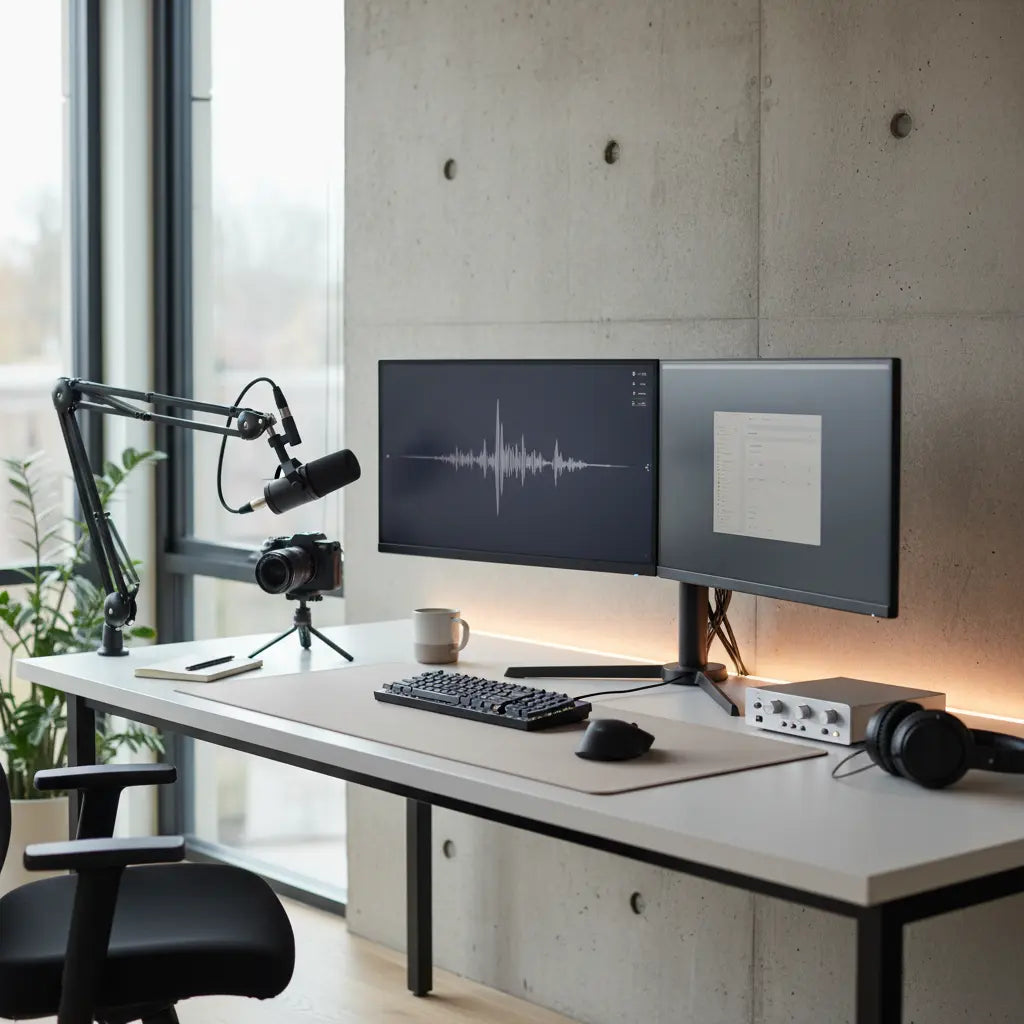
Choosing the right desk size can make or break your streaming setup. For most content creators using dual monitors, a microphone boom arm, ring light, and other gear, aim for at least 55-63 inches in width and 24-30 inches in depth to keep everything organized without feeling cramped while maintaining comfortable viewing distances.
This practical sizing guide helps beginner and intermediate streamers avoid common pitfalls like shallow desks that push monitors too close or narrow surfaces that leave no room for peripherals. By understanding exact dimension needs tied to your specific gear, you can create an efficient workspace that supports both live streaming and content editing without constant readjustments.
Why Desk Dimensions Matter More for Streamers Than Regular Office Users
Streaming setups quickly outgrow a standard office desk. A typical 47-inch straight desk might work for basic computer work, but adding dual monitors, a PC tower on or under the surface, a boom microphone that needs clamp space, and lighting accessories eats into usable area fast. Creators often find themselves fighting for space, leading to poor ergonomics, tangled cables, or unstable gear placement that disrupts live sessions.
Streaming setups usually need more usable surface area than a basic office desk because gear and cable routing consume space quickly. The extra room allows for better organization, easier movement during recordings, and the ability to keep controls within easy reach without stretching or knocking items over. In small bedrooms or apartment corners, the wrong dimensions can make the entire room feel smaller and less functional.
Key Measurements: Minimum Width, Depth, and Height for Creator Desks
Width is often the first consideration. For a single monitor setup with basic peripherals, a 47-inch desk provides enough room. However, dual monitors typically require 55-63 inches minimum to position screens side-by-side without overlap while leaving space for a keyboard and mouse. Larger setups with a PC tower on the desk or multiple accessories push the ideal width toward 70 inches or more, especially in L-shaped configurations that maximize corner space.
Depth proves equally critical. A desk depth of at least 24 inches supports basic use, but 28-30 inches or more becomes necessary for comfortable monitor placement. This allows the screen to sit at roughly arm's length—around 20-30 inches from your eyes—while keeping 6-10 inches of front workspace for keyboard and mouse. Shallower desks force monitors closer, increasing eye strain and reducing the area available for a boom arm base or ring light stand.
Height should align with ergonomic standards, typically 28-30 inches for seated use, though adjustable models offer flexibility. When selecting a desk, factor in monitor stand height or arm mounts that may require additional clearance underneath.
Here is a visualization of recommended minimum dimensions across common streaming setups:
Recommended Minimum Desk Size by Streaming Setup
Illustrative heuristic thresholds for minimum desk width and depth by setup complexity. Values are conservative planning ranges, not measured standards.
View chart data
| Category | Min width (cm) | Min depth (cm) | Recommended (1=yes, 0=no) |
|---|---|---|---|
| Single monitor | 90.0 | 60.0 | 1.0 |
| Dual monitor | 120.0 | 70.0 | 1.0 |
| Dual monitor + boom arm | 130.0 | 75.0 | 1.0 |
| Dual monitor + boom arm + ring light | 140.0 | 80.0 | 1.0 |
| Dual monitor + PC tower | 150.0 | 75.0 | 1.0 |
| Compact small-room setup | 110.0 | 55.0 | 1.0 |
| Larger room setup | 140.0 | 70.0 | 1.0 |
Heuristic/illustrative synthesis based on common ergonomic planning rules for desk layouts. Width/depth values reflect conservative minimums for fitting monitors, a PC tower, boom arm, and lighting in small vs larger rooms; not official standards.
These values represent conservative planning heuristics. Actual needs vary based on monitor sizes (24-inch vs 32-inch), stand types, and whether you place the PC tower on the floor or desk surface. Always measure your gear and available room space before purchasing.

Common Myths About Streaming Desk Sizes
Many creators fall for misleading assumptions when shopping for desks. One widespread myth is that any large desk works for streaming. In reality, size helps, but layout matters more. A wide surface can still feel cramped if it is too shallow or if clamps and stands compete for the same back edge. Prefer desks that leave usable space behind and beside the monitor after mounting gear, not just enough width for the desktop itself.
Another myth claims depth doesn't matter much. Depth often determines whether the setup feels comfortable or forced. Shallow desks push the monitor too close, crowd the keyboard area, and leave little room for boom arm or light placement. Depth should increase when you use large monitors, monitor arms, camera placement, or front-edge clamps.
Finally, many believe a standard office desk is enough. It can be enough only for a very simple setup. Once you add one or two monitors, a boom arm, and lighting, many office desks become a friction point rather than a neutral base. Treat standard office desks as a fit only when your gear stays light, mostly fixed, and compact.
Scenario-Based Sizing: When to Choose Different Desk Dimensions
The ideal desk size flips depending on your specific setup and room constraints. For a minimal one-monitor setup without a boom arm or elaborate lighting, a modest 47-55 inch desk with 24-inch depth can suffice if the monitor stand is compact. However, adding a boom arm changes the equation—prioritize at least 28 inches of depth and clean back-edge access for stable clamping.
In dual-monitor configurations common among gaming streamers, 60 inches wide by 30 inches deep becomes the practical minimum. This accommodates side-by-side screens at proper viewing distances while leaving front space for peripherals. When incorporating a ring light or additional camera gear, look for even more surface area to prevent crowding.
Small-room setups in bedrooms or apartments often benefit from L-shaped or corner desks that maximize floor space without dominating the area. A 63-inch L-shaped model can provide the equivalent of a larger straight desk while fitting into tight corners. Larger rooms allow straight or oversized desks up to 70 inches for professional multi-monitor workflows with dedicated zones for editing and streaming controls.
For budget-conscious buyers, start by listing your must-have gear and measuring the space. A compact 55-inch desk with integrated features may outperform a larger but poorly designed option in limited areas.
How to Measure and Plan Your Creator Desk Setup
Before buying, conduct a simple room audit. Measure your available floor space, noting any obstructions like doors or windows. Then inventory your gear: note monitor widths including stands, the clamp footprint of your microphone boom arm, ring light base dimensions, and PC tower size if placing it on the desk.
Use painter's tape to mark out potential desk footprints on the floor. Position your chair and simulate monitor placement at arm's length. Ensure at least 20-28 inches from eyes to screen, per common ergonomic guidelines, while maintaining 4-6 inches of front clearance. Check back-edge clearance for any monitor arms or clamps, confirming desk thickness compatibility (typically 0.5-2 inches for most mounts).
Consider cable management needs. Desks with built-in grommets or channels reduce clutter, preserving usable surface. For weight support, verify the desk can handle your monitors, lights, and accessories—most quality gaming desks support 100+ pounds, but confirm specs.
A practical checklist includes:
- Minimum 55" width for dual monitors
- At least 28" depth for comfortable viewing distance
- Back edge at least 1" thick for secure clamping
- Open space for PC tower or under-desk storage
- Room for cable routing without blocking leg space
- Surface depth that leaves 6-10" in front of keyboard
Desk Features That Enhance Streaming Performance
Beyond raw dimensions, look for purpose-built features. Integrated power outlets and USB ports eliminate messy extension cords. LED lighting adds ambiance for on-camera appeal. Monitor shelves or stands free up main surface area, while hooks for headphones or cable management systems keep everything tidy.
L-shaped desks excel for creators needing separate zones—one side for the main computer setup and the other for lighting, notes, or secondary equipment. Corner models with integrated mounts provide stability for heavy monitors.
When upgrading from a basic office desk, focus on models designed for content creation. These often include better weight distribution and accessory compatibility compared to generic furniture.

Choosing the Right Desk for Your Streaming Goals
Beginners starting with single-monitor streaming can begin with a 47-inch model featuring charging ports for convenience. Intermediate creators with dual monitors and boom arms should target 55-63 inch options, preferably with LED lights and storage shelves. Professional setups benefit from 70-inch corner or L-shaped desks that accommodate extensive gear.
Consider your room first. In tight spaces, prioritize depth-efficient designs or compact collections that still deliver functionality. For larger areas, maximize width for future-proofing as your setup grows.
Compare options within streaming-focused collections to find models matching both your dimensions and style. Many include power solutions perfect for running multiple devices simultaneously during long streams.
Final Thoughts on Creator Desk Sizing
The right desk dimensions create a foundation for consistent, professional streaming without physical distractions. While exact needs vary, planning around 55-70 inches wide and 28-30 inches deep covers most dual-monitor setups with common accessories. Measure your gear, test layouts, and choose a desk that supports your workflow rather than limiting it.
Remember that this article discusses comfort and setup advice only. It does not constitute medical advice, diagnosis, or treatment. Desk ergonomics can help reduce perceived strain in some setups, but individual results depend heavily on room conditions, device quality, and personal factors. If you experience persistent discomfort or have existing conditions, consult qualified professionals for personalized guidance.
This practical approach helps you avoid returns and build a workspace that grows with your content creation journey. Whether starting small or scaling up, the right size makes every streaming session more efficient and enjoyable.
