





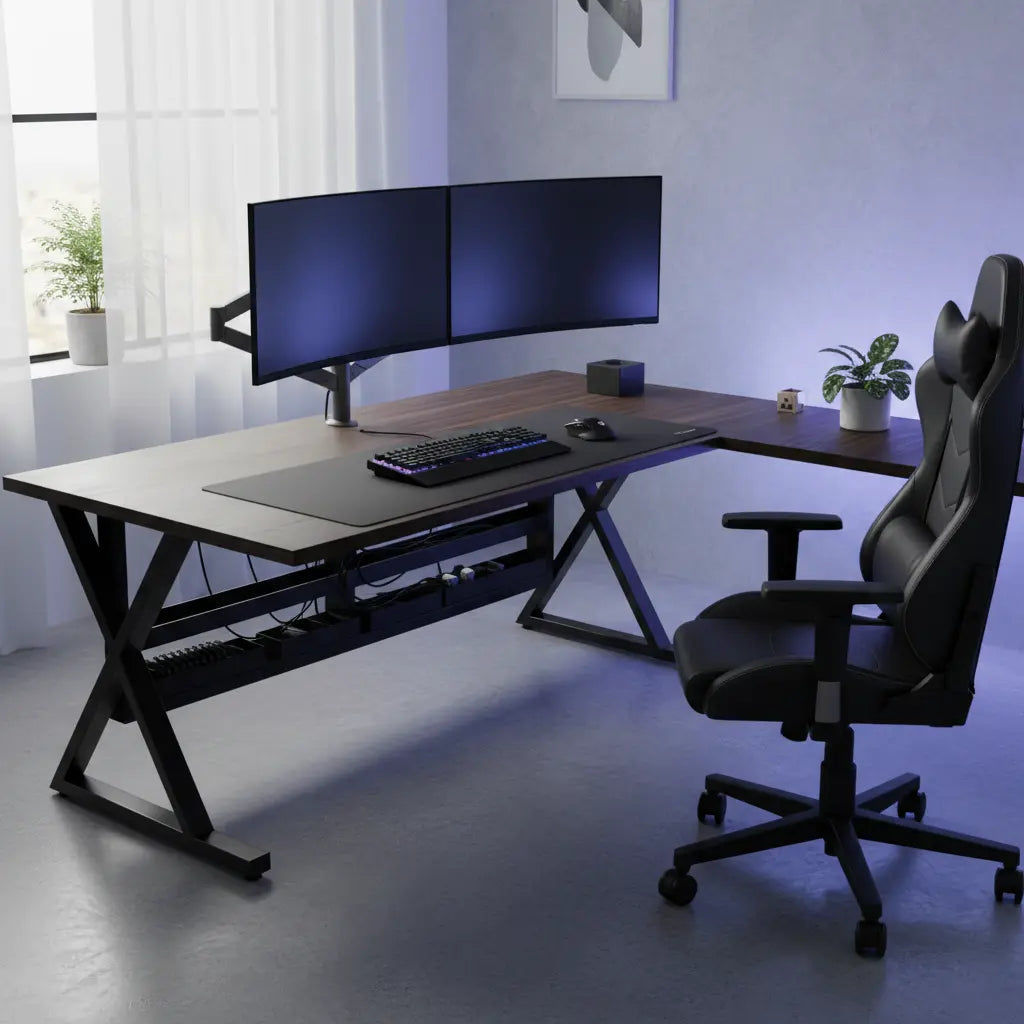
Summary
Choosing a stable gaming desk for a heavy dual monitor setup requires prioritizing structural rigidity, material density, and precise weight distribution over simple aesthetic appeal. A truly stable desk eliminates the distracting wobble that occurs during intense gaming or typing by utilizing high-gauge steel frames, reinforced crossbeams, and dense desktop materials like solid wood or high-grade engineered panels that resist long-term sagging.
Key Takeaways
- Prioritize Frame Gauge: Look for a minimum of 14-gauge (approx. 1.9mm thickness) or 16-gauge (approx. 1.5mm thickness) cold-rolled steel. Thicker walls ensure the skeleton can handle the torsional stress of dual monitor arms.
- Verify Crossbeam Support: Desks featuring a central or front-aligned crossbar offer significantly higher lateral stability, preventing the "sway" often found in budget T-leg or C-leg designs.
- Calculate Total Load Distribution: Account for the cantilevered force of monitor arms. Aim for a desk with a static load capacity of at least 150 lbs for a dual-screen setup.
- Check Material Density: High-density MDF or solid wood is essential for preventing "creep" (permanent sagging) under the constant pressure of heavy monitor mounts.
- Leveling and Floor Contact: Ensure the desk includes heavy-duty adjustable leveling feet to compensate for floor unevenness, a primary cause of micro-vibrations.
Understanding the Physics of Desk Stability for Dual Monitors
When you mount two 27-inch or 32-inch monitors on a single desk, you aren't just adding weight; you are creating a complex set of forces. Most dual monitor setups utilize a C-clamp or grommet-mount arm, which concentrates the entire weight of both displays onto a very small surface area. This creates a cantilevered load that exerts significant downward pressure on the rear edge of the desktop and upward tension on the underside.
Practical Example: Estimating the "Torque" on Your Desk
To understand why stability matters, consider this simple load estimation:
- Weight: Two 27" monitors (~12 lbs each) + a heavy-duty dual arm (~15 lbs) = 39 lbs total.
- Leverage: If the monitors are extended 10 inches forward from the clamp point, they exert a rotational force (torque) on the desk edge.
- The Result: This 39-lb load acts like a much heavier weight at the clamp point. If your desktop is thin or the frame is weak, this leverage causes the "bounce" you see when typing.
To counteract these forces, the desk's frame must act as a rigid skeleton. A computer office desk with steel frame provides the necessary structural integrity to resist these twisting forces. Without a rigid frame, even a heavy desktop will eventually flex.
Expert Note: Stability is a function of frame rigidity and material density. We assume a standard dual monitor setup weighs between 40-70 lbs (including arms). This recommendation applies to standard home office environments; triple-monitor or ultra-wide configurations may require industrial-grade reinforcement.
Critical Structural Features to Look For
When evaluating a desk, the specifications list often hides the most important details. You should look specifically for the gauge of the steel. In the furniture industry, a lower gauge number indicates thicker steel.
- 14-Gauge Steel: Approximately 1.9mm wall thickness. This is the "gold standard" for heavy setups.
- 16-Gauge Steel: Approximately 1.5mm wall thickness. Excellent for most dual-monitor gaming setups.
- 18-20+ Gauge: Often found in budget furniture; these thinner walls (1.2mm or less) are prone to bowing under the concentrated weight of monitor clamps.
Another essential feature is the structural crossbeam. Many "minimalist" desks omit this to save on shipping costs. However, a crossbeam connecting the legs acts as a stabilizer that prevents lateral sway. If you need a larger footprint, a 61-inch gaming desk with shelves often utilizes the shelving units as additional structural anchors, significantly increasing rigidity.

Material Science: Preventing Long-Term Desktop Sag
The material of your desktop is just as important as the frame. Under constant pressure, materials like low-density particle board can experience "creep"—a phenomenon where the material permanently deforms over time.
High-density engineered wood (MDF) or solid wood are the preferred choices. When choosing engineered wood, consider safety standards alongside strength. For instance, understanding engineered wood safety through CARB and TSCA standards ensures that the high-density materials meet rigorous environmental requirements.
| Feature | Budget Desk (Standard) | High-Stability Gaming Desk |
|---|---|---|
| Steel Gauge | 18-20 Gauge (Thin, <1.2mm) | 14-16 Gauge (Thick, 1.5mm-1.9mm) |
| Leg Design | Simple T-Leg or C-Leg | Reinforced K-Leg or I-Beam |
| Crossbeam | Often Missing | Integrated Structural Bar |
| Desktop Material | Low-density Particle Board | High-density MDF or Solid Wood |
| Weight Capacity | 60-100 lbs | 150-300+ lbs |
| Leveling Feet | Plastic Caps | Heavy-duty Rubberized Levelers |
The Impact of Desk Shape on Stability
The geometry of your desk plays a significant role in weight distribution. A straight desk relies entirely on its legs for support. In contrast, an L-shaped design naturally provides a wider base and a more stable center of gravity. For those with extensive gear, a 65-inch L-shaped gaming desk offers a corner configuration that is inherently more resistant to tipping than a traditional rectangular desk.
Depth also matters. A deeper desk (24-30 inches) allows you to position the monitor mount further back, distributing weight more evenly across the frame. If you are unsure about dimensions, consulting a complete guide on how to choose desk size can help balance space with stability.
Assembly and Maintenance: The "Torque" Factor
Even the most expensive desk will wobble if it isn't assembled correctly.
The Torque Rule: When assembling, ensure all bolts are tightened to a firm resistance—roughly 20-25 Newton-meters (Nm) for main frame connections. In practical terms, this is "firm hand-tightness" using a standard hex key where you feel significant resistance but aren't forcing the tool. Over-tightening can strip threads, while under-tightening is the leading cause of post-assembly wobble.
Because gaming involves constant movement—typing and mouse flicks—vibrations can cause bolts to loosen. Perform a "stability check" every six months. If you encounter persistent issues, you may need to fix a wobbly desk by adding aftermarket braces or adjusting leveling feet.

Floor Considerations and Vibration Dampening
Hardwood or tile floors provide the most stable base but can amplify micro-vibrations. Carpet, while quieter, can allow the desk to "rock" if the legs aren't properly weighted.
For carpeted floors, look for desks with wide, flat leveling feet. If monitors still shake, consider adding anti-vibration pads under the desk feet or the monitor mount. For those who prefer to stand, an adjustable height standing desk must have even more robust leg columns to maintain stability at full extension.
⚠️ SAFETY WARNING: Glass Desks: It is strongly recommended NOT to use heavy-duty dual monitor C-clamps on tempered glass desks unless the manufacturer explicitly states it is compatible. The concentrated "point load" and torque can cause glass to shatter instantly. If you must use glass, always use a steel reinforcement plate to distribute the pressure, or consult the manufacturer for load-bearing limits.
FAQ
How much weight can a standard gaming desk actually hold? Most are rated for 100-150 lbs of static weight. For a dual monitor setup, aim for a rated capacity of at least 150 lbs to ensure a safety margin for dynamic forces (like leaning on the desk).
Why do my monitors shake when I type? This is usually caused by a lack of lateral rigidity in the frame or a thin desktop (under 0.6 inches) flexing under the weight of the monitor arm. Ensure your desk has a structural crossbeam.
Are L-shaped desks more stable than straight desks? Generally, yes. The "L" shape creates a larger footprint and multiple points of contact in different planes, which naturally resists swaying.
Does desktop thickness matter? Yes. A desktop should be at least 0.6 to 1 inch thick if made of high-density MDF. Thinner tops, especially low-density particle board, are prone to warping and "monitor bounce."
How often should I tighten the bolts? Perform a maintenance check every 6 to 12 months. Daily vibrations from typing and gaming can gradually loosen connections.
References
Government / Standards / Regulators
- BIFMA: ANSI/BIFMA X5.5-2021 Desk/Table Products - Tests
- EPA: Formaldehyde Emission Standards for Composite Wood Products
Industry Associations / Research Institutes
- ASTM International: ASTM A500/A500M - Carbon Steel Structural Tubing Specifications
Platform Official Docs & Policies
- Bestier Material Safety: Engineered Wood Safety: CARB & TSCA Guide
Disclaimer: This guide is provided for informational purposes only. Structural requirements may vary based on the specific weight and dimensions of your hardware. Always consult your desk and monitor arm manufacturer’s official weight limits and safety manuals before installation. The author and publisher are not responsible for equipment damage or personal injury resulting from improper assembly or overloading.
