





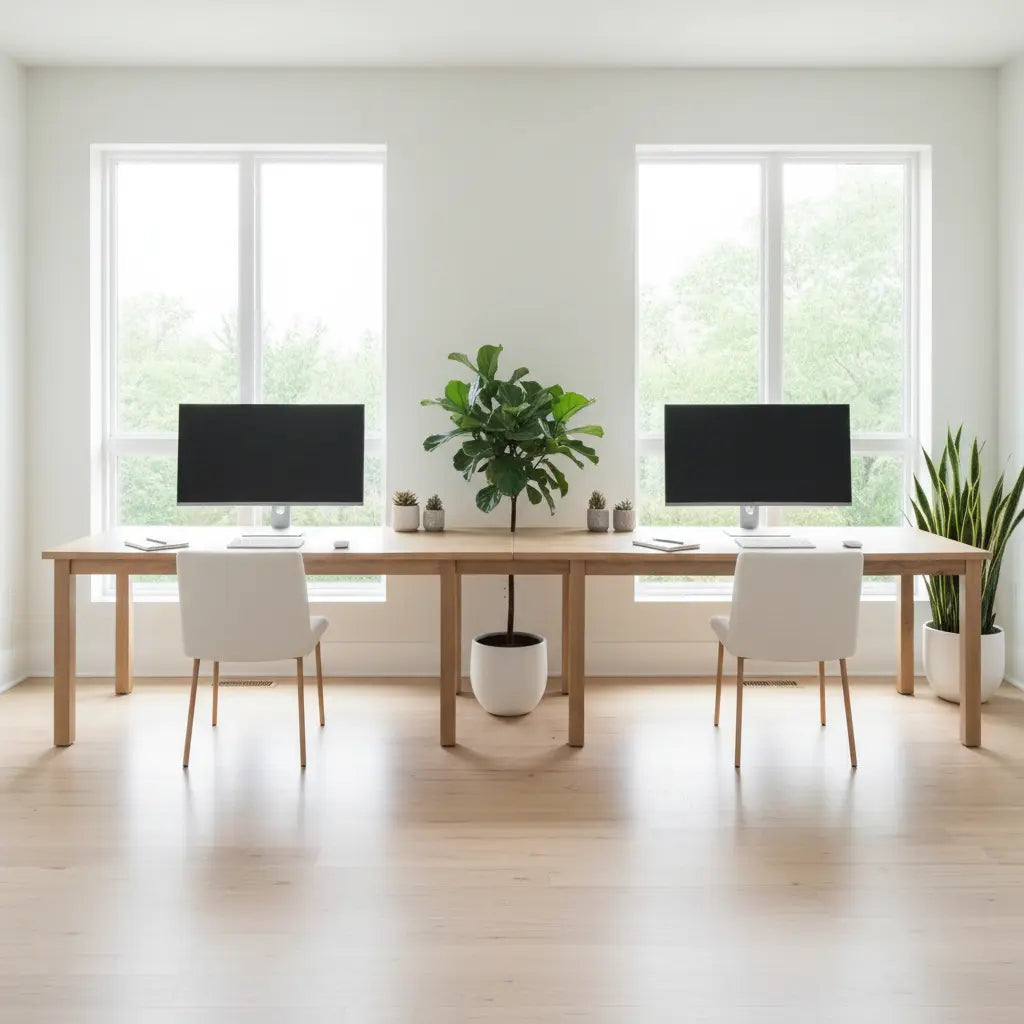
2-Person Desk Setup Ideas: Shared Home Office Layouts for Couples
Disclosure: This guide is brought to you by Bestier. Some links in this article are to our own [Product] catalog or affiliate partners, which helps us continue providing expert home office advice.
Summary
Creating a functional 2-person desk setup requires balancing individual productivity with shared space constraints. By utilizing specialized furniture like the 95-inch two-person L-shaped desk [Product] and implementing strategic layouts such as side-by-side or back-to-back configurations, couples can maximize limited square footage while maintaining ergonomic comfort and professional boundaries.

Key Takeaways
- Prioritize Clearance: Aim for 48 to 60 inches between workstation centers to ensure adequate elbow room and chair mobility.
- Manage Power Loads: Dual workstations can consume up to 1800 watts; verify your circuit capacity to prevent overloads.
- Acoustic Engineering: Use materials with high Noise Reduction Coefficient (NRC) ratings (0.75+) to minimize sound transmission.
- Layout Versatility: L-shaped configurations offer the best balance of shared surface area and individual privacy in small apartments.
- Safety First: Ensure furniture meets CARB Phase 2 and EPA TSCA Title VI standards for indoor air quality.
Planning Assumptions & Methodology
To provide accurate recommendations, our spacing and power calculations are based on the following standard parameters. If your setup includes oversized equipment (e.g., 49-inch ultrawide monitors) or high-wattage server hardware, please adjust these figures upward by 20%.
| Parameter | Default Assumption | Rationale |
|---|---|---|
| Personal Width | 36 inches per person | Minimum elbow room for standard adult proportions and a single 27" monitor. |
| Center-to-Center | 48 - 60 inches | Industry standard for workstation spacing to prevent chair collisions. |
| Electrical Load | 80% Circuit Capacity | The National Electrical Code (NEC) recommends not exceeding 80% of a circuit's rated load for continuous use. |
Designing for Two: Space Planning and Ergonomics
The foundation of a successful shared office lies in precise space planning. Unlike a solo workspace, a dual setup must account for the "collision zone"—the area where two people might inadvertently interfere with each other's movements.
When choosing the right desk size, consider the total footprint of your equipment. Two standard 27-inch monitors side-by-side require approximately 48 inches of horizontal space. In a shared setup, this means a single long desk should ideally exceed 90 inches to provide a buffer between users. Utilizing monitor arms can reclaim valuable desk real estate, allowing for a cleaner aesthetic and better ergonomic alignment.
Popular Layouts for Shared Workspaces
Selecting the right configuration depends largely on your room's dimensions and the nature of your work.
The Side-by-Side Configuration
This is the most common setup for couples, often utilizing a single long desk or two identical desks placed together. It fosters a sense of partnership and is ideal for those who frequently collaborate. However, it offers the least visual privacy. To mitigate distractions, consider a small desk-mounted divider or staggered monitor placement.
The L-Shaped Corner Strategy
For small apartments, L-shaped desk options [Product] are often the most efficient. By placing the desk in a corner, you utilize often-neglected space while creating two distinct "zones." This configuration allows one person to face a wall while the other faces the room, providing a natural psychological boundary.
The Back-to-Back Arrangement
If your room allows for central furniture placement, a back-to-back setup is superior for acoustic and visual privacy. By facing away from each other, background noise from video calls is directed away from the partner's microphone. This layout also prevents "screen peeking," a common distraction in shared environments.

Powering Up: Technical Requirements and Safety
Safety Warning: Electrical modifications or high-load setups carry fire and shock risks. If you experience frequent breaker trips, warm outlets, or flickering lights, stop use and consult a licensed electrician immediately.
In 2026, with high-performance computing and multiple high-refresh-rate monitors, the power draw of a dual setup is significant.
| Component | Typical Wattage (Per Person) | Dual Setup Total (Estimated) |
|---|---|---|
| Desktop PC (High-end) | 400W - 800W | 800W - 1600W |
| Laptop (Workstation) | 60W - 150W | 120W - 300W |
| 27-inch LED Monitor | 30W - 50W | 60W - 100W |
| Peripherals & Lighting | 20W - 50W | 40W - 100W |
| Total Potential Load | 450W - 1000W | 900W - 2000W |
Most residential circuits in older buildings are rated for 15 amps (approx. 1800W total capacity). Following the 80% rule, you should aim to keep your continuous load under 1440W on a 15-amp circuit. If both users run high-end gaming rigs or rendering workstations, a dedicated 20-amp circuit is highly recommended. Furthermore, implementing cable management solutions prevents heat buildup and reduces the risk of accidental disconnections.
Acoustic Privacy and Conflict Resolution
The most frequent complaint in shared offices is noise. To address this, look beyond simple room dividers and focus on materials with a high Noise Reduction Coefficient (NRC).
A rating of 0.75 or higher indicates that the material absorbs 75% of the sound that hits it. Placing acoustic felt panels directly behind monitors or on the wall between side-by-side workstations can significantly dampen high-frequency noise. Beyond physical solutions, many couples use visual signals—such as a small LED light that turns red during "deep work"—to communicate availability without speaking.
Material Safety and Sustainability
When two people spend 8-10 hours a day in a confined space, indoor air quality is a primary health concern. Ensure your furniture complies with engineered wood safety standards.
Specifically, look for CARB Phase 2 and EPA TSCA Title VI certifications. These standards ensure that formaldehyde emissions from materials like MDF and particle board remain below strict safety thresholds. Factors like high humidity and temperature can increase off-gassing rates, making certified low-emission furniture a necessity for small, shared home offices.
Essential Checklist for a Shared Office
Before finalizing your layout, run through this checklist to ensure a functional home office setup.
- [ ] Clearance Check: Do both chairs have at least 36 inches of "roll-back" space?
- [ ] Lighting Balance: Does each workstation have independent task lighting to prevent screen glare?
- [ ] Storage Allocation: Is there a dedicated "neutral zone" for shared supplies?
- [ ] Network Stability: Is the router capable of handling multiple high-bandwidth streams?
- [ ] Electrical Safety: Is the total wattage within 80% of the circuit's capacity?
FAQ
How much space do two people actually need for a desk setup? For a comfortable experience, a 2-person desk should be at least 72 inches long, though 90 inches or more is preferred for dual-monitor setups. This provides the 36-inch personal width recommended for basic ergonomic clearance.
Can two gaming PCs run on the same power outlet? While they can plug into the same outlet via a power strip, the circuit capacity is the limiting factor. Two high-end PCs can exceed 1500W. On a standard 15-amp circuit (1800W limit), this leaves very little overhead. Consult an electrician if you experience warm power strips or frequent trips.
What is the best desk layout for a small apartment? The L-shaped configuration is generally the most space-efficient. It allows you to tuck workstations into a corner, freeing up the center of the room while providing more surface area than a straight desk.
Is engineered wood safe for a small, shared office? Yes, provided it is certified as CARB Phase 2 or EPA TSCA Title VI compliant. These regulations strictly limit formaldehyde emissions, ensuring indoor air quality remains safe in smaller rooms.
Should we use one long desk or two separate desks? One long desk offers a cleaner aesthetic and better value. However, two separate desks provide more flexibility for future layout changes and allow for individual height adjustments (e.g., one person using a standing desk).
References
Government / Standards / Regulators
- ANSI/BIFMA X5.5-2021 Desk/Table Products
- EPA TSCA Title VI Formaldehyde Emission Standards
- OSHA Computer Workstations eTool
