





Summary
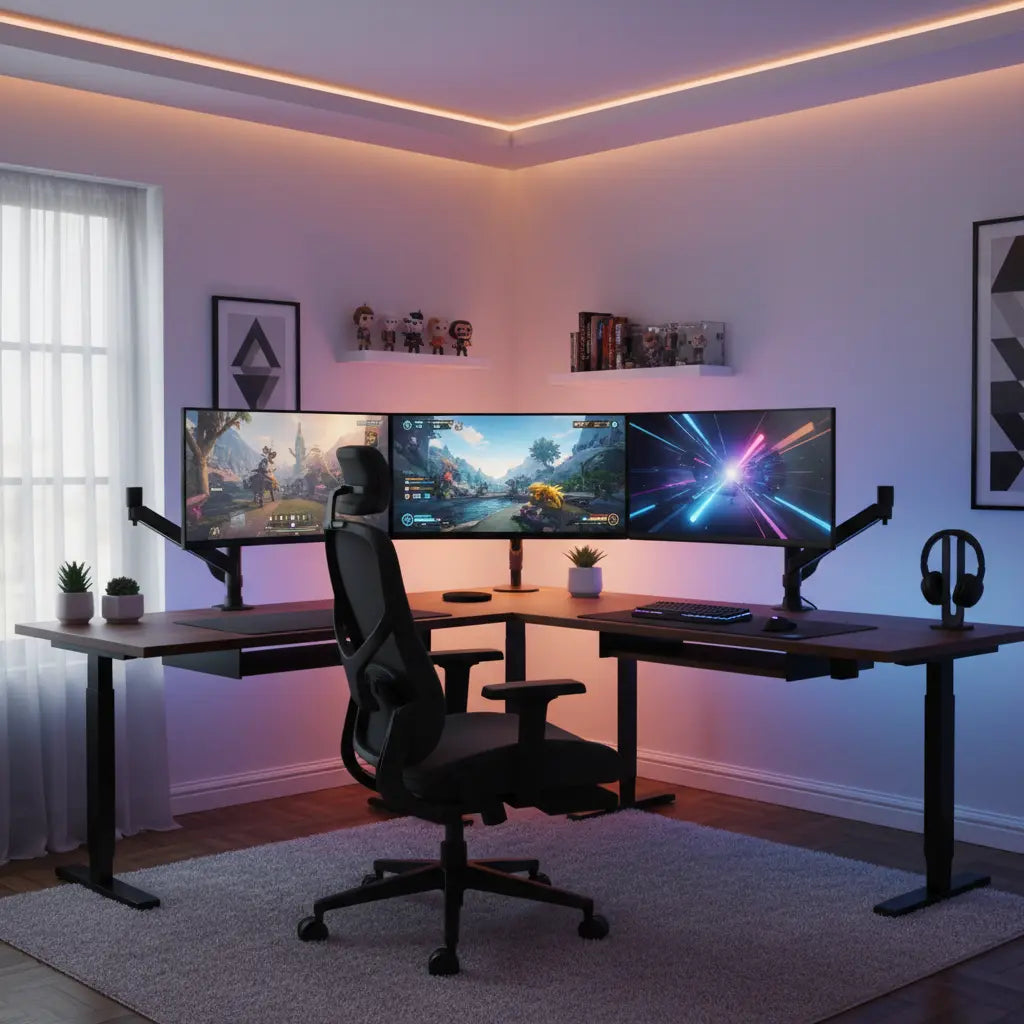
Achieving a seamless triple monitor setup requires an L-shaped desk with a minimum width of 60 to 72 inches to accommodate the combined wingspan of modern 27-inch displays while maintaining ergonomic viewing angles. By utilizing the corner configuration of an L-shaped desk, gamers can distribute the significant weight of three monitors—often exceeding 40 to 50 pounds—across reinforced structural points, ensuring long-term stability and a clutter-free "battlestation" environment.
Key takeaways
- Minimum Width Requirements: For three 27-inch monitors, a desk surface of at least 72 inches is recommended to allow for the necessary 15-30 degree inward angling of side panels.
- Structural Load Management: Triple monitor arrays create concentrated pressure points; choosing desks with steel frames and CARB-compliant engineered wood ensures the surface can handle the torque of heavy-duty monitor arms.
- Ergonomic Optimization: The "cockpit" feel of an L-shaped desk allows for a consistent focal distance across all three screens, reducing neck strain and eye fatigue during extended sessions.
- Cable and Power Logistics: A triple setup involves at least six primary cables (3 power, 3 display); integrated cable management and high-capacity power strips are essential for safety and aesthetics.
Understanding the Dimensions for a Triple Monitor Array
When planning a multi-screen setup, the most common mistake is underestimating the physical "wingspan" of the monitors. A single 27-inch monitor typically measures about 24 inches in width. When you align three of these side-by-side, you aren't just looking at 72 inches of flat space. To maintain proper ergonomics, the side monitors must be angled toward the user, creating a semi-circle or "cockpit" effect. This angling actually reduces the total horizontal footprint but increases the depth required at the wings.
For those using 24-inch monitors, a 58-inch LED L-shaped gaming desk provides a compact yet functional foundation, especially if the monitors are mounted on a single triple-arm stand. However, for the gold standard of triple 27-inch displays, you should look toward a 65-inch L-shaped gaming desk with cup holder or larger. This extra surface area ensures that the monitor stands do not hang off the edge and provides enough room for peripherals like XL mousepads and external speakers.
Logic Summary: Width requirements assume standard bezel widths of 5-10mm and an ergonomic inward angle of 20 degrees for side monitors. These recommendations apply to standard 16:9 aspect ratio screens; ultra-wide monitors will require significantly more lateral space and may necessitate a 95-inch configuration.
Weight Distribution and Structural Integrity
A triple monitor setup is not just a spatial challenge; it is a structural one. Three modern 27-inch gaming monitors, combined with a heavy-duty triple-monitor arm, can easily weigh between 45 and 60 pounds. This weight is often concentrated on a single clamp point at the back of the desk. If the desk material is low-quality or too thin, the torque from the monitor arm can cause the surface to bow or even crack over time.
This is where the quality of the engineered wood becomes critical. High-density particle board or MDF used in Bestier desks is designed to meet rigorous safety and durability standards. It is important to verify that your furniture meets Engineered Wood Safety: A Comprehensive Guide to CARB & TSCA Standards, which ensures the materials are not only structurally sound but also safe for indoor air quality by limiting formaldehyde off-gassing. When using a monitor arm, we recommend placing a small wood or metal reinforcement plate between the clamp and the desk surface to distribute the pressure more evenly across the frame.
Logic Summary: Weight estimates include the monitor panel, stand/arm, and peripheral cables. Structural recommendations assume a static load; dynamic loads (e.g., leaning on the desk or sudden impacts) should be limited to avoid exceeding the frame's tensile strength or the material's compression limit.

Optimizing the L-Shaped Layout for Ergonomics
The primary advantage of an L-shaped desk for triple monitors is the ability to utilize the corner. In a "Corner-In" configuration, the center monitor is placed directly in the vertex of the "L," with the two side monitors extending along the left and right wings. This layout naturally creates the perfect viewing arc, ensuring that every pixel is roughly the same distance from your eyes. According to ergonomic standards like those from the International Organization for Standardization (ISO), the ideal viewing distance for a 27-inch 1440p monitor is approximately 20 to 30 inches.
If you prefer a "Long-Side" configuration, you place the center and one side monitor on the longer section of the desk, using the shorter wing for the third monitor and your PC tower. This is often a better choice for streamers who need a dedicated space for a mixer, camera gear, or a second "chat" PC. Regardless of the layout, referring to a comprehensive L-shaped gaming desk setup guide can help you visualize how to balance your equipment without sacrificing legroom or reachability.
Cable Management and Power Logistics
Managing the "cable octopus" of a triple monitor setup is the difference between a professional-looking studio and a cluttered mess. With three monitors, you are dealing with three power cables and three display cables (DisplayPort or HDMI), all of which need to reach your PC and a power outlet. Without a plan, these cables can become a tangled hazard that restricts monitor movement and traps dust.
Effective cable management solutions for gaming desks involve using the built-in grommets found on most Bestier L-shaped models. We recommend grouping the cables from each monitor into a single sleeve or using Velcro ties to secure them along the monitor arms. Furthermore, because three high-performance monitors can draw significant power, ensure your power strip is rated for the load and is mounted to the underside of the desk to keep it off the floor.

Logic Summary: Cable routing strategies prioritize signal integrity by separating power and data lines where possible to prevent electromagnetic interference. These tips are optimized for setups using at least one 15-amp power strip to accommodate three high-refresh-rate monitors and a high-end gaming PC.
Selecting the Right Desk Size for Your Setup
Choosing the right size is a balance between your available room space and your hardware requirements. A desk that is too small will feel cramped, while one that is too large might overwhelm a small bedroom. To help you decide, consult a guide to choosing the right desk size to match your room's dimensions with your gaming needs.
| Monitor Size | Recommended Desk Width | Configuration Tip |
|---|---|---|
| Triple 24" | 55" - 60" | Ideal for compact rooms; use a single-mount triple arm. |
| Triple 27" | 60" - 72" | The "Sweet Spot"; provides room for speakers and peripherals. |
| Triple 32" | 72" - 95"+ | Requires a heavy-duty frame; consider a two-person L-desk for maximum span. |
| Mixed Sizes | 65"+ | Place the largest monitor in the center corner for symmetry. |
FAQ
Can a standard L-shaped desk hold the weight of three monitors? Most high-quality L-shaped desks with steel frames and thick engineered wood tops can support between 100 and 150 pounds of static weight. However, the challenge with triple monitors is "point loading"—where all the weight is concentrated on a single monitor arm clamp. To ensure safety, always check the specific weight capacity of your desk model and consider using a reinforcement plate if you are using a heavy-duty C-clamp mount.
What is the best way to angle triple monitors on a corner desk? The goal is to create a consistent focal distance so your eyes don't have to refocus when moving from the center to the side screens. For most users, an inward angle of 15 to 30 degrees for the side monitors is ideal. If you are sitting in the corner of the L-shape, the monitors should follow the natural curve of the desk's edge, creating a "cockpit" feel that enhances immersion in racing sims or productivity in multi-tasking environments.
How do I manage the power for three monitors and a PC? A triple monitor setup requires a high-quality power strip with at least 8 to 10 outlets to accommodate the monitors, PC, speakers, and peripherals. Look for a strip with surge protection (rated at 1000+ Joules) and mount it to the underside of your desk using adhesive strips or a cable management tray. This prevents the "cable waterfall" effect and makes it easier to manage the power bricks for each monitor.
Is an L-shaped desk better than a straight desk for three monitors? Yes, for most users, an L-shaped desk is superior for triple setups because it allows you to utilize the depth of the corner. On a straight desk, a triple 27-inch setup would require a massive 72-inch span, which can be difficult to fit in many rooms. The L-shape "wraps" the monitors around you, saving horizontal wall space while providing more surface area within arm's reach for other tasks.
Do I need a monitor arm for a triple setup on an L-shaped desk? While not strictly necessary, a monitor arm is highly recommended. Using the individual stands that come with your monitors takes up a significant amount of "real estate" on the desk surface, leaving little room for your keyboard and mouse. A triple monitor arm clears the desk surface, allows for precise height and tilt adjustments, and makes cable management much easier by routing wires through the arm itself.
How much space do I need behind the desk for monitor arms? Most articulating monitor arms require about 2 to 6 inches of clearance between the back of the desk and the wall to allow the "elbows" of the arms to move freely. If your desk is pushed flush against a wall, you may need to choose a "short-throw" arm or mount the center monitor to the desk and the side monitors to the wall, though a slight gap is usually the easiest solution for L-shaped setups.
References
Government / Standards / Regulators
- EPA TSCA Title VI: Formaldehyde Standards for Composite Wood Products. EPA Official Site
- CARB Phase 2: California Air Resources Board - Airborne Toxic Control Measure (ATCM). CARB Official Site
- NIOSH: Ergonomic Guidelines for Computer Workstations. CDC/NIOSH
Industry Associations / Research Institutes
- BIFMA: Business and Institutional Furniture Manufacturers Association - Safety and Performance Standards (X5.5 for Desks). BIFMA Standards
- ISO 9241-5: Ergonomic requirements for office work with visual display terminals (VDTs). ISO.org
Platform Official Docs & Policies
-
Bestier Support: Desk Assembly and Weight Capacity Guidelines.
internal://support/faq
Community
- r/Battlestations: Triple Monitor Layout Trends and Mounting Solutions (Intent only; not authoritative).
- r/SimRacing: Cockpit FOV and Monitor Angling Calculations (Intent only; not authoritative).
