





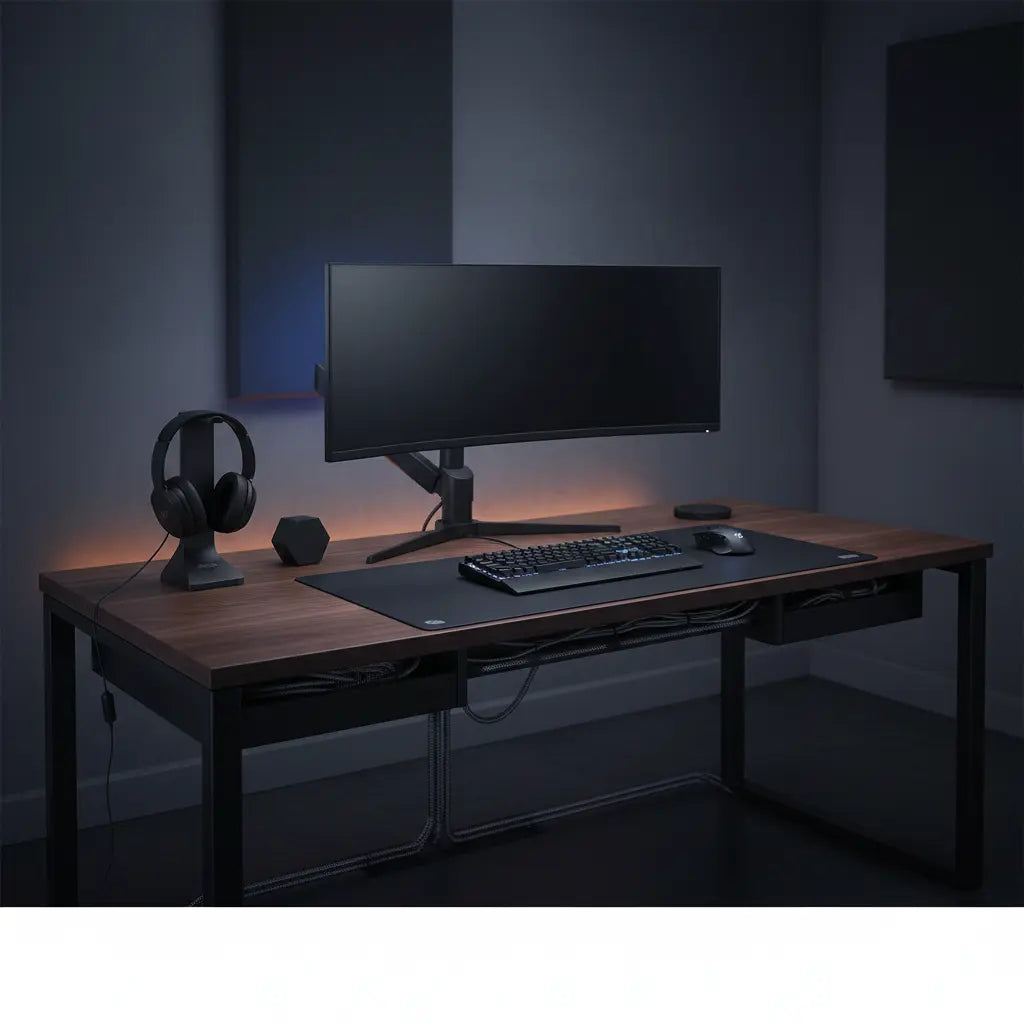
Why Cable Management Matters for Gaming and Tech Setups
Cable clutter is more than an eyesore; it creates tangible risks and maintenance hurdles in tech-heavy environments. Loose cords can become trip hazards or lead to electrical shorts if pinched by heavy furniture. According to OSHA guidance on flexible cords, cables should be routed and secured to prevent damage from sharp corners, doorways, pinch points, or high-traffic paths.
Beyond safety, organized cables can improve the thermal environment around PCs, consoles, and power supplies. While "extending component life" is a common claim, the primary benefit is reducing dust accumulation and ensuring that intake and exhaust vents remain unobstructed by "cable nests." For gamers and streamers, a tidy desk also minimizes visual distractions, helping maintain focus during long sessions.
Many enthusiasts start with complex systems but find them frustrating when it’s time to swap a headset or add a new peripheral. A sustainable approach balances a "hidden" look with the practical need for accessibility.

Essential Tools and Materials for Effective Cable Management
Successful cable management relies on selecting the right hardware for your specific furniture and equipment. Common tools include adhesive clips, reusable hook-and-loop ties, fabric sleeves, and under-desk trays.
When selecting accessories, prioritize safety and material integrity. Avoid using staples or nails, as they can pierce insulation and create fire risks. As OSHA regulations state, do not fasten cords with any mounting method that can damage the cable jacket.
Comparison: Solutions for Hiding Power Strips and Cables
Choosing between a tray, a box, or a channel depends on your desk type and how often you move your gear.
| Solution Type | Best For | Pros | Cons | Key Buying Parameters |
|---|---|---|---|---|
| Under-Desk Tray | Heavy power bricks & gaming setups | High capacity; keeps floor clear | Requires drilling or strong clamps | Length (min 15"); Weight capacity (5-10 lbs); Steel construction |
| J-Channel Raceway | Standing desks & wall-mounts | Very discreet; easy to drop cables in | Limited space for large bricks | Adhesive grade; Internal diameter (for thick HDMI/DP cables) |
| Cable Management Box | Floor-standing power strips | No installation required; hides "rat's nest" | Takes up floor/shelf space | Flame-retardant ABS plastic; Ventilation slots; Lid security |
| Hook-and-Loop Ties | Bundling behind monitors | Reusable; no damage to cables | Doesn't "hide" the bundle | Width (1/2" is standard); Roll length for custom sizing |
For power delivery, always use a quality surge protector. The Electrical Safety Foundation International emphasizes that extension cords are for temporary use and should not be used as a substitute for permanent wiring.
How to Choose Cable Management Based on Your Setup
The "best" method is the one you can actually maintain. A solution that looks flawless in a static TV stand may become a nightmare in a frequently reconfigured streaming rig.
- Small desk or frequent rearranging: Prioritize quick-release options like adhesive clips and spiral sleeves. These allow you to swap peripherals without cutting zip ties.
- Large gaming or streaming setup: Use structured under-desk trays. Group cables by function (e.g., "Display," "Peripherals," "Power") and leave deliberate slack near the device to prevent port strain.
- TV stand or media console: Focus on rear-mounted channels. Since these setups are rarely moved, you can use more permanent routing to keep cables completely out of sight.
- High-traffic floor areas: Never run cords across walkways. North Carolina Department of Labor guidance stresses keeping cords out of paths where they can be stepped on or crushed.

Our 5 Cable Management Hacks for LED Gaming Desks offers additional tips for managing the extra wiring required for RGB-lit furniture.
Visualizing Trade-offs: Cable Management by Setup Type
Choosing a strategy involves balancing aesthetics, accessibility, and effort. The following radar chart compares five common scenarios.
Note: These scores are illustrative heuristics based on common user experiences. They are intended to help you prioritize trade-offs and do not represent absolute performance data or safety ratings.
Cable Management Trade-offs by Setup Type
Heuristic comparison on a 1-5 scale; higher is better. Scores are illustrative, not measured outcomes.
View chart data
| Series | Aesthetics | Accessibility | Install Effort | Safety |
|---|---|---|---|---|
| Small desk, frequent rearrange | 4.0 | 5.0 | 4.0 | 4.0 |
| Large gaming setup | 4.0 | 4.0 | 3.0 | 4.0 |
| Rental setup | 3.0 | 4.0 | 5.0 | 4.0 |
| Owned long-term setup | 5.0 | 2.0 | 2.0 | 5.0 |
| Traffic path setup | 2.0 | 4.0 | 4.0 | 5.0 |
Heuristic 1-5 scoring derived from the provided scenario matrix and evidence notes: OSHA guidance to keep cables out of traffic paths and avoid staples, ESFI guidance favoring temporary extensions, and the general effect of under-desk routing in reducing clutter. Relative scores compare approaches within each setup type, not absolute measurements.
The chart highlights that "Owned Long-Term" setups often sacrifice accessibility for a cleaner look, while "Traffic Path" situations must prioritize safety above all else. For specific routing techniques for L-shaped or LED desks, see our guide on Pro Cable Management Tricks for a Clean Gaming Setup.
Safe Practices and What to Avoid
Safety Summary: Cable management is an organizational task, not a repair. If you have damaged outlets, flickering lights, or suspect faulty wiring, consult a licensed electrician before attempting to organize your cables.
- Inspect Regularly: Check cords for fraying, cracking, or heat discoloration. NCDOT safety materials recommend replacing any damaged cord immediately rather than attempting to tape or hide it.
- Avoid Overheating: Never place cords under rugs or heavy furniture. This can cause heat to build up and lead to fires.
- Ventilation: When hiding power strips in boxes or trays, ensure there is enough space for heat to dissipate. Do not "stuff" a cable box to the point where air cannot circulate.
- Separation: When possible, route high-voltage power cables slightly apart from data cables (like Ethernet or USB) to minimize potential electromagnetic interference.
Step-by-Step Cable Management Checklist
Follow this sequence to ensure a clean and functional result:
- Power Down: Unplug everything to avoid strain on ports during the move.
- Label Both Ends: Use colored tape or tags. This saves hours of frustration when troubleshooting later.
- Mount the "Hub": Install your under-desk tray or power strip holder first. This is the anchor for all other cables.
- Route the Longest Cables First: Usually, these are your monitor and main power cables.
- Bundle and Sleeve: Group cables that follow the same path. Use hook-and-loop ties rather than plastic zip ties for easier future adjustments.
- Check the Slack: Ensure your monitors can tilt or rotate (and standing desks can rise) without pulling on the cables.
- Test Connections: Plug in one device at a time to ensure everything is functioning before final tightening.
For desks with integrated solutions, many Bestier gaming desks with power outlets include built-in channels that simplify this process.
Maintenance and Long-Term Tips
Cable management is an ongoing process. Every few months, check for dust buildup in your cable trays and ensure adhesive clips haven't lost their grip. If you are a content creator, consider a modular system that allows for "hot-swapping" gear. Our guide to TikTok Studio Setup on a Budget includes recommendations for flexible creator desks.
Important Safety Note: This article provides general guidance for organizing cables in tech environments. It does not constitute electrical or professional safety advice. Cable management cannot eliminate all risks associated with electricity. Always follow local electrical codes and manufacturer instructions for your specific devices.
A well-managed setup transforms your workspace from a chaotic "wire nest" into a professional environment. By selecting tools that match your usage frequency, you create a space that is both visually pleasing and easy to upgrade.
For more inspiration, browse our Bestier Game Room Furniture collection or explore LED Gaming Desk options designed with built-in management features. When implemented thoughtfully, your cable management should be highly discreet—allowing your gear, not the wires, to take center stage.
