





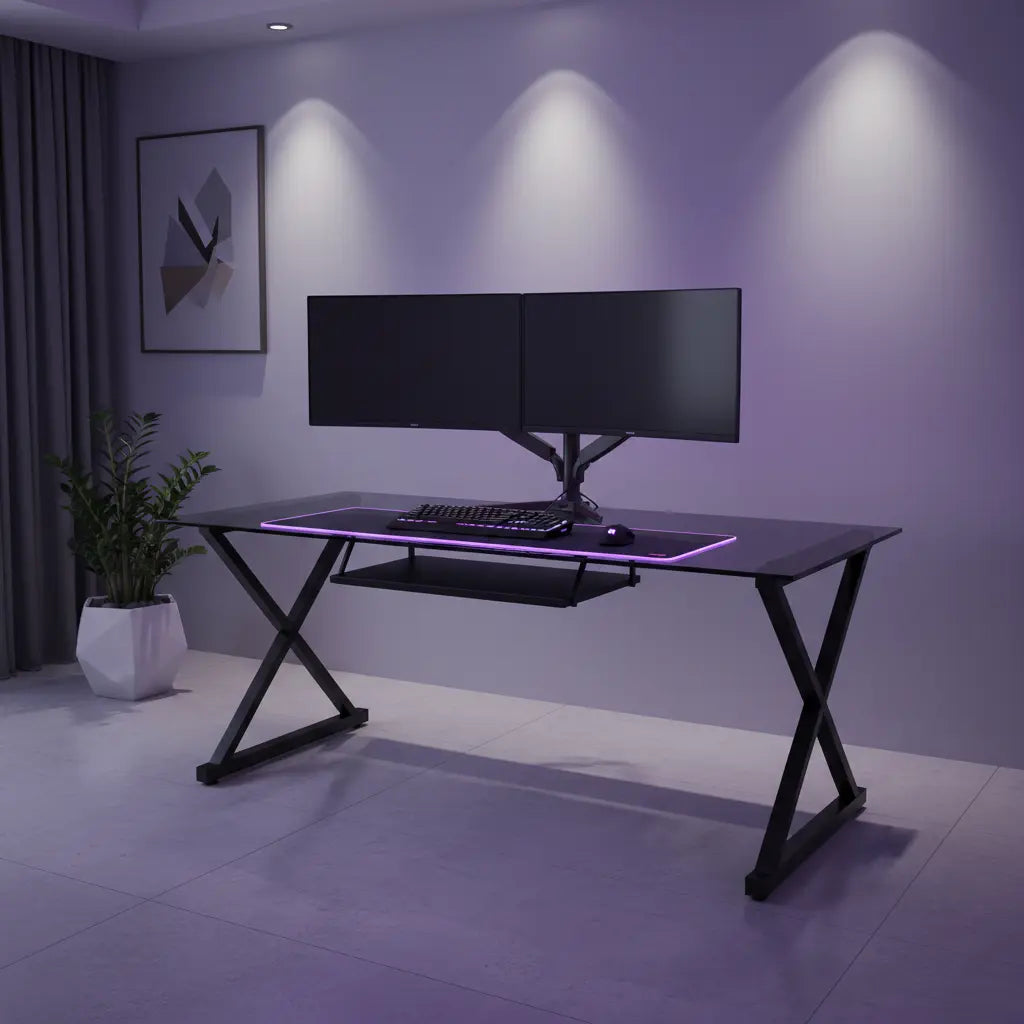
Summary
Hiding cables on a glass gaming desk requires a strategic shift from the transparent surface to the opaque metal frame, utilizing creative camouflage like vinyl film and magnetic routing. By leveraging the desk's chassis as a hidden highway for wires, gamers can maintain the sleek, "floating" aesthetic of glass while ensuring a clutter-free environment that passes the most rigorous visual inspections.

Key takeaways
- Frame-First Routing: Use the metal support beams and legs as the primary path for cables to keep them invisible from top-down perspectives.
- Opaque Zones: Apply frosted or matte black vinyl film to the underside of the glass to create a "blind spot" for mounting clips and running wires.
- Safe Mounting: Never clamp heavy accessories or power strips directly to the glass; instead, use heavy-duty fasteners like 3M Dual Lock to attach them to the frame.
- Weight Distribution: Use reinforcement plates for monitor arms to spread pressure across a larger surface area, preventing point-load failure in tempered glass.
- Cohesive Bundling: Use color-matched mesh or neoprene sleeves to consolidate multiple wires into a single vertical run that follows the desk's architecture.
The Transparency Trap: Why Glass Desks Demand Creative Cable Solutions
Glass gaming desks are the pinnacle of modern minimalist design, offering a sense of space and light that traditional wood desks cannot match. However, this transparency is a double-edged sword. Every power cord, HDMI cable, and RGB wire that would normally be hidden behind a wooden modesty panel is suddenly on full display. The "invisible" nature of the desk makes cable management a nightmare because there is nowhere to hide the mess.
Traditional methods, such as drilling holes for grommets or using bulky plastic trays, are often impossible or aesthetically jarring on a glass surface. To achieve a truly clean setup, you must stop thinking about the glass as a mounting surface and start looking at the metal skeleton beneath it. By treating the frame as your primary routing tool, you can create a setup that looks as good from the side as it does from the top.
For those who are still in the planning phase of their room, choosing a desk with built-in management features can save hours of frustration. A dedicated 44-inch LED gaming desk often includes frame-integrated paths that simplify this process from day one.
Strategic Routing: Turning the Desk Frame into a Hidden Highway
The most effective way to hide cables on a glass desk is to run them along the underside of the metal support beams. Most glass desks are held up by a rectangular or L-shaped steel frame. This frame is your best friend.
Magnetic and Adhesive Solutions
Since you cannot drill into the frame without risking its structural integrity, magnetic cable clips are an ideal solution. These clips snap onto the steel beams and can be moved or adjusted as your setup evolves. If your frame is aluminum or another non-magnetic metal, adhesive-backed zip tie mounts are the next best thing.
When applying adhesive mounts, place them on the inner side of the beam—the side facing the center of the desk. This ensures that even if someone looks at the desk from a standing position, the clips and wires remain tucked behind the metal bar. For a more professional look, incorporate professional cable management techniques such as "daisy-chaining" your zip ties to maintain consistent tension along the run.
Vertical Cable Runs
The legs of the desk are the only path to the floor. Instead of letting cables dangle from the back of the desk, bundle them into a single sleeve and secure it to the back of one leg. Use a sleeve that matches the color of the leg—black for black steel, silver for chrome. This transforms a chaotic "spiderweb" of wires into a single, clean vertical line that mimics the desk’s own architecture.

Invisible Mounting: How to Hide Adhesive Shadows and Clips
One of the most common complaints with glass desk cable management is the "adhesive shadow." Even if you use clear clips, the sticky residue and the plastic base are visible through the glass, looking like a smudge or a blemish on your clean setup.
The Vinyl Film Trick
A "pro-tip" used by high-end setup enthusiasts is to apply a 4-to-6-inch strip of matte black vinyl or frosted window film to the underside of the glass along the back edge. This creates an "opaque zone." Within this zone, you can stick as many clips, power bricks, and LED controllers as you need. From the top, all the viewer sees is a clean, intentional border, while the mess is hidden safely underneath.
3M Dual Lock for Power Strips
Power strips are heavy and should never be allowed to hang from the glass. Instead of using standard Velcro, which can sag over time, use 3M Dual Lock. This heavy-duty re-closable fastener has a "snap" feel and can hold significant weight. Mount the power strip to the underside of a support beam or the inside of a desk leg. This keeps the "brain" of your cable system off the floor and out of sight.
Safety Standards and Structural Integrity for Glass Surfaces
When managing cables and mounting peripherals, safety must be the priority. Glass desks are subject to specific engineering standards, such as ASTM F2813, which mandates the use of tempered or laminated glass. Tempered glass is designed to crumble into small, blunt pieces if it fails, but it is still susceptible to "point-load" failure.
Monitor Arm Precautions
Many gamers want to use C-clamp monitor arms to clear up desk space. However, clamping a heavy monitor arm directly to a glass edge concentrates all the pressure on a tiny area. To prevent shattering, always use a monitor arm reinforcement plate. This is a wide metal plate that sits between the clamp and the glass, spreading the pressure over a larger surface area.
Heat and Electrical Safety
Hiding power strips and "power bricks" in tight spaces can lead to heat buildup. According to UL 1363 (the standard for relocatable power taps), power strips should never be covered by rugs or enclosed in unventilated boxes. When mounting your power strip under the desk, ensure there is at least an inch of clearance for airflow to prevent overheating, which can eventually stress the glass or damage your hardware.
While glass is durable, some users find that the maintenance and safety considerations lead them back to traditional materials. If you are comparing options, our Engineered Wood Safety guide explains the rigorous CARB and TSCA standards that ensure high-quality wood furniture is just as safe for your indoor environment as glass.
Managing Complex Layouts: L-Shaped Glass Desks and Corner Routing
L-shaped glass desks offer massive amounts of surface area but present a unique challenge: the "dead zone" in the corner where the two glass panels meet. This is often where cables naturally congregate, but it is also the most structurally sensitive part of the desk.
The Corner Hub Strategy
Instead of trying to hide cables along the entire length of both wings, designate the corner as your "hub." Use the corner leg as the primary vertical path for all power and data lines. By centralizing your routing, you reduce the number of visible bundles and make the overall L-shaped gaming desk setup look more intentional.
| Accessory Type | Recommended Mounting Location | Visibility Level |
|---|---|---|
| Power Strip | Metal Support Beam (Inner Side) | Hidden |
| RGB Controller | Underside of Frame / Behind Vinyl | Hidden |
| Cable Sleeves | Along Desk Legs | Low (Architectural) |
| Adhesive Clips | Behind Opaque Vinyl Strip | Hidden |
| Monitor Arm | Frame-Supported Edge with Plate | Visible (Functional) |
Lighting and Peripherals: Streamlining RGB and Power Wires
RGB lighting is a staple of the modern gaming room, but it adds a significant number of thin, fragile wires to the mix. On a glass desk, these wires can look like "veins" running through the setup if not handled correctly.
When managing RGB and LED lighting cables, use the smallest possible clips. Run the LED strips along the back edge of the metal frame, pointing them toward the wall. This creates a soft glow that illuminates your space without exposing the individual LEDs or their wires. If your desk features built-in lighting, ensure the controller is mounted near the power source to minimize the length of the cable runs.
For a truly comprehensive gaming battlestation setup, consider using wireless peripherals where possible. A wireless mouse and keyboard can eliminate two of the most visible cables on your desk, leaving only the power and display cables for your monitors to be managed.
Step-by-Step: Your Weekend Project for a Clean Glass Setup
- Clear the Deck: Remove everything from the desk. A clean slate is essential for seeing the routing paths.
- Apply the Opaque Zone: If using vinyl film, apply it to the underside of the back edge now. Use a squeegee to remove air bubbles.
- Mount the Power Hub: Attach your power strip to the metal frame using 3M Dual Lock.
- Route the Main Bundles: Start with the thickest cables (monitor power and DP/HDMI). Bundle them into a sleeve and route them along the frame to the power strip.
- Add Peripherals: Connect your PC, speakers, and lighting. Use small clips to tuck these thinner wires into the existing bundles.
- Vertical Drop: Secure the final bundle to the back of the desk leg using zip ties or Velcro straps.
- Final Inspection: Sit in your gaming chair. If you can see a wire, adjust the clips until it disappears behind the frame.
Logic Summary: This guide assumes a standard tempered glass desk with a metal frame. The recommendations focus on non-destructive mounting methods (adhesives and magnets) to preserve the glass. These techniques may not apply to "all-glass" desks without metal frames, which require specialized floor-based management.
FAQ
Can I use a monitor arm on a glass desk safely? Yes, but only if the glass is tempered and you use a reinforcement plate to distribute the weight. Many glass desk manufacturers specifically warn against C-clamps because they create a "point-load" that can cause the glass to shatter. Always check your desk's weight capacity and the thickness of the glass (usually 6mm to 8mm) before installing a heavy monitor arm.
How do I hide the "shadow" of adhesive clips through the glass? The most effective way is to apply a strip of matte vinyl or frosted window film to the underside of the glass. This creates an opaque barrier that hides the adhesive residue and the clip itself. Alternatively, you can mount all clips to the metal frame rather than the glass surface, keeping them entirely out of the line of sight.
Is it safe to put my PC tower on top of a glass desk? While tempered glass is strong, it is generally discouraged to place a heavy PC tower directly on it. The combination of weight, vibration from fans, and heat from the power supply can create stress points. It is safer to use a dedicated floor stand or a PC mount that attaches to the desk's metal frame.
What are the best cable clips for glass surfaces? Magnetic clips are the best for metal frames, as they are repositionable and leave no residue. For the glass itself, clear adhesive "Command" clips are popular, but for long-term hold and a cleaner look, we recommend using high-quality adhesive zip tie mounts hidden behind an opaque vinyl strip.
How do I manage cables if my glass desk is in the middle of the room? If your desk isn't against a wall, you must use a "floor cord protector" or a "cable spine." These accessories bundle your wires and run them neatly across the floor to the nearest outlet. Choose a color that matches your flooring to make the run as inconspicuous as possible.
Will the heat from my cables damage the glass? Standard cables do not generate enough heat to damage tempered glass. However, power adapters (bricks) and power strips can get warm. Ensure these components are mounted with a small air gap and are not pressed directly against the glass for extended periods, as localized heat expansion can theoretically stress the material.
References
Government / Standards / Regulators
- ASTM International: ASTM F2813-12: Standard Specification for Glass Used in Furniture
- Underwriters Laboratories (UL): UL 1363: Standard for Relocatable Power Taps
Industry Associations / Research Institutes
- National Glass Association (NGA): Guidelines for the Use of Tempered Glass in Furniture
Academic / Whitepapers / Labs
- Bestier Research: Engineered Wood Safety: A Comprehensive Guide to CARB & TSCA Standards
Community (Intent only; not authoritative)
- Reddit r/battlestations: Community discussions on glass desk cable management
- StackExchange: Hardware recommendations for glass surface mounting
