





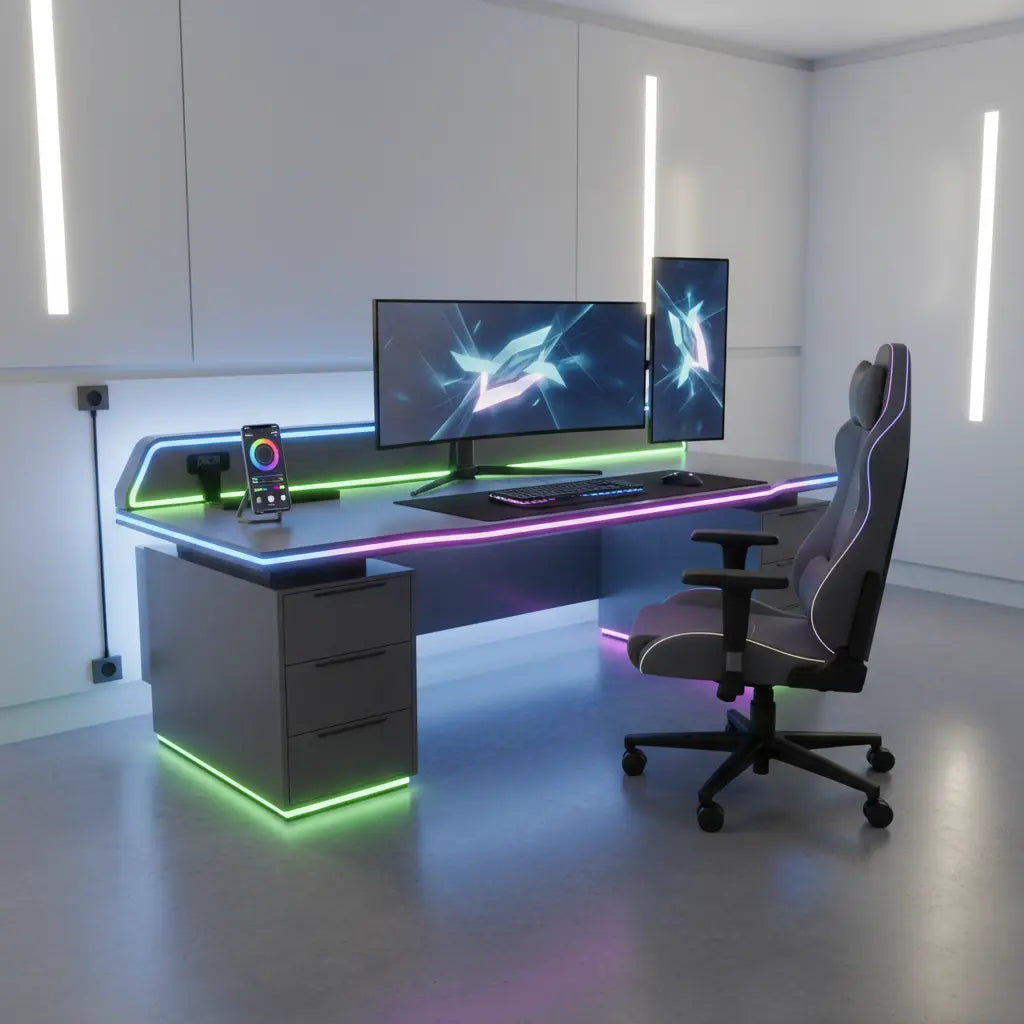
Why App-Controlled RGB Desks are Trending for 2026 Setups
Modern desks with integrated LED strips have evolved beyond simple static colors. The shift toward phone-app integration reflects a broader movement in home office design: the transition from "isolated furniture" to "connected ecosystems." In 2026, the value of a smart desk isn't just the light itself, but its ability to participate in automated routines.
For streamers and content creators, app control allows for precise color temperature adjustments to match camera white balance—something traditional remotes rarely offer. Gamers benefit from lighting that can pulse in sync with PC hardware temperatures or in-game events via third-party integrations. However, as this NSA guidance on smart controller security suggests, adding any connected device to your network requires a baseline of security awareness, such as using strong passwords and keeping firmware updated.

App Control vs. Traditional Remotes: The Reality of Daily Use
While the marketing for smart desks emphasizes "limitless possibilities," the daily experience often comes down to "friction vs. functionality."
- The Case for Remotes: A physical remote is tactile and instant. It doesn't require a Wi-Fi signal or a phone unlock. For users who only want to turn the lights on/off or change to a single favorite color, a remote-controlled desk is often more reliable and less frustrating.
- The Case for Apps: Apps enable scheduling (e.g., lights turning orange at sunset to reduce blue light exposure) and complex "scenes." Based on common user patterns, the biggest "friction points" with apps include initial pairing failures on 5GHz Wi-Fi networks (most smart desks require 2.4GHz) and occasional app restarts after OS updates.
If you already manage a suite of smart devices, adding a desk to your existing app hub feels seamless. If this is your first "smart" item, be prepared for a slight learning curve regarding device pairing and network permissions.
Several Bestier gaming desks, such as the Bestier 42-inch L-shaped Gaming Desk with RGB Music Sync Lights, bridge this gap by offering music-sync features that can be enjoyed immediately, while still providing the physical utility of built-in outlets and cup holders.
Syncing RGB Lighting: Local vs. Cloud Control
True immersion occurs when your desk reacts to your screen or music. However, the method of syncing matters for performance:
- Local Sync (Low Latency): Some desks use a built-in microphone or a direct USB connection to the PC. This results in near-instant lighting responses to music or game audio.
- Cloud Sync (Potential Lag): If the desk relies on a cloud-based API to "talk" to your PC software, you may notice a slight delay between the on-screen action and the desk's reaction.
For a deeper dive into the technical setup, the guide How to Sync Your Desk RGB Lighting with Your Gaming PC covers the software options available in 2026. If you are mixing brands, such as using Govee strips with a Philips Hue ecosystem, refer to Govee and Philips Hue: Syncing Your Desk LEDs with Smart Home to understand the necessary bridges and potential trade-offs.
The Matter Standard and Future-Proofing
The "Matter" protocol is frequently cited as the future of smart homes, promising that a desk bought today will work with Apple Home, Google Home, and Alexa simultaneously. While Matter-enabled desks offer better local control and privacy, support is still rolling out across the furniture industry.
As noted in Matter-Enabled Smart Desks: Future-Proofing Your Home Office, you should verify if a desk requires a specific "Thread Border Router" or if it can connect directly via Wi-Fi. Do not assume "Smart" automatically means "Matter-compatible" without checking the specific versioning on the box.

Heuristic: Is the Upgrade Worth It for You?
To help decide if the added cost and setup of an app-controlled desk are justified, consider your user profile:
When a Smart RGB Desk Upgrade Is Worth It (2026)
Illustrative scenario matrix for upgrade value by user type and app-use frequency.
View chart data
| Category | Gamer | Streamer | Smart Home Enthusiast | Home Office |
|---|---|---|---|---|
| Rare app use | 1.0 | 2.0 | 2.0 | 1.0 |
| Weekly app use | 3.0 | 4.0 | 4.0 | 2.0 |
| Frequent app use | 5.0 | 5.0 | 5.0 | 3.0 |
Heuristic illustration based on the article's decision framework: frequent app use and scene syncing increase value; simple brighter-lighting needs or infrequent use reduce value. Scores are illustrative (Low=1, Medium=3, High=5), not measured market data.
Note: This chart uses an illustrative 1–5 scale based on typical user engagement patterns. A score of 5 indicates the highest likelihood that the user will find the app features essential to their daily routine.
Common Myths About Smart RGB Furniture
-
Myth: "Smart" desks are always more "future-proof."
- Reality: A smart desk is only as good as its app support. If the manufacturer stops updating the app, you may lose advanced features. Look for brands with a history of consistent software maintenance.
-
Myth: RGB lighting is just for "gamers."
- Reality: Many professionals use app-controlled RGB for "Dopamine Decor" or productivity. For example, setting the desk to a soft pulse can act as a "Pomodoro timer" without the harsh sound of an alarm. See How to Build a Dopamine Desk Setup for Better Focus for more on this.
-
Myth: Matter compatibility means no more apps.
- Reality: You will likely still need the manufacturer's native app for firmware updates, even if you use a central smart home app for daily on/off control.
Pre-Purchase Technical Checklist
Before clicking "buy," verify these technical requirements to avoid the most common setup headaches:
- Network Bandwidth: Does your router support a dedicated 2.4GHz band? Many "smart" controllers cannot see 5GHz networks.
- Privacy & Data: Does the app require an account or "Location Services" to function? If privacy is a priority, look for desks that offer local-only Bluetooth control.
- Physical Fallback: Does the desk have a physical button or remote? If your Wi-Fi goes down, you don't want to be stuck with "strobe" lights you can't turn off.
- Power Draw: High-intensity RGB strips require stable power. Ensure the desk's built-in controller is rated for the number of LEDs included.
- Ecosystem Fit: If you use a specific platform (like HomeKit), check for the official "Works with..." certification rather than generic "Smart" claims.
For those looking for high-performance options, the Bestier LED Gaming Desk collection provides various configurations. The 57-inch L-shaped Gaming Desk with RGB Music Sync Lights is a top choice for streamers needing maximum surface area, while the 44-inch RGB Gaming Desk with LED Lights and Storage Shelves is ideal for compact, multi-functional spaces.
Health, Comfort, and Eye Strain
While RGB lighting is excellent for atmosphere, it is not a substitute for ergonomic task lighting.
- Glare Management: Position your desk so that LED reflections don't bounce off your monitor screen, which can lead to "computer vision syndrome."
- Ambient Balance: Avoid sitting in a pitch-black room with only bright RGB strips; this high contrast can cause eye fatigue. Use the app to dim the LEDs to a comfortable 10-20% brightness during night sessions.
Important note: This article provides general setup and comfort suggestions. It does not constitute medical advice. If you experience persistent headaches or eye strain, please consult a qualified healthcare professional.
Final Thoughts on the Smart Upgrade
An app-controlled smart RGB desk is a worthwhile investment if you value automation, ecosystem integration, and precise aesthetic control. For the "set it and forget it" user, a standard LED desk with a remote remains a reliable and cost-effective alternative.
Explore the Bestier Game Room Furniture collection or the Bestier Modern Style collection to find a balance of smart features and structural quality that fits your 2026 workspace goals. By verifying compatibility and understanding the technical requirements upfront, you can ensure your "next-gen" upgrade is a functional success rather than a connectivity headache.
