





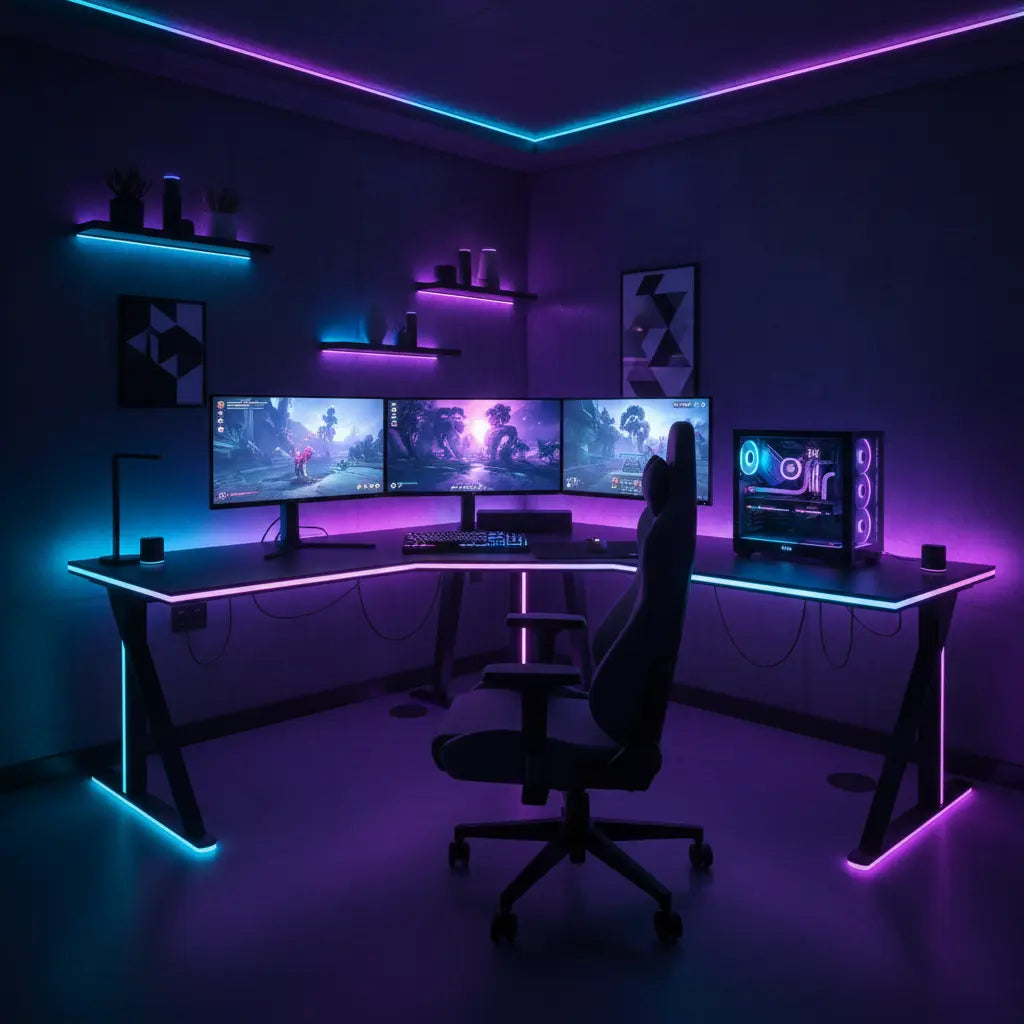
Many gamers and smart home enthusiasts dream of seamless lighting where their desk LEDs respond in harmony with room lights from Govee or Philips Hue. In practice, this often requires a mix of apps, bridges, and careful setup rather than true plug-and-play compatibility. The good news is that with the right approach—leveraging Matter where possible, ecosystem-specific apps, or automation tools—you can achieve coordinated scenes that enhance immersion for gaming, streaming, or focused work. Success depends heavily on your existing devices, the exact Bestier desk model, and realistic expectations around lag or color matching.

Understanding Compatibility Between Desk LEDs and Smart Home Ecosystems
Bestier LED gaming desks typically feature built-in RGB lighting with controllers that support basic modes, remotes, or their own app. However, direct native compatibility with Philips Hue or Govee is not universally verified across models. As this Apple Matter support guide explains, many smart lighting setups rely on bridges, hubs, or the Matter standard to bring disparate devices together.
Govee lights are primarily managed through the Govee Home app, with some models offering in-app sync via DreamView for content-reactive effects. For PC-based gaming, Govee’s desktop software supports DreamView and integration with Razer Synapse 3. Philips Hue, on the other hand, uses its own bridge and app for robust scene control and has broader Matter adoption for cross-platform use.
The key distinction is between native/direct control, app-based grouping within one brand, and indirect integration using hubs or Matter controllers. Unresolved compatibility for specific Bestier desks means you should check the product manual or listing for mentions of Matter, Zigbee, or explicit ecosystem support before assuming seamless operation.
Integration Methods: Native, App-Based, and Indirect
Native or direct integration would mean the desk LEDs appear as a standard accessory in the Govee or Hue app without extra hardware. This is rare for furniture lighting and scores lower on compatibility breadth due to limited verification.

App-based control works well if you stay within one ecosystem. Use the Govee Home app for grouping multiple Govee devices or the Philips Hue app for Hue bulbs and strips. This offers good scene control but may require running separate apps if mixing brands.
Indirect integration via Matter, Zigbee bridges, or home hubs like HomePod or Echo provides the most flexibility. A home hub enables remote control, sharing, and automation, as noted in Apple’s home hub setup documentation. Some setups may require a Thread border router, which can add complexity.
Here is a heuristic comparison of the trade-offs:
Integration Methods for Desk LED Sync: Heuristic Trade-off Comparison
Modeled comparison only, not measured data.
View chart data
| Series | Ease of Setup | Sync Reliability / Lag | Color Accuracy | Scene Control | Cost / Extra Hardware | Compatibility Breadth |
|---|---|---|---|---|---|---|
| Native / Direct | 8.0 | 6.0 | 7.0 | 5.0 | 9.0 | 3.0 |
| App-based (Govee / Hue apps) | 7.0 | 7.0 | 8.0 | 8.0 | 8.0 | 6.0 |
| Indirect (Matter / Bridge / Hub) | 4.0 | 8.0 | 7.0 | 9.0 | 4.0 | 9.0 |
Heuristic 1-10 scoring based on provided context: no direct native support verified, bridge/hub dependency, restart troubleshooting, Thread requirements, app-based versus indirect control, and unresolved Bestier compatibility. Scores are illustrative for comparison only and should not be read as measured data.
This modeled radar chart illustrates relative strengths. Indirect methods often excel in scene control and breadth but require more hardware and setup effort. Scores are illustrative only and should not be treated as measured benchmarks.
Common Myths and Misleading Claims
A frequent myth is that any RGB desk lighting will sync perfectly with Philips Hue or Govee out of the box. In reality, many Bestier desks use self-contained controllers that do not expose full smart-home APIs. Another misconception is zero-latency, universal syncing across brands. Evidence shows that mixing ecosystems often involves some lag, color variation, or separate apps, with troubleshooting frequently requiring restarts of bridges or hubs, per Apple’s accessory troubleshooting guide.
Claims of “seamless” integration should be viewed cautiously. Performance depends on firmware versions, network conditions, and specific models. Thread border router requirements can also block setup in some environments, as detailed in Apple’s Thread alert guidance.
Step-by-Step Setup Approaches for 2026
Start by identifying your primary ecosystem. For Govee users, install the Govee Home app and test DreamView for content-reactive lighting if your devices support it. Pair the desk LEDs if the controller is compatible, or use the desktop app for PC gaming sync with Razer Synapse.
For Philips Hue, add devices through the Hue Bridge and app. To include desk lighting, look for Matter-compatible controllers or use automation rules to trigger scenes across systems.
For cross-ecosystem setups, consider a Matter controller or platform like Home Assistant. Assign all lights to rooms in the Apple Home app for easier scene creation, as explained in Apple’s accessory addition guide. Test automation for focus vs relaxation modes or gaming triggers.
Practical tips include keeping all devices on the same 2.4 GHz Wi-Fi network, updating firmware regularly, and positioning lights to minimize glare. For gaming desks, combine PC software reactive effects with smart home ambient scenes.
Buying Checklist and When to Skip a Desk
Before purchasing a Bestier LED gaming desk for smart home integration, perform this audit:
- Does the product page explicitly mention Govee, Philips Hue, Matter, Zigbee, or a companion smart app beyond basic RGB control?
- Is there documentation for pairing with bridges or hubs?
- Does it reference scene integration, automation, or voice assistants?
- Are there screenshots or steps showing ecosystem grouping?
- If answers are mostly no, treat the LEDs as accent lighting rather than a full smart-home participant.
Do not buy expecting easy sync if the listing only describes preset modes, a remote, or self-contained effects without ecosystem keywords. This screening helps avoid mismatched expectations.
Consider models like the Bestier 63 Inch LED Gaming Desk with Keyboard Tray or Bestier 48 Inch LED L-Shaped Gaming Desk and verify lighting specs. Browse the full Bestier LED Gaming Desk collection for options.
Related reading includes our guide on syncing Bestier LED furniture with Razer Chroma & Alexa and how to sync desk RGB with your gaming PC.
Troubleshooting Desync, Lag, and Other Issues
If lights fail to respond or fall out of sync, restart the bridge, hub, and affected accessories first. Check for firmware updates and ensure no network interference. For persistent problems, remove and re-add the device in the app. Color or brightness mismatches can often be adjusted manually in scenes.
Remember that reactive gaming sync (via PC software) differs from smart home scene automation. The latter is better for ambient or scheduled lighting.
Health, Comfort, and Safety Notes
Coordinated lighting can create more comfortable environments by reducing harsh contrasts, but results are setup-dependent and may only lessen perceived eye strain. This article discusses comfort and setup advice only. It does not constitute medical advice, diagnosis, or treatment. If you experience persistent discomfort or have existing eye conditions, consult a qualified healthcare professional.
Prioritize safety with proper cable management, grounded power outlets, and manufacturer guidelines to prevent overheating or electrical issues.
Choosing the Right Approach for Your Setup
Gamers focused on real-time effects may prefer PC software integration over smart home platforms. Streamers and smart home enthusiasts benefit from Matter or unified hubs for cohesive scenes. Remote workers can use scheduled automations for focus and relaxation modes. In small apartments or mixed-use rooms, indirect methods with room grouping provide the most flexibility.
The scenario where another approach wins is when you need zero-config simplicity or already have a large investment in one closed ecosystem—stick to native app control there. For most users in 2026, a hybrid strategy offers the best balance.
With careful model selection, firmware maintenance, and realistic expectations, you can create an engaging, coordinated lighting experience that elevates your desk setup. Test incrementally, document your configuration, and adjust based on real-world performance in your space.
For more on LED vs standard lighting options, see RGB vs LED Lights for Gaming Setups. Explore additional smart home integration resources on the Bestier blog.
