





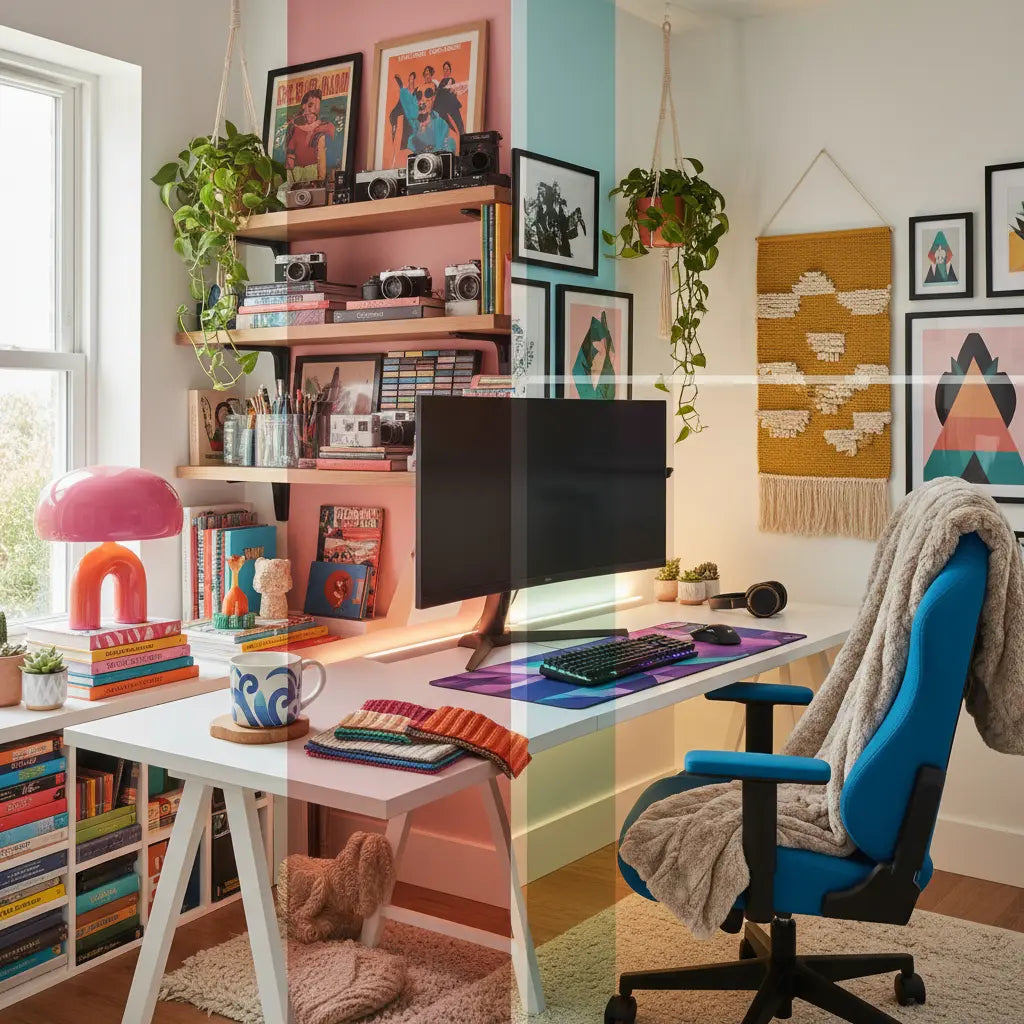
Designing a High-Performance Aesthetic Desk Setup
Creating a desk setup that looks amazing on camera while supporting your daily work or gaming is a significant upgrade to your daily routine. Current trending aesthetics like dopamine decor and cluttercore deliver personality and mood boosts when applied thoughtfully, but they should respect core ergonomics and room realities to ensure long-term comfort. High-quality setups often balance vibrant style with practical lighting, cable management, and storage so the space stays inspiring instead of overwhelming.
Related Setup Guides
- Pink Gaming Setup Ideas: Aesthetic & Kawaii Desk Inspiration
- Cyberpunk Gaming Room Ideas: Neon & LED Setup Guide

Understanding the Biggest Trending Desk Aesthetics
Dopamine decor focuses on joyful, colorful elements designed to spark happiness and creativity. This style often incorporates bright hues, playful patterns, motivational art, and personal objects. It typically utilizes layered lighting, textured accessories, and curated collections that energize the user without crossing into visual chaos.
Cluttercore celebrates intentional abundance. Unlike strict minimalism, it embraces books, plants, collectibles, and cozy textiles arranged in a visually rich but purposeful way. The key is curation—every item should have meaning or utility so the desk feels abundant rather than messy.
Cozy gaming setups blend warm neutrals, wood tones, and soft lighting to create a sanctuary feel. These rooms often feature plush seating, layered rugs, and ambient lamps that make long sessions comfortable. Pink gaming setups add a kawaii twist with soft pastels, cute accessories, and feminine flair while maintaining functionality.
Cyberpunk aesthetics lean into neon, LED strips, dark backgrounds, and futuristic tech. Expect bold RGB lighting, metallic accents, and high-contrast elements that look dramatic in photos and streams. Dark academia, by contrast, favors moody wood desks, vintage books, leather details, and warm low lighting for deep-focus work.
Each style has its merits, yet the real test is whether it supports your actual workflow rather than just looking good in a single photo. Trends evolve, so we recommend prioritizing a foundation that adapts to your changing tastes.
Why Ergonomics Must Come Before Pure Aesthetics
A visually appealing desk setup should still prioritize ergonomic workstation basics: comfortable typing height, adequate depth, and monitor placement that reduces strain. According to official home office guidelines, workspace style should not come at the expense of ergonomics; guidance generally recommends a comfortable desk height, enough surface depth for equipment, and monitor placement that supports neutral posture. Home Office Setup Guidelines

Many trendy setups fail here. Placing a monitor too low or using a desk that is too shallow can force awkward postures. We recommend choosing furniture with sufficient depth—typically 24 to 30 inches for most users—to maintain a healthy focal distance from your screen.
Pro Tip: The "Elbow Test" To find your ideal desk height, sit with your shoulders relaxed and elbows at a 90-degree angle. Your keyboard should sit at or slightly below this height. If your "aesthetic" desk is too high, use a monitor riser or an adjustable chair to compensate.
For gamers and content creators, this means selecting pieces from collections like the Bestier LED Gaming Desk that combine RGB lighting with ergonomic features such as built-in monitor stands and cable channels.
Lighting: The Secret to Both Mood and Eye Comfort
Lighting dramatically affects how an aesthetic feels in real life. Task lighting is generally preferable when reading or writing at a desk, and reducing overhead light can help minimize screen glare. Office Ergonomics Adjustable desk lamps are highly effective because they let users direct light where it is needed and reduce eye strain. Lighting Ergonomics
For dopamine decor or cyberpunk setups, use RGB strips and smart bulbs for color accents, but always include a dedicated task lamp. Keep lamps aimed at the work surface rather than shining directly into your eyes or across the screen.
Achieving "On-Camera" Consistency
If you plan to share your setup on social media, follow these lighting and layout steps:
- Background Layers: Place a "hero" light (like a neon sign or LED strip) behind your monitor to create depth.
- Color Temperature Unity: Ensure your main task light and ambient lights don't clash. Mixing "cool white" and "warm yellow" can make photos look muddy. Stick to one temperature for your primary workspace.
- Avoid Glare: Angle your monitor slightly away from windows or bright lamps to prevent "white-out" spots in photos.
- Camera Height: For the best "desk tour" angle, position your camera at chest height rather than eye height to make the desk surface look more expansive.
How to Choose the Right Aesthetic for Your Space and Budget
The ideal desk aesthetic depends on your room size, primary activity, and available budget.
Layout Strategies by Room Type
- Small Bedroom Corner: Use an L-shaped desk to maximize corner "dead space." Stick to lighter aesthetics (Pink Kawaii or Minimalist) to keep the corner from feeling cramped.
- Shared Living Room: Choose a "Dark Academia" or "Cozy" style that uses wood tones to blend with standard home furniture.
- Dedicated Gaming Room: This is where "Cyberpunk" or "Cluttercore" shines, as you have the space to manage multiple light sources and large collections.
Budget-Friendly Priority List
If you are building your setup in stages, we suggest this spending order:
- Tier 1 (Low Budget): Lighting & Cable Management. A $20 LED strip and a $15 cable box provide the biggest visual "wow" factor.
- Tier 2 (Mid Budget): The Desk & Ergonomics. Invest in a sturdy Bestier L Shaped Desk to anchor the room.
- Tier 3 (Upgrade): High-end peripherals, mechanical keyboards, and curated wall art.
Desk Aesthetic Fit by Room Size, Budget, and Primary Use
Use this chart as a rough decision aid, not a factual ranking.
View chart data
| Category | Small Apartment Fit | Mid Budget Fit | Gaming Room Fit |
|---|---|---|---|
| Dopamine Decor | 4.0 | 4.0 | 2.0 |
| Cluttercore | 3.0 | 3.0 | 3.0 |
| Cozy Gaming | 3.0 | 4.0 | 5.0 |
| Pink Aesthetic | 4.0 | 4.0 | 2.0 |
| Cyberpunk | 2.0 | 3.0 | 5.0 |
| Dark Academia | 3.0 | 3.0 | 3.0 |
Note: This table is a heuristic comparison for illustrative purposes and is not a factual ranking.
Common Mistakes and How to Avoid Them
- Over-cluttering: This remains a top regret. While cluttercore celebrates abundance, too many random objects create visual noise. Edit your space: keep items that serve a purpose or genuinely contribute to the aesthetic.
- Poor Lighting: Overhead lights alone often create glare. Office Ergonomics Handbook Improve comfort by reducing glare with workstation positioning instead of simply adding more accessories.
- Neglecting Cable Management: This is non-negotiable for a polished look. Use built-in channels, clips, or sleeves. Many Bestier gaming desks include integrated power outlets and cable routing to make tidy setups easier.
- Mismatched Accessories: This can break cohesion. Pick a limited color palette (three to five colors maximum) and repeat textures throughout the space.
Practical Checklist: Building Your Aesthetic Desk Setup
Follow this step-by-step process to create a space that looks great and works well:
- Measure your room and desk area. Account for chair clearance (usually 30-36 inches of space behind the desk).
- Choose your primary aesthetic based on your room's natural light. Darker rooms suit Cyberpunk; bright rooms suit Dopamine or Pink styles.
- Select a desk that meets ergonomic minimums first. Look for models with storage shelves and monitor stands.
- Plan lighting in layers: ambient (ceiling), task (desk lamp), and accent (LED strips).
- Incorporate cable management from day one. Hide power strips under the desk surface.
- Add decor in stages. Start with large items (art, plants), then smaller objects. Step back after each addition to check visual balance.
- Take test photos and sit at the desk for a full work session. If you feel neck strain or see too much "visual noise" in the camera, adjust before finalizing.
For more specific inspiration, explore our guide on How to Build a Dopamine Desk Setup for Better Focus or Cozy Gaming Setup Ideas: Creating a Warm & Aesthetic Workspace.
Adapting Trends to Different Life Stages
Dorm or first apartment dwellers should prioritize multi-functional furniture and removable decor. Command hooks and lightweight accessories let you experiment without permanent changes.
Bedroom workstations benefit from cozy aesthetics that feel calming at night. Use warm lighting (2700K) and avoid overly stimulating neon during evening hours to protect your sleep hygiene.
Content creators need setups that photograph consistently. Cyberpunk and pink gaming setups excel here because their bold colors pop on camera. Consider Bestier Game Room Furniture pieces designed for visual impact.
Material Safety and Long-Term Comfort
When investing in new furniture, consider indoor air quality. Engineered wood products should meet CARB Phase 2 and TSCA Title VI standards to limit formaldehyde emissions. Our detailed guide on Engineered Wood Safety: A Comprehensive Guide to CARB & TSCA Standards explains how to verify certifications. Choosing safer materials ensures your setup stays healthy for years to come.
Conclusion: Style That Actually Serves You
The ultimate desk aesthetic is the one that makes you excited to sit down and keeps you comfortable while working or playing. Dopamine decor, cluttercore, cozy gaming, pink kawaii, cyberpunk, and dark academia all offer powerful visual languages. Yet they succeed only when built on solid ergonomics, thoughtful lighting, and an honest assessment of your space.
Start with the functional foundation—proper desk height, good lighting, cable management—then layer personality on top. The result is a workspace that looks incredible in photos and feels even better in daily use.
This article discusses comfort and setup advice only. It does not constitute medical advice, diagnosis, or treatment. If you experience persistent discomfort or have existing eye or musculoskeletal conditions, consult qualified professionals for personalized guidance.
