





Summary

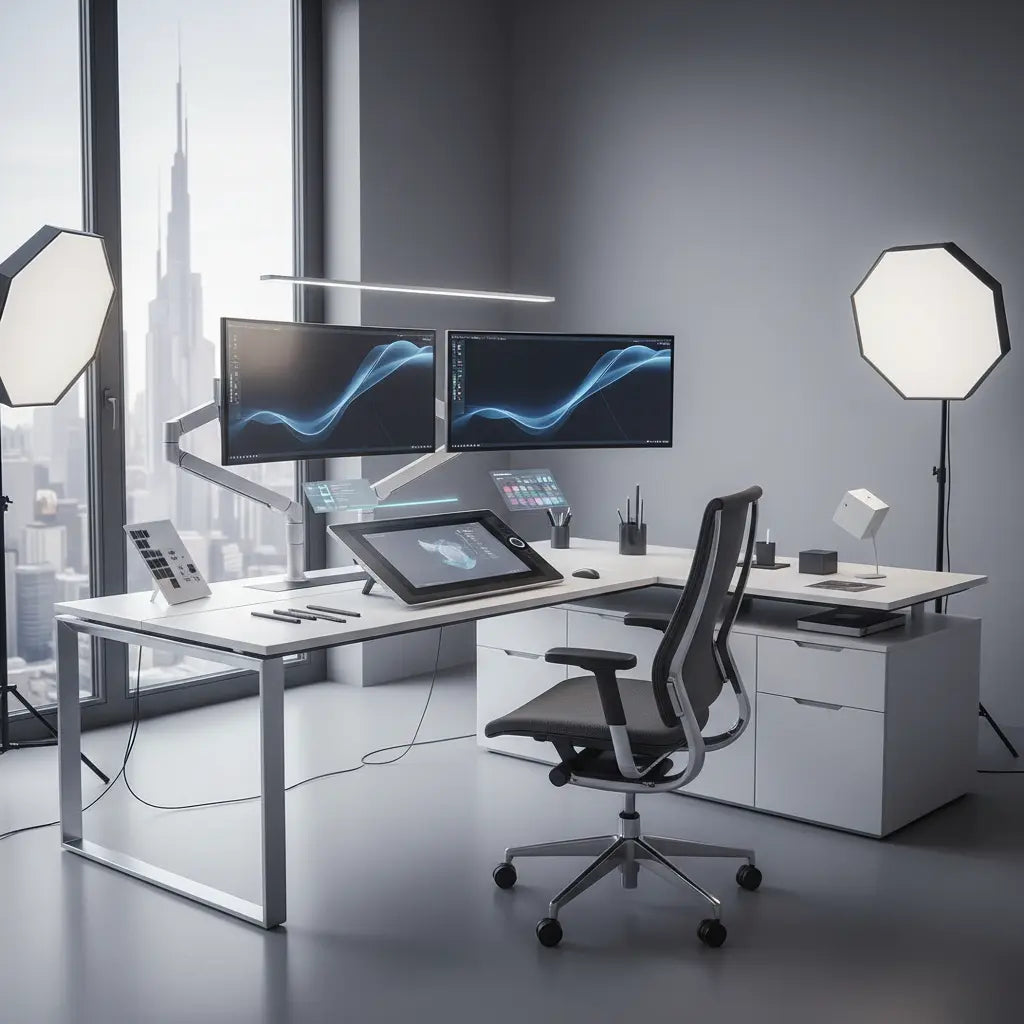
For professional digital artists in 2026, the L-shaped desk has transitioned from a simple office furniture choice to a specialized workstation essential. By providing two distinct zones—one for intensive drawing on large-format tablets and another for reference monitors and administrative tasks—the L-shaped configuration addresses the unique spatial and ergonomic challenges of modern illustration. Optimizing this setup requires a precise balance of surface depth, monitor arm stability, and lighting control to ensure both creative precision and long-term physical health.
Key takeaways
- Dual-Zone Efficiency: Utilize the L-shape to separate the "Active Drawing Zone" (tablet-focused) from the "Reference & Admin Zone" (monitor and peripheral focused) to minimize neck rotation and repetitive strain.
- Surface Depth Requirements: Ensure a minimum desk depth of 24 inches on the primary wing to accommodate professional tablets like the Wacom Cintiq Pro 27 without edge overhang.
- Structural Reinforcement: Use steel reinforcement plates when mounting heavy drawing tablets on monitor arms to distribute pressure and protect engineered wood surfaces from structural fatigue.
- Ergonomic Alignment: Position the drawing tablet at a 20-to-40-degree tilt to maintain a neutral wrist position while keeping the top of reference monitors at eye level to prevent cervical spine strain.
Why L-Shaped Desks are the Standard for Professional Illustrators
The workflow of a digital artist is fundamentally different from that of a standard office worker or a gamer. While a gamer might focus on a single screen and a keyboard, an illustrator often manages a large-format pen display, one or two high-resolution reference monitors, a keyboard for shortcuts, and potentially a secondary controller like a Loupedeck or Xencelabs Quick Keys. An L-shaped desk provides the necessary "reach radius" to keep all these tools within an ergonomic distance without cluttering the primary creative area.
By adopting an L-shaped layout, artists can implement modular furniture solutions for digital creators that adapt to different project phases. During the sketching phase, the artist can face the tablet directly. When transitioning to color grading or administrative work, a simple swivel of the chair brings the reference monitors and keyboard into focus. This "zone-based" approach is a cornerstone of professional home studio design principles, allowing for mental context switching and physical relief from static postures.
Logic Summary: The L-shaped recommendation is based on the "Golden Circle" ergonomic principle, which suggests that frequently used tools should be within a 14-to-18-inch radius of the body. A straight desk often forces tools outside this radius, whereas the L-shape brings the secondary zone closer to the user.
Spatial Planning: Accommodating Large-Format Tablets
In 2026, professional drawing tablets have reached sizes that demand significant desk real estate. A Wacom Cintiq Pro 27, for instance, measures approximately 27.6 inches wide and 18.9 inches deep. When you factor in the necessary clearance for the power and data cables—which often protrude from the top or sides—the physical footprint exceeds the depth of many standard "budget" desks.
When planning your layout, consider the corner of the L-shaped desk as the primary anchor point. Placing the tablet in the corner allows for maximum arm support on both sides, which is critical for large, sweeping brush strokes. However, this requires a desk with a curved or "chamfered" inner corner to allow the artist to sit close enough to the surface. If the desk has a sharp 90-degree inner corner, it is often better to place the tablet on the longer wing and use the shorter wing for reference screens.
| Equipment Type | Typical Dimensions (W x D) | Recommended Desk Depth | Weight Est. |
|---|---|---|---|
| Wacom Cintiq Pro 27 | 27.6" x 18.9" | 24" - 30" | 22.4 lbs |
| Huion Kamvas Pro 24 | 23.2" x 14.3" | 20" - 24" | 13.2 lbs |
| Dual 27" Monitors | 48.0" (combined) | 24" | 15-20 lbs |
| Keyboard & Macro Pad | 18.0" x 8.0" | 12" | 2-3 lbs |
Ergonomic Principles for Digital Art Creation
Long illustration sessions are notorious for causing "Tech Neck" and carpal tunnel syndrome. To combat this, your desk setup must prioritize ergonomic desk setup tips for long drawing sessions. The most common mistake is placing the drawing tablet flat on the desk. This forces the artist to hunch over, putting immense pressure on the cervical spine.
Instead, the tablet should be mounted on a heavy-duty arm or a dedicated tilt stand. A tilt of 20 to 40 degrees is generally considered optimal for most illustrators, as it mimics the angle of a traditional drafting table. Furthermore, your reference monitors should be positioned so that the top third of the screen is at eye level when you are sitting upright. This allows you to look up from your tablet to your reference screen with minimal head movement.

Logic Summary: These ergonomic ranges are derived from OSHA's Computer Workstation eTool and Cornell University's Ergonomics Web. The 20-40 degree tilt range is a heuristic that balances wrist neutrality with neck comfort; artists with existing back issues may prefer the higher end of the range.
Protecting Your Investment: Surface Safety and Stability
Professional digital art gear is heavy. A large tablet combined with a high-torque monitor arm can exert over 100 lbs of force on a single clamping point. If you are using an L-shaped desk made of engineered wood, it is vital to understand the material's limits. High-quality desks often meet Engineered Wood Safety: A Comprehensive Guide to CARB & TSCA Standards, ensuring that the materials are both durable and safe for indoor air quality by limiting formaldehyde off-gassing.
To prevent the monitor arm from "crushing" or warping the desk surface over time, always use a steel reinforcement plate. These plates distribute the clamping force over a larger surface area, preventing the localized stress that leads to structural failure. This is especially important for artists who frequently pull their tablet forward to draw and push it back to type, as the constant movement increases the mechanical stress on the desk.
For those looking for a robust foundation, a 60-inch L-shaped standing desk with integrated storage offers the structural integrity needed for heavy setups while allowing for height adjustments that can alleviate lower back pain during 10-hour workdays.
Advanced Cable Management for Multi-Device Setups
A professional artist's desk can easily become a "cable nest" with 3 to 5 devices requiring power and high-speed data. A typical setup includes a tablet (HDMI/DisplayPort + USB), two monitors, a keyboard, a mouse, and a charging station for a stylus or phone. Managing these on an L-shaped desk requires a strategic approach to avoid tangles that restrict the movement of your monitor arms.
Start by mounting a high-wattage USB-C hub or docking station to the underside of the desk. This allows you to run a single "umbilical" cable to your computer, while all individual device cables remain hidden beneath the surface. Use "J-channel" cable racers or mesh hammocks to route wires along the frame of the desk. When comparing optimal L-shaped desk configurations for dual monitor setups, look for models with built-in grommet holes, which provide a clean entry point for tablet cables right at the corner anchor point.
Logic Summary: The recommendation for a single-point docking station is based on reducing "cable drag." For artists using adjustable arms, cable drag can make the tablet feel heavy or jerky, interfering with fine motor control during detailed line work.
Lighting and Color Accuracy in the Digital Studio
Lighting is often the most overlooked aspect of a digital artist's workspace. Inconsistent lighting can lead to eye strain and, more importantly, "metamerism"—where colors look different depending on the ambient light. To achieve professional results, artists should aim to align their workspace with ISO 3664 standards, which govern viewing conditions for graphic technology and photography.
Avoid placing your L-shaped desk directly opposite a window, as the resulting glare on a glass tablet surface can be blinding. Instead, position the desk perpendicular to the window. Use high-CRI (Color Rendering Index) LED bulbs (95+) to ensure that the light in your room doesn't "tint" your perception of the colors on your screen. If you use an L-shaped desk with integrated LED strips, ensure they are set to a neutral white (approx. 5000K to 6500K) during color-critical work to avoid color contamination.
Left-Handed and Modular Configurations
Left-handed artists often face challenges with standard desk layouts, where the "short" side of the L is permanently fixed to the right. When selecting a desk, prioritize reversible designs. A reversible L-shaped desk allows you to install the return wing on either the left or right side, ensuring that your dominant hand has the most surface area for movement and that your shortcut keys are always within reach.
Modularity also extends to storage. Digital artists often need space for physical sketchbooks, backup drives, and traditional media. Choosing a desk with mobile filing cabinets or adjustable shelving ensures that your digital tools don't crowd out your traditional ones.
FAQ
What is the best desk depth for a Wacom Cintiq 24 or 27? For large tablets like the Wacom Cintiq 24 or 27 Pro, a desk depth of at least 24 inches is recommended, though 30 inches is ideal. This depth ensures that the tablet can be tilted comfortably without the bottom edge hanging off the desk, and it provides enough space for cables to exit the back of the device without being pinched against a wall.
Can I mount a heavy drawing tablet on a standard monitor arm? Yes, but you must check the weight capacity of the arm and the stability of the desk. Most professional tablets weigh between 15 and 25 lbs. You should use a heavy-duty gas-spring arm rated for at least 30 lbs to ensure the tablet stays in place when you apply pressure while drawing. Additionally, use a reinforcement plate to protect your desk surface from the high clamping force.
How do I prevent my L-shaped desk from wobbling while I draw? Wobble is often caused by uneven flooring or loose bolts. Ensure all cam-locks and screws are tightened during assembly. For L-shaped desks, the connection point between the two wings is the most common source of instability. Choosing a desk with a steel frame and adjustable leveling feet will significantly improve stability during intensive drawing sessions.
Is an L-shaped desk better than a straight desk for artists? For most artists, yes. An L-shaped desk provides approximately 30% more usable surface area within arm's reach compared to a straight desk of the same length. This allows for a dedicated "drawing zone" and a "reference zone," which improves ergonomics by reducing the need to constantly move equipment around to make space.
How should I position my reference monitors relative to my drawing tablet? Ideally, your reference monitors should be placed directly behind or slightly to the side of your drawing tablet. The top of the monitors should be at eye level when you are sitting in a neutral, upright position. This "stacked" or "side-by-side" configuration allows you to glance at references with minimal neck movement, reducing the risk of strain during long sessions.
What lighting is best for digital art to ensure color accuracy? The best lighting for digital art is indirect, neutral light with a high Color Rendering Index (CRI 95+). Aim for a color temperature of 5000K to 6500K, which mimics natural daylight. Avoid warm yellow lights or harsh overhead lights that create glare on your tablet's glass surface.
References
Government / Standards / Regulators
- OSHA Computer Workstation eTool: Components - Monitors
- California Air Resources Board (CARB) - Formaldehyde Standards
- EPA TSCA Title VI - Formaldehyde Emission Standards for Composite Wood Products
Industry Associations / Research Institutes
- ISO 3664:2009 - Graphic technology and photography — Viewing conditions
- Cornell University Ergonomics Web - Posture and Workspace Design
Platform Official Docs & Policies
Community
Explore our complete collection of L-shaped desks to find the perfect foundation for your digital studio.
