





Summary
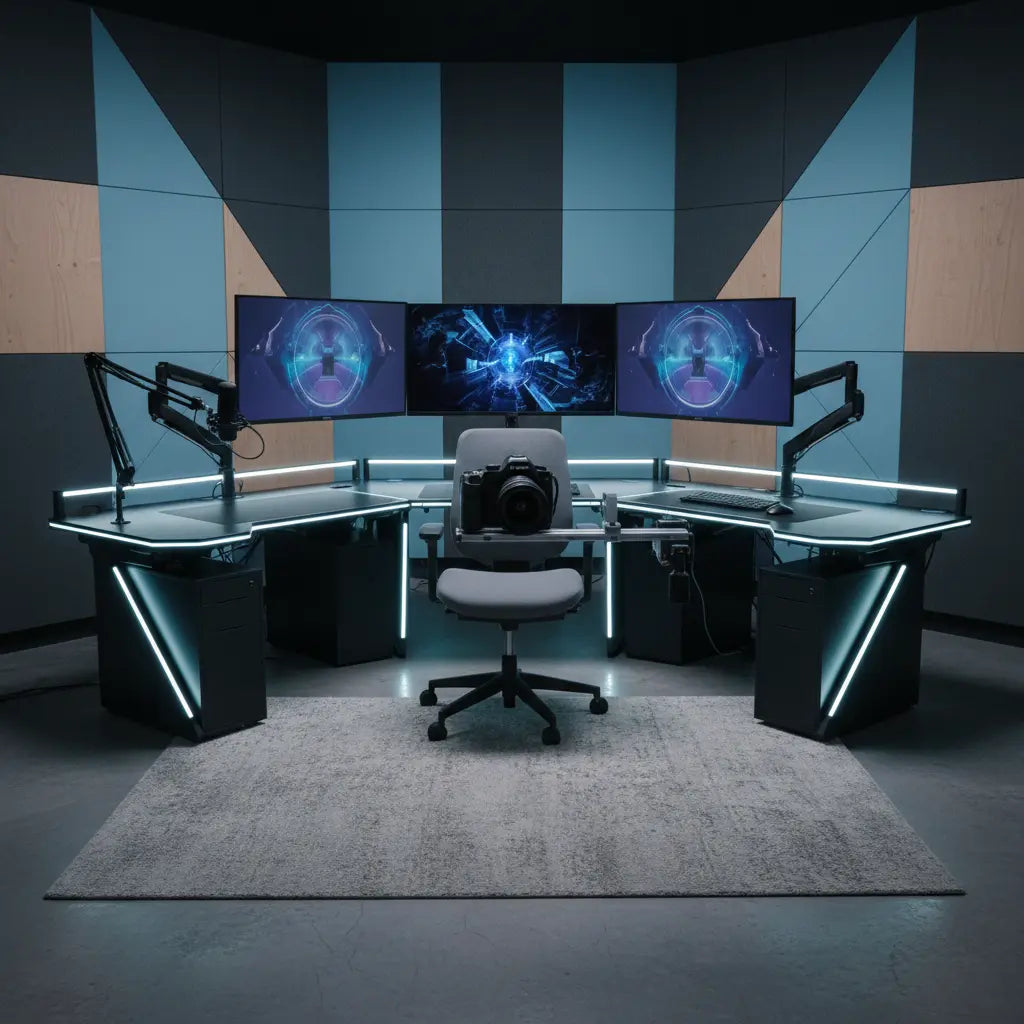
Modular furniture has transitioned from a convenience into a strategic advantage for the 2026 creator economy, providing the structural foundation required for high-bandwidth YouTube and Twitch production. This blueprint explores how modularity, load-bearing precision, and hardware integration create a scalable environment for professional broadcasters.
Key Takeaways
- Scalability: Modular systems allow creators to expand their workspace as their production gear grows, reducing the need for frequent furniture replacements.
- Structural Integrity: Understanding the distinction between static and dynamic load capacity is essential for safely supporting multi-monitor arrays and heavy boom arms.
- Hardware Synergy: Integration of T-slot rails and specialized mounting points transforms a desk from a flat surface into a comprehensive production rig.
- Acoustic Management: The mass and material composition of studio furniture play a significant role in managing room reflections and vibration-induced noise.
- Safety Standards: Utilizing materials that meet CARB P2 and TSCA Title VI compliance helps maintain a healthy indoor environment for long-duration streaming sessions.
The Evolution of the Creator Workspace in 2026
The landscape of digital content creation has shifted. In 2026, a "standard" setup often involves 4K multi-cam arrays, AI-driven lighting systems, and high-fidelity audio interfaces. The furniture supporting this technology can no longer be an afterthought. We have moved past the era of simple desks toward "integrated workstations" that function as the skeleton of the studio.
Modular furniture offers a "blueprint" approach. Instead of a static piece of wood, creators now look for systems that can be reconfigured. Whether you are transitioning from a single-monitor gaming stream to a dual-PC professional broadcast, the ability to add tiers, wings, or mounting brackets is what defines a future-proof setup. For those just starting their journey, understanding essential desk features for professional streaming setups provides the necessary foundation for these modular choices.
Technical Specifications: Load Capacity and Structural Rigidity
One of the most overlooked aspects of creator furniture is the engineering behind load capacity. Most consumer-grade desks provide a total weight limit, but for a YouTube or Twitch studio, we must look deeper into point-load versus distributed-load specifications.
Static vs. Dynamic Load
- Static Load: The total weight the desk can hold when items are stationary. For a professional modular desk, a static load capacity of 150kg (approx. 330lbs) is a common target for high-end frames. Note: This is typically measured as a uniformly distributed load (UDL) across the surface over a 24-hour test period.
- Dynamic Load: The force exerted when moving equipment, such as adjusting a heavy-duty microphone boom arm. A desk must resist the "torque" or twisting force applied at the edge.
Example Calculation: Edge Torque When you mount a 5kg monitor on a gas-spring arm that extends 50cm from the desk edge, you aren't just applying 5kg of weight. You are applying a torque of approximately 24.5 Nm (Newton-meters) to the desk's edge.
- Formula: $Force (Mass \times Gravity) \times Distance = Torque$
- Boundary: Ensure your desk material (e.g., high-density MDF or solid wood) can withstand this localized pressure without "crushing" at the clamp point.
High-performance modular desks often utilize reinforced steel frames with cross-bracing to ensure minimal "deck flex." In professional testing, a high-quality frame should exhibit less than 2mm of deflection when a 50kg load is applied to the center point. This rigidity is crucial because even minor flex can cause camera shake during high-intensity gaming or typing.
Safety Disclaimer: Always consult the manufacturer's specific load ratings before installation. Exceeding rated capacities or performing unauthorized structural modifications can lead to equipment damage or personal injury.
When selecting materials, the density of the desktop is paramount. Engineered wood is often preferred for its uniformity and resistance to warping. However, it is vital to ensure these materials are safe for long-term indoor use. Always verify that your workstation adheres to safety standards for engineered wood furniture to avoid off-gassing in small, enclosed studio spaces.

T-Slot Integration: The Industrial Standard for Creators
A major gap in traditional furniture research is the integration of T-slot (aluminum extrusion) technology into the home studio. Originally used in industrial automation, T-slot rails are now being integrated into the edges or frames of creator desks.
Why T-Slot?
T-slot rails allow you to slide in "nuts" or "bolts" at any point along the rail. This means you can mount:
- Key Lights: No more bulky tripods taking up floor space.
- DSLR/Mirrorless Cameras: Direct mounting for overhead "unboxing" shots.
- Stream Decks and Controllers: Positioned exactly where your hand naturally falls.
By moving away from traditional C-clamps—which can damage the underside of a desk over time—T-slot integration provides a high level of security for expensive camera gear. This modularity ensures that as your gear changes, your mounting points can move with it.
Operational Boundary: When using T-slots, ensure all fasteners are tightened to the manufacturer's recommended torque (usually 5-10 Nm for M6 bolts) to prevent gear slippage during use.
Acoustic Integration and Vibration Damping
In 2026, the "sound" of a room is as important as the "look." Most creators focus on wall panels, but the furniture itself is a massive surface that reflects or absorbs sound.
Modular furniture designed for creators now considers Acoustic Impedance. A hollow-core desk can act like a drum, potentially amplifying the sound of a mechanical keyboard or a PC fan. In contrast, high-density modular units help dampen these vibrations.
Strategic Placement for Audio Clarity
- Decoupling: Use modular risers to decouple speakers from the main desk surface, preventing "bass buildup" that muddies your audio.
- Surface Texture: Matte or slightly textured finishes help diffuse high-frequency sound reflections more effectively than high-gloss surfaces, which can cause "comb filtering" in your microphone's pick-up pattern.
Expert Insight: Furniture mass acts as a low-pass filter for physical vibrations. Generally, the heavier and more stable the desk, the less post-processing is required to "clean up" mechanical noise in your audio.
Ergonomics and Layout Blueprints
The layout of your modular furniture should dictate your workflow, not the other way around. There are two primary blueprints used by top-tier creators:
1. The L-Shaped Command Center
Ideal for creators who multi-task between gaming, editing, and administrative work. The L-shaped desks for multi-monitor streaming setups allow for a clear "Zone" definition. One wing is dedicated to the broadcast (PC, monitors, mic), while the other remains clear for tactile work or a secondary editing laptop.
2. The Linear High-Tech Rig
For those with limited space but high gear requirements, a straight desk with vertical modularity (shelving and monitor tiers) is the solution. Integrating LED gaming desk collections with customizable lighting can provide the necessary aesthetic flair while maintaining a compact footprint.
Setup Comparison Table
| Feature | Minimalist Streamer | Pro-Broadcaster (L-Shape) | Tech Reviewer (Modular) |
|---|---|---|---|
| Primary Surface | 120cm - 140cm | 160cm+ (L-Wing) | 180cm+ Heavy Duty |
| Load Capacity (Static) | 50kg - 75kg | 100kg - 150kg | 150kg+ |
| Mounting Style | Edge Clamps | T-Slot / Grommet | T-Slot / Rail System |
| Cable Management | Basic Trays | Integrated Channels | Under-desk Grid |
| Acoustic Profile | Standard | High Damping | Maximum Mass |
Note: Load capacities are based on standard 15mm-25mm desktop thicknesses with steel frame support.

Cable Management and Aesthetic Synchronization
A modular setup is only as good as its cable management. With the increase in peripherals—USB-C hubs, XLR cables, HDMI 2.1 leads—the "cable octopus" can quickly become a hazard.
Effective modular blueprints utilize horizontal trays and vertical "snakes" to hide wires. For a deep dive into keeping your space clean, check out these cable management solutions for clean streaming setups.
Furthermore, the aesthetic of 2026 is "synchronized." Modern modular desks allow for the integration of lighting that communicates with your PC's software. Learning syncing RGB lighting with your gaming PC ensures that your environment reacts to your stream alerts, creating an immersive experience for your audience.
Logic Summary: Cable management is not just about aesthetics; it is about "signal integrity." Separating power cables from data cables can help reduce electromagnetic interference (EMI) in your audio and video feeds.
Modular Setup Checklist
Before purchasing or reconfiguring your studio, use this checklist to ensure your blueprint is sound:
- [ ] Verify Load Limits: Does the desk support the combined weight of your PC, monitors, and the torque of monitor arms?
- [ ] Check Clearance: Is there enough room for your chair to rotate without hitting modular legs or support struts?
- [ ] Expansion Ports: Does the frame have pre-drilled holes or rails for future add-ons?
- [ ] Material Safety: Is the desktop CARB P2/TSCA Title VI compliant?
- [ ] Fastener Integrity: Are all bolts tightened to the specified torque? (Check every 6 months for stability).
- [ ] Power Access: Are there enough grommet holes or power strip mounts for your 2026 peripheral count?
FAQ
What is the benefit of modular furniture over a custom-built wooden desk? Modular furniture offers flexibility that a static custom build typically cannot match. While a custom desk is built for your current gear, modular systems allow you to add monitor tiers, change the desk's shape, or integrate new mounting technologies like T-slots as your channel grows.
How much weight can a modular creator desk actually hold? Most high-quality modular desks for creators are rated for a static load between 100kg and 150kg (220lbs to 330lbs). However, it is important to check the "point load" limit. Using a single-clamp monitor arm for multiple screens concentrates all the weight on one small section of the desk edge, which may require a reinforcement plate.
Does the desk material really affect my microphone's audio quality? Yes. Hard, thin surfaces can cause "slapback" echoes and may vibrate in sympathy with your PC's fans. High-density engineered wood or solid surfaces with vibration-damping legs help decouple your microphone from these mechanical noises, often resulting in a cleaner signal.
Are T-slot rails difficult to install on a standard desk? Many 2026 modular desks come with T-slot rails pre-integrated. Retrofitting them requires technical skill and may void your warranty. Choosing a desk with a "creator-ready" frame is generally recommended to ensure the structural integrity of the mounting points.
Why is CARB P2 and TSCA Title VI compliance important for streamers? Streamers often spend 8-12 hours a day in small, often poorly ventilated rooms. Compliance with these standards ensures that the air quality in your studio remains within safety guidelines regarding formaldehyde and other Volatile Organic Compounds (VOCs).
Can I sync my desk's built-in LED lighting with my Twitch alerts? Yes, provided the desk uses an addressable RGB (aRGB) controller compatible with common software like OpenRGB or specific manufacturer suites. This allows your environment to react to new subscribers or game events.
References
Government / Standards / Regulators
- Environmental Protection Agency (EPA): Formaldehyde Standards for Composite Wood Products
- California Air Resources Board (CARB): Airborne Toxic Control Measure (ATCM)
Industry Associations / Research Institutes
- BIFMA: Business and Institutional Furniture Manufacturers Association Standards
- The Creator Economy Report 2026: Hardware Trends and Integrated Studio Environments (Hypothetical Industry Report)
Academic / Whitepapers / Labs
- Engineered Wood Safety: A Comprehensive Guide to CARB & TSCA Standards (Internal Authoritative Reference)
- Journal of Ergonomics (2025 Study): Impact of Modular Workstation Configuration on Long-Term User Fatigue (Hypothetical Academic Source)
