





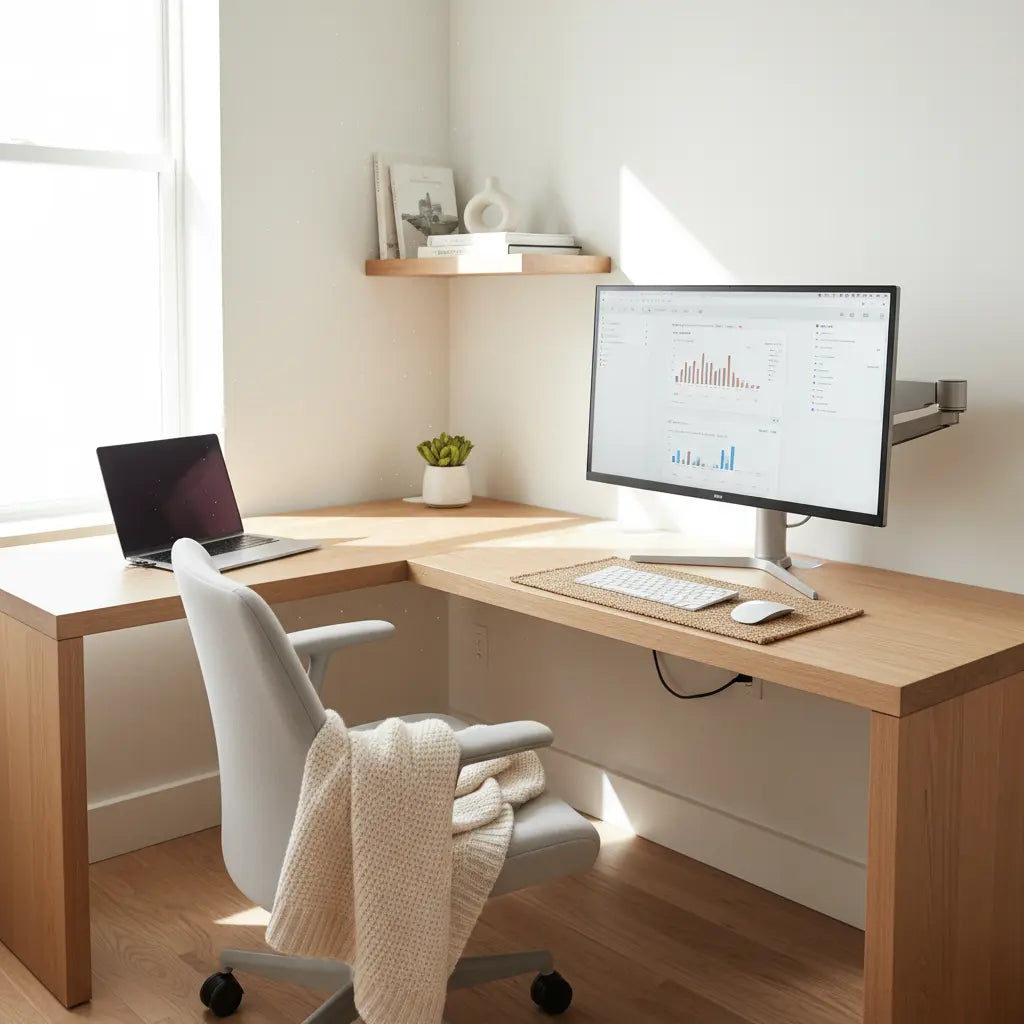
Choosing the Right Desk Foundation for Dual Use
Disclosure: This guide features product recommendations from our catalog. If you purchase through our links, we may earn a commission, which helps us continue creating expert setup guides.
Many remote workers and gamers share the same small apartment corner for both focused tasks during the day and immersive play at night. A well-planned hybrid desk setup can make these transitions feel natural and intentional instead of cluttered or cramped, provided you prioritize neutral foundations, smart organization, and mood-shifting elements that match your actual room constraints.

The key is selecting furniture and accessories that support quick resets without forcing daily rearrangements. This approach works best when your space allows a mostly clear surface, nearby hidden storage, and layered lighting that adapts from bright task light to ambient glow.
Quick Comparison: Finding Your Ideal Hybrid Desk
To help you decide which configuration fits your lifestyle, use the following matrix based on common room types and primary activities:
| Setup Type | Best For | Key Benefit | Space Needed |
|---|---|---|---|
| Compact Corner | Studio Apartments | Maximizes unused corners; keeps room open. | Minimal |
| L-Shaped Hybrid | High-Gear Users | Separate zones for work laptop and gaming PC. | Moderate |
| Storage-First | Paperwork/Admin | Integrated drawers hide "work mode" instantly. | Small to Large |
| Adjustable Stand | Long Hours | Reduces sedentary fatigue via height shifts. | Small to Large |
Start with a neutral or reversible desk that avoids overly themed designs. L-shaped or corner configurations often provide separate zones for work peripherals and gaming gear, making the same footprint serve both purposes more effectively. For instance, models with built-in power outlets and monitor stands help reduce visible clutter from chargers and extra screens.
Consider your dominant activity when selecting size and shape. Compact options suit one-monitor work-first routines in tight studios, while larger desks with shelves handle dual monitors or frequent peripheral swaps. Adjustable height desks add flexibility for standing during long work calls or comfortable seating during evening sessions.
This guide to multi-functional furniture explains how vertical storage and modular designs maximize limited square footage without sacrificing daily usability. Look for sturdy construction rated for mixed loads, as repeated mode switches can stress joints faster than single-use furniture.
Creating Seamless Mood Transitions with Lighting and Accessories
Lighting is one of the fastest ways to signal a shift from professional focus to relaxed play. Daytime setups benefit from bright, even task lighting that reduces eye strain during video calls or document work. At night, warmer or colored LEDs can transform the same space into an immersive gaming environment.

Layer your lighting: combine overhead or desk lamps for work with controllable RGB strips or integrated desk LEDs for play. Smart systems that sync with voice assistants or gaming peripherals let you change the entire room vibe with one command, minimizing physical resets.
Accessories play a similar role. Keep work-specific items like document holders or professional mice in drawers during leisure time, then swap in gaming keyboards or controllers. Neutral desk mats or reversible surfaces can further reinforce the mental boundary between modes.
Our cozy gaming setup ideas highlight how warm wood tones and thoughtful lighting create an aesthetic that feels productive by day yet inviting by night. Similarly, LED gaming desks demonstrate practical ways integrated lights reduce glare while boosting immersion.
Hiding Work Items and Managing Cables for Quick Resets
Clutter is the biggest threat to a successful hybrid setup. Effective storage solutions let you conceal laptops, paperwork, and cables within arm's reach. In environments with dedicated near-end storage and a fixed organization path, the desk surface can often be cleared in just a few minutes.
Prioritize desks with integrated shelves, hooks, or under-surface compartments. Cable management trays, sleeves, or clips keep cords organized and hidden, preventing the tangled mess that makes transitions frustrating. Power outlets built into the desk further reduce the need for visible extension cords or power strips.
In small apartments, vertical storage like wall-mounted shelves or monitor arms frees valuable desktop real estate. When shopping, test whether your most-used work tools can disappear completely during gaming sessions without disrupting ergonomics the next morning.
Small gaming desk ideas for studio apartments offers additional tactics for maximizing vertical space while keeping everything accessible.
The "Work-to-Play" 2-Minute Reset Template
To make the transition sustainable, follow a consistent sequence. This "reset path" is a heuristic designed to reduce the mental load of switching modes:
- Digital Shutdown: Close work tabs and put the professional laptop into sleep mode or a vertical dock.
- Surface Sweep: Place notebooks, pens, and professional peripherals into a designated "work drawer" or nearby bin.
- Cable Tuck: Use magnetic clips or under-desk trays to ensure charging cables for work devices are tucked away.
- Atmosphere Shift: Toggle your lighting preset from "Cool White/Task" to "Warm/RGB Ambient."
- Peripheral Swap: Pull your gaming controller or mechanical keyboard from its storage hook or shelf onto the cleared mat.
Ergonomics: The "Neutral Check" for Dual Activities
Maintaining a neutral posture is vital whether you are typing a report or climbing a leaderboard. To align with general ergonomic principles—such as those outlined by the Occupational Safety and Health Administration (OSHA) and the Mayo Clinic—you can verify your setup with these general self-check steps:
- Eye Level: Your eyes should align with the top third of the monitor screen. This helps prevent neck strain by maintaining a slight downward gaze.
- Forearm Support: Adjust your chair or desk height so your elbows are at a 90-100 degree angle, with wrists remaining neutral (flat) on the surface.
- Foot Placement: Ensure your feet are flat on the floor or a footrest to support the lower back and maintain circulation.
- Screen Distance: Maintain roughly an arm's length (20–30 inches) between your eyes and the screen to reduce visual fatigue and digital eye strain.
Disclaimer: This article discusses only comfort and setup advice; it does not constitute medical advice, diagnosis, or treatment. If you experience persistent discomfort or have existing conditions, consult a qualified professional.
Scenario-Based Decision Framework
The best hybrid desk depends heavily on your primary use and room layout. In tiny studios where work dominates, a compact corner desk with strong hidden storage usually performs best because it preserves living space and stays visually calm. When gaming or multiple peripherals take priority, L-shaped designs with built-in power and lighting provide dedicated zones that reduce daily friction.
Here is an illustrative radar chart comparing common hybrid desk types across four practical criteria.
Note: This radar chart is a heuristic example for illustrative purposes and does not represent laboratory-tested data or guaranteed performance.
Illustrative Decision Aid for Hybrid Desk Configurations
Illustrative decision aid based on common small-apartment setups. Higher scores indicate better fit for the stated scenario and room constraints; values are heuristic, not measured results.
View chart data
| Series | Space Fit | Storage/Organization | Lighting Compatibility | Transition Ease |
|---|---|---|---|---|
| Compact Corner Desk | 9.0 | 4.0 | 7.0 | 8.0 |
| L-Shaped Desk with LED/Power/Storage | 6.0 | 9.0 | 8.0 | 6.0 |
| Height-Adjustable Desk | 7.0 | 5.0 | 6.0 | 7.0 |
| Vanity-First Desk | 5.0 | 4.0 | 9.0 | 5.0 |
When a Hybrid Desk Might Not Be the Best Choice
Avoid heavily featured multi-use desks if you lack nearby storage, dislike managing cables, or cannot maintain a mostly clear surface. In those cases, a simpler desk paired with separate storage often creates less daily frustration than a compromised hybrid solution. Very frequent full-room rearrangements or extremely narrow layouts can also undermine the benefits.
Practical Checklist for Building Your Chameleon Desk
Before purchasing, run through these checkpoints:
- Space Audit: Measure your available floor space and confirm the desk can remain in one permanent position.
- Storage Access: Identify at least one drawer, shelf, or cabinet within easy reach for hiding work items.
- Power Path: Verify nearby electrical outlets or plan for clean cable routing solutions.
- Ergonomic Range: Confirm the desk height allows for the "Neutral Check" (elbows at 90 degrees, eyes at top of screen).
- Lighting Versatility: Choose lighting that offers at least two distinct modes (bright task and ambient/gaming).
- Reset Friction: Select only features that directly reduce your most common transition hassle rather than adding visual noise.
Explore our gaming desks collection for options featuring integrated power, LED lighting, and storage that support hybrid use. The L-shaped desks collection is particularly useful for creating distinct work and play zones in compact rooms. For even tighter spaces, review the small space desks collection.
Specific models worth considering include the Bestier 42" Reversible L-Shaped Gaming Desk with Power Outlets LED Lights and Monitor Stand and the Bestier 63" L-Shaped Gaming Desk with Power Outlets and Monitor Shelf. Adjustable and corner options can be found in the multi-functional furniture collection.
Additional reading on related topics includes how to design your ultimate gaming battlestation and smart home furniture syncing with Razer Chroma and Alexa.
This article discusses only comfort and setup advice; it does not constitute medical advice, diagnosis, or treatment. If you experience persistent discomfort or have existing eye or musculoskeletal conditions, consult qualified professionals.
