





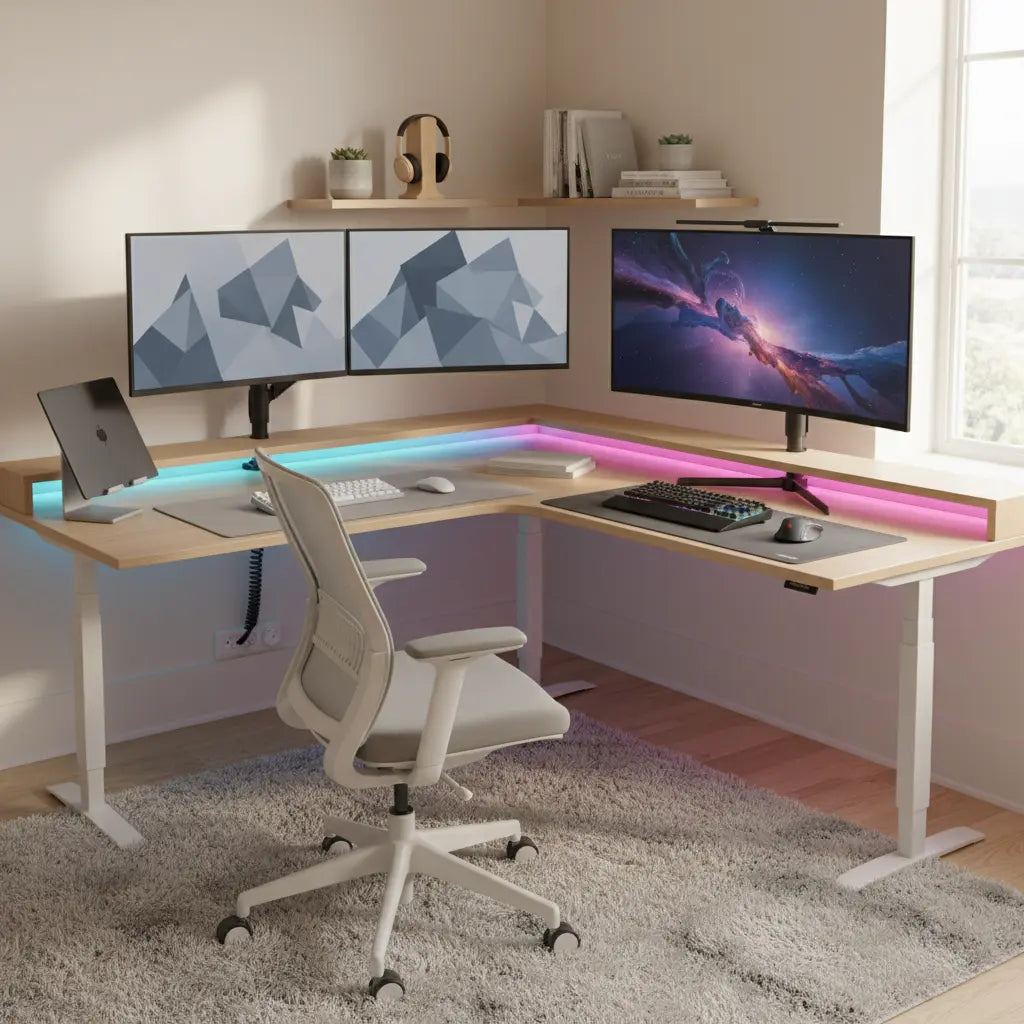
Creating a single desk that supports both focused work-from-home tasks and immersive gaming sessions helps digital nomads and apartment dwellers reclaim valuable square footage. The key is selecting furniture and accessories that prioritize ergonomics, flexible layout, and easy mode switching rather than trying to force one rigid configuration for every user.
With the right planning, your workstation can shift from a clean, professional environment during the day to a high-performance gaming rig in the evening without constant rearranging. This approach works especially well in small apartments, bedrooms, or shared living spaces where dedicated rooms are not an option.
Choosing the Right Desk for Dual Use
The foundation of any successful dual-purpose setup is the desk itself. Look for models that offer sufficient surface area for a monitor, keyboard, mouse, laptop or second display, and peripherals while still fitting within compact footprints. Official ergonomic guidance consistently recommends choosing a desk with enough width and depth to place equipment comfortably without crowding the surface.
An L-shaped desk often provides the best balance for small spaces because it utilizes corners efficiently and creates distinct zones—one side for work monitors and the other for gaming accessories. Straight desks can work too, particularly in narrower rooms, but they may require more careful accessory planning to avoid clutter.
Here is an illustrative comparison of layout suitability across common compact room sizes:
Desk Layout Suitability for Compact Gaming + WFH Setups
Illustrative suitability guide for compact rooms; higher values mean a better fit, not a measured performance score.
View chart data
| Category | Straight Desk for Work-heavy Use | Straight Desk for Mixed Use | L-shape Desk for Corner Use |
|---|---|---|---|
| Under 8x8 ft | 2.0 | 3.0 | 5.0 |
| 8x8 to under 10x10 ft | 4.0 | 4.0 | 5.0 |
| 10x10 ft or larger | 5.0 | 4.0 | 3.0 |
Heuristic chart synthesized from the user’s stated thresholds (48–52 inch dual-monitor minimum; L-shape favored for corner spaces under 10x10 ft) plus ergonomic desk-surface and monitor-placement guidance attributed to Mayo Clinic and Mount Sinai. Values are illustrative suitability scores, not official measurements.
As this heuristic shows, L-shaped designs tend to perform better in very tight corner spaces, while straight desks gain appeal as room size increases and work-focused monitor alignment becomes more important. Always measure your actual space, including chair clearance, before purchasing.
Popular options include L-shaped models with built-in power outlets and cable channels that simplify transitions between modes. For example, the Bestier 52 Inch L-Shaped Gaming Desk with USB Ports combines storage, charging ports, and reversible shelves that help maintain a tidy appearance during video calls.

Ergonomic Setup for Both Work and Gaming
Proper positioning remains critical whether you are answering emails or competing online. Place the monitor straight in front of you, behind the keyboard, at about arm's length for a shared work-and-play setup, according to Mayo Clinic office ergonomics guidance.
Keep the keyboard and mouse in a neutral position so your shoulders stay relaxed and your wrists avoid awkward bends, as recommended in ergonomic resources from Mount Sinai.
Set the top of the monitor at or slightly below eye level to reduce neck strain. This baseline from Texas Tech University health resources applies equally to professional tasks and long gaming sessions.
A monitor arm can make it easier to position one or two displays at the right height and distance for quick switching between work and gaming. Consider adjustable arms that support both single and dual-monitor configurations.
Use a quick self-check: monitor near eye height, elbows relaxed, and hands positioned comfortably at the keyboard. This practical checklist drawn from official workstation self-assessment tools helps personalize the setup to your body rather than forcing awkward postures.
If your desk height is fixed, use adjustable accessories so the monitor and keyboard can still land in a comfortable position. Standing desk converters or monitor risers offer flexibility in rental apartments where permanent modifications are not allowed.
Managing Cables and Power for Seamless Mode Switching
Cable management separates a professional-looking workstation from a cluttered gaming station. Route cables through built-in channels or under-desk trays to keep the surface clean for both video calls and late-night raids.
Keep the workspace’s electrical setup simple and direct, with enough outlets for the equipment you actually use. Direct wall connections reduce reliance on power strips where possible, following safety checklists from university environmental health departments.
Many modern gaming desks include integrated power outlets and USB ports that support both a work laptop and a gaming PC without constant unplugging. Models like the Bestier 48 Inch LED L-Shaped Gaming Desk with Monitor Stand provide these features along with reversible storage that helps organize controllers, headphones, and notebooks.

For additional ideas on keeping everything tidy, explore 5 Cable Management Hacks for LED Gaming Desks.
Lighting and Ambiance That Works for Both Modes
Lighting affects both productivity and gaming immersion. Use adjustable task lighting for focused work periods and controllable RGB or LED strips for evening sessions.
Treat monitor placement and lighting as a single ergonomics decision rather than separate afterthoughts. During work hours, prioritize even, glare-free illumination. In gaming mode, subtle bias lighting behind monitors can reduce eye strain while creating atmosphere.
Our guide comparing RGB vs. LED Lights: Which Is Better for Gaming Setup? provides more detail on balancing these needs.
Storage and Organization Strategies
Dedicated storage prevents the desk from becoming overwhelmed. Use vertical shelves, drawer units, or reversible storage panels to keep work documents separate from gaming accessories.
In small spaces, multi-functional furniture shines. Consider desks with cup holders, headset hooks, and hidden compartments that maintain a clean aesthetic during professional meetings.
The Bestier L Shaped Desk collection includes several models designed specifically for these hybrid environments.
Common Pitfalls to Avoid
Avoid assuming one layout works for everyone. Compact apartments often require different solutions than larger bedrooms. Test your setup with actual equipment before committing to permanent cable routing.
Do not ignore ergonomics even during gaming. Poor posture during long sessions can lead to discomfort regardless of activity type. Adjust the monitor height and chair position to fit your body instead of forcing the body to fit the desk.
For those transitioning from traditional office desks, review Gaming Desk vs. Office Desk: Which is Better for WFH? (2026 Guide) to understand the trade-offs.
Quick Setup Checklist
- Measure your available floor space and wall clearance first
- Position primary monitor at arm’s length and eye level
- Route all cables before connecting devices
- Test both work and gaming configurations during daylight hours
- Add one task lamp and one ambient light source
- Keep frequently used items within easy reach but off the main work surface
- Verify electrical load does not exceed outlet capacity
Following these steps creates a flexible foundation that adapts as your needs evolve.
Final Thoughts
A well-designed dual-purpose setup demonstrates that you do not need separate spaces for productivity and play. Focus on ergonomic principles, smart storage, and flexible accessories that support quick transitions. Results depend heavily on your specific room dimensions, body size, and equipment choices, so treat the guidance above as a starting framework rather than a universal template.
This article discusses comfort and setup advice only. It does not constitute medical advice, diagnosis, or treatment. If you experience persistent discomfort or have existing conditions, consult qualified professionals.
For more ideas on maximizing limited space, see our guide to Small Space Living: The Ultimate Guide to Multi-Functional Furniture or explore Bestier Home Office Furniture.
