





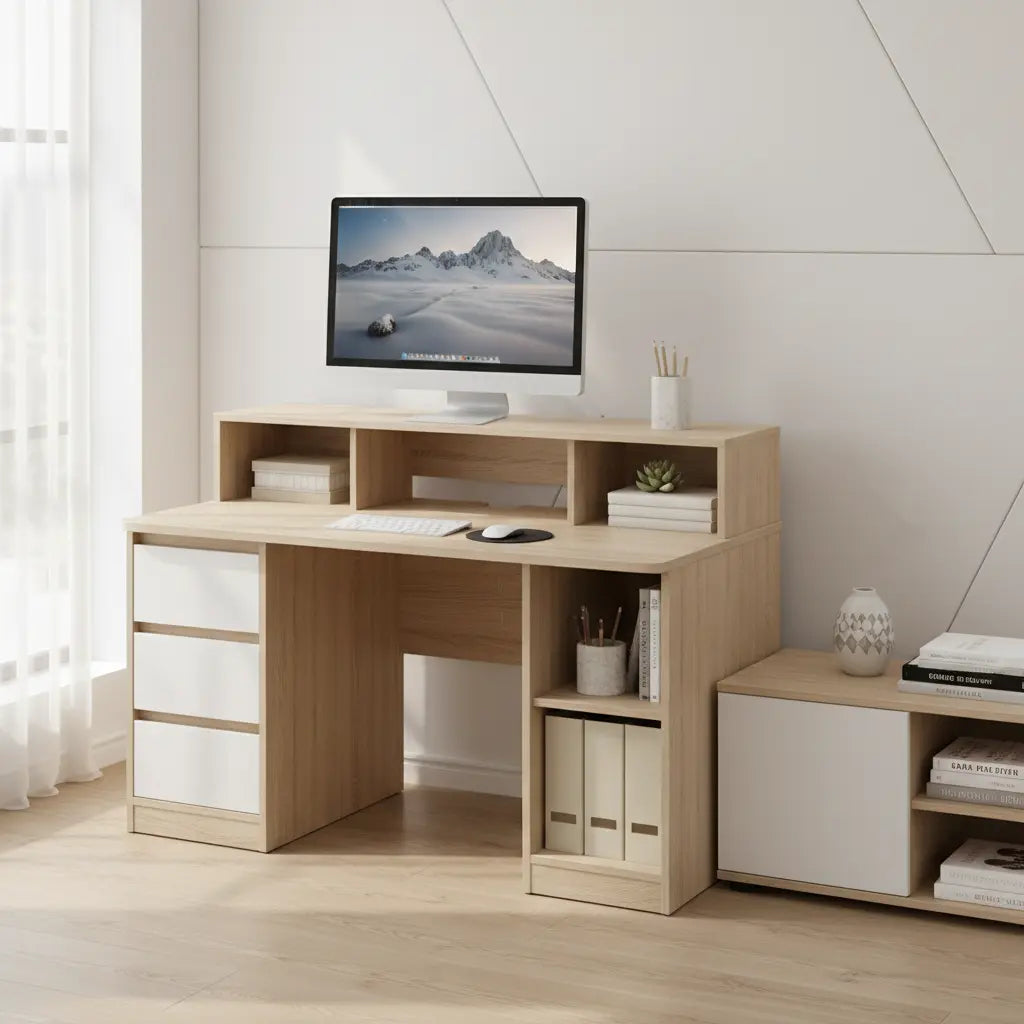
Why a Monitor Shelf Matters for Ergonomics and Space
A monitor shelf or riser elevates your screen so the top of the display sits near eye level—a position often recommended by ergonomic specialists to help maintain a neutral neck posture. By lifting the screen, you reduce the tendency to hunch forward, which can mitigate strain during long work or study sessions.
Beyond posture, the integrated shelf design significantly increases desktop real estate. Instead of a bulky monitor base occupying the center of your workspace, the shelf creates a "double-decker" effect. This frees up the main surface for a keyboard, mouse, or notebook. For those working in studio apartments or small bedrooms, this extra usable surface often makes the difference between a cluttered desk and a functional workstation.
As explored in The Ergonomic Blueprint: Optimizing Your Desk for Health and Focus, proper screen height is a foundational element of a healthy setup. However, because everyone’s torso height and chair settings differ, it is important to verify that a fixed shelf aligns with your specific eye level.
Note: This article discusses general comfort and setup trends; it does not constitute medical advice. If you experience persistent neck or eye strain, consult a healthcare professional.
Key Benefits of Built-in Storage in Budget Desks
In a budget-friendly setup, storage isn't just about "having drawers"—it's about maximizing a small footprint. Integrated shelves and compartments help keep essentials organized and within arm's reach, preventing the "desk creep" where accessories slowly take over your typing area.

Commonly observed effective storage configurations include:
- Open Shelving: Ideal for items you grab frequently, like headphones, tablets, or reference books.
- Side Pockets/Bags: A popular feature in budget gaming desks for stowing lightweight items like magazines or cables without taking up legroom.
- CPU Shelves: Lower tiers that keep your computer tower off the floor, protecting it from dust and accidental kicks.
When evaluating storage, we recommend checking the internal dimensions of drawers or shelves. A common pitfall is assuming a shelf will fit a standard 1-inch binder or a specific laptop model, only to find the clearance is slightly too tight.
For more on layout efficiency, see our Ultimate Guide to Small Space Home Office Design.
How to Choose the Right Size and Configuration
The "right" desk size is a balance between your equipment needs and your floor plan. While a 40-inch desk might fit a corner perfectly, it may feel cramped if you use a full-sized keyboard and a large mousepad.
- Single-Monitor Users: A 42–48 inch width is typically the "sweet spot" for efficiency in tight spaces.
- Dual-Monitor Users: We generally suggest a width of at least 55 inches or an L-shaped configuration. This ensures both monitors fit on the elevated shelf without overhanging the edges, which can compromise stability.
The Stability Factor: Budget desks often use lighter frames to keep costs down. To ensure your monitors don't wobble while typing, look for designs with reinforced "X" bracing or thicker metal legs. Reading recent user reviews specifically for "wobble" or "vibration" can provide a realistic expectation of how the desk handles the weight of multiple screens.
Size Fit Comparison for Different Needs
Desk Size Fit by Room and Monitor Needs
Illustrative fit guide based on the provided product range and room-use scenarios; not measured performance data.
View chart data
| Category | Small room fit | Dual monitor fit | Storage priority fit |
|---|---|---|---|
| 41–45 in | 5.0 | 1.0 | 2.0 |
| 46–52 in | 3.0 | 3.0 | 4.0 |
| 53–61 in | 1.0 | 5.0 | 5.0 |
Illustrative heuristic built from the provided context: internal desk sizes span 41–61 inches, with compact desks favored for small rooms, wider desks for dual monitors, and storage/shelf options helping organization. Scores are relative fit levels on a 1–5 scale, not measured test results.
This chart provides estimated fit scores (1–5) based on typical user feedback and equipment dimensions. Your experience may vary based on specific monitor stand sizes and room layouts.
Don't Buy If...
While desks with integrated shelves are highly functional, they aren't for everyone. You might want to reconsider this style if:
- You use a Monitor Arm: Most integrated shelves are not designed to support the concentrated clamping force of a heavy-duty monitor arm.
- You require "Deep Work" Space: If you are an artist or architect needing a deep, flat surface for large sketchbooks or tablets, the shelf may actually get in the way.
- You are exceptionally tall or short: Fixed shelves lack the adjustability of separate risers. If the shelf height doesn't align with your eye level, it could lead to more discomfort rather than less.
If you need maximum flexibility, a standard flat desk paired with a separate, adjustable riser might be a better investment. Check our Student Dorm Desk Hacks for more versatile layout ideas.
Top Budget Desk Features to Look For
To get the most value, prioritize these practical specifications:
- Usable Depth: As a rule of thumb, look for at least 20–24 inches of clearance in front of the monitor shelf. This ensures your wrists aren't hanging off the edge while typing.
- Weight Capacity: Check the manufacturer's rating for the shelf specifically. A standard 27-inch monitor can weigh 10–15 lbs; ensure the shelf won't "flex" or bow over time.
- Material Standards: Look for engineered wood that mentions compliance with indoor air quality standards, such as CARB Phase 2 or TSCA Title VI, which are common benchmarks for home furniture safety.
- Reversible Layouts: Some budget L-shaped desks allow you to install the storage on either the left or right side, which is vital for adapting to different room corners.
For dual-monitor strategies, see Optimizing Dual Monitor Setups for Small Bedroom Workspaces.
Practical Buying Checklist
Before clicking "buy," run through this final verification:
- Floor Clearance: Measure your floor space and the swing of your office chair.
- Monitor Base Width: Ensure your monitor's feet actually fit on the shelf's depth (many shelves are only 6–7 inches deep).
- Knee Room: Check the height of any under-desk drawers to ensure they won't hit your knees when you sit.
- Cable Paths: Look for desks with pre-drilled grommets or "cut-out" corners to prevent a tangled mess of wires behind the shelf.
- Assembly Complexity: Review user feedback on assembly time; budget desks often require 1–2 hours of setup.
Recommended Options from Our Collection
Based on the criteria of stability, storage, and value, here are three standout options:
- Best for Corners: The Bestier 47-inch Small L Shaped Desk with Storage Shelves is a top choice for students. Its multi-tier shelving maximizes vertical space without a massive footprint.
- Best for Dual Monitors: The Bestier 61 Inch Gaming Desk with Shelves & Storage Bag provides the width needed for two screens and includes a side storage bag for easy cable/accessory management.
- Best for Small Spaces: The Bestier 41.7 inch Gaming Desk with LED Monitor Stand offers a compact footprint with a built-in riser, making it ideal for bedroom "cloffice" setups.
Explore the full Bestier L Shaped Desk collection or All Desks to compare specific dimensions.
Final Considerations for Long-Term Satisfaction
A budget desk is an investment in your daily productivity. While price is important, the "cheapest" option often costs more in the long run if it lacks stability or doesn't fit your equipment. Focus on a model that supports your current hardware while leaving a little room for a future second monitor or a larger keyboard.
For more detailed setup tips, visit our Ergonomic Gaming Desks with Monitor Risers Guide.
Disclaimer: Individual comfort varies based on height, posture, and usage. Always verify product dimensions and weight limits against your specific equipment before purchasing.
Ready to find your perfect fit? Browse our sale collection for the latest deals on storage-focused desks.

