





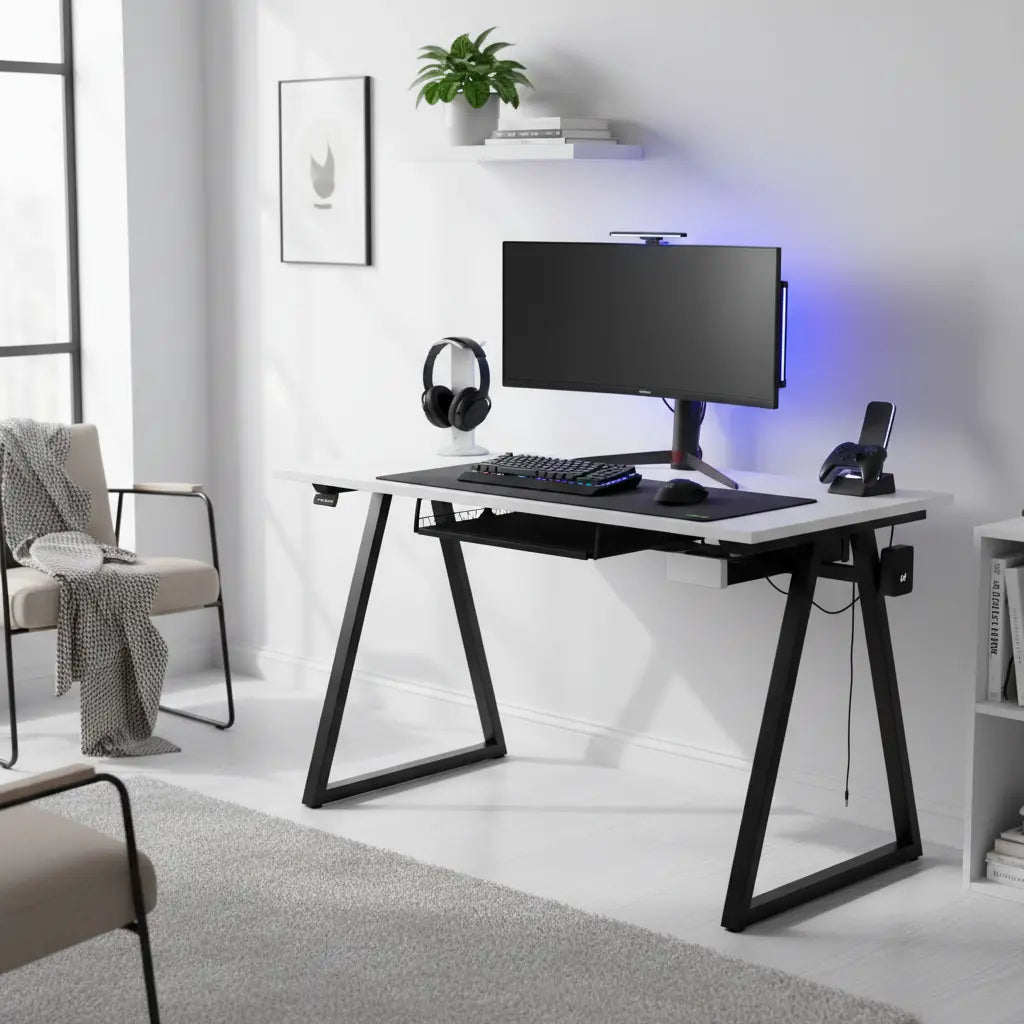
In 2026, urban gamers and students no longer need a dedicated room to enjoy a clean, high-performance battlestation. The right budget gaming desk can deliver dual-monitor support, cable management, power outlets, and even RGB lighting while fitting comfortably into a studio apartment or dorm room. The key is choosing compact, layout-smart designs that maximize vertical space rather than dominating floor area, so your setup feels organized instead of cramped.

Why Space-Saving Gaming Desks Matter in Small Apartments
Small apartments and dorms force tough choices between functionality and footprint. Traditional full-size gaming desks often overwhelm limited square footage, making the room feel smaller and creating clutter around peripherals. Budget-conscious buyers in these spaces seek desks that support serious setups—dual monitors, gaming PCs, streaming gear—without sacrificing stability or aesthetics.
Compact designs with built-in storage, reversible layouts, and vertical shelving help solve this by turning dead corner space or wall areas into usable real estate. Features like integrated power outlets reduce the need for extra cords, while thoughtful cable management keeps everything tidy. The result is a dopamine-boosting battlestation that works for both gaming and remote work in the same small footprint.
According to apartment and dorm furnishing guidance from Boston University, prioritizing versatile, compact pieces prevents furniture from dominating limited rooms. This principle applies directly to gaming desks, where every inch counts.
L-Shaped vs Straight Gaming Desks: Which Fits Your Small Space Better?
Desk shape is one of the most important decisions for small apartments. Neither option is universally superior; the best choice depends on your room layout and how you use the space.
Straight desks tend to excel in narrow rooms or along a single wall. Their linear footprint makes them easier to place in tight bedrooms or shared apartments, and they often feel less visually imposing. However, they typically offer less surface area for dual monitors and peripherals compared to corner designs.
L-shaped desks shine in corner placements common in studio apartments. They provide more workspace for multiple monitors and gear while using otherwise wasted corner space efficiently. The reversible nature of many modern L-shaped models lets you configure the longer side to match your room's longest wall. The downside is that some L-shaped designs can feel bulkier in very narrow rooms.
A middle-ground option is the compact corner desk, which blends elements of both. These designs often include vertical storage shelves or monitor stands that free up desktop real estate.

This guide to choosing desk size recommends at least a 47-inch desk for a single monitor setup and 55 inches or more for dual monitors, emphasizing the importance of depth and layout over raw width alone.
Here's an illustrative comparison of how different budget desk shapes perform across key small-apartment criteria:
Illustrative Trade-offs of Budget Desk Shapes for Small Apartments
Illustrative comparison only: relative scores show fit trade-offs for small apartments, not measured performance.
View chart data
| Series | Space Efficiency | Monitor Capacity | Budget Fit | Multi-use Potential | Narrow-Room Fit |
|---|---|---|---|---|---|
| Straight Desk | 4.0 | 3.0 | 5.0 | 3.0 | 5.0 |
| L-Shaped Desk | 3.0 | 5.0 | 3.0 | 5.0 | 2.0 |
| Compact Corner Desk | 5.0 | 4.0 | 4.0 | 4.0 | 4.0 |
Illustrative heuristic scores derived from brief guidance: straight desks suit narrow rooms; L-shaped desks work well for corners and multi-use setups; size guidance suggests roughly 47 in for a single monitor and 55+ in for dual monitors. Budget fit reflects the under-$200 target as a relative judgment, not a market price survey.
These scores are illustrative heuristics only, based on common small-space guidance. Actual suitability depends on your exact room dimensions and setup needs.
Must-Have Features for Budget Gaming Desks in 2026
When shopping under $200, prioritize these practical features that deliver the most value in compact living:
-
Integrated Power Outlets and USB Ports: Built-in AC sockets, USB, and Type-C charging eliminate extra power strips and reduce cord clutter. Always follow proper electrical safety—avoid daisy-chaining power strips or extension cords, as noted in official electrical safety guidance.
-
Cable Management Solutions: Grommets, hooks, and under-desk routing keep wires organized and out of sight. Good cable management improves both safety and aesthetics in small rooms.
-
RGB Lighting and Monitor Stands: Subtle LED strips add atmosphere without taking extra space. A raised monitor stand frees desktop area for keyboards and controllers while improving ergonomics.
-
Vertical Storage and Shelves: Hooks, side shelves, and multi-tier designs maximize wall and corner space. This is especially valuable in dorms and studios where floor space is at a premium.
-
Reversible L-Shaped Configurations: Flexibility to flip the desk orientation lets you adapt to different room layouts over time.
The Bestier 42" Reversible L-Shaped Gaming Desk exemplifies many of these features with its power outlets, LED lights, monitor stand, storage shelves, and hooks—all in a compact, apartment-friendly footprint.
Ergonomics and Setup Tips for Small Battlestations
Even the best desk won't feel comfortable if your monitor placement causes strain. Place the monitor so the top of the screen sits at or slightly below eye level and keep it at a comfortable viewing distance, as recommended by the Canadian Centre for Occupational Health and Safety monitor positioning guide.
In tight spaces, consider these practical checkpoints before buying:
- Measure your available floor space and corner dimensions twice.
- Test whether your monitors (including stands and bezels) will fit the desk depth without crowding your keyboard and mouse.
- Check wall clearance for any vertical shelving or cable routing.
- Verify the desk height works with your chair for proper arm and wrist positioning.
- Confirm the power outlet locations match your room's electrical setup.
Our small gaming desk ideas for studio apartments and dorms offers more detailed layout inspiration for 2026.
Budget Gaming Desk Buying Checklist
Use this actionable checklist to evaluate options quickly:
- Does the desk fit your primary room layout (corner vs straight wall)?
- Is there sufficient depth for your monitor count and peripherals?
- Does it include power outlets or at least good cable management?
- Can you add vertical storage without blocking movement paths?
- Is the build stable enough for your gaming equipment weight?
- Does the overall aesthetic match your room's existing decor?
If you're furnishing on a tight budget, review these tips to furnish your apartment or dorm for broader strategies that pair well with smart desk selection.
Common Mistakes to Avoid
Many first-time buyers overestimate how much surface area they need and end up with a desk that visually shrinks their room. Others choose the cheapest option without checking stability or power ratings, leading to regret when cables tangle or the surface wobbles during intense gaming sessions.
Avoid desks that require excessive floor space or lack any form of organization features. Also be cautious about models with overly bright RGB that can feel overwhelming in small bedrooms—opt for controllable, subtle lighting instead.
For more inspiration on keeping costs down while creating an impressive setup, see our 5 gaming room setup ideas on a budget.
Health, Comfort, and Safety Notes
This article discusses comfort and setup considerations for gaming desks in small spaces. It does not constitute medical advice, diagnosis, or treatment. Desk ergonomics can help reduce perceived strain, but individual results vary based on overall setup, posture habits, and personal health factors. If you experience persistent discomfort or have existing eye or musculoskeletal conditions, consult qualified healthcare professionals. Always prioritize electrical safety when using any furniture with integrated power features.
Building Your Compact Creator Setup in 2026
The best budget gaming desks for small apartments successfully balance functionality, price, and footprint. By focusing on layout-appropriate shapes, smart storage, and essential tech features like power outlets and cable management, you can create an aesthetic, high-performing battlestation even in the tightest quarters.
Start by measuring your space and identifying your primary use case—competitive gaming, content creation, or mixed work and play. Then use the comparison framework and checklist above to narrow options. With the right choice, your small apartment can support a clean, motivating setup that punches well above its weight.
Explore more small space furniture solutions and L-shaped vs straight gaming desk comparisons to refine your decision. The perfect compact gaming desk for your 2026 setup is within reach—without breaking the bank or your living space.
