





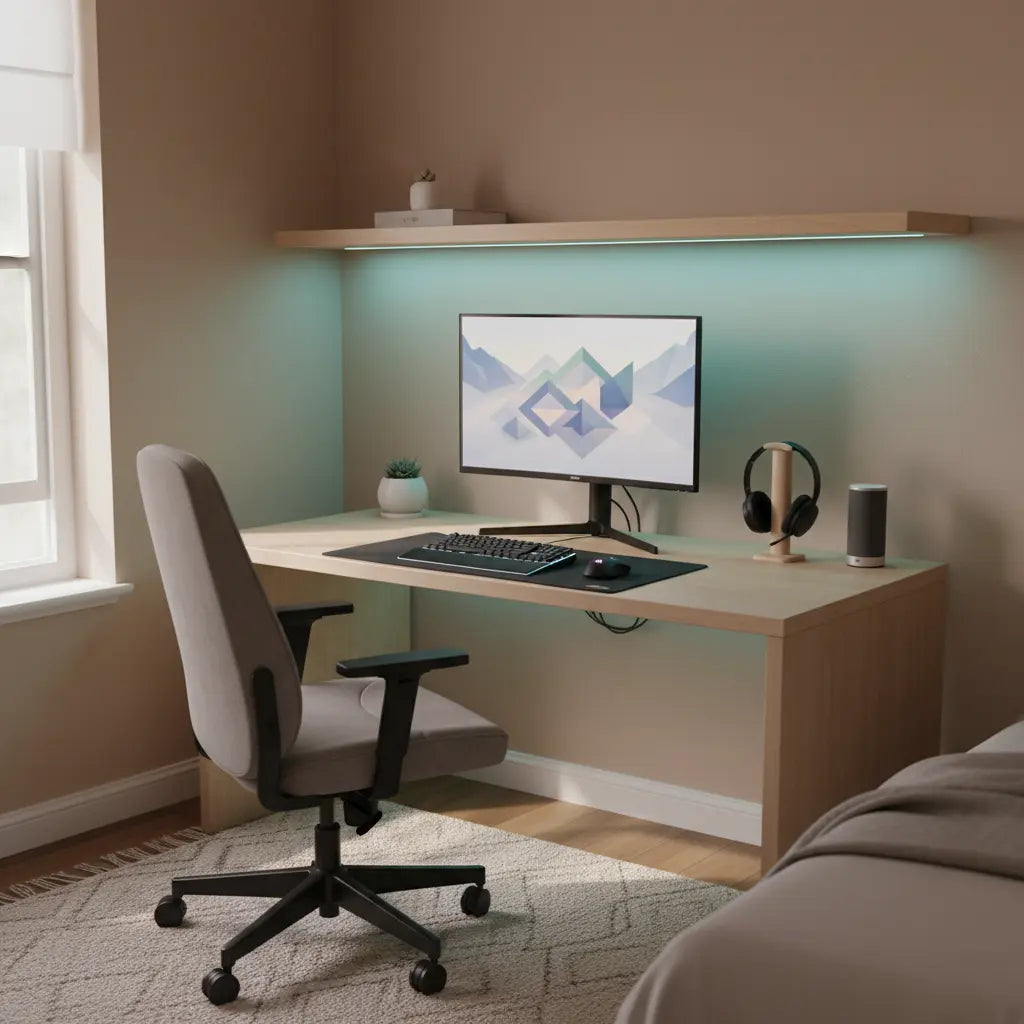
You can create a futuristic, voice-controlled desk setup that feels high-tech without spending thousands. By focusing on affordable LED furniture, a few Matter-compatible smart plugs, and careful planning, budget-conscious gamers and streamers can achieve synchronized lighting and simple automation that works reliably across apps.

The key is starting small with high-impact pieces that solve real daily problems rather than chasing every possible smart feature. Matter, the smart-home interoperability standard that helps compatible devices work across multiple ecosystems, makes this easier than ever by reducing brand lock-in. This guide walks through practical choices for small bedrooms, dorms, and gaming corners where space and budget are limited.
What Is Matter and Why It Matters for Budget Setups
Matter simplifies smart home control by allowing devices from different brands to communicate using the same language. Instead of needing separate apps for lights, plugs, and speakers, a single controller like Google Home, Apple Home, or Amazon Alexa can manage compatible gear. This is especially valuable in budget builds where mixing affordable components is common.
For a desk setup, Matter shines in basic automations such as turning on desk lamps or LED strips with voice commands or schedules. As this official Matter overview explains, the standard promotes interoperability rather than proprietary ecosystems. However, not every feature transfers perfectly—advanced effects or status reporting may still require the manufacturer's app.
Before purchasing, confirm that the device and your chosen ecosystem support the same Matter features. This check prevents frustrating compatibility gaps later. In small spaces like dorm rooms or home offices, keeping the ecosystem simple avoids overwhelming your Wi-Fi or creating too many points of failure.
Should You Buy Smart Desk Gear? Red Flags to Watch For
Not every “smart” product delivers enough value in a budget desk setup. Smart desk furniture, LED accessories, or Matter plugs can add unnecessary cost and complexity if they don’t solve a recurring problem.
Avoid smart upgrades in these situations:
- You frequently rearrange your desk or move often—electronics make heavy furniture harder to reposition.
- Your primary activities involve focused work or stable lighting where decorative LEDs become distracting clutter.
- You only need basic on/off control for one lamp— a regular power strip is often cheaper and simpler.
- The product requires multiple apps, a hub, or constant firmware updates just for basic functions.
- The appeal is mainly novelty rather than daily convenience.
A budget smart-room build works best when you keep the plan simple: a few high-value automations, organized cables, and easy-to-control lighting. This approach prevents the setup from becoming a maintenance project.
Comparison Framework: Prioritizing Components for Your Desk
When comparing options, focus on role rather than hype. Use these five factors to evaluate smart plugs, LED furniture, controllers, and basic lighting:
- Cost efficiency: How much visible improvement you get per dollar spent.
- Setup ease: Time and effort required to install and pair.
- Compatibility risk: Likelihood of app or ecosystem friction.
- Gaming/streaming fit: How well it enhances camera appearance or immersion without distraction.
- Control value: How often the smart features are actually used.
The chart below is an editorial priority map for a budget Matter smart desk setup. It uses relative scores only to show which item types usually deliver the most visible impact with the least friction, and where compatibility caution is higher. Treat it as a prioritization aid, not a factual benchmark.
Illustrative Priority Map for a Budget Matter Smart Desk Setup
Editorial heuristic scores only (1-10). Higher is better for cost efficiency, setup ease, gaming/streaming fit, and control value; higher compatibility risk means more caution. Use as a prioritization aid, not a factual benchmark.
View chart data
| Series | Cost Efficiency | Setup Ease | Compatibility Risk | Gaming/Streaming Fit | Control Value |
|---|---|---|---|---|---|
| Smart Plug | 9.0 | 9.0 | 4.0 | 5.0 | 6.0 |
| LED Desk/Furniture | 6.0 | 7.0 | 6.0 | 8.0 | 7.0 |
| Controller/Hub | 5.0 | 5.0 | 7.0 | 4.0 | 10.0 |
| Basic Lighting | 8.0 | 8.0 | 2.0 | 6.0 | 4.0 |
Illustrative/editorial scoring built from the decision snapshot factors (cost per visible impact, setup friction, compatibility risk, gaming/streaming fit, control value) plus cautionary notes on Matter limitations and smart plug red flags. Relative 1-10 scores; not measured data.
Smart plugs often score high on cost efficiency and setup ease for simple control, while LED furniture excels in gaming/streaming fit. Controllers provide strong control value but carry higher compatibility risk. Basic lighting offers solid value with low risk when you don’t need full smart features.
Recommended Budget Components for Your Matter Desk
Start with a solid foundation like a Bestier 42" Reversible L-Shaped Gaming Desk with Power Outlets LED Lights. These desks combine practical storage, built-in power, and basic LED lighting at an accessible price point, making them ideal for small gaming corners or dorm rooms.
For lighting control, add a Matter-capable smart plug such as the TP-Link Kasa model. A Matter-capable smart plug is a practical low-cost way to add simple on/off control for lamps and desk accessories. This lets you power down your entire setup with one voice command at the end of a streaming session.
Smart plugs still have basic electrical limits and platform dependencies, so they are not a universal fix for every accessory. Check wattage ratings carefully—especially for monitors or power-hungry LED strips—and verify compatibility with your preferred voice assistant.
If you want more dynamic lighting, explore LED strips or furniture that can sync with your existing ecosystem. Our How to Sync Bestier LED Furniture with Govee & Philips Hue: The 2026 Integration Guide provides step-by-step instructions for bridging these systems using Matter controllers or Zigbee where supported.
For gamers, consider integrating with PC software. The How to Sync Your Desk RGB Lighting with Your Gaming PC: The Complete 2026 Integration Guide covers software options that complement Matter for immersive effects during gameplay.

How to Set Up Your Matter-Connected Desk
Setup typically starts with adding a device through a compatible controller or app, often using onboarding steps such as scanning a code and following the platform prompts. Begin by updating your smart home app and ensuring your Wi-Fi is stable.
- Add your smart plug or LED controller first as the anchor device.
- Pair any LED furniture or strips through the same ecosystem.
- Create simple automations, such as “evening gaming mode” that turns on specific lights and plugs.
- Test voice commands with Alexa, Google, or Siri to confirm responsiveness.
- Organize cables early—use the built-in management features on desks like Bestier’s to keep everything tidy.
Some Matter-compatible products still keep advanced features in the manufacturer app or cloud service. Be prepared to use two apps occasionally for full customization, especially with budget LED products.
Hidden Tradeoffs and Long-Term Considerations
While affordable components lower the entry price, they often come with ongoing costs in time and troubleshooting. Low-cost LED furniture and plugs may require more frequent pairing resets or firmware checks compared to premium options.
In gaming and streaming, decorative lighting can enhance the on-camera look but may create uneven illumination or distractions during focused play. Compatibility gaps can also limit clean expansion later if you mix too many brands.
A budget smart-room build is easier to manage when the plan stays simple. Focus on daily-use automations rather than complex scenes. If you plan to expand, choose devices from fewer brands to reduce patchwork issues.
Comfort and Safety Note: This article discusses setup advice and comfort through lighting control only. It does not constitute medical advice, diagnosis, or treatment. LED lighting may feel more comfortable in some setups but depends heavily on room conditions and device quality. If you experience eye strain, headaches, or other discomfort, consult a qualified professional.
Building a Future-Proof Budget Smart Desk
The best Matter-connected desk setups balance immediate value with room to grow. By choosing versatile pieces like power-equipped gaming desks and reliable smart plugs, you create a foundation that looks impressive without breaking the bank.
Start with one or two core devices, master their integration, then add incrementally. This measured approach prevents buyer’s remorse and keeps your gaming or streaming space functional and enjoyable.
Ready to upgrade your desk? Explore more ideas in our Budget Gaming Desks Under $200: High-Tech Features for Less or 5 Gaming Room Setup Ideas on a Budget. For creator-focused desks, check TikTok Studio Setup: How to Build a Pro Creator Desk on a Budget.
With smart planning, your budget desk can deliver a premium smart home experience that grows with your needs.
References
