





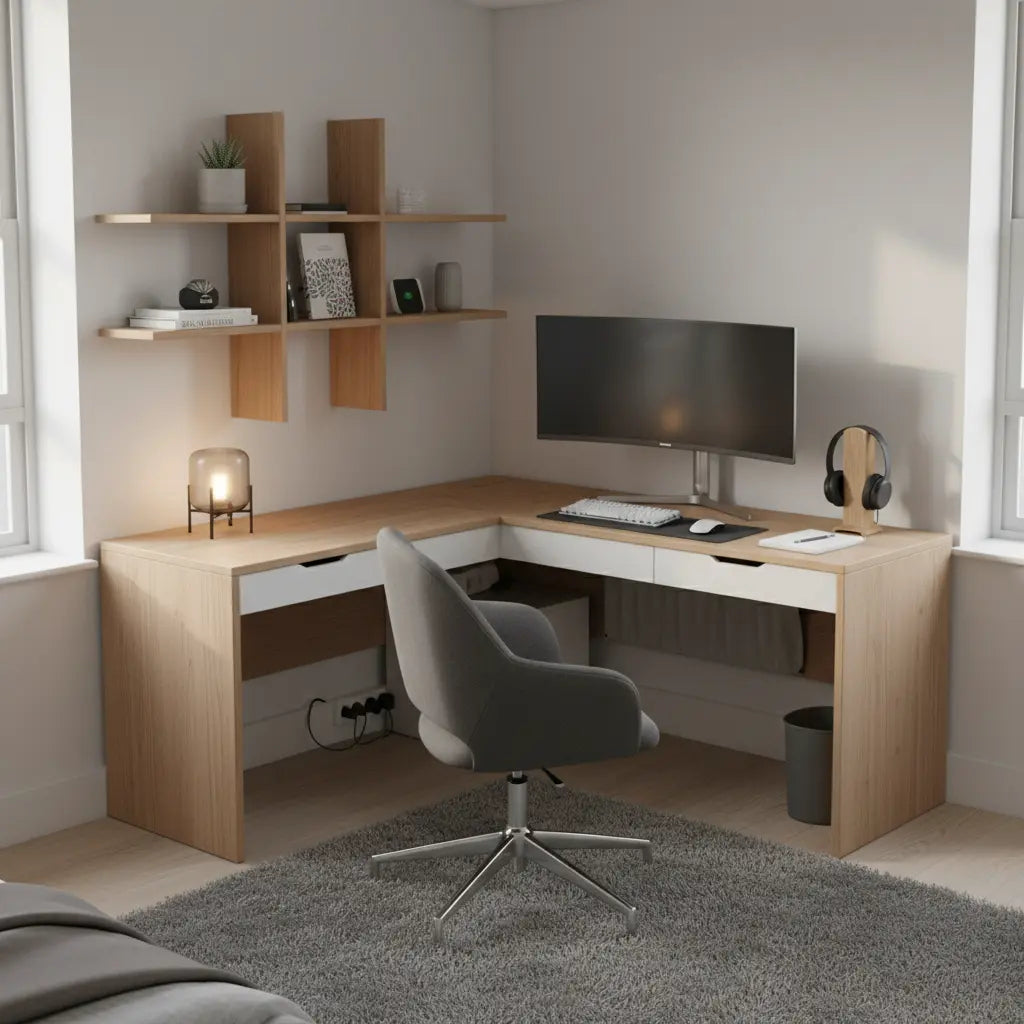
Living in a small apartment doesn't mean you have to sacrifice a high-performance gaming and work setup. By choosing a shallow-depth desk, embracing vertical storage, and implementing smart cable management, you can create a compact battlestation that feels spacious, organized, and premium. The key is prioritizing layouts that match your room dimensions and balancing multi-functional needs without adding visual bulk.

Why Compact Battlestations Matter in Small Apartments
Urban apartments continue to shrink while the need for dedicated workspaces grows. Gamers and remote workers in studios or small bedrooms often struggle with desks that protrude too far into the room, creating a cramped feel or blocking movement. A well-designed compact battlestation solves this by focusing on shallow profiles (typically under 24 inches deep), clever zoning, and minimal footprint solutions that support both productivity and play.
Research from university ergonomics programs shows that treating your home setup like a real workstation—with proper screen height, chair support, and layout planning—helps reduce strain even in tight quarters. Home Office Ergonomics guidance from the University of Pennsylvania emphasizes setting screens at eye level and maintaining comfortable working positions rather than just minimizing size. Similarly, Bates College ergonomics recommendations advise arranging a desk, adjustable chair, and display thoughtfully to support dual-purpose use.
This guide draws on proven small-space strategies to help you avoid common regrets like unstable surfaces, insufficient storage, or setups that feel temporary rather than intentional.
Choosing the Right Desk Dimensions for Your Space
The foundation of any compact battlestation is selecting a desk that fits your room without dominating it. Depth is often more critical than width in small apartments because excessive projection makes the space feel crowded.

A good rule of thumb is keeping desk depth at or below 24 inches for rooms under 120 square feet. Wider surfaces (42-48 inches) work well along walls, but L-shaped or corner designs can better utilize awkward spaces while providing separate zones for monitors, peripherals, and work materials.
Here is an illustrative chart showing how different room sizes and layouts affect recommended desk dimensions and relative fit:
Desk Fit for Small Apartment Rooms
Illustrative threshold chart for compact battlestation planning.
View chart data
| Category | Fit Score (0-5) | Max Desk Depth (in) | Max Desk Width (in) |
|---|---|---|---|
| 8x10 Room - Straight Desk | 2.0 | 22.0 | 42.0 |
| 8x10 Room - Corner/L-Shaped | 3.0 | 24.0 | 48.0 |
| 10x12 Room - Straight Desk | 4.0 | 24.0 | 48.0 |
| 10x12 Room - Corner/L-Shaped | 4.0 | 26.0 | 54.0 |
| 12x12 Room - Straight Desk | 5.0 | 28.0 | 60.0 |
| 12x12 Room - Corner/L-Shaped | 5.0 | 30.0 | 66.0 |
Heuristic / illustrative fit model based on the brief constraints: shallow desks fit better in small apartments, desks deeper than 24 in feel cramped, and corner/L-shaped layouts trade more floor area for multi-use flexibility. Product sizes mentioned in the brief (42-48 in L-shaped, 41-44 in gaming) are used only as context for plausible width ranges, not as measured performance data.
This heuristic model highlights that corner or L-shaped layouts often improve fit in tighter rooms by using vertical and corner space more effectively. For example, in an 8x10 room, a straight desk may only earn a low fit score unless extremely shallow, while a corner option opens more possibilities.
When shopping, look for desks around 42-48 inches wide with reversible or adjustable shelving. Bestier's 47-inch Small L Shaped Desk with Storage Shelves offers a compact footprint with built-in organization ideal for apartment corners.
Multi-Functional Layouts: L-Shaped vs Corner Desks
Balancing gaming, work, and daily tasks in one desk requires smart zoning. L-shaped designs provide dedicated areas for a monitor setup on one side and paperwork or peripherals on the other, making them excellent for hybrid use.
However, not every small room benefits equally. In very narrow bedrooms, a straight compact desk against the longest wall may preserve better traffic flow. Corner desks shine in studios where one piece can define both the office and gaming zone without dividing the space awkwardly.
Compare your options using resources like Small Bedroom Office Layouts: L-Shaped vs. Corner Desks, which outlines how to evaluate room flow and ergonomics. For streaming or creator setups, Compact Creator Desk Setups shares practical tips on fitting dual monitors and gear into limited square footage.
A popular choice is the Bestier 42-inch L-shaped Gaming Desk with RGB Music Sync Lights, which combines power outlets, lighting, and storage in a footprint suitable for apartments.
Ergonomics in Tight Spaces: Don't Sacrifice Comfort
Compact does not mean uncomfortable. Even in small rooms, maintain proper posture by positioning your monitor at eye level, keeping elbows at roughly 90 degrees, and using a supportive chair that slides easily under the desk.
UC Irvine's ergonomics program recommends elevating screens and avoiding improvised setups that force neck strain or poor wrist alignment. In compact battlestations, monitor arms become essential to free desk surface and fine-tune positioning without needing extra depth.
For laptop users, add a riser and external keyboard to create a more workstation-like experience. Adjustable height desks can also help alternate between sitting and standing to combat fatigue in shared or limited spaces.
Important Note on Comfort and Health: This article discusses setup advice for comfort in small spaces. It does not constitute medical advice, diagnosis, or treatment. If you experience persistent discomfort or have existing eye or musculoskeletal conditions, consult qualified healthcare professionals.
Mastering Cable Management for a Clean Look
Visible cables are one of the fastest ways to make even the most premium compact setup look chaotic. Effective management starts with planning routes during assembly.
Use under-desk trays, adhesive clips, and sleeves to bundle wires. Many modern gaming desks include built-in channels or grommets. Pro Cable Management Tricks for a Clean Gaming Setup details strategic routing that improves both airflow and aesthetics.
Power outlets integrated into the desk, like those on the Bestier 44 Inch Gaming Desk with Power Outlets, reduce the need for extension cords snaking across floors.
Vertical Storage and Zoning Without Overwhelming the Room
When floor space is limited, go up. Floating shelves, pegboards, or hutch-style attachments keep essentials accessible without eating into walking area.
Choose neutral finishes that blend with your room's palette to maintain an open feel. The Small Corner Desk with Shelves: The Ultimate Studio Apartment Hack explores how vertical elements can create mental zones while improving ergonomics.
For a seamless transition between work and gaming, consider pieces from the Chameleon Desk guide, which recommends neutral furniture, smart lighting, and hidden storage.
Selecting Accessories That Enhance Rather Than Clutter
Prioritize multi-functional accessories: a monitor stand with storage, headset hooks, and slim RGB lighting that adds ambiance without visual noise. Avoid over-accessorizing—select only items that serve daily needs.
Look at collections like Bestier LED Gaming Desk or Bestier L Shaped Desk for coordinated options that maintain cohesive aesthetics in small bedrooms.
Checklist: Building Your Compact Battlestation
Before purchasing, run through this self-audit:
- Measure your available wall and corner space, subtracting at least 2-3 feet for chair clearance and movement.
- Confirm desk depth stays under 24-26 inches for rooms smaller than 12x12 feet.
- Verify the layout leaves clear pathways and doesn't block doors or windows.
- Plan cable routes and power access in advance.
- Ensure monitor positioning allows eye-level viewing without neck tilt.
- Choose storage that hides rather than displays items to reduce visual clutter.
Following these steps helps prevent buyer's remorse and ensures your setup supports both focus and fun.
Common Pitfalls and When to Avoid Certain Setups
Don't buy deep traditional desks if your room is under 10 feet wide—they will make the space feel smaller. Similarly, skip heavy, non-movable furniture in rentals where flexibility matters.
If your primary activity is intense gaming with multiple large monitors, a slightly larger L-shaped option may be worth the footprint trade-off. Pure minimalism works best for those who travel frequently or change setups often.
For more inspiration on dual-purpose designs, explore Optimizing Dual Monitor Setups for Small Bedroom Workspaces.
Compact battlestations prove that thoughtful design can deliver high performance and style even in the smallest apartments. Focus on shallow profiles, vertical solutions, and intentional organization, and your space will support both professional work and immersive gaming without feeling constrained.
Remember that the best setup depends heavily on your specific room conditions, daily habits, and priorities. Test layouts with tape on the floor before committing, and prioritize pieces that grow with your needs.
Comfort and Setup Disclaimer: This discussion covers furniture selection and arrangement for improved comfort in constrained spaces. The article is not medical advice. Consult professionals for any ongoing discomfort or pre-existing conditions.
