





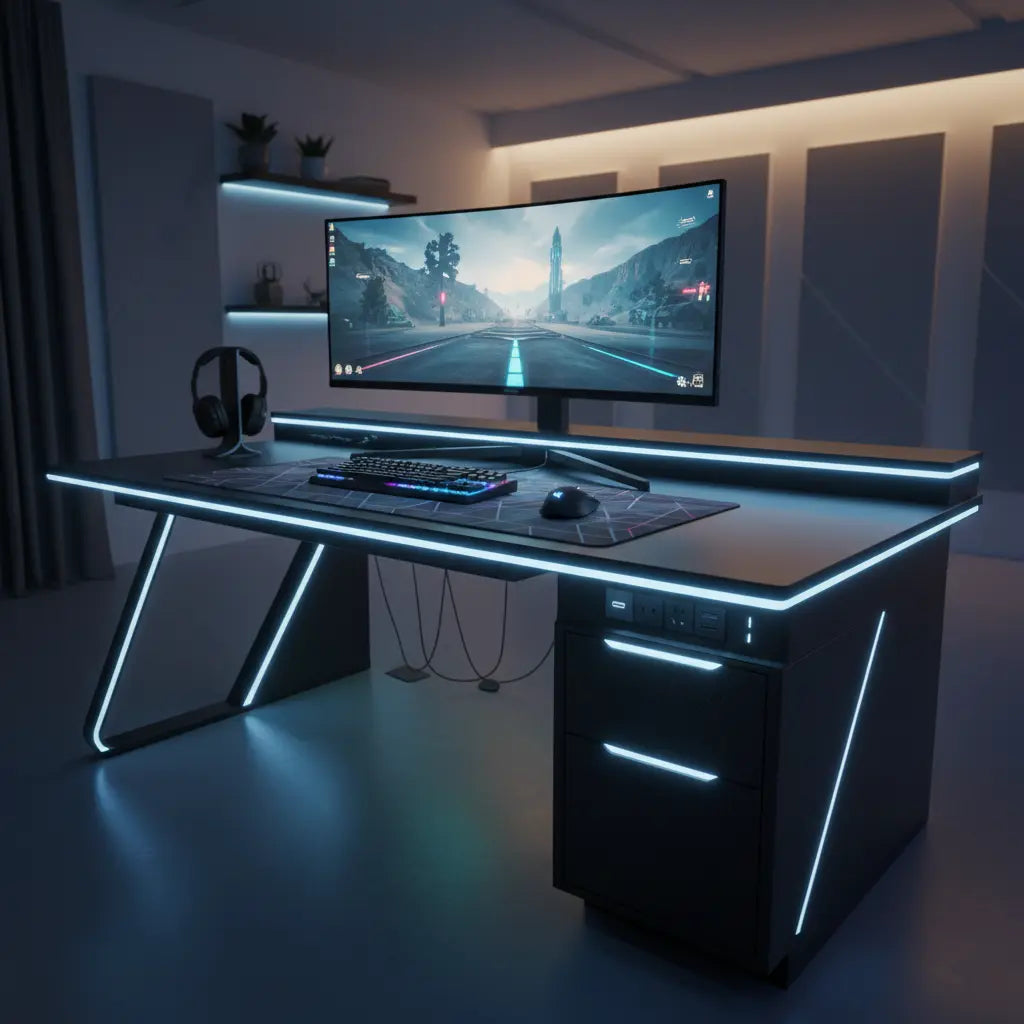
Tired of crawling under your desk to plug in your devices or dealing with a tangle of cords? Desks with built-in power outlets and USB ports deliver convenient charging and power access right at the surface, making them a practical upgrade for gamers, streamers, and remote workers who value tidy, efficient setups.
These integrated power solutions address the common frustration of limited wall outlets and messy cable runs, especially in multi-device environments. While they primarily enhance convenience and organization rather than automatically improving electrical safety, the right model can transform how easily you power your gaming rig, monitors, lights, and peripherals.
What Are Desks with Built-in Power Outlets?
Desks with integrated power outlets feature a built-in power strip or module that includes standard AC sockets, USB-A ports, and often USB-C connections. This design eliminates the need for a separate, bulky power strip that sits on the floor or clamps awkwardly to the desk edge.
Most models place the outlets along the back edge or in a dedicated compartment for easy access without disrupting your workspace. For example, many gaming desks combine this with LED lighting and ample surface space for dual-monitor setups. The convenience comes from having power available exactly where you need it, reducing the visual clutter that comes with external solutions.
According to guidance on workstation ergonomics, effective cable management and power access contribute significantly to a cleaner, more organized station Sit Stand Desk Wire Management.
Key Benefits of Integrated Power Furniture
The primary advantage is immediate access to power without reaching under the desk or across the room. This is especially valuable during intense gaming sessions or streaming broadcasts where you can't afford interruptions to charge a phone or connect a new peripheral.
Integrated designs also support better cable management. By routing cords through dedicated channels or under-desk compartments, these desks minimize exposed wires that can create trip hazards or collect dust. This approach aligns with recommendations that reducing cord clutter helps maintain a tidier workstation.
For small apartments or dorms, built-in power reduces the need for additional furniture or extension cords, freeing up floor space. Streamers benefit from stable power for lights, cameras, and microphones without hunting for outlets mid-setup. In home offices, it keeps laptops, monitors, and chargers organized for a professional appearance.
However, these features primarily improve convenience and organization rather than providing an inherent safety upgrade over a standard desk paired with a quality power strip.
Gaming Desks with Power Outlets vs Standard Desks
A gaming desk with power outlet offers a more seamless experience than pairing a basic desk with an external strip, particularly for fixed setups. The integrated option keeps everything self-contained, often with matching aesthetics like RGB lighting that syncs with your battlestation.
That said, a standard desk plus separate power strip can be more flexible and cost-effective. You can choose a higher-quality surge protector independently and easily replace it if needed. The choice depends heavily on your room layout, device count, and how permanent the setup is.

Consider this heuristic comparison of suitability across common scenarios (scores are illustrative on a 1-10 scale to guide relative fit, not measured performance data):
When to Choose an Integrated Power Gaming Desk vs. a Standard Desk + Power Strip
Heuristic scenario-suitability comparison
View chart data
| Category | Integrated power gaming desk | Standard desk + separate power strip |
|---|---|---|
| Very limited space | 7.0 | 8.0 |
| Many devices at the desk | 8.0 | 7.0 |
| Tight budget | 4.0 | 9.0 |
| Safety concerns are high | 8.0 | 7.0 |
| Need a cleaner cable layout | 9.0 | 6.0 |
| Frequent setup changes | 8.0 | 7.0 |
Illustrative 1–10 heuristic scores derived from the scenario matrix and qualitative evidence on convenience, cable management, device density, budget pressure, and safety tradeoffs. Not measured data; use as a decision aid only.
This chart highlights that integrated power excels for cleaner layouts and multi-device gaming but may not be ideal on a tight budget or with frequent changes.
Features to Look for in 2026
When shopping for a desk with power outlet, prioritize these specifications:
- Outlet Count and Types: Aim for at least 2-4 AC outlets plus 2+ USB ports (including USB-C). Higher-end models offer quick-charge capable ports.
- Power Rating: Look for 1500W or higher total capacity with individual socket ratings around 12A at 120V. Always verify the exact ratings match your devices' combined draw.
- USB Output: USB ports typically deliver 5V at 2.2A or similar—ideal for phones and tablets but usually insufficient for full laptop charging unless PD-capable.
- Cord Length and Management: Ensure the power cord is long enough to reach your wall outlet comfortably. Built-in cable channels or hooks add significant value.
- Surface Size and Extras: Gaming users often need 50-60 inches or L-shaped designs for multiple monitors. LED lighting, monitor stands, and storage shelves enhance functionality.
- Material and Build: Engineered wood with proper certifications offers durability. For safety details on materials, see this guide to CARB and TSCA standards.
Our budget gaming desks guide covers high-tech features available under $200, including power integration.
Safety and Compatibility Considerations
Built-in outlets add convenience but require the same caution as any power distribution device. Confirm the product's load rating and avoid exceeding it with high-draw equipment like space heaters or multiple high-wattage monitors.
In homes with children, consider models with tamper-resistant receptacles or plan to add outlet safety covers. General guidance on electrical outlet protection in child care settings emphasizes using appropriate barriers for exposed receptacles Safety Covers and Shock Protection Devices for Electrical Outlets.
Important Note: This article discusses comfort, organization, and setup convenience only. It does not constitute electrical, medical, or safety advice. Always verify product certifications, consult qualified professionals for persistent concerns or existing conditions, and follow local electrical codes. Check manufacturer specifications for surge protection and compatibility before purchase.
Verify that the desk's power module carries appropriate listings (such as UL or ETL) where available. Position the desk so cords don't create trip hazards, and never modify the electrical components yourself.
Best Use Cases and Scenarios
Integrated power furniture shines in these situations:
- Gaming Battle Stations: Power your PC, monitors, RGB peripherals, and chargers without floor clutter.
- Streaming Setups: Keep lights, microphones, cameras, and phones powered reliably in one place.
- Small Spaces: Maximize limited outlets in apartments or dorms, as covered in our small gaming desk ideas.
- Home Offices: Maintain a professional, cable-free appearance for video calls and productivity.
It may be less ideal for frequently rearranged spaces or ultra-budget setups where a quality external strip suffices. For ongoing organization, explore our pro cable management tricks.
How to Choose the Right Desk with Built-in Charging
Follow this checklist:
- Measure your space and note wall outlet locations.
- List all devices and estimate total power draw.
- Decide on must-have features like LED lights or L-shape.
- Check exact specs for outlets, USB outputs, and cord length.
- Review safety ratings and return policies.
- Consider future upgrades—choose a desk that supports expansion.
For LED-enhanced models, our guide on how LED gaming desks boost immersion provides useful insights.
Top Recommendation: Bestier L-Shaped Gaming Desk
The Bestier 42" Reversible L-Shaped Gaming Desk exemplifies integrated power furniture. It includes 2 AC sockets, 1 USB port, and 1 Type-C interface with a 1500W rating, making it suitable for most gaming and office setups.
Paired with LED lighting, monitor stand, storage shelves, and hooks, it delivers both function and style. The reversible design adapts to different room layouts, while built-in power keeps your station organized.
Additional cable management resources include our 5 cable management hacks for LED gaming desks and detailed gaming desk reviews.

Common Myths About Integrated Power Desks
Myth: Built-in outlets make the desk inherently safer. Reality: They add convenience but safety still depends on proper use, load limits, and quality of the power module.
Myth: They completely eliminate cable clutter. Reality: Effective management still requires thoughtful routing and possibly additional accessories.
Myth: Any USB port can charge laptops quickly. Reality: Standard ports suit phones and small devices; check for Power Delivery specs for larger electronics.
Myth: They're always worth the premium over a standard desk. Reality: Value depends on your specific needs for fixed placement and device density.
Final Thoughts
Desks with built-in power outlets can significantly improve organization and convenience in gaming, streaming, and home office setups, provided you match the features to your actual needs and usage. They work best in semi-permanent, multi-device environments where easy access reduces daily friction.
Focus on verified specifications, realistic power requirements, and proper setup rather than assuming automatic improvements in safety or performance. With the right choice, integrated power furniture helps create a cleaner, more efficient workspace that supports your activities without unnecessary hassle.
Remember to measure twice, check ratings carefully, and prioritize setups that fit your room and habits for the best long-term results. For more on optimizing your space, explore our gaming and setup guides.
